
US English


7 Budget Analyst - Technology Modernization Resume Templates with Example
By Ria · Last Updated On October 2, 2026
Resume Example Page 1

This guide shows you how to build a Budget Analyst - Technology Modernization resume that is clear, focused, and easy to review. You will see how to organize strong evidence and compare 7 professional layouts.

Lead with budget development, execution, forecasting, variance analysis, appropriations, fiscal notes, and executive reporting. Add tools only when you have used them, such as advanced Excel, Workday, ERP reporting, Apptio, SharePoint, and Microsoft Teams.

Use experience bullets to show how you aligned funding authority, spending plans, implementation schedules, and financial controls. Keep the strongest results easy to scan, and match your wording to the exact requirements of the role without overstating your background.

What Makes a Great Budget Analyst - Technology Modernization Resume in 2026

A strong resume is clear, evidence-based, and easy to scan. It shows budget ownership, sound financial judgment, and the ability to explain complex fiscal issues to leaders.

Use specific terms such as budget development, forecasting, variance analysis, appropriations, fiscal notes, corrective journal entries, and advanced Excel only when your experience supports them.

The examples shown below are intentionally detailed to demonstrate a range of experiences, skills, accomplishments and relevant keywords. We prefer detailed resumes as they provide more context to the hiring managers and also help the ATS systems identify relevant qualifications and score your resume better for a match. But the length of a resume is an individual choice. If you want a one page resume, just keep the most relevant experience and information for the job. Note: Resume examples are for educational purposes only. Use only information that accurately reflects your experience and qualifications. References to real organizations do not imply affiliation or endorsement.

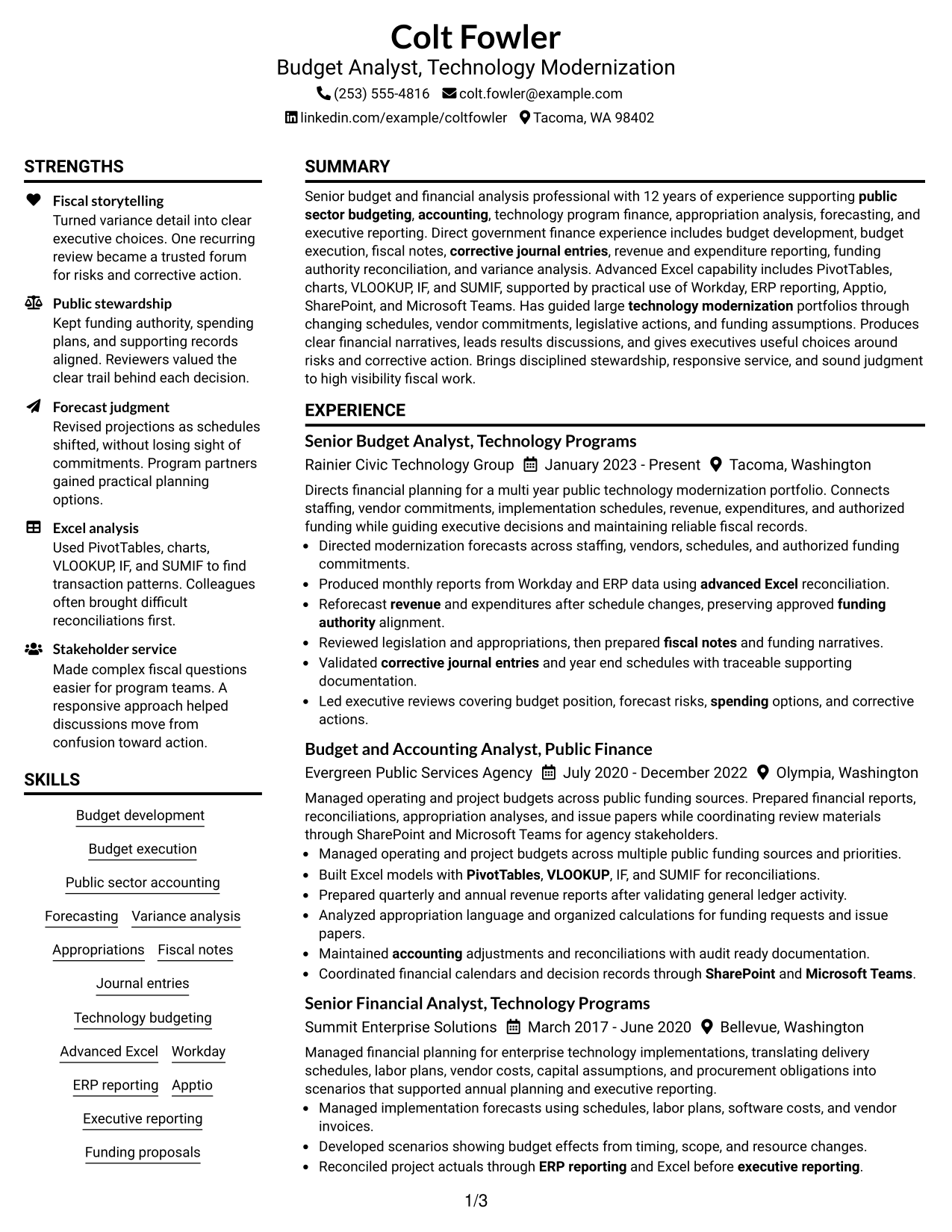
#1 Plain Two Column Format Resume Example

A plain two-column structure keeps major sections separate, helping recruiters scan dense financial experience without losing the overall reading order.
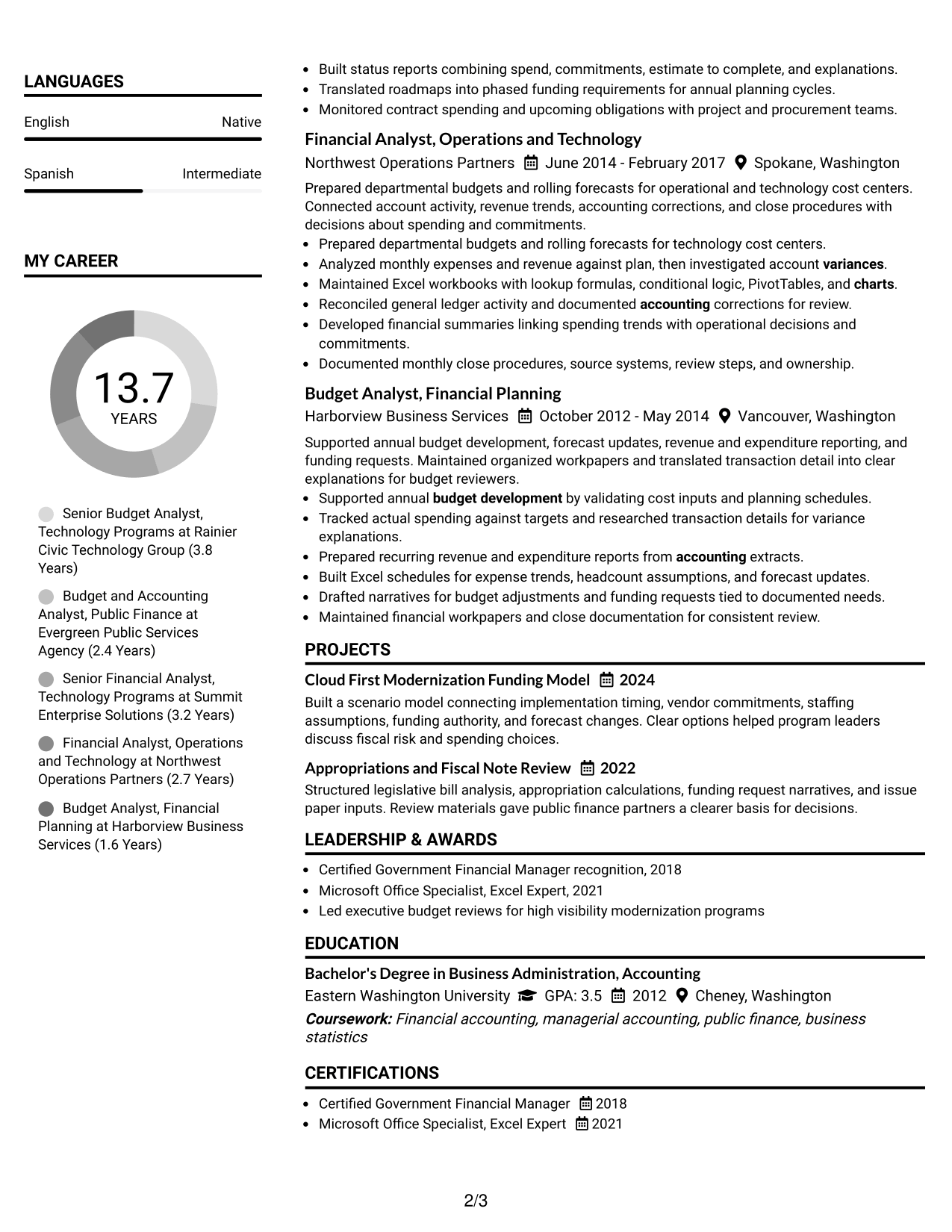
 
Resume Example Page 1   Resume Example Page 2

Resume Snapshot

  • 12 years of budget and financial analysis experience
  • Public-sector budgeting and accounting background
  • Technology modernization portfolio finance experience
  • Advanced Excel with government finance credentials

Why This Format Works

  • Parallel sections separate career history from supporting skills and credentials.
  • Clear column boundaries help reviewers locate experience, education, and certifications quickly.
  • Compact spacing supports a detailed record of achievements without visual clutter.

Best For

  • Detailed public finance histories
  • Strong skills and credentials sections
  • Readers comparing experience and tools
  • Applications with dense supporting evidence
  • Balanced career and qualification scanning

Resume Keywords

  • Budget Analyst
  • Technology Modernization
  • Budget development
  • Budget execution
  • public sector budgeting
  • Public sector accounting
  • accounting
  • Forecasting
  • Executive reporting
  • spending
  • fiscal risk
  • revenue
  • variance
  • funding authority
  • projections
See all keywords
 

#2 Simple One Column Format Resume Example

A simple one-column flow gives recruiters one direct reading path through summary, experience, education, skills, projects, and credentials.
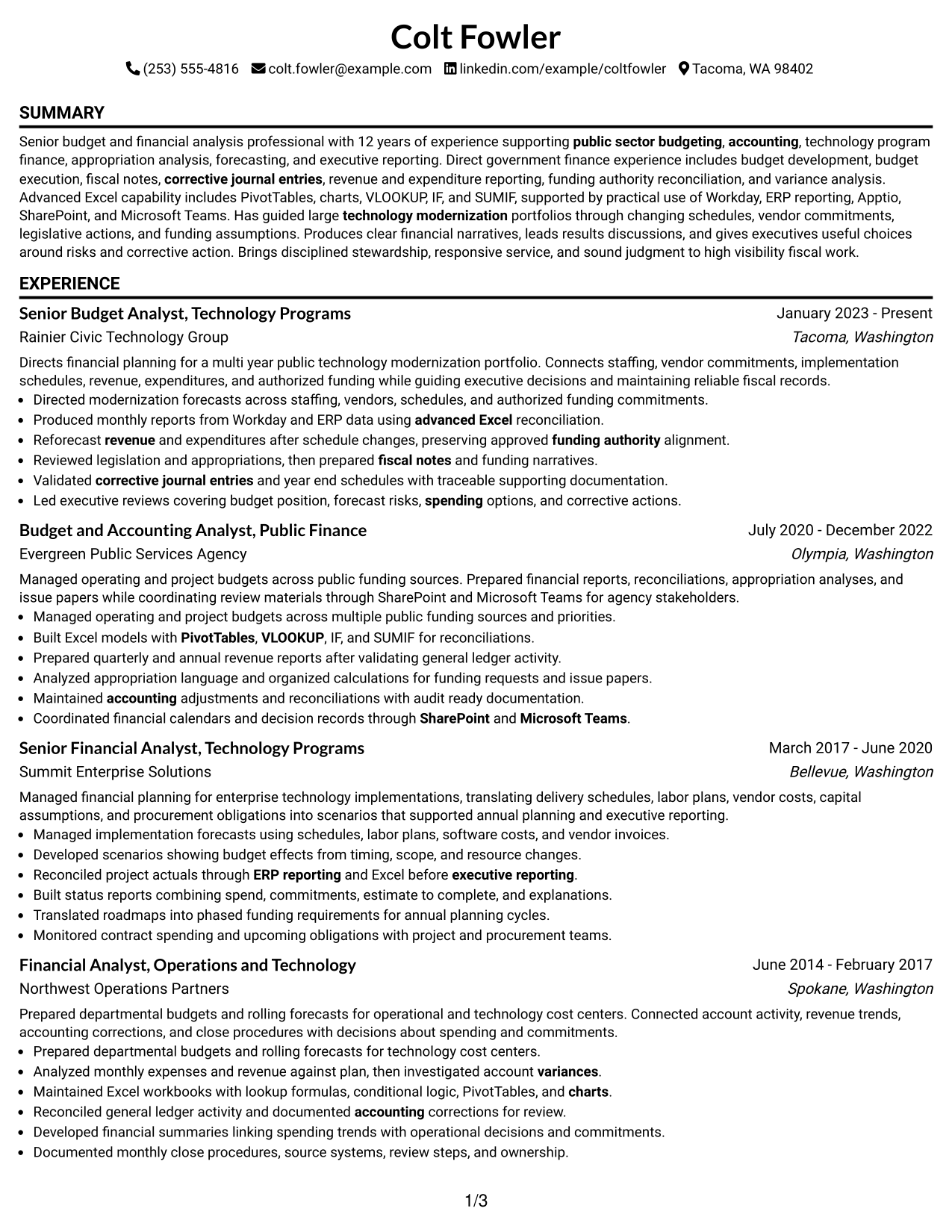
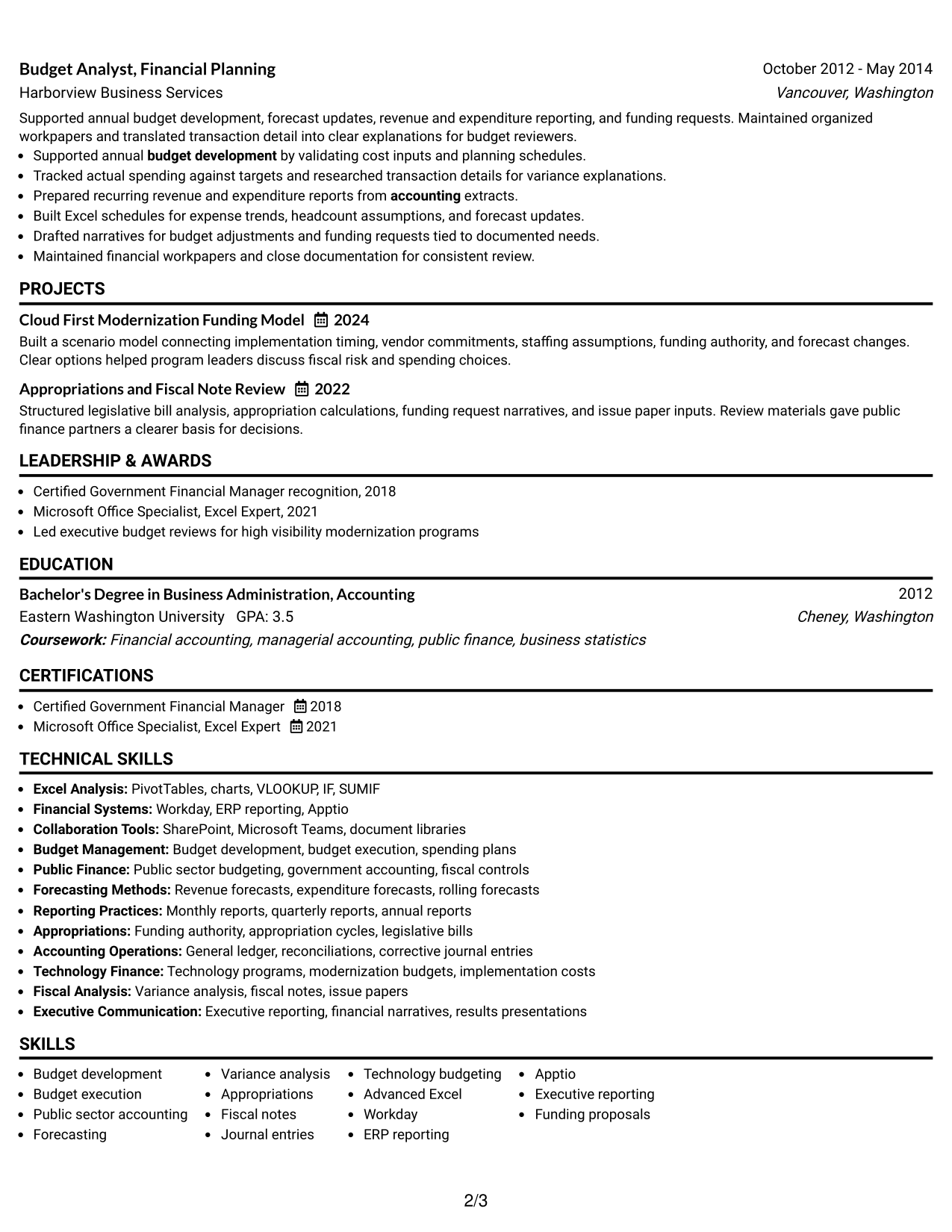
 
Resume Example Page 1   Resume Example Page 2

Why This Format Works

  • One continuous reading path makes career progression easy to follow.
  • Full-width sections give achievement bullets room for clear financial context.
  • Straight section order keeps education and credentials easy to verify.

Best For

  • Linear career storytelling
  • Long experience sections
  • Applications favoring simple reading order
  • Achievement bullets needing more width
  • Traditional resume review
 

#3 Clean Two Column Sidebar Format Resume Example

A clean two-column sidebar structure gives recruiters a clear main career story while keeping supporting qualifications visible in a separate area.
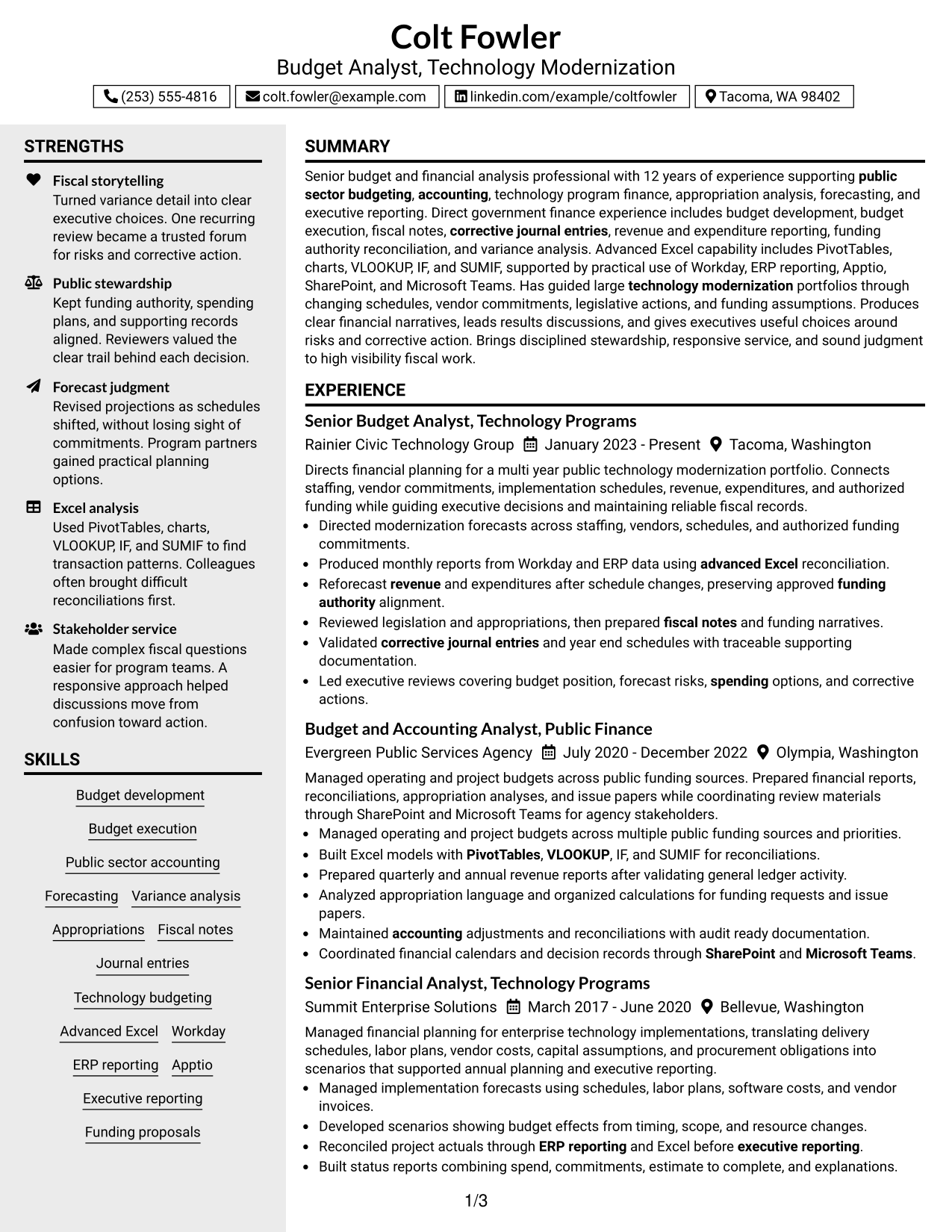
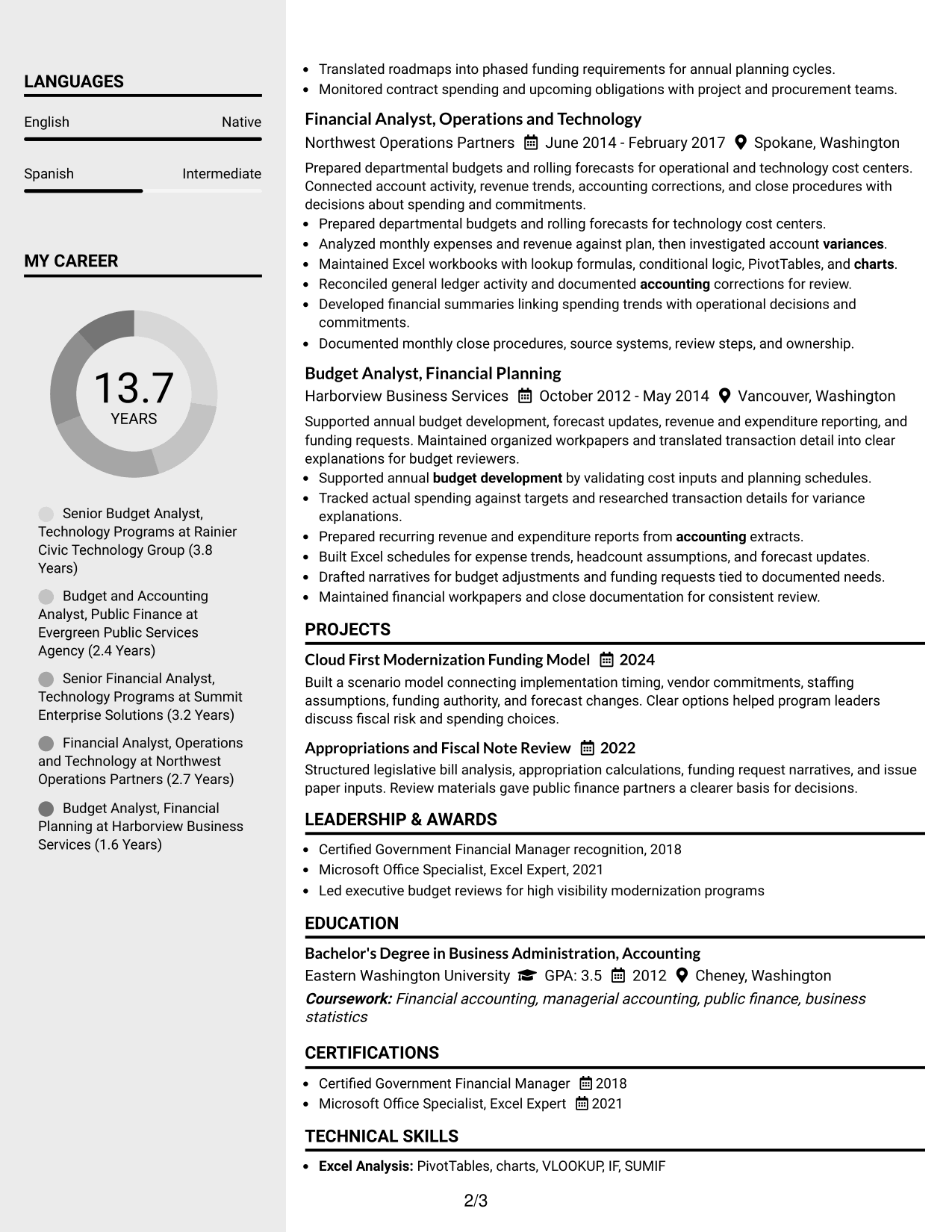
 
Resume Example Page 1   Resume Example Page 2

Why This Format Works

  • Main content can carry experience while the sidebar holds supporting qualifications.
  • Section separation helps reviewers compare achievements with skills and credentials.
  • Defined visual zones reduce searching across a detailed professional history.

Best For

  • Experience-heavy resumes with supporting details
  • Visible skills and credentials
  • Quick comparison of core and secondary sections
  • Structured professional histories
  • Readers who prefer separated information zones
 

#4 Two Column Format Resume Example

A balanced two-column arrangement lets recruiters review substantial experience and supporting resume sections side by side without breaking the document into too many visual parts.
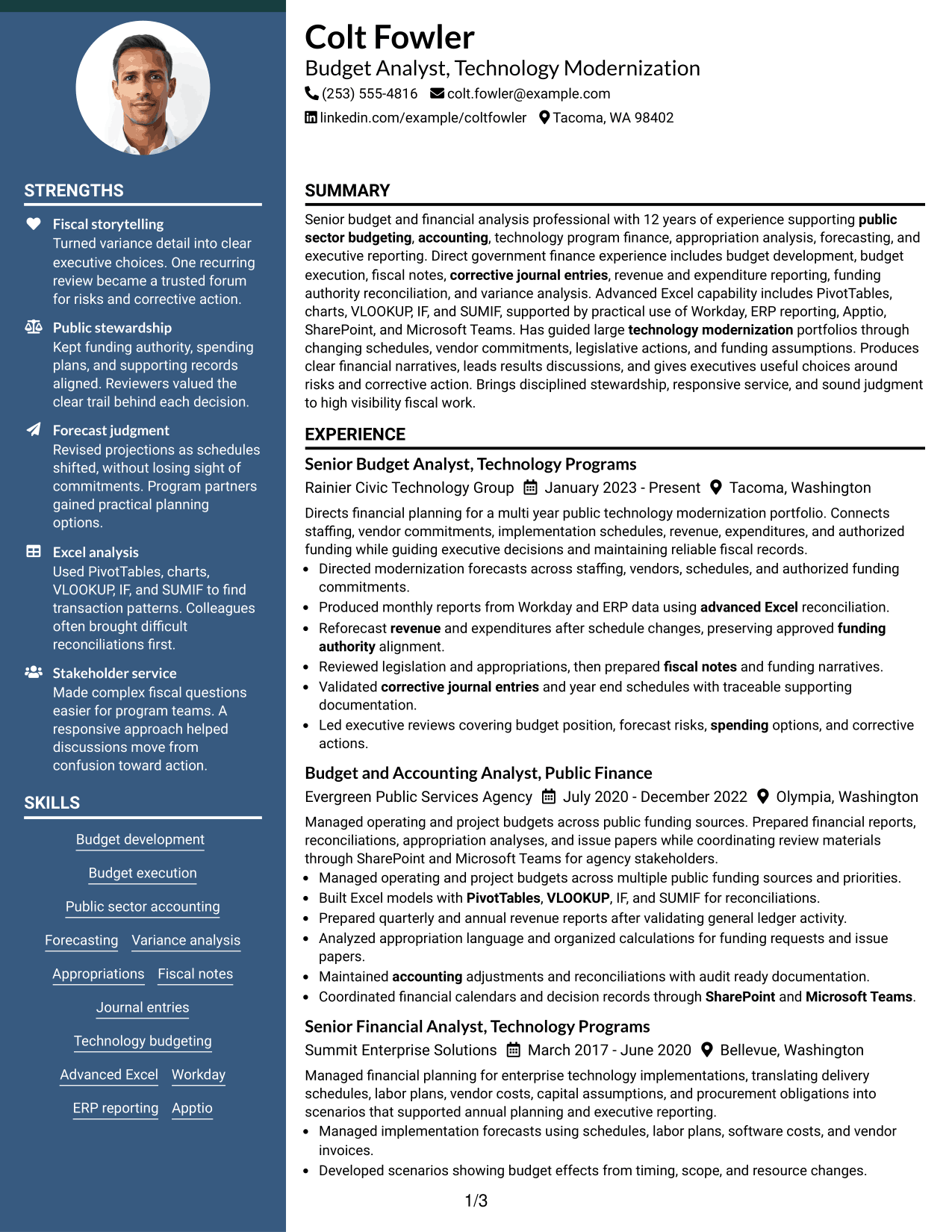
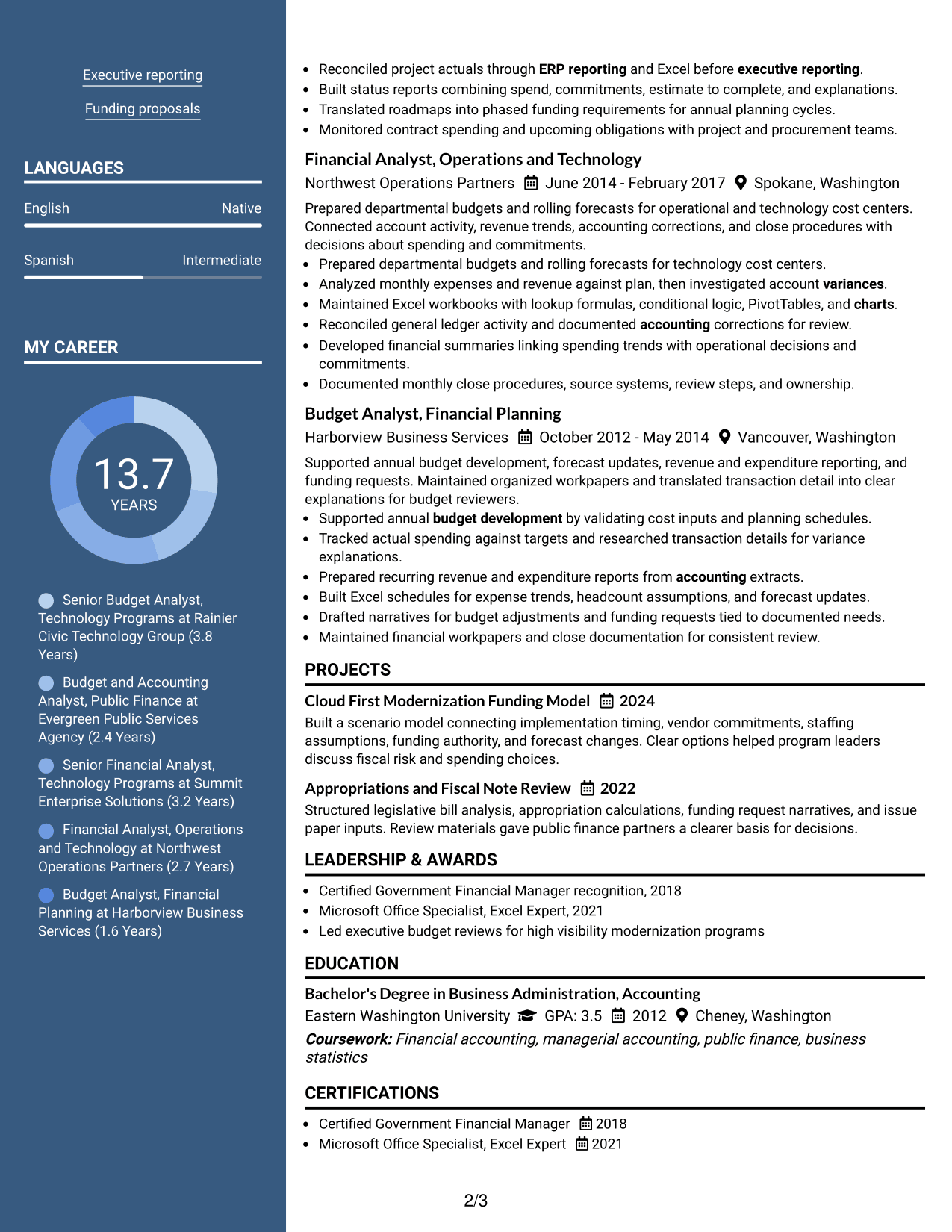
 
Resume Example Page 1   Resume Example Page 2

Why This Format Works

  • Side-by-side sections create efficient access to experience and qualifications.
  • Balanced column space supports career detail plus education and credentials.
  • Consistent section grouping helps reviewers move between achievements and supporting evidence.

Best For

  • Balanced experience and qualification detail
  • Resume sections with similar visual weight
  • Fast cross-checking of career evidence
  • Professional histories with several supporting sections
  • Readers comfortable with parallel scanning


#5 Photo Header Two Column Format Resume Example

A photo header with two-column body organization gives recruiters a distinct identity area while keeping experience and supporting sections easy to scan below.
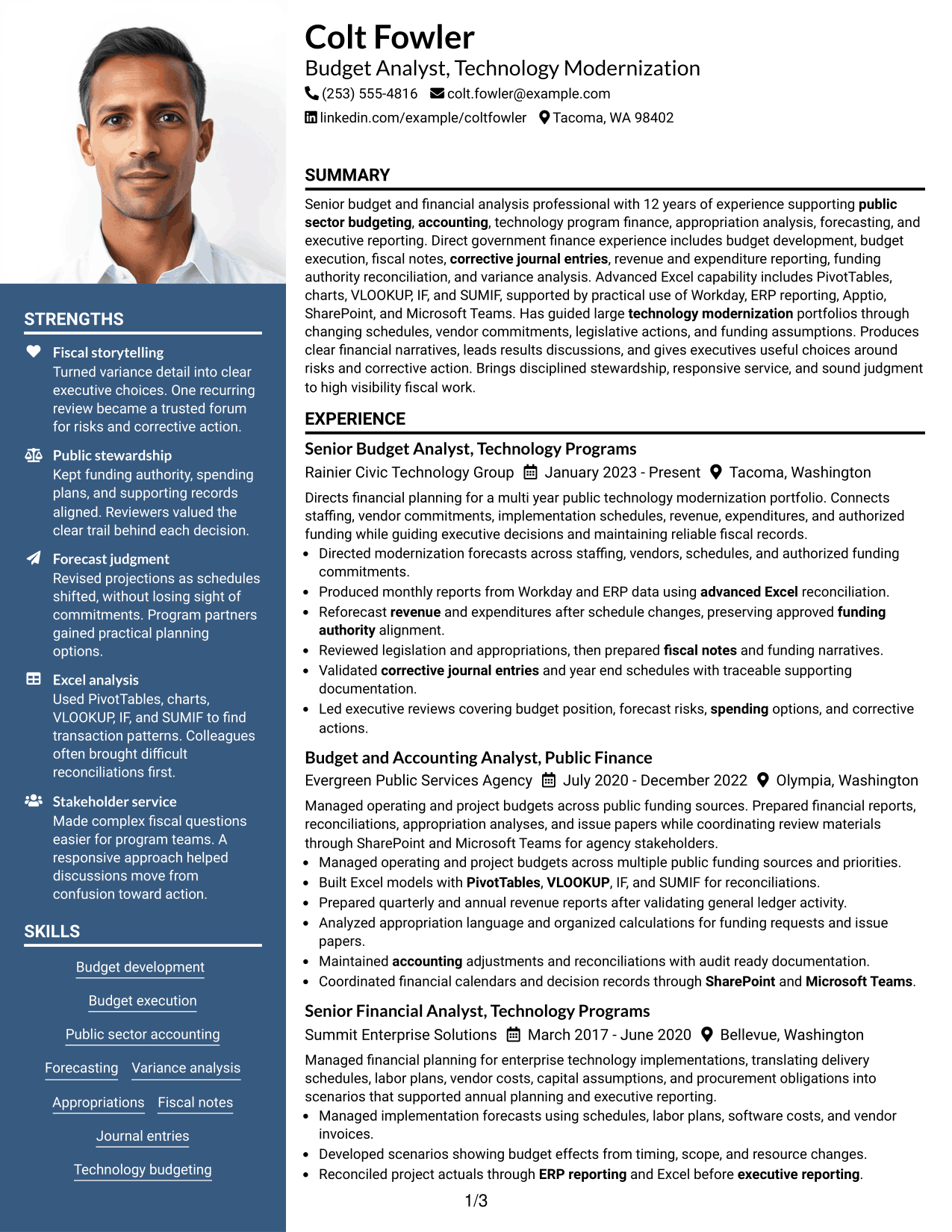
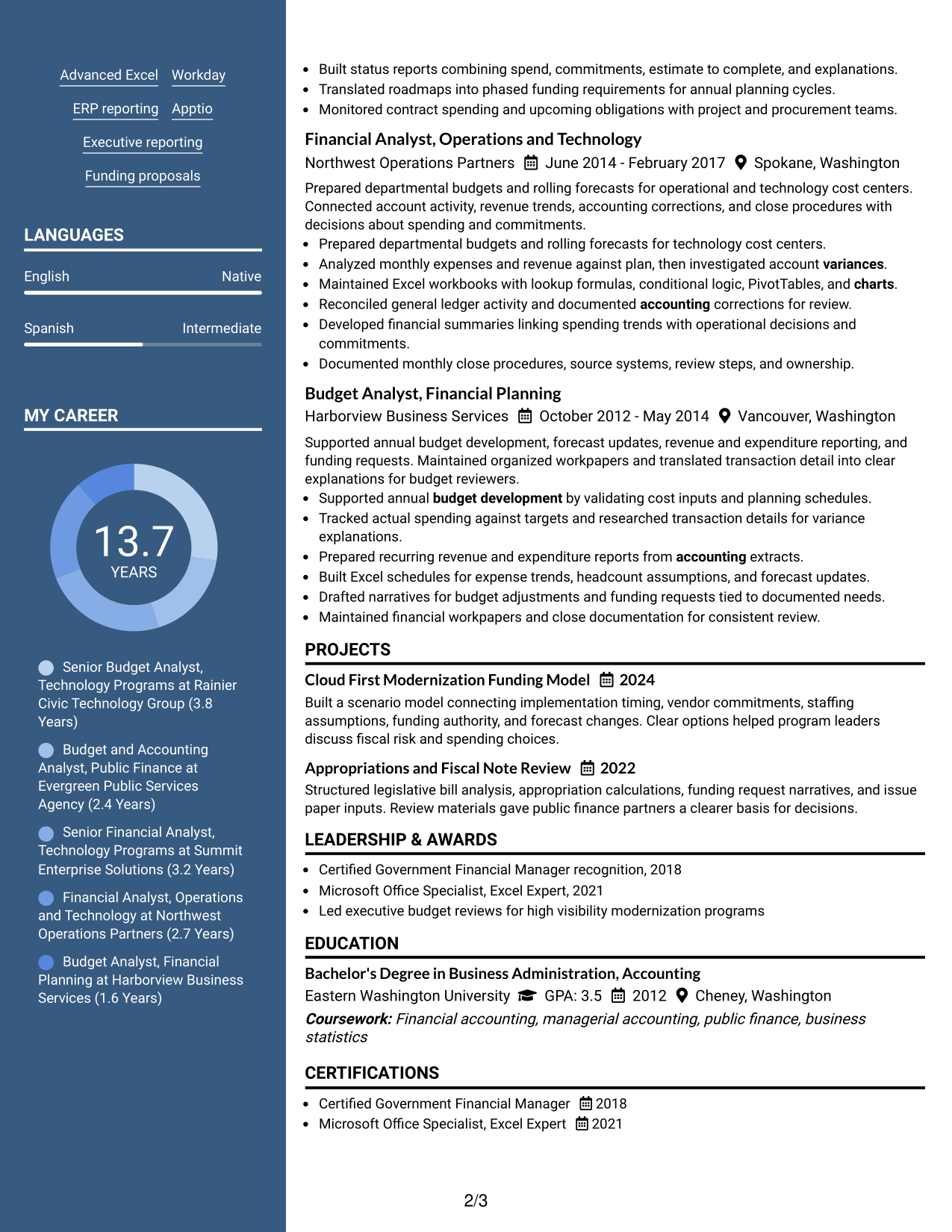
 
Resume Example Page 1   Resume Example Page 2

Why This Format Works

  • Two-column body sections keep career content and qualifications clearly separated.
  • Header identity stays distinct from experience, achievements, education, and credentials.
  • Organized section blocks help reviewers scan a detailed professional record efficiently.

Best For

  • Regions where resume photos are customary
  • Applications using a formal identity header
  • Detailed experience with separate supporting sections
  • Readers who value strong section boundaries
  • International resume presentation
 

#6 Colored Two Column Format Resume Example

A colored two-column structure uses visual contrast to help recruiters distinguish major resume sections while preserving a practical parallel reading pattern.
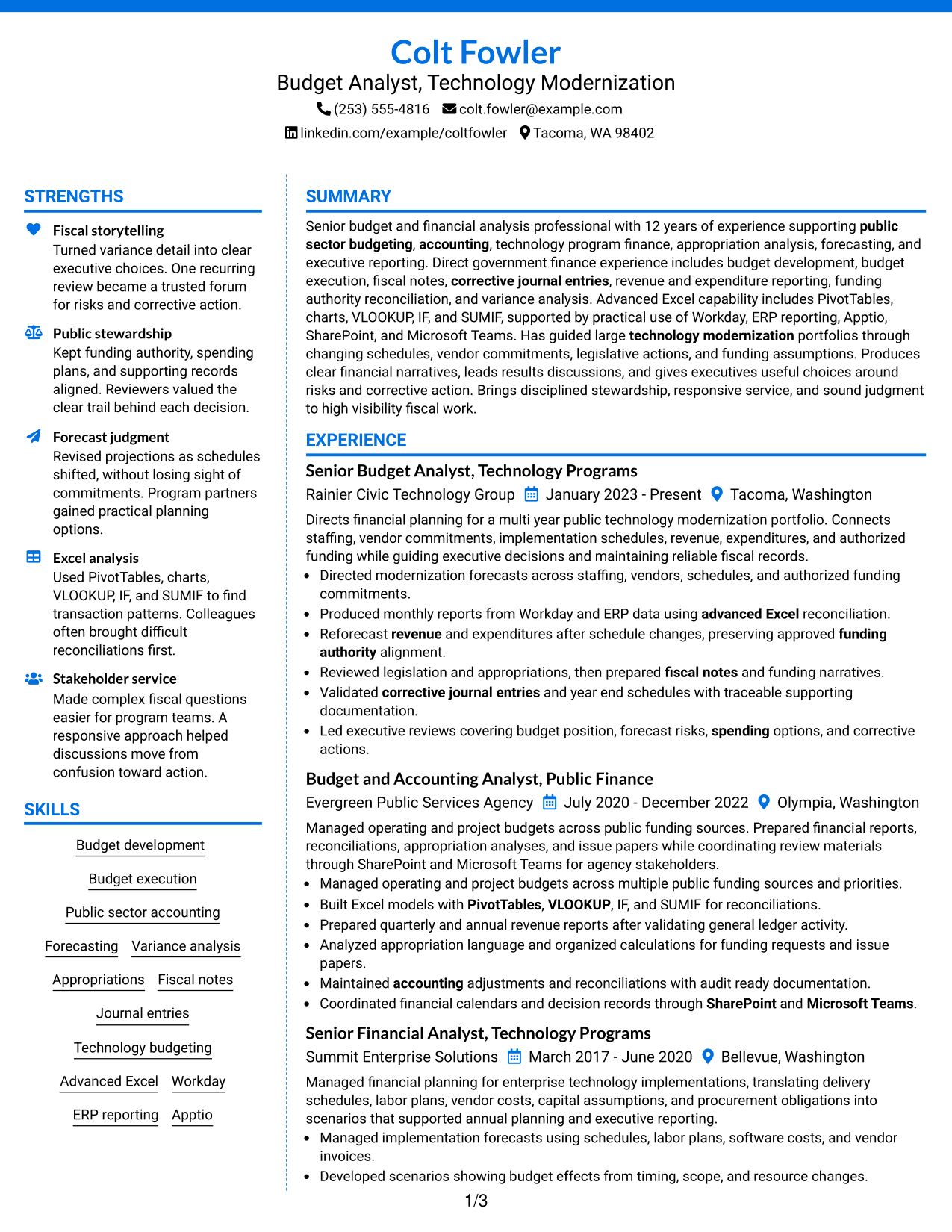
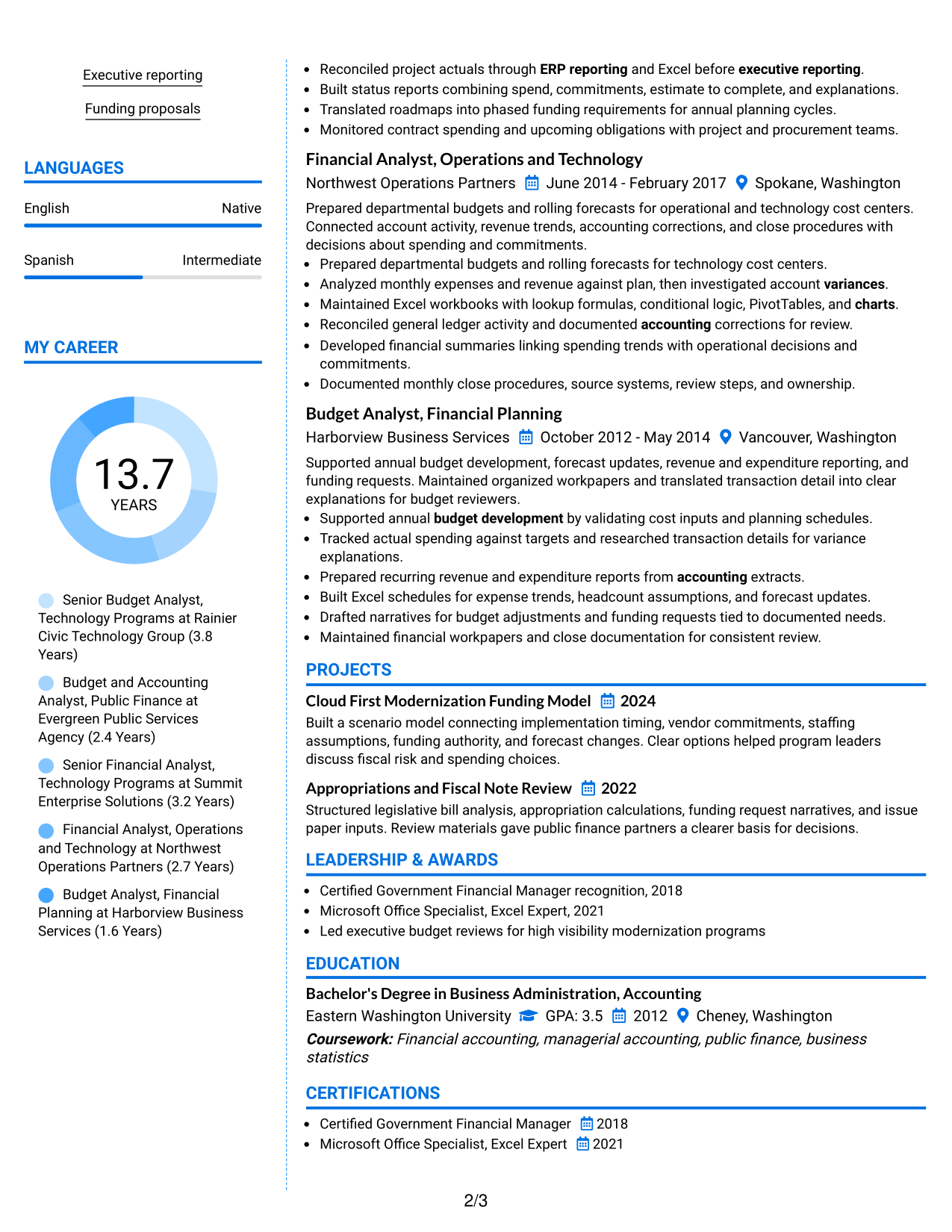
 
Resume Example Page 1   Resume Example Page 2

Why This Format Works

  • Color contrast marks section boundaries without changing the underlying career evidence.
  • Parallel columns keep experience separate from skills, education, and credentials.
  • Clear visual grouping helps reviewers return quickly to key resume sections.

Best For

  • Section-rich resumes needing stronger visual separation
  • Readers scanning several qualification categories
  • Applications allowing restrained color use
  • Experience supported by many secondary sections
  • Organized review of career and credentials
 

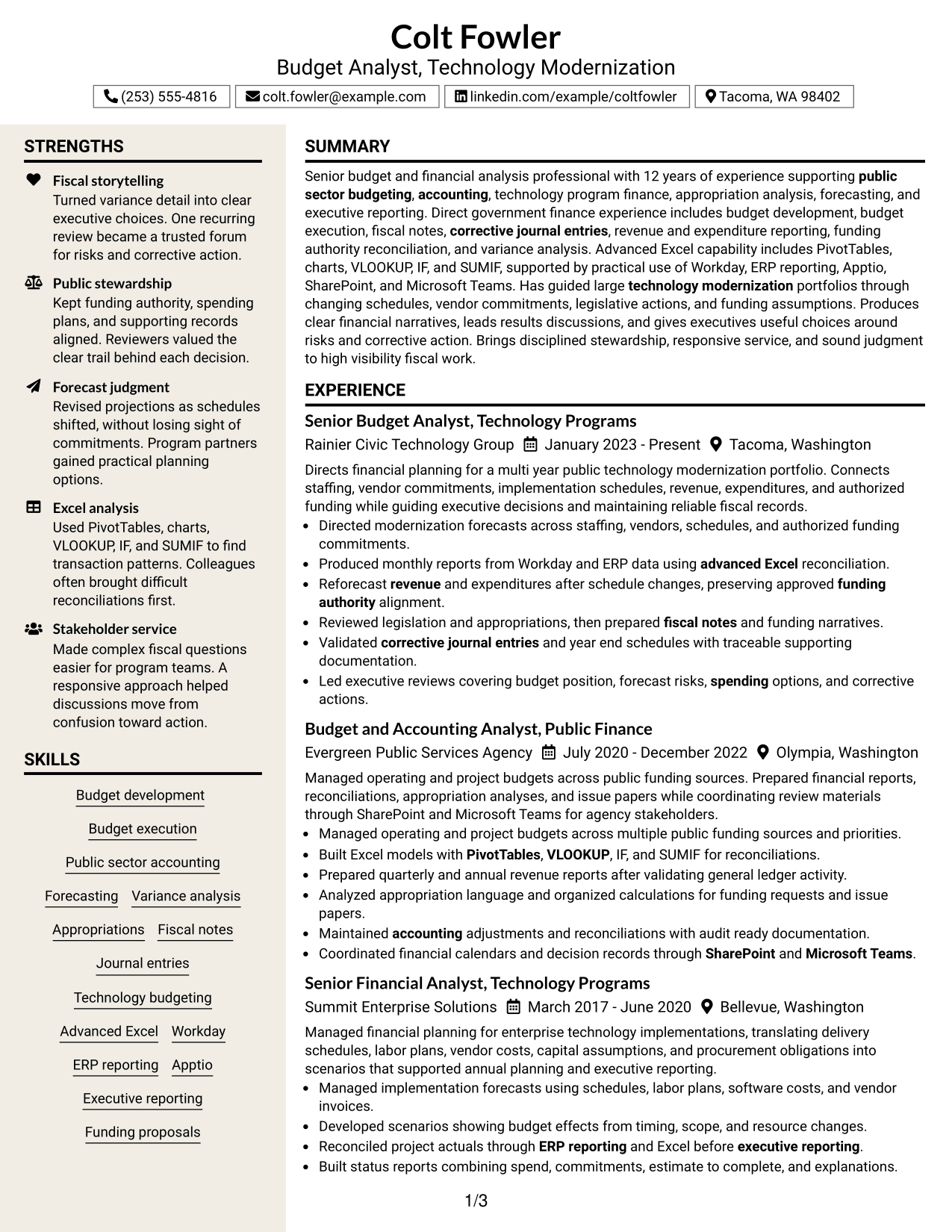
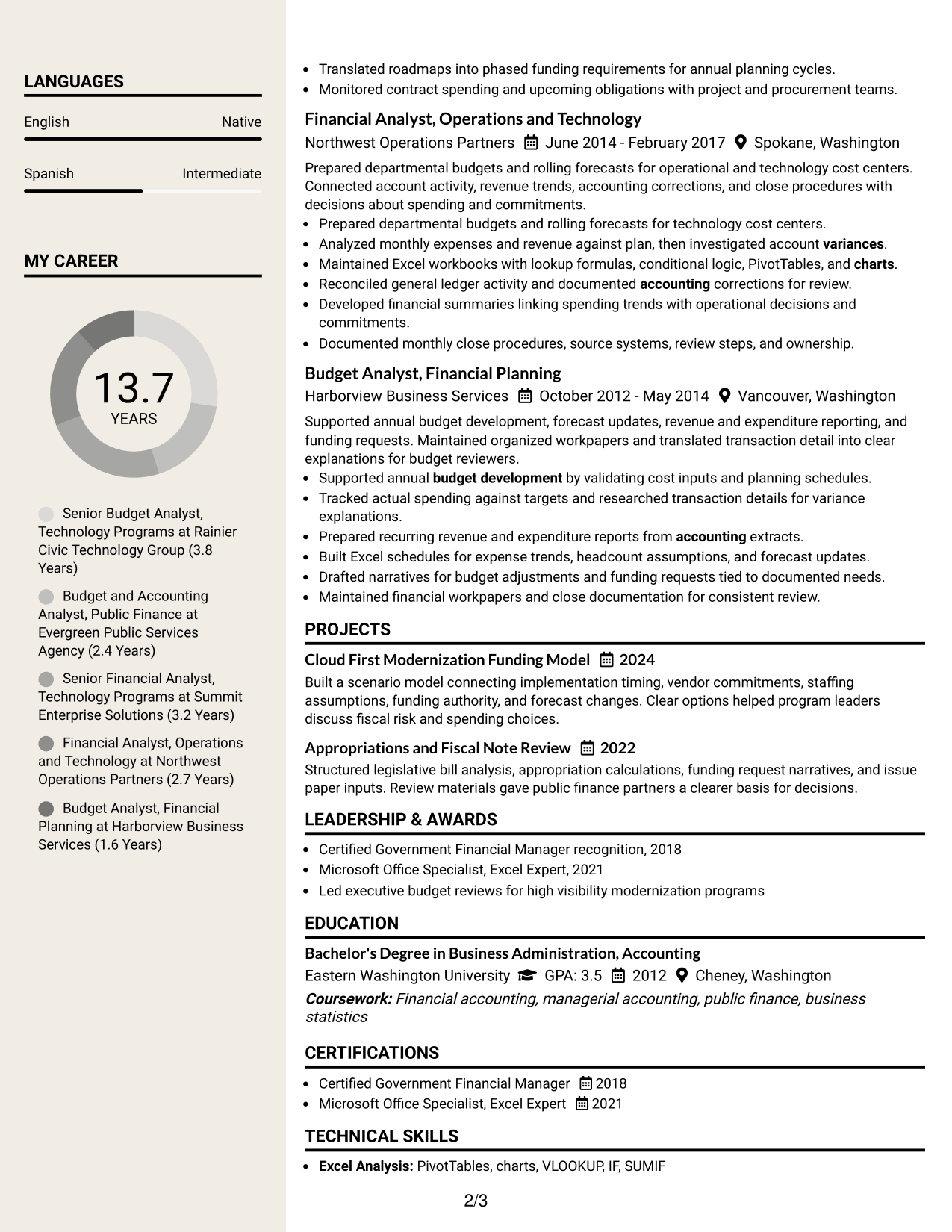
#7 Stylish Two Column Designer Format Resume Example

A stylish two-column designer layout gives recruiters clear section separation and a stronger visual hierarchy while keeping the resume content professional and readable.
 
Resume Example Page 1   Resume Example Page 2

Why This Format Works

  • Distinct section styling helps reviewers distinguish experience, skills, and credentials.
  • Two-column organization gives supporting qualifications dedicated space beside career history.
  • Strong visual hierarchy guides scanning without changing the resume's factual content.

Best For

  • Applications welcoming a more designed resume
  • Complex resumes needing strong visual hierarchy
  • Supporting qualifications needing dedicated space
  • Readers who scan by section landmarks
  • Professional content with a polished visual frame


Why Build Your Budget Analyst - Technology Modernization Resume with ResumeInMinutes

ResumeInMinutes helps you turn public finance, technology program budgeting, accounting, tools, and executive reporting into a resume that is structured for quick review and easy tailoring.

  • Professional resume formats
  • ATS-friendly section structure
  • Role-focused keyword guidance
  • Clear experience and skills organization
  • Free PDF resume previews
  • Easy resume customization

Build a version that keeps budgeting, accounting, modernization finance, tools, credentials, and executive communication easy to find, then tailor the wording to the position you are targeting.


See Also


Frequently Asked Questions

Are these Budget Analyst - Technology Modernization resume templates ATS-friendly?

Yes. The layouts use clear headings and standard resume sections. Keep your content simple and use role terms such as budget development, forecasting, variance analysis, appropriations, fiscal notes, and advanced Excel when they match your experience.

Are these different resumes?

No. This guide presents one Budget Analyst - Technology Modernization resume example in different visual formats so you can compare how the same content reads in each layout.

What should a Budget Analyst - Technology Modernization resume include?

Include a focused summary, relevant experience, education, certifications, financial systems, advanced Excel skills, public-sector budget work, technology program finance, and clear examples of reporting, forecasting, reconciliations, and fiscal analysis.

Can I download the resume templates as PDFs?

Yes. Each design includes a free PDF download so you can review the layout before choosing the version you want to customize.

Which resume style works well for this role?

Choose a layout that makes budget experience, financial analysis, tools, credentials, and career history easy to find. Simple one-column and well-organized two-column formats can both work when the reading order stays clear.

How should I show technology modernization experience?

Show how you connected budgets with implementation schedules, staffing, vendor commitments, funding authority, forecasts, and executive decisions. Use only examples you can support with your actual work.

Should I include a photo on my resume?

For U.S. applications, a no-photo resume is usually the safer choice. Use a photo only when it is customary or expected for the region or application.

Can I customize these resume templates?

Yes. You can revise the text, section order, format, and PDF style to match your Budget Analyst - Technology Modernization application and your own verified experience.


ATS score 80%

How we calculate this score

  • Keywords: 60% of the total. AI extracts keywords from your job description. If you do not provide one, a standard job description for the title matching your resume is used. This is not a match to a specific vacancy.
  • Text-based resume: 20%. The text resume assessed here receives 100 for this part.
  • Resume quality: 20%. We start at 100 and subtract points for issues found by our resume checks, down to a minimum of zero.
  • Keyword coverage = 100 × (confirmed matches + 0.8 × possible matches) ÷ total keywords, rounded and capped at 100. Possible matches still need checking. Saved generation audits use their saved keyword percentage.
  • Final score = 60% of keyword coverage + 20% of the text score + 20% of the quality score, rounded to a whole number. Without keywords, no overall ATS score is available.

What this score means

Our scores are estimates, not employer ratings. They may contain errors and do not guarantee accurate parsing, a ranking, an interview, or a job. Check your document against the employer’s requirements. You are responsible for relying on this score.

Terms and Conditions

Score weights: Keywords 60% · Text based resume 20% · Resume quality 20%

Live keyword match: 34 of 51 (67%) · Resume quality: 100%

Resume quality 100% · Weight 20% · Issues (0)

Details
  • ✓Name present: Colt Fowler
  • ✓Email format: colt.fowler@example.com
  • ✓Phone format: (253) 555-4816
  • ✓Experience 1: Job title: Senior Budget Analyst, Technology Programs
  • ✓Experience 1: Company name: Rainier Civic Technology Group
  • ✓Experience 1: Employment dates: January 2023 - Present
  • ✓Experience 1: Description or achievements: Present
  • ✓Experience 2: Job title: Budget and Accounting Analyst, Public Finance
  • ✓Experience 2: Company name: Evergreen Public Services Agency
  • ✓Experience 2: Employment dates: July 2020 - December 2022
  • ✓Experience 2: Description or achievements: Present
  • ✓Experience 3: Job title: Senior Financial Analyst, Technology Programs
  • ✓Experience 3: Company name: Summit Enterprise Solutions
  • ✓Experience 3: Employment dates: March 2017 - June 2020
  • ✓Experience 3: Description or achievements: Present
  • ✓Experience 4: Job title: Financial Analyst, Operations and Technology
  • ✓Experience 4: Company name: Northwest Operations Partners
  • ✓Experience 4: Employment dates: June 2014 - February 2017
  • ✓Experience 4: Description or achievements: Present
  • ✓Experience 5: Job title: Budget Analyst, Financial Planning
  • ✓Experience 5: Company name: Harborview Business Services
  • ✓Experience 5: Employment dates: October 2012 - May 2014
  • ✓Experience 5: Description or achievements: Present
  • ✓No placeholder fields
  • ✓No repeated achievement bullets
  • ✓No empty bullets

No issues found by the current checks.

Text Based Resume 100% · Weight 20%

Parsed text
Colt Fowler
Budget Analyst, Technology Modernization
(253) 555-4816
colt.fowler@example.com
linkedin.com/example/coltfowler
Tacoma, WA 98402
STRENGTHS
Fiscal storytelling
Turned variance detail into clear executive choices. One recurring review became a trusted forum for risks and corrective action.
Public stewardship
Kept funding authority, spending plans, and supporting records aligned. Reviewers valued the clear trail behind each decision.
Forecast judgment
Revised projections as schedules shifted, without losing sight of commitments. Program partners gained practical planning options.
Excel analysis
Used PivotTables, charts, VLOOKUP, IF, and SUMIF to find transaction patterns. Colleagues often brought difficult reconciliations first.
Stakeholder service
Made complex fiscal questions easier for program teams. A responsive approach helped discussions move from confusion toward action.
SUMMARY
Senior budget and financial analysis professional with 12 years of experience supporting public sector budgeting, accounting, technology program finance, appropriation analysis, forecasting, and executive reporting. Direct government finance experience includes budget development, budget execution, fiscal notes, corrective journal entries, revenue and expenditure reporting, funding authority reconciliation, and variance analysis. Advanced Excel capability includes PivotTables, charts, VLOOKUP, IF, and SUMIF, supported by practical use of Workday, ERP reporting, Apptio, SharePoint, and Microsoft Teams. Has guided large technology modernization portfolios through changing schedules, vendor commitments, legislative actions, and funding assumptions. Produces clear financial narratives, leads results discussions, and gives executives useful choices around risks and corrective action. Brings disciplined stewardship, responsive service, and sound judgment to high visibility fiscal work.
EXPERIENCE
Senior Budget Analyst, Technology Programs
Rainier Civic Technology Group
January 2023 - Present
Tacoma, Washington
Directs financial planning for a multi year public technology modernization portfolio. Connects staffing, vendor commitments, implementation schedules, revenue, expenditures, and authorized funding while guiding executive decisions and maintaining reliable fiscal records.
Directed modernization forecasts across staffing, vendors, schedules, and authorized funding commitments.
Produced monthly reports from Workday and ERP data using advanced Excel reconciliation.
Reforecast revenue and expenditures after schedule changes, preserving approved funding authority alignment.
Reviewed legislation and appropriations, then prepared fiscal notes and funding narratives.
Validated corrective journal entries and year end schedules with traceable supporting documentation.
Led executive reviews covering budget position, forecast risks, spending options, and corrective actions.
Budget and Accounting Analyst, Public Finance
Evergreen Public Services Agency
July 2020 - December 2022
Olympia, Washington
Managed operating and project budgets across public funding sources. Prepared financial reports, reconciliations, appropriation analyses, and issue papers while coordinating review materials through SharePoint and Microsoft Teams for agency stakeholders.
Managed operating and project budgets across multiple public funding sources and priorities.
Built Excel models with PivotTables, VLOOKUP, IF, and SUMIF for reconciliations.
Prepared quarterly and annual revenue reports after validating general ledger activity.
Analyzed appropriation language and organized calculations for funding requests and issue papers.
Maintained accounting adjustments and reconciliations with audit ready documentation.
Coordinated financial calendars and decision records through SharePoint and Microsoft Teams.
Senior Financial Analyst, Technology Programs
Summit Enterprise Solutions
March 2017 - June 2020
Bellevue, Washington
Managed financial planning for enterprise technology implementations, translating delivery schedules, labor plans, vendor costs, capital assumptions, and procurement obligations into scenarios that supported annual planning and executive reporting.
Managed implementation forecasts using schedules, labor plans, software costs, and vendor invoices.
Developed scenarios showing budget effects from timing, scope, and resource changes.
Reconciled project actuals through ERP reporting and Excel before executive reporting.
Built status reports combining spend, commitments, estimate to complete, and explanations.
Translated roadmaps into phased funding requirements for annual planning cycles.
Monitored contract spending and upcoming obligations with project and procurement teams.
Financial Analyst, Operations and Technology
Northwest Operations Partners
June 2014 - February 2017
Spokane, Washington
Prepared departmental budgets and rolling forecasts for operational and technology cost centers. Connected account activity, revenue trends, accounting corrections, and close procedures with decisions about spending and commitments.
Prepared departmental budgets and rolling forecasts for technology cost centers.
Analyzed monthly expenses and revenue against plan, then investigated account variances.
Maintained Excel workbooks with lookup formulas, conditional logic, PivotTables, and charts.
Reconciled general ledger activity and documented accounting corrections for review.
Developed financial summaries linking spending trends with operational decisions and commitments.
Documented monthly close procedures, source systems, review steps, and ownership.
Budget Analyst, Financial Planning
Harborview Business Services
October 2012 - May 2014
Vancouver, Washington
Supported annual budget development, forecast updates, revenue and expenditure reporting, and funding requests. Maintained organized workpapers and translated transaction detail into clear explanations for budget reviewers.
Supported annual budget development by validating cost inputs and planning schedules.
Tracked actual spending against targets and researched transaction details for variance explanations.
Prepared recurring revenue and expenditure reports from accounting extracts.
Built Excel schedules for expense trends, headcount assumptions, and forecast updates.
Drafted narratives for budget adjustments and funding requests tied to documented needs.
Maintained financial workpapers and close documentation for consistent review.
SKILLS
Forecasting
Appropriations
Advanced Excel
ERP reporting
Public sector accounting
Technology budgeting
Budget development
Executive reporting
Funding proposals
Budget execution
Journal entries
Variance analysis
Fiscal notes
Workday
Apptio
LANGUAGES
English
Native
Spanish
Intermediate
MY CAREER
13.7Years
Senior Budget Analyst, Technology Programs at Rainier Civic Technology Group (3.8 Years)
Budget and Accounting Analyst, Public Finance at Evergreen Public Services Agency (2.4 Years)
Senior Financial Analyst, Technology Programs at Summit Enterprise Solutions (3.2 Years)
Financial Analyst, Operations and Technology at Northwest Operations Partners (2.7 Years)
Budget Analyst, Financial Planning at Harborview Business Services (1.6 Years)
PROJECTS
Cloud First Modernization Funding Model
2024
Built a scenario model connecting implementation timing, vendor commitments, staffing assumptions, funding authority, and forecast changes. Clear options helped program leaders discuss fiscal risk and spending choices.
Appropriations and Fiscal Note Review
2022
Structured legislative bill analysis, appropriation calculations, funding request narratives, and issue paper inputs. Review materials gave public finance partners a clearer basis for decisions.
LEADERSHIP & AWARDS
Certified Government Financial Manager recognition, 2018
Microsoft Office Specialist, Excel Expert, 2021
Led executive budget reviews for high visibility modernization programs
EDUCATION
Bachelor's Degree in Business Administration, Accounting
Eastern Washington University
GPA: 3.5
2012
Cheney, Washington
Coursework: Financial accounting, managerial accounting, public finance, business statistics
CERTIFICATIONS
Certified Government Financial Manager
2018
Microsoft Office Specialist, Excel Expert
2021
TECHNICAL SKILLS
Excel Analysis: PivotTables, charts, VLOOKUP, IF, SUMIF
Financial Systems: Workday, ERP reporting, Apptio
Collaboration Tools: SharePoint, Microsoft Teams, document libraries
Budget Management: Budget development, budget execution, spending plans
Public Finance: Public sector budgeting, government accounting, fiscal controls
Forecasting Methods: Revenue forecasts, expenditure forecasts, rolling forecasts
Reporting Practices: Monthly reports, quarterly reports, annual reports
Appropriations: Funding authority, appropriation cycles, legislative bills
Accounting Operations: General ledger, reconciliations, corrective journal entries
Technology Finance: Technology programs, modernization budgets, implementation costs
Fiscal Analysis: Variance analysis, fiscal notes, issue papers
Executive Communication: Executive reporting, financial narratives, results presentations
PROFESSIONAL AFFILIATIONS
Government Finance Officers Association, public finance professional
Association for Government Accountants, financial management professional
ADDITIONAL INFORMATION
Work Status
: Authorized to work in United States. No sponsorship required.

Matched keywords (34)

  • Budget Analyst
  • Technology Modernization
  • Budget development
  • Budget execution
  • public sector budgeting
  • Public sector accounting
  • accounting
  • Forecasting
  • Executive reporting
  • spending
  • fiscal risk
  • revenue
  • variance
  • funding authority
  • projections
  • corrective journal entries
  • Fiscal Analysis
  • legislative bill
  • Appropriations
  • Fiscal notes
  • Advanced Excel
  • PivotTables
  • charts
  • VLOOKUP
  • IF
  • SUMIF
  • appropriation cycles
  • Workday
  • ERP reporting
  • Apptio
  • Funding proposals
  • issue papers
  • SharePoint
  • Microsoft Teams

Missing keywords (17)

  • report development
  • business analysis
  • rate analysis
  • fiscal data
  • budget planning
  • actual expenditures
  • monthly financial reports
  • quarterly financial reports
  • annual financial reports
  • expenditure authority
  • initiative
  • service oriented
  • state government budget
  • state government accounting
  • AFRS
  • technology implementation programs
  • state legislative process
Disclaimer: All names, images, contact information, employment histories, achievements, security clearances, military credentials, and other qualifications shown in this content are fictional and used for illustrative purposes only. Any resemblance to actual persons, living or deceased, is purely coincidental.

Resume and cover-letter examples and recommendations in this article reflect general best practices and professional experience and are provided for guidance only. Results may vary based on role, industry, region, and hiring organization.

Content Accuracy and Verification: To the fullest extent permitted by applicable law, we do not represent or warrant that resume or cover-letter guidance, examples, recommendations, or related information are accurate, complete, current, error-free, or suitable for any particular purpose. You are responsible for independently reviewing and verifying the information before relying on it.

ATS and Cover-Letter Scores: ATS scores are estimates calculated using our own formula, informed by publicly available guidance on resume formatting and keyword matching. They are not scores issued or endorsed by an ATS provider or employer. Cover-letter scores are also our own assessments. Parsing, weighting, screening criteria, and results vary between systems, employers, job descriptions, and document formats. No score guarantees successful parsing, a particular ranking, an interview, or employment. Use scores as general guidance and independently check your documents against the employer’s requirements. To the fullest extent permitted by applicable law, we accept no liability for errors in scores or parsing, or losses arising from reliance on these assessments. Nothing in this notice excludes liability or limits consumer rights that cannot lawfully be excluded or limited.

Terms and Conditions
 
> JP 1 1
PDF Footer and Margins Setup
The margins are applied to the document, and the footer shows up in the preview and the PDF

Footer Font Settings

Are you applying for a specific job
so we can tailor your resume to it?
Are you applying for a specific job
so we can tailor your cover letter to it?
Type your details as text to generate a personalized resume Type your details as text to generate a personalized cover letter
Website link found! Ready to create resume from:
Drag the into the box to verify you're human.
Drop here

My Resumes

Displaying {number_of_files} files (out of {total_of_all_files} total)
Name File Type Last Modified: Description:

Rename File

Filename already exists!

Delete Files

Warning: This action is irreversible. Once you click submit, the files will be permanently deleted.

Heading text
Upload From Computer Upload
Select From Existing
LinkedIn
Drag & Drop files anywhere in this tab, or

Uploaded Files

Delete Name Last Updated Use This File
Select this to use the file for generating your resume and cover letter. Only one source—uploaded file, selected file, or LinkedIn text—can be used.

My Files

Resumes or cover letters you create will appear here. No files available yet.
Delete Name Last Updated Use This File
Select this to use the file for generating your resume and cover letter. Only one source—uploaded file, selected file, or LinkedIn text—can be used.

Add LinkedIn Profile PDF

You can download your LinkedIn profile as a PDF by opening linkedin.com in a web browser, clicking your profile photo, selecting the “More” or “Resources” button, and choosing “Save to PDF.” You can then attach the PDF using the Upload From Computer tab.

Paste Your LinkedIn Profile Text

If you have copied the LinkedIn profile text, paste it below. See how to copy your profile from LinkedIn

Select this to use the LinkedIn profile text for generating your resume and cover letter. Only one source—uploaded file, selected file, or LinkedIn text—can be used.

Try these controls

<
>


