
US English


7 Executive Secretary Resume Templates with Example
By Ria · Last Updated On October 9, 2026
Resume Example Page 1

This practical guide shows you how to build an Executive Secretary resume that is clear, focused, and easy to review. You will learn how to organize your evidence and compare professional layouts.

Strong resumes for this role make confidential executive support, correspondence, records, inquiry screening, time-sheet review, travel, expense processing, and advisory council support easy to find. Use direct bullets, accurate keywords, and specific results when the source information supports them.

The same complete resume is shown in 7 layouts, so you can compare structure without changing the underlying experience. Each example includes format guidance and free PDF access to help you choose a practical design.

What Makes a Great Executive Secretary Resume in 2026

A strong Executive Secretary resume is organized, specific, and easy to scan. It gives clear space to executive support, records, communication, and administrative results.

Use terms such as confidential correspondence, inquiry screening, time-sheet review, travel planning, expense processing, and advisory council support when they accurately match your experience.

The examples shown below are intentionally detailed to demonstrate a range of experiences, skills, accomplishments and relevant keywords. We prefer detailed resumes as they provide more context to the hiring managers and also help the ATS systems identify relevant qualifications and score your resume better for a match. But the length of a resume is an individual choice. If you want a one page resume, just keep the most relevant experience and information for the job. Note: Resume examples are for educational purposes only. Use only information that accurately reflects your experience and qualifications. References to real organizations do not imply affiliation or endorsement.

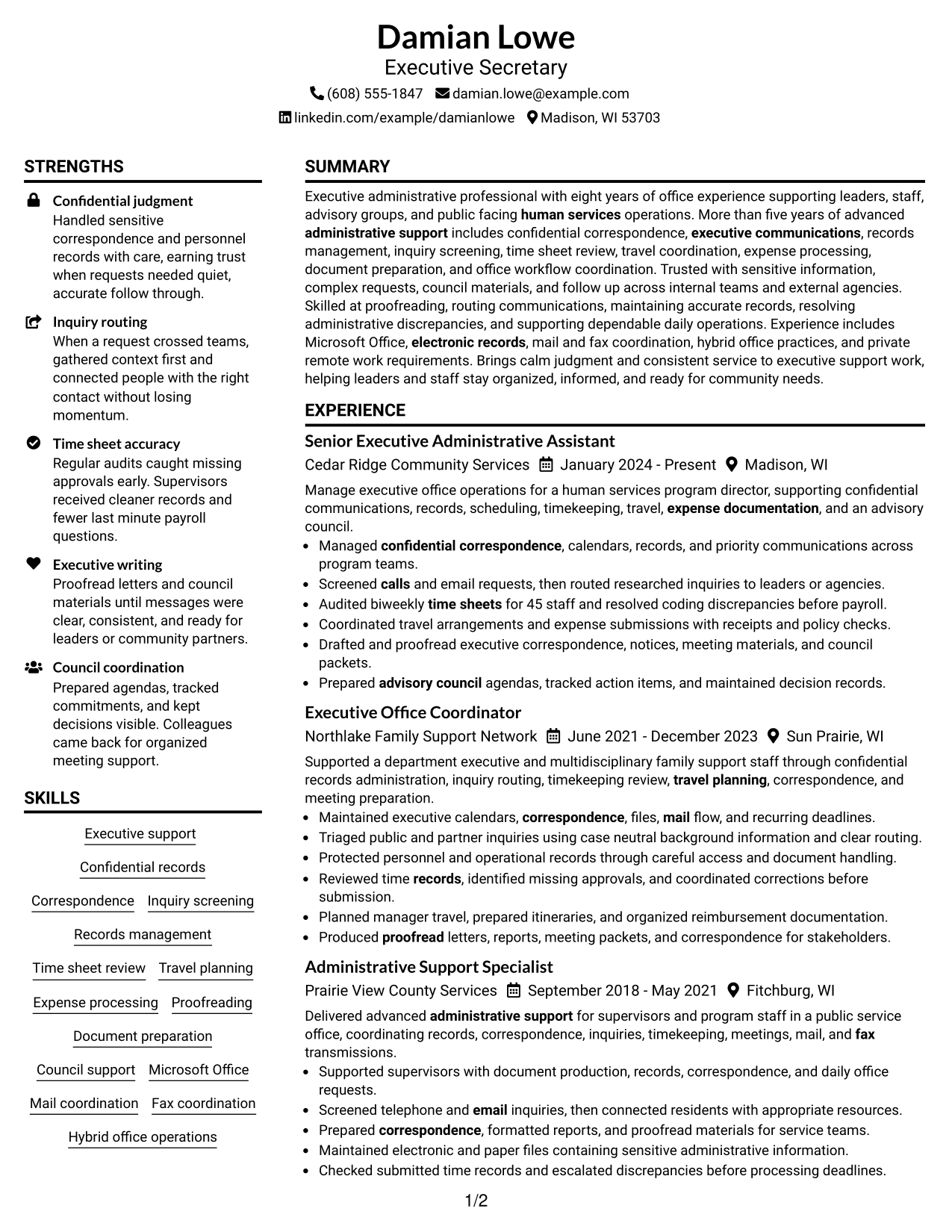
#1 Plain Two Column Format Resume Example

A plain two-column structure separates supporting details from core content, helping recruiters scan major resume sections quickly.
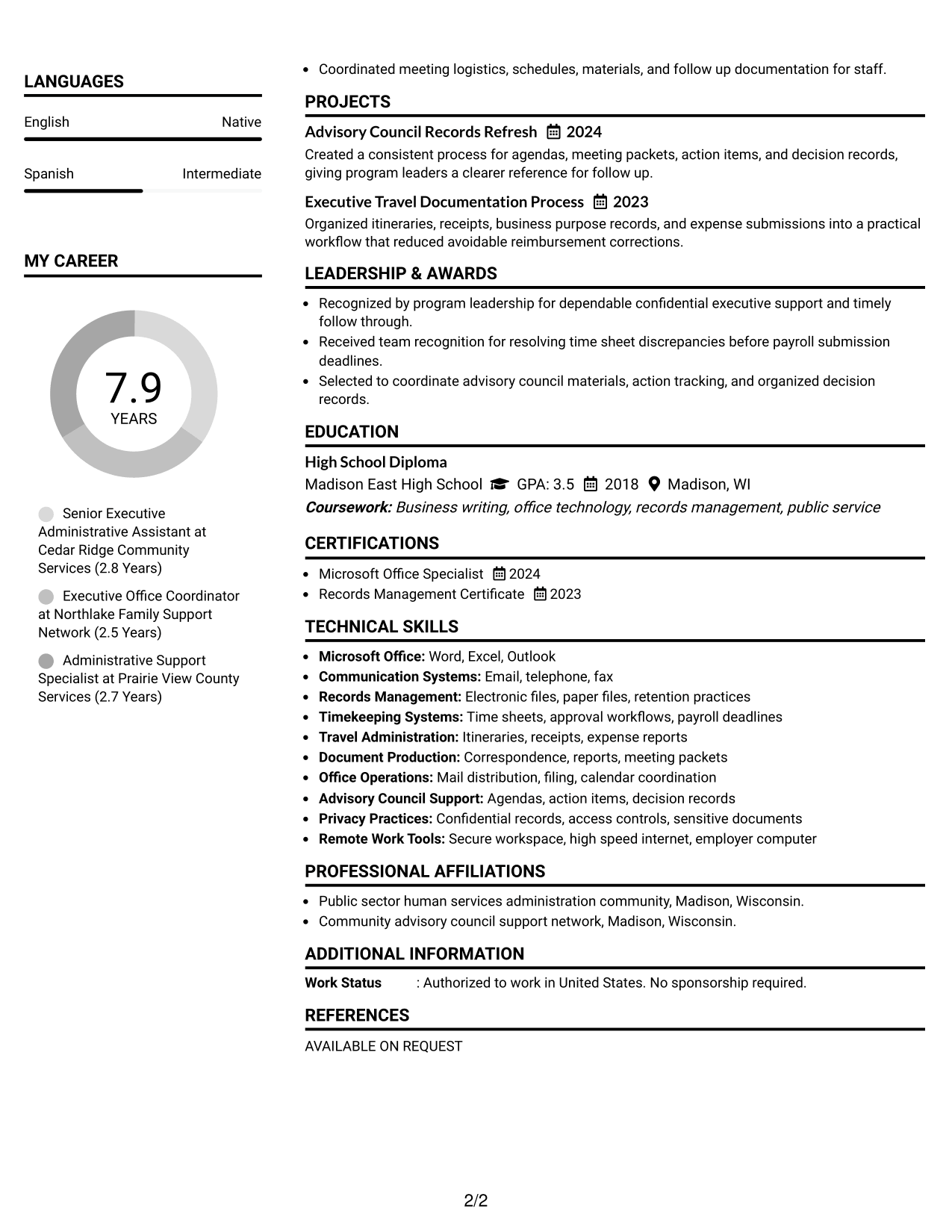
 
Resume Example Page 1   Resume Example Page 2

Resume Snapshot

  • 8 years of progressive office experience
  • More than 5 years of advanced administrative support
  • Biweekly time-sheet audits for about 45 staff
  • High School Diploma, Madison East High School

Why This Format Works

  • Two columns separate skills from experience without breaking the main career story.
  • Clear section boundaries help recruiters locate education and credentials with less searching.
  • Compact supporting areas leave the main experience section easy to follow.

Best For

  • Dense administrative experience
  • Balanced skills and work history
  • Fast recruiter scanning
  • Multiple supporting sections
  • Executive Secretary applications

Resume Keywords

  • Executive Secretary
  • Madison, WI
  • Hybrid
  • Confidential
  • Administrative Support
  • advisory council
  • sensitive documents
  • correspondence
  • Mail
  • calls
  • email
  • Fax
  • Time sheet
  • audits
  • Travel planning
See all keywords
 

#2 Simple One Column Format Resume Example

A simple one-column flow gives recruiters one clear reading path from the top of the resume to the end.
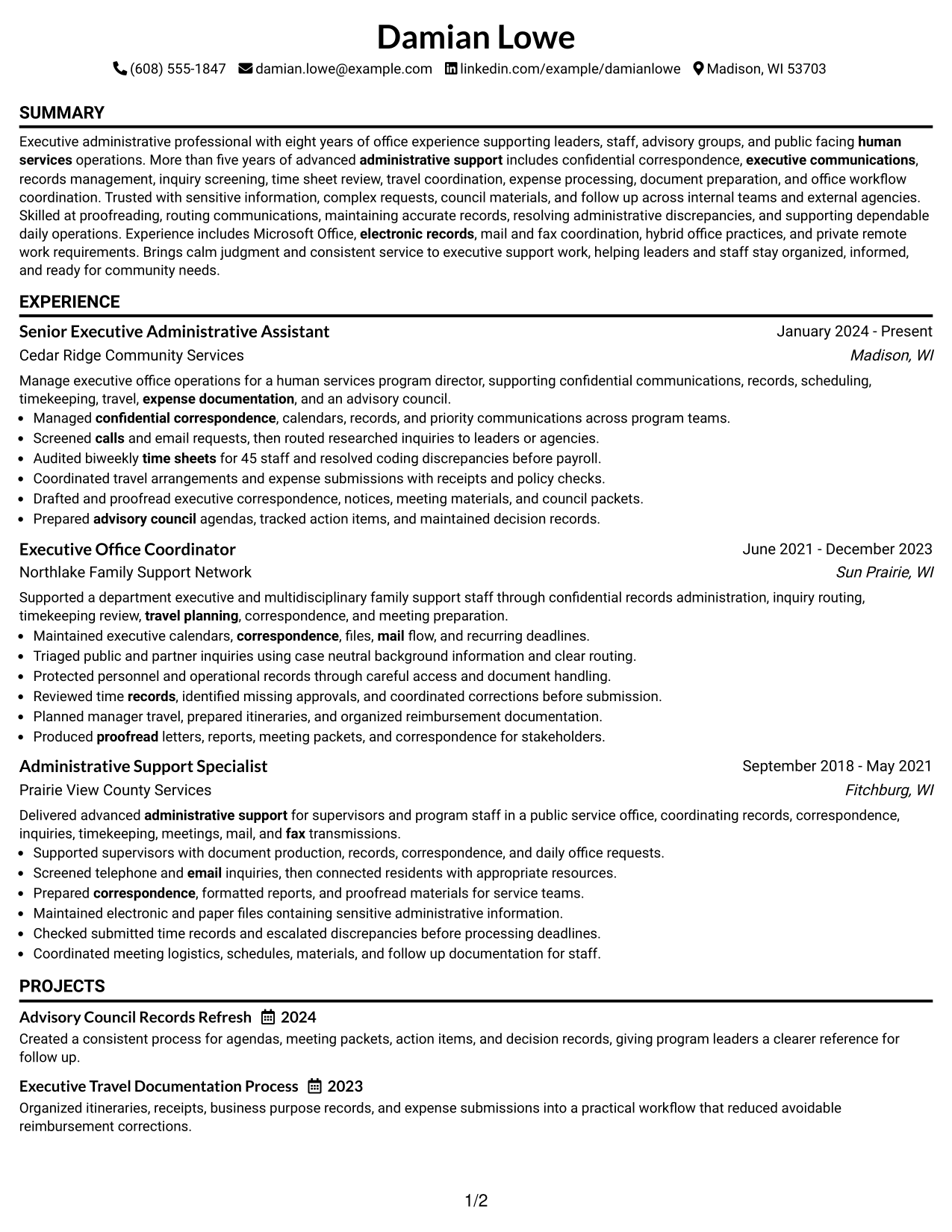
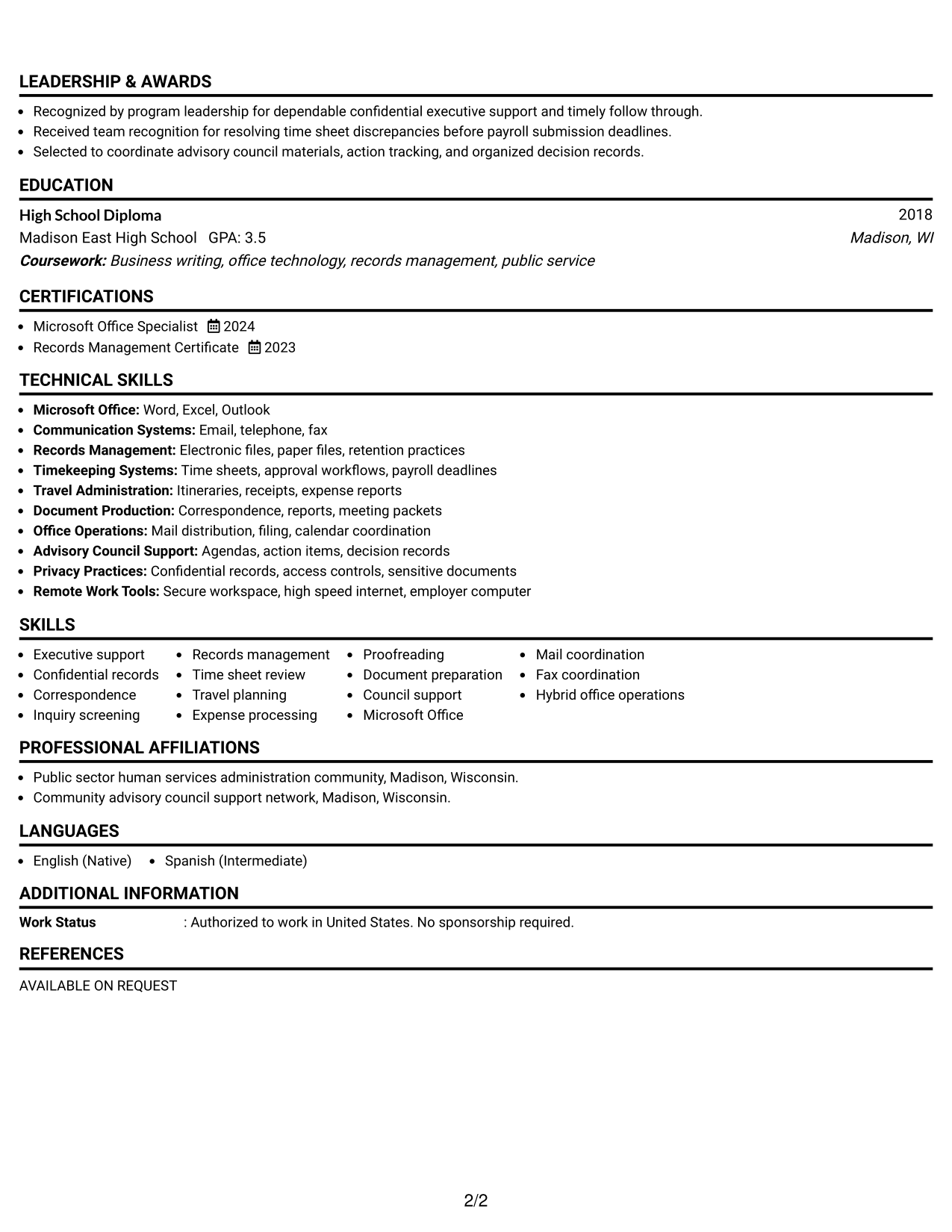
 
Resume Example Page 1   Resume Example Page 2

Why This Format Works

  • Single-column reading keeps career progression in a simple top-to-bottom sequence.
  • Full-width sections give experience bullets enough room for clear administrative results.
  • Straightforward spacing keeps skills and education easy to find after experience.

Best For

  • Linear career histories
  • Text-heavy experience bullets
  • Simple reading order
  • Traditional application systems
  • Readers who prefer full-width sections
 

#3 Clean Two Column Sidebar Format Resume Example

A clean two-column sidebar keeps secondary information separate while recruiters focus on the main experience column.
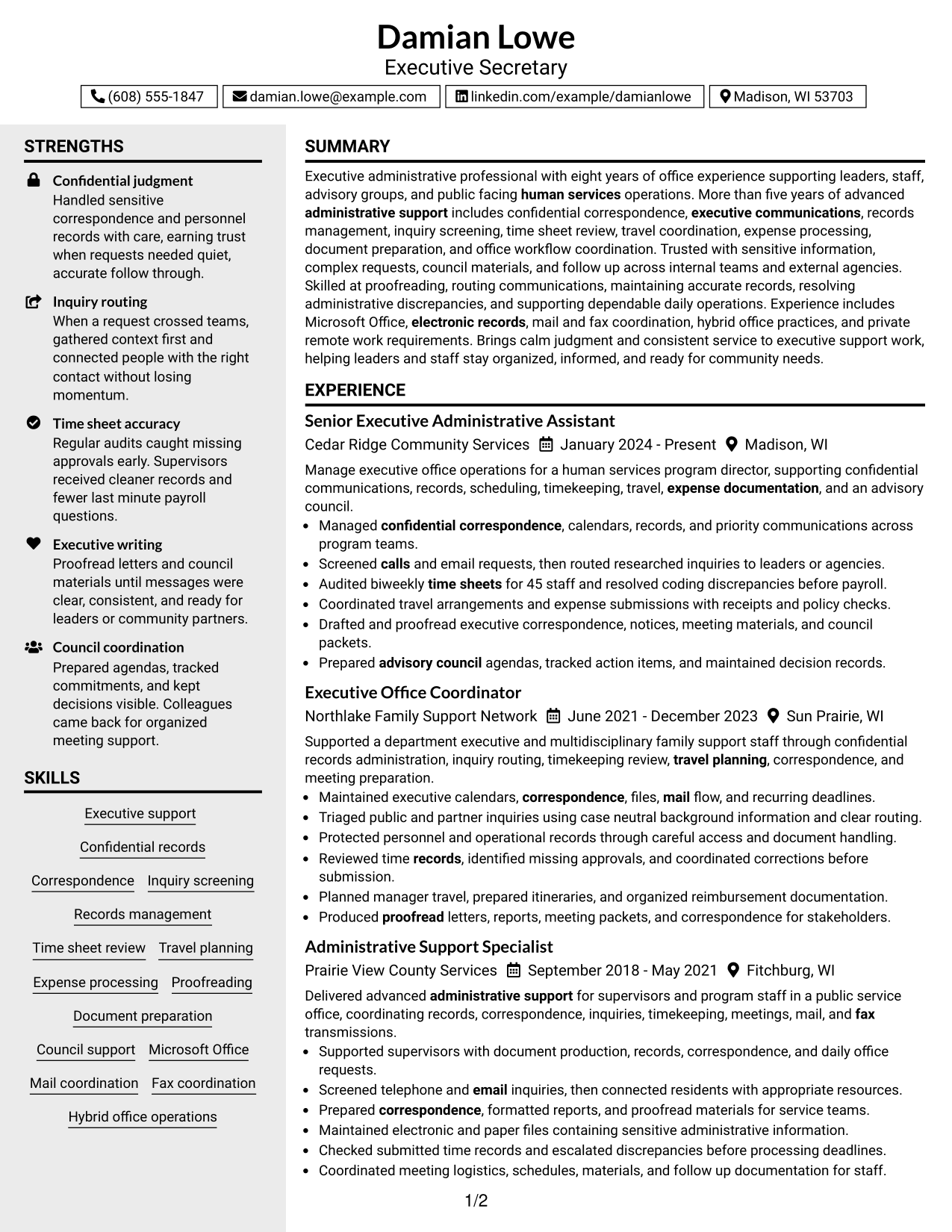
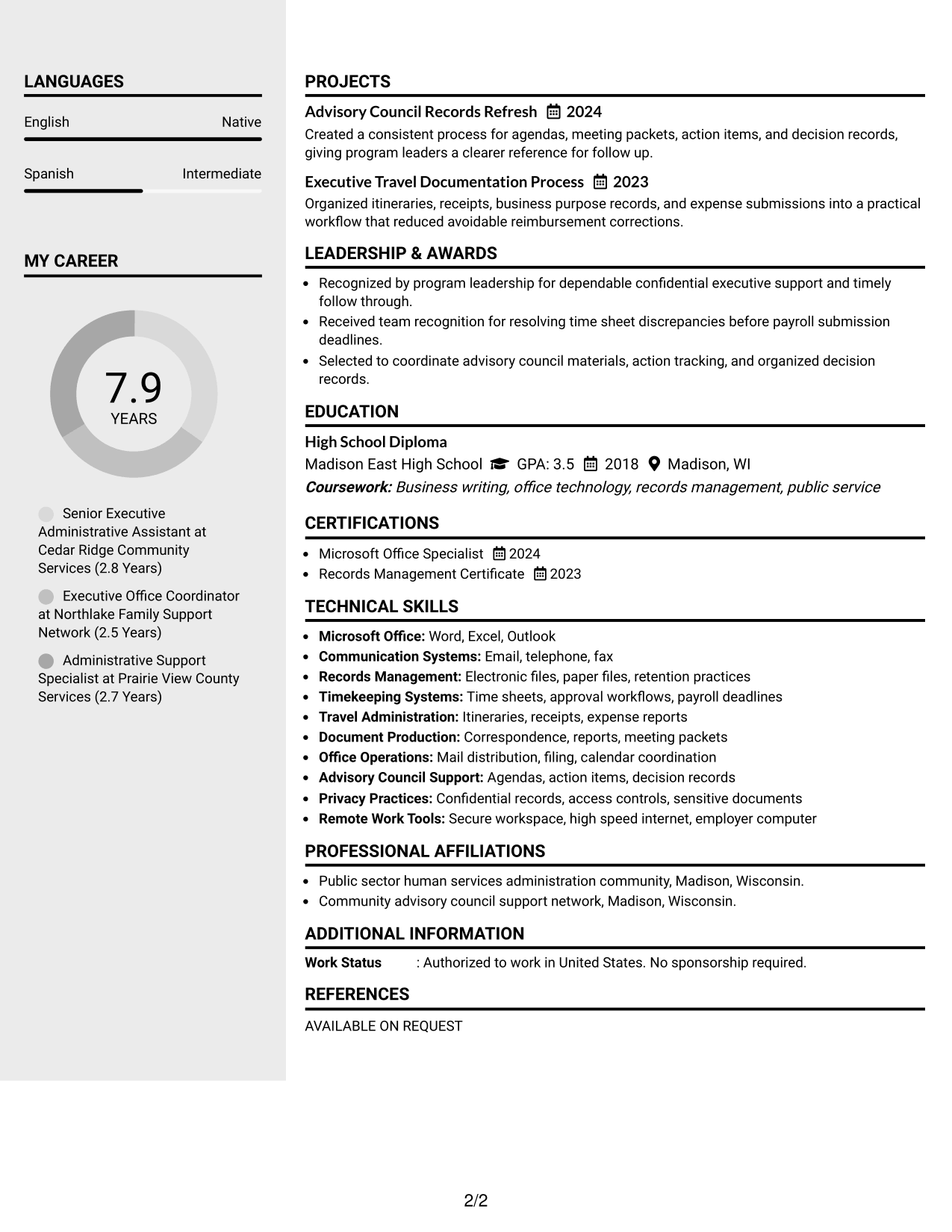
 
Resume Example Page 1   Resume Example Page 2

Why This Format Works

  • A sidebar gives supporting skills a distinct area beside the experience narrative.
  • Main-column space keeps career history readable while secondary details stay visible.
  • Separated zones help reviewers move between experience, education, and credentials efficiently.

Best For

  • Strong supporting skills sections
  • Career histories with many details
  • Quick section switching
  • Compact credential summaries
  • Readers who value side-by-side organization
 

#4 Two Column Format Resume Example

This two-column layout shares space across resume sections, helping recruiters compare core experience with supporting information.
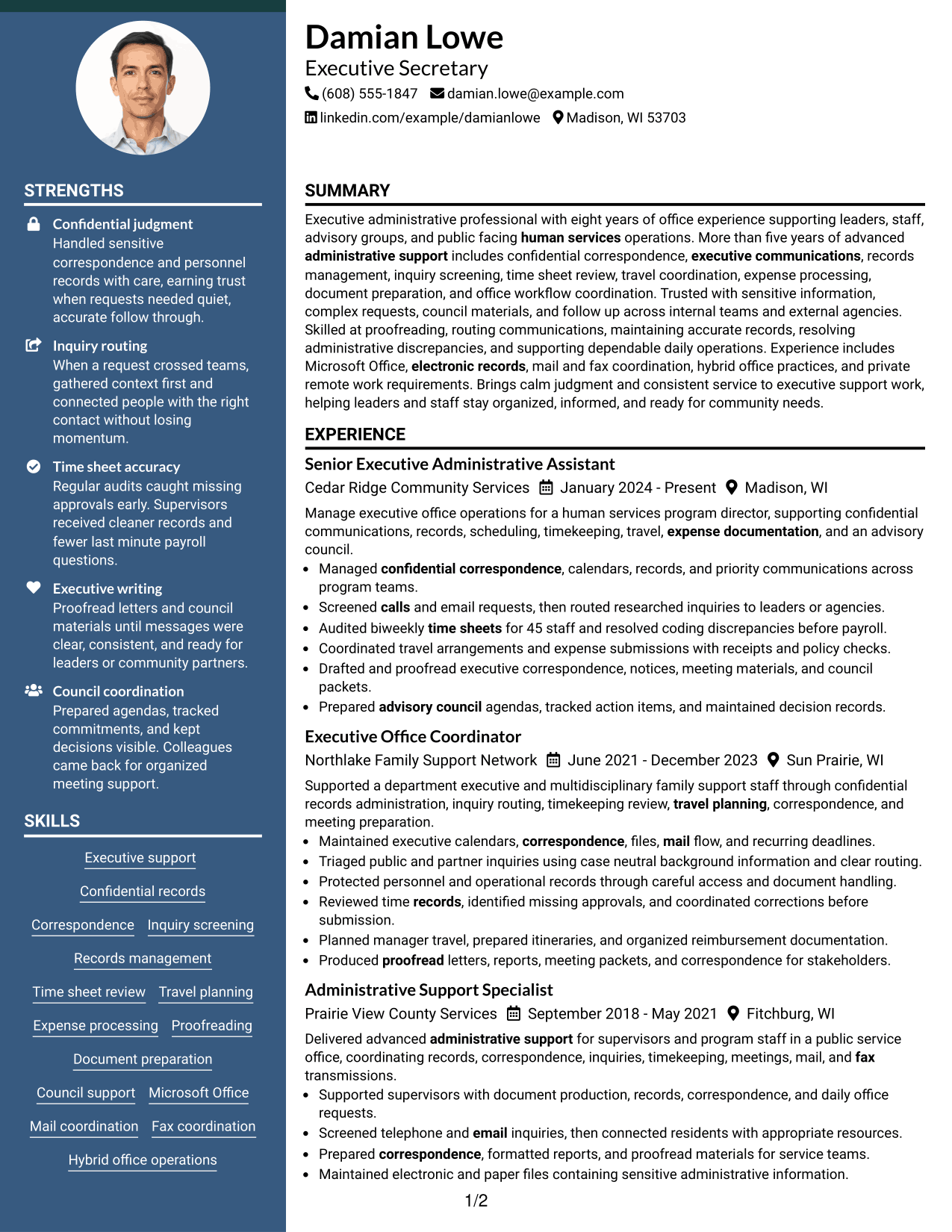
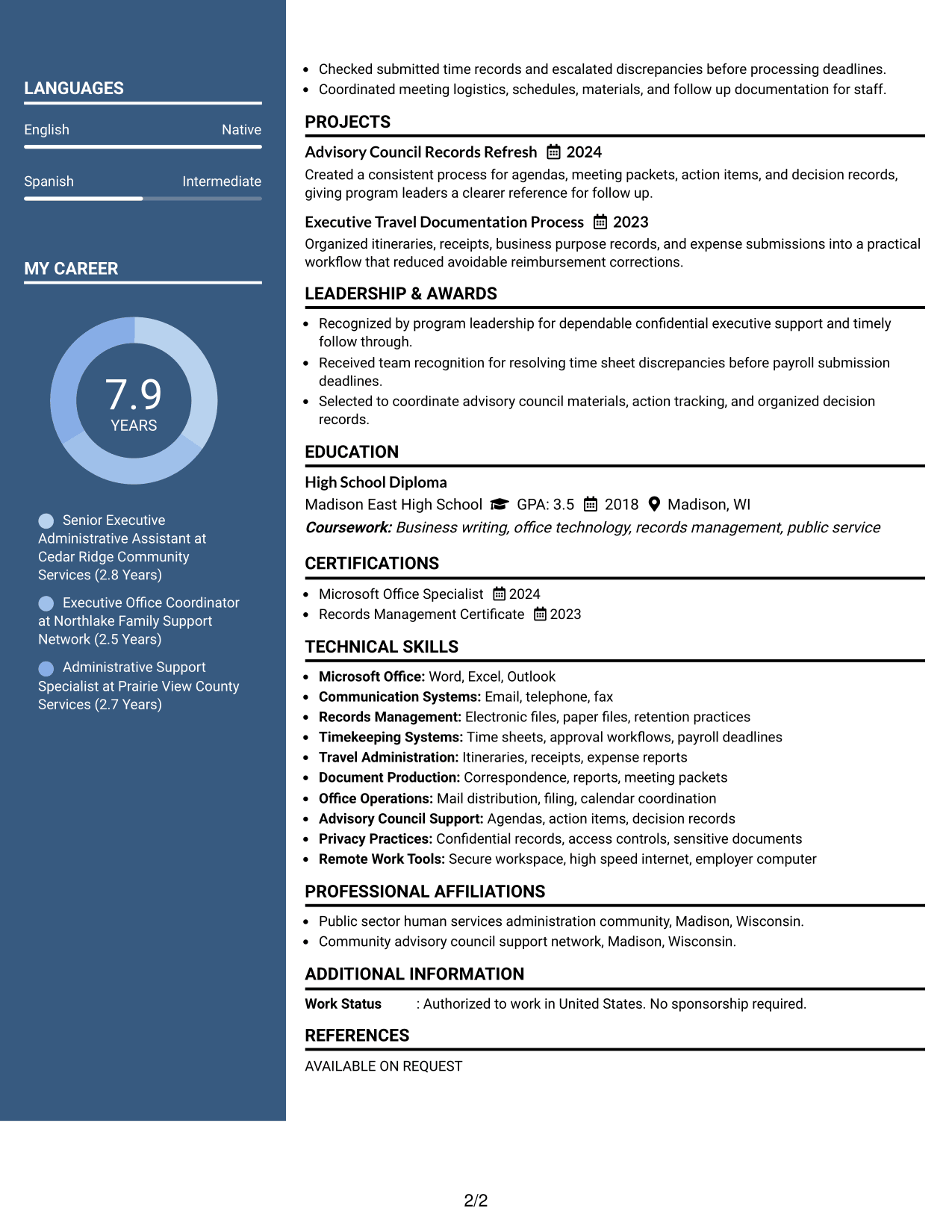
 
Resume Example Page 1   Resume Example Page 2

Why This Format Works

  • Parallel columns make broad resume sections visible without forcing one long reading path.
  • Experience remains prominent while skills and education can be reviewed alongside it.
  • Balanced section space helps reviewers compare career history with supporting credentials.

Best For

  • Broad administrative backgrounds
  • Several resume sections
  • Side-by-side information review
  • Mixed experience and credentials
  • Applications needing compact organization


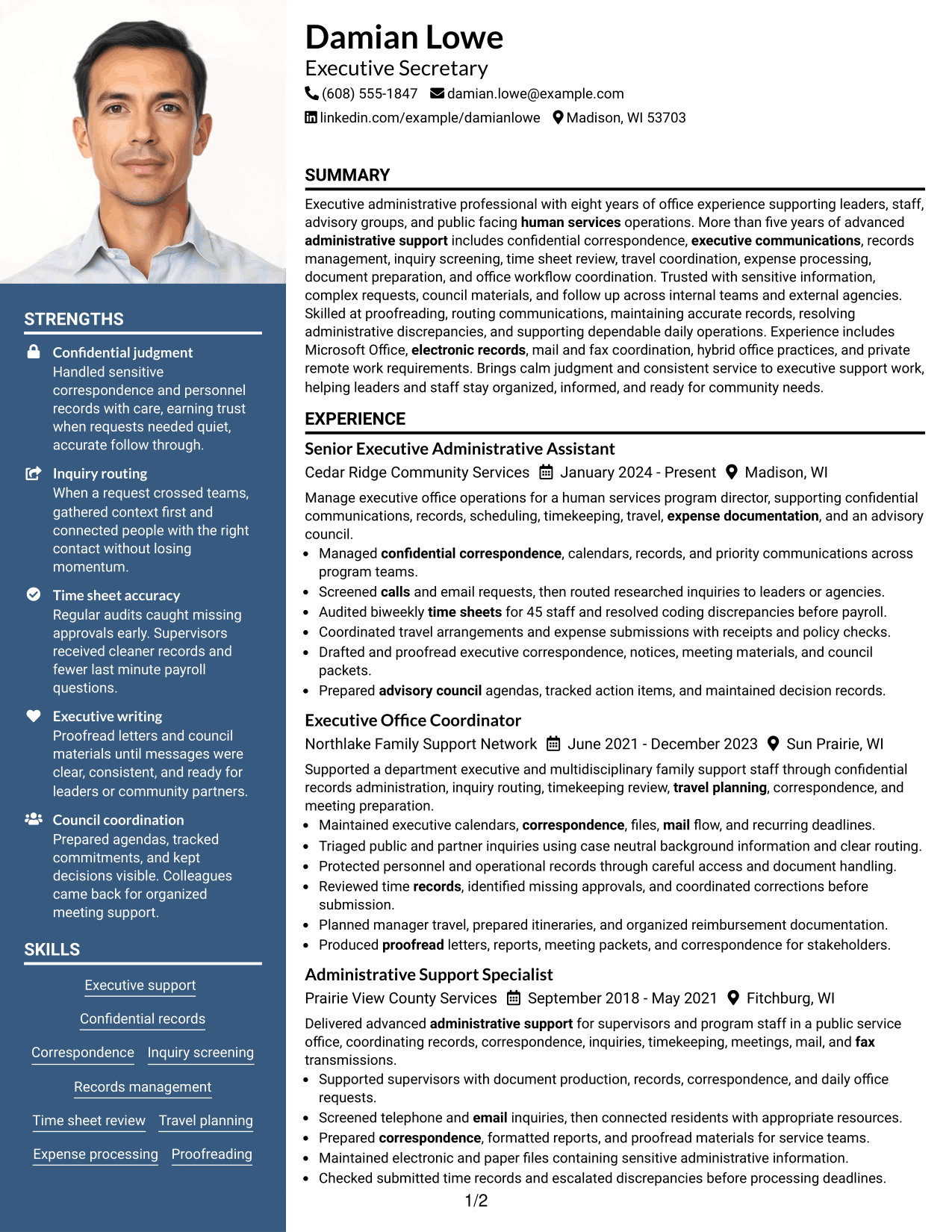
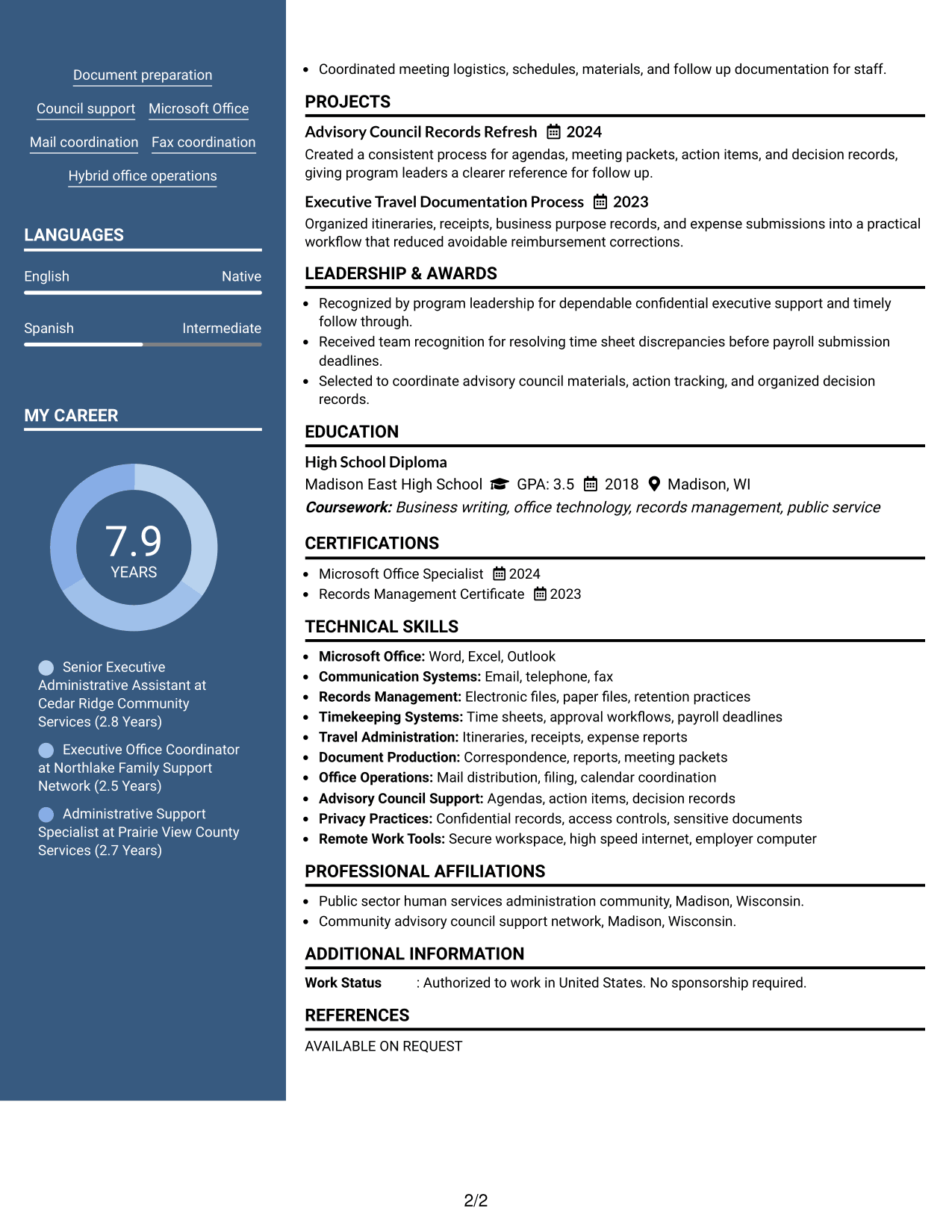
#5 Photo Header Two Column Format Resume Example

A photo header and two-column body create a distinct visual entry while recruiters scan the structured resume sections below.
 
Resume Example Page 1   Resume Example Page 2

Why This Format Works

  • The two-column body keeps experience and supporting sections visually separate.
  • A photo header identifies the person without changing the resume's content order.
  • Section separation helps reviewers locate skills, education, and credentials after scanning experience.

Best For

  • Regions where resume photos are customary
  • Applications allowing a professional photo
  • Two-column section separation
  • Visible contact and identity area
  • Resumes with several supporting sections
 

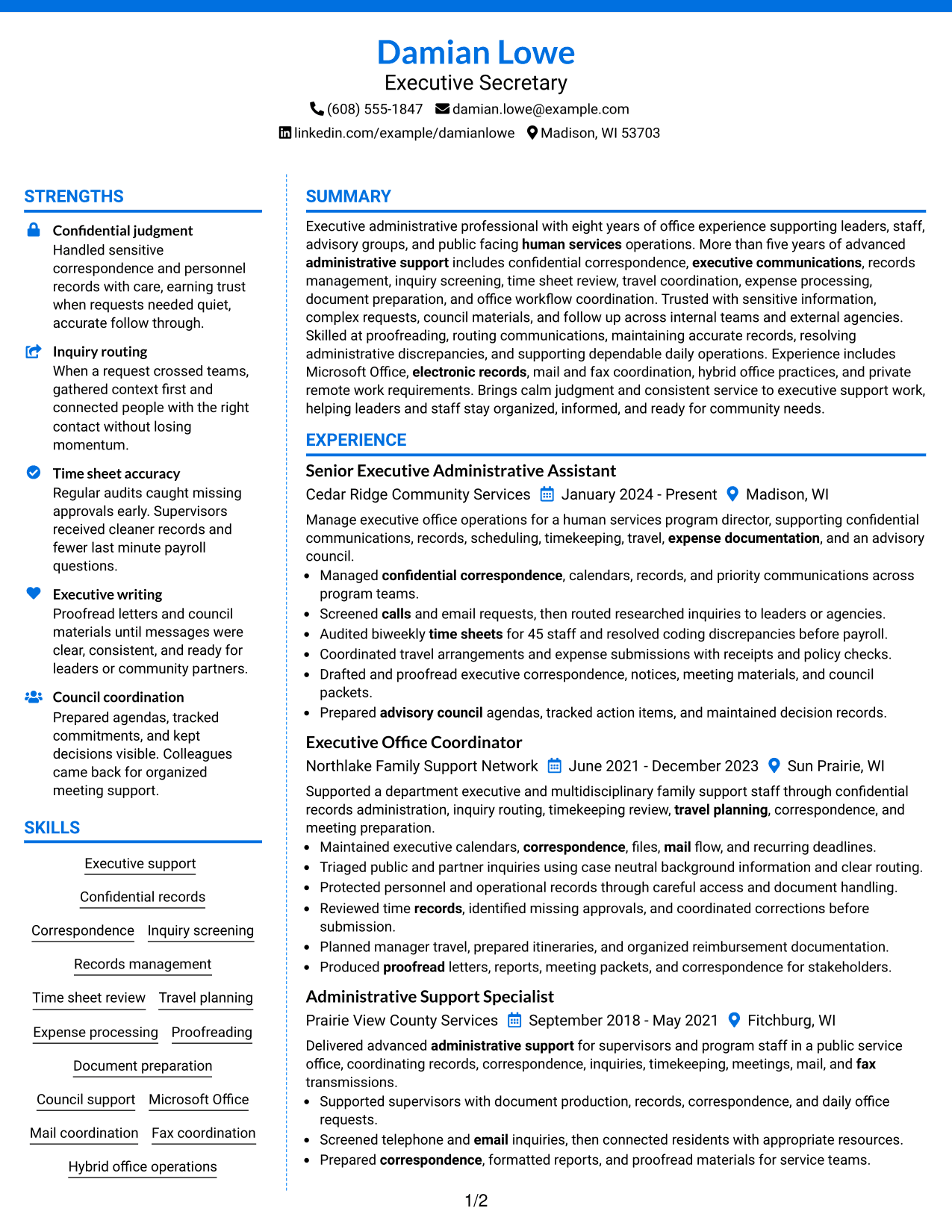
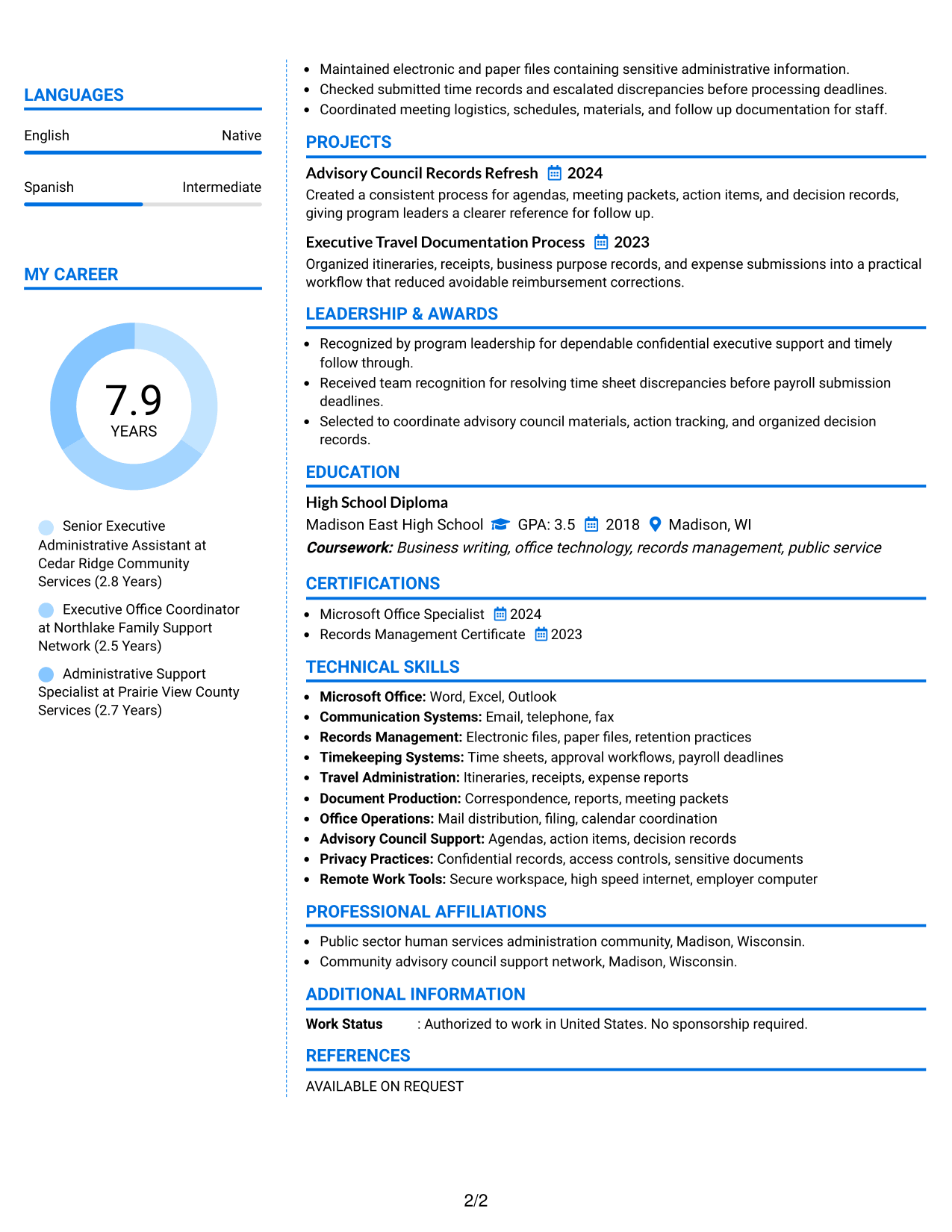
#6 Colored Two Column Format Resume Example

A colored two-column design uses visual separation to help recruiters move between major resume sections without losing reading order.
 
Resume Example Page 1   Resume Example Page 2

Why This Format Works

  • Color contrast can mark section boundaries while the two-column structure organizes content.
  • Separate columns give achievements and supporting skills clear visual zones.
  • Distinct section areas make education and credentials easier to locate during review.

Best For

  • Applications accepting restrained color
  • Readers who scan by section
  • Achievement-rich work histories
  • Clear visual section boundaries
  • Professional resumes needing stronger visual contrast
 

#7 Stylish Two Column Designer Format Resume Example

A stylish two-column designer layout adds stronger visual structure while keeping resume sections easy for recruiters to navigate.
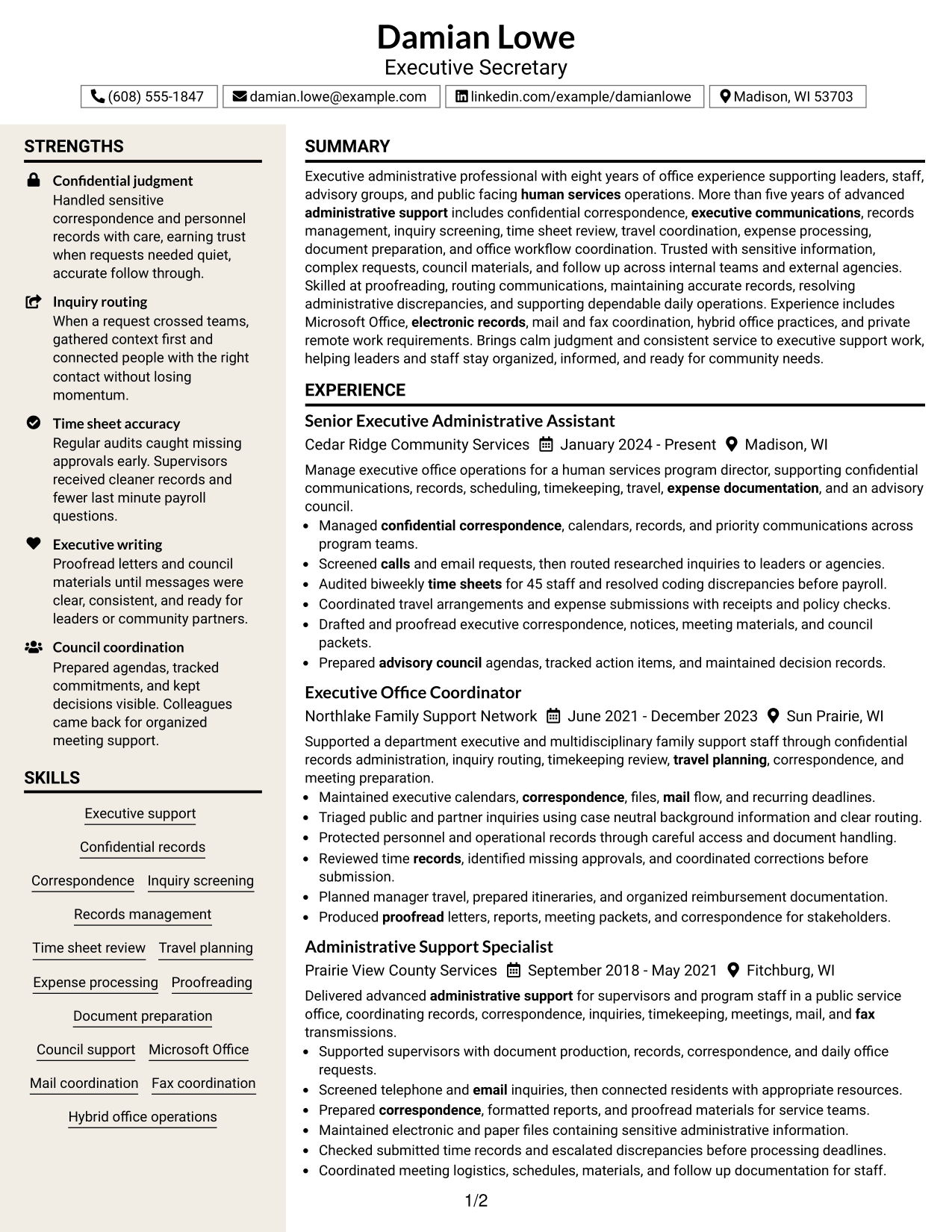
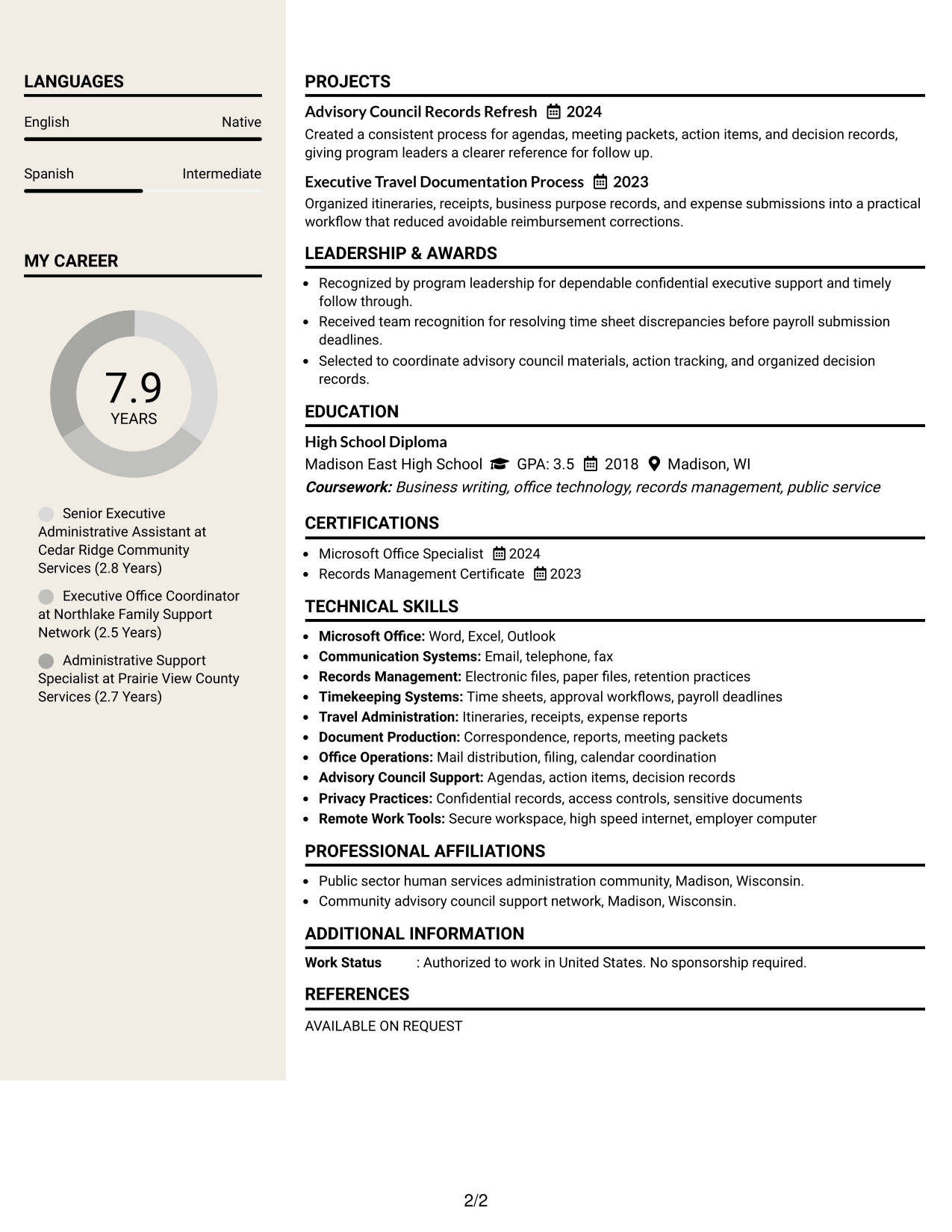
 
Resume Example Page 1   Resume Example Page 2

Why This Format Works

  • Structured columns create clear navigation between experience and supporting resume sections.
  • Defined visual blocks help achievements stand apart from skills and credentials.
  • Consistent section separation supports quick movement through career history and education.

Best For

  • Polished visual applications
  • Readers who prefer defined content blocks
  • Detailed experience plus supporting sections
  • Modern professional presentation
  • Applications where design flexibility is acceptable


Why Build Your Executive Secretary Resume with ResumeInMinutes

ResumeInMinutes helps you turn executive support work into clear resume sections, focused bullets, and practical skills lists that are easier to tailor.

  • Professional resume formats
  • ATS-friendly section structure
  • Role-specific keyword guidance
  • Organized experience and skills presentation
  • Free PDF resume previews
  • Resume customization support

You can adjust the wording and layout to show confidential support, records work, timekeeping, travel administration, correspondence, and council coordination with clear evidence.


See Also


Frequently Asked Questions

Are these Executive Secretary resume templates ATS-friendly?

Yes. They use clear headings and standard resume sections that support ATS scanning. Your results still depend on accurate content and relevant keywords.

Are these different resumes?

No. The guide shows one Executive Secretary resume in different visual formats, so the experience and qualifications stay consistent.

What should an Executive Secretary resume include?

Include a focused summary, relevant experience, education, skills, tools, and supported achievements. Show confidential support, correspondence, records, timekeeping, travel, expense work, and council support when they match your background.

Can I download the resume templates as PDFs?

Yes. Each design includes a free PDF download so you can review the layout before choosing a format.

Which resume style is best for an Executive Secretary position?

Choose the format that makes your experience, skills, and credentials easiest to scan. A simple one-column layout gives a direct reading order, while a clear two-column layout can separate supporting details from the main experience section.

How can I show strong Executive Secretary experience?

Use concise bullets that explain what you handled and what improved. Add supported details such as staff counts, deadlines met, records maintained, or corrections reduced when those facts are available.

Should I include a photo on my resume?

Include a photo only when it is customary or expected in your region. For most U.S. applications, a no-photo resume is usually the safer choice.

Can I customize these resume templates?

Yes. You can revise the text, section order, and visual style to match your Executive Secretary application while keeping every claim accurate.


ATS score 74%

How we calculate this score

  • Keywords: 60% of the total. AI extracts keywords from your job description. If you do not provide one, a standard job description for the title matching your resume is used. This is not a match to a specific vacancy.
  • Text-based resume: 20%. The text resume assessed here receives 100 for this part.
  • Resume quality: 20%. We start at 100 and subtract points for issues found by our resume checks, down to a minimum of zero.
  • Keyword coverage = 100 × (confirmed matches + 0.8 × possible matches) ÷ total keywords, rounded and capped at 100. Possible matches still need checking. Saved generation audits use their saved keyword percentage.
  • Final score = 60% of keyword coverage + 20% of the text score + 20% of the quality score, rounded to a whole number. Without keywords, no overall ATS score is available.

What this score means

Our scores are estimates, not employer ratings. They may contain errors and do not guarantee accurate parsing, a ranking, an interview, or a job. Check your document against the employer’s requirements. You are responsible for relying on this score.

Terms and Conditions

Score weights: Keywords 60% · Text based resume 20% · Resume quality 20%

Live keyword match: 27 of 48 (56%) · Resume quality: 100%

Resume quality 100% · Weight 20% · Issues (0)

Details
  • ✓Name present: Damian Lowe
  • ✓Email format: damian.lowe@example.com
  • ✓Phone format: (608) 555-1847
  • ✓Experience 1: Job title: Senior Executive Administrative Assistant
  • ✓Experience 1: Company name: Cedar Ridge Community Services
  • ✓Experience 1: Employment dates: January 2024 - Present
  • ✓Experience 1: Description or achievements: Present
  • ✓Experience 2: Job title: Executive Office Coordinator
  • ✓Experience 2: Company name: Northlake Family Support Network
  • ✓Experience 2: Employment dates: June 2021 - December 2023
  • ✓Experience 2: Description or achievements: Present
  • ✓Experience 3: Job title: Administrative Support Specialist
  • ✓Experience 3: Company name: Prairie View County Services
  • ✓Experience 3: Employment dates: September 2018 - May 2021
  • ✓Experience 3: Description or achievements: Present
  • ✓No placeholder fields
  • ✓No repeated achievement bullets
  • ✓No empty bullets

No issues found by the current checks.

Text Based Resume 100% · Weight 20%

Parsed text
Damian Lowe
Executive Secretary
(608) 555-1847
damian.lowe@example.com
linkedin.com/example/damianlowe
Madison, WI 53703
STRENGTHS
Confidential judgment
Handled sensitive correspondence and personnel records with care, earning trust when requests needed quiet, accurate follow through.
Inquiry routing
When a request crossed teams, gathered context first and connected people with the right contact without losing momentum.
Time sheet accuracy
Regular audits caught missing approvals early. Supervisors received cleaner records and fewer last minute payroll questions.
Executive writing
Proofread letters and council materials until messages were clear, consistent, and ready for leaders or community partners.
Council coordination
Prepared agendas, tracked commitments, and kept decisions visible. Colleagues came back for organized meeting support.
SUMMARY
Executive administrative professional with eight years of office experience supporting leaders, staff, advisory groups, and public facing human services operations. More than five years of advanced administrative support includes confidential correspondence, executive communications, records management, inquiry screening, time sheet review, travel coordination, expense processing, document preparation, and office workflow coordination. Trusted with sensitive information, complex requests, council materials, and follow up across internal teams and external agencies. Skilled at proofreading, routing communications, maintaining accurate records, resolving administrative discrepancies, and supporting dependable daily operations. Experience includes Microsoft Office, electronic records, mail and fax coordination, hybrid office practices, and private remote work requirements. Brings calm judgment and consistent service to executive support work, helping leaders and staff stay organized, informed, and ready for community needs.
EXPERIENCE
Senior Executive Administrative Assistant
Cedar Ridge Community Services
January 2024 - Present
Madison, WI
Manage executive office operations for a human services program director, supporting confidential communications, records, scheduling, timekeeping, travel, expense documentation, and an advisory council.
Managed confidential correspondence, calendars, records, and priority communications across program teams.
Screened calls and email requests, then routed researched inquiries to leaders or agencies.
Audited biweekly time sheets for 45 staff and resolved coding discrepancies before payroll.
Coordinated travel arrangements and expense submissions with receipts and policy checks.
Drafted and proofread executive correspondence, notices, meeting materials, and council packets.
Prepared advisory council agendas, tracked action items, and maintained decision records.
Executive Office Coordinator
Northlake Family Support Network
June 2021 - December 2023
Sun Prairie, WI
Supported a department executive and multidisciplinary family support staff through confidential records administration, inquiry routing, timekeeping review, travel planning, correspondence, and meeting preparation.
Maintained executive calendars, correspondence, files, mail flow, and recurring deadlines.
Triaged public and partner inquiries using case neutral background information and clear routing.
Protected personnel and operational records through careful access and document handling.
Reviewed time records, identified missing approvals, and coordinated corrections before submission.
Planned manager travel, prepared itineraries, and organized reimbursement documentation.
Produced proofread letters, reports, meeting packets, and correspondence for stakeholders.
Administrative Support Specialist
Prairie View County Services
September 2018 - May 2021
Fitchburg, WI
Delivered advanced administrative support for supervisors and program staff in a public service office, coordinating records, correspondence, inquiries, timekeeping, meetings, mail, and fax transmissions.
Supported supervisors with document production, records, correspondence, and daily office requests.
Screened telephone and email inquiries, then connected residents with appropriate resources.
Prepared correspondence, formatted reports, and proofread materials for service teams.
Maintained electronic and paper files containing sensitive administrative information.
Checked submitted time records and escalated discrepancies before processing deadlines.
Coordinated meeting logistics, schedules, materials, and follow up documentation for staff.
SKILLS
Mail coordination
Correspondence
Time sheet review
Expense processing
Council support
Hybrid office operations
Document preparation
Records management
Confidential records
Executive support
Inquiry screening
Fax coordination
Microsoft Office
Travel planning
Proofreading
LANGUAGES
English
Native
Spanish
Intermediate
PROJECTS
Advisory Council Records Refresh
2024
Created a consistent process for agendas, meeting packets, action items, and decision records, giving program leaders a clearer reference for follow up.
Executive Travel Documentation Process
2023
Organized itineraries, receipts, business purpose records, and expense submissions into a practical workflow that reduced avoidable reimbursement corrections.
MY CAREER
7.9Years
Senior Executive Administrative Assistant at Cedar Ridge Community Services (2.8 Years)
Executive Office Coordinator at Northlake Family Support Network (2.5 Years)
Administrative Support Specialist at Prairie View County Services (2.7 Years)
LEADERSHIP & AWARDS
Recognized by program leadership for dependable confidential executive support and timely follow through.
Received team recognition for resolving time sheet discrepancies before payroll submission deadlines.
Selected to coordinate advisory council materials, action tracking, and organized decision records.
EDUCATION
High School Diploma
Madison East High School
GPA: 3.5
2018
Madison, WI
Coursework: Business writing, office technology, records management, public service
CERTIFICATIONS
Microsoft Office Specialist
2024
Records Management Certificate
2023
TECHNICAL SKILLS
Microsoft Office: Word, Excel, Outlook
Communication Systems: Email, telephone, fax
Records Management: Electronic files, paper files, retention practices
Timekeeping Systems: Time sheets, approval workflows, payroll deadlines
Travel Administration: Itineraries, receipts, expense reports
Document Production: Correspondence, reports, meeting packets
Office Operations: Mail distribution, filing, calendar coordination
Advisory Council Support: Agendas, action items, decision records
Privacy Practices: Confidential records, access controls, sensitive documents
Remote Work Tools: Secure workspace, high speed internet, employer computer
PROFESSIONAL AFFILIATIONS
Public sector human services administration community, Madison, Wisconsin.
Community advisory council support network, Madison, Wisconsin.
ADDITIONAL INFORMATION
Work Status
: Authorized to work in United States. No sponsorship required.

Matched keywords (27)

  • Executive Secretary
  • Madison, WI
  • Hybrid
  • Confidential
  • Administrative Support
  • advisory council
  • sensitive documents
  • correspondence
  • Mail
  • calls
  • email
  • Fax
  • Time sheet
  • audits
  • Travel planning
  • expense documentation
  • Proofread
  • records
  • High School Diploma
  • Public sector
  • human services
  • Secure workspace
  • high speed internet
  • Microsoft Office
  • electronic records
  • timekeeping
  • executive communications

Missing keywords (21)

  • Harborstone Public Services
  • permanent
  • full time
  • executive secretarial support
  • division director
  • division staff
  • screen inquiries
  • gather information
  • route requests
  • state agencies
  • local agencies
  • prepare
  • type
  • distribute
  • transmit
  • clerical support
  • secretarial support
  • discretion
  • five years office experience
  • advanced level administrative support
  • private workspace
Disclaimer: All names, images, contact information, employment histories, achievements, security clearances, military credentials, and other qualifications shown in this content are fictional and used for illustrative purposes only. Any resemblance to actual persons, living or deceased, is purely coincidental.

Resume and cover-letter examples and recommendations in this article reflect general best practices and professional experience and are provided for guidance only. Results may vary based on role, industry, region, and hiring organization.

Content Accuracy and Verification: To the fullest extent permitted by applicable law, we do not represent or warrant that resume or cover-letter guidance, examples, recommendations, or related information are accurate, complete, current, error-free, or suitable for any particular purpose. You are responsible for independently reviewing and verifying the information before relying on it.

ATS and Cover-Letter Scores: ATS scores are estimates calculated using our own formula, informed by publicly available guidance on resume formatting and keyword matching. They are not scores issued or endorsed by an ATS provider or employer. Cover-letter scores are also our own assessments. Parsing, weighting, screening criteria, and results vary between systems, employers, job descriptions, and document formats. No score guarantees successful parsing, a particular ranking, an interview, or employment. Use scores as general guidance and independently check your documents against the employer’s requirements. To the fullest extent permitted by applicable law, we accept no liability for errors in scores or parsing, or losses arising from reliance on these assessments. Nothing in this notice excludes liability or limits consumer rights that cannot lawfully be excluded or limited.

Terms and Conditions
 
> JP 1 1
PDF Footer and Margins Setup
The margins are applied to the document, and the footer shows up in the preview and the PDF

Footer Font Settings

Are you applying for a specific job
so we can tailor your resume to it?
Are you applying for a specific job
so we can tailor your cover letter to it?
Type your details as text to generate a personalized resume Type your details as text to generate a personalized cover letter
Website link found! Ready to create resume from:
Drag the into the box to verify you're human.
Drop here

My Resumes

Displaying {number_of_files} files (out of {total_of_all_files} total)
Name File Type Last Modified: Description:

Rename File

Filename already exists!

Delete Files

Warning: This action is irreversible. Once you click submit, the files will be permanently deleted.

Heading text
Upload From Computer Upload
Select From Existing
LinkedIn
Drag & Drop files anywhere in this tab, or

Uploaded Files

Delete Name Last Updated Use This File
Select this to use the file for generating your resume and cover letter. Only one source—uploaded file, selected file, or LinkedIn text—can be used.

My Files

Resumes or cover letters you create will appear here. No files available yet.
Delete Name Last Updated Use This File
Select this to use the file for generating your resume and cover letter. Only one source—uploaded file, selected file, or LinkedIn text—can be used.

Add LinkedIn Profile PDF

You can download your LinkedIn profile as a PDF by opening linkedin.com in a web browser, clicking your profile photo, selecting the “More” or “Resources” button, and choosing “Save to PDF.” You can then attach the PDF using the Upload From Computer tab.

Paste Your LinkedIn Profile Text

If you have copied the LinkedIn profile text, paste it below. See how to copy your profile from LinkedIn

Select this to use the LinkedIn profile text for generating your resume and cover letter. Only one source—uploaded file, selected file, or LinkedIn text—can be used.

Try these controls

<
>


