
33 Fiscal Specialist Supervisor - Transportation Administration Resume Templates with Example 2026 (ATS-Optimized)
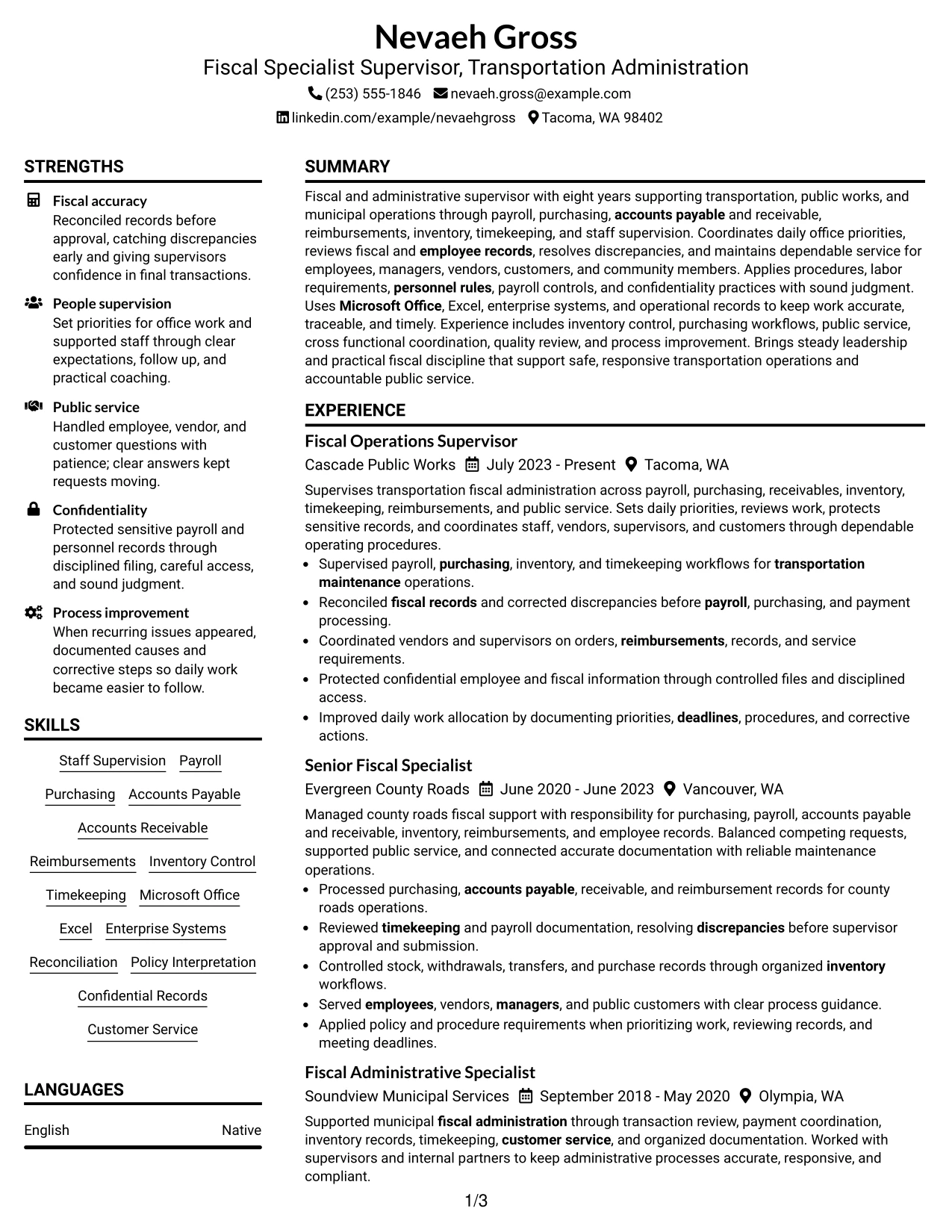
This guide shows you how to build a Fiscal Specialist Supervisor - Transportation Administration resume that is clear, focused, and easy to review. You will see how different layouts can present the same evidence while keeping the role and your value easy to understand.
For this role, strong resumes make supervision, fiscal controls, payroll, purchasing, AP/AR, reimbursements, inventory, timekeeping, compliance, and public service easy to find. They also show careful reconciliation, sound judgment, confidentiality, and steady use of Microsoft Office, Excel, and enterprise systems.
The same complete resume is presented in 33 layouts so you can compare reading order, section balance, visual emphasis, and space use. Use the examples to choose a format that keeps your strongest evidence visible without weakening ATS readability.
What Makes a Great Fiscal Specialist Supervisor - Transportation Administration Resume in 2026
A strong resume for this role shows dependable fiscal supervision, accurate records, clear staff coordination, and organized public service. It uses short sections and direct achievement-focused bullets.
Prioritize keywords such as payroll, purchasing, accounts payable, accounts receivable, reimbursements, inventory control, timekeeping, reconciliation, policy interpretation, confidential records, Microsoft Office, Excel, and enterprise systems.
The examples shown below are intentionally detailed to demonstrate a range of experiences, skills, accomplishments and relevant keywords. We prefer detailed resumes as they provide more context to the hiring managers and also help the ATS systems identify relevant qualifications and score your resume better for a match. But the length of a resume is an individual choice. If you want a one page resume, just keep the most relevant experience and information for the job. Note: Resume examples are for educational purposes only. Use only information that accurately reflects your experience and qualifications. References to real organizations do not imply affiliation or endorsement.
#1 Plain Two Column Format Resume Example
This two-column layout separates core sections cleanly, helping recruiters scan experience and supporting details without losing reading order.


Resume Snapshot
- 8 years of progressively relevant fiscal and administrative experience
- Fiscal Operations Supervisor with transportation administration responsibilities
- Bachelor's Degree in Administrative Management
- Microsoft Office Specialist: Excel Associate, 2024
Why This Format Works
- Parallel columns separate career history from supporting skills and credentials.
- Clear section balance helps recruiters compare experience with education and certifications.
- Compact organization keeps achievements visible without breaking the resume reading path.
Best For
- Balanced experience and skills content
- Compact supervisory resumes
- Visible credentials beside career history
- Readers comparing sections quickly
- Public-sector application packets
Resume Keywords
- Fiscal Specialist Supervisor
- Transportation Administration
- supervision
- transportation maintenance
- payroll
- Purchasing
- Accounts Payable
- Accounts Receivable
- Reimbursements
- bill payment
- Inventory
- Timekeeping
- schedules
- deadlines
- Policy
#2 Simple One Column Format Resume Example
This one-column layout keeps every section in a direct sequence, making the resume easy to follow from summary through credentials.


Why This Format Works
- Straight reading order makes career progression simple to follow from top to bottom.
- Full-width sections give experience bullets enough room for clear achievement evidence.
- Skills and credentials remain easy to find through standard section sequencing.
Best For
- Detailed experience bullets
- Linear career progression
- Longer achievement descriptions
- Conservative resume presentation
- Simple recruiter reading order
#3 Clean Two Column Sidebar Format Resume Example
This two-column sidebar layout gives supporting sections a clear home while keeping career history easy for recruiters to trace.


Why This Format Works
- Sidebar separation gives supporting skills and credentials a consistent visual location.
- Main-column space keeps experience and career progression easy to trace.
- Distinct section zones help recruiters compare achievements with supporting qualifications.
Best For
- Strong supporting skills section
- Compact credential lists
- Experience-led resumes with side content
- Readers who prefer clear section zones
- Mixed fiscal and administrative evidence
#4 Two Column Format Resume Example
This two-column structure balances career content and supporting sections so recruiters can review the resume without dense page blocks.


Why This Format Works
- Balanced columns reduce dense text while preserving clear experience and skills sections.
- Career history stays visually distinct from education and credential information.
- Parallel organization lets recruiters scan major content groups with fewer eye movements.
Best For
- Balanced work history and qualifications
- Moderate evidence volume
- Side-by-side section review
- Structured supervisory applications
- Broad administrative resumes
#5 Photo Header Two Column Format Resume Example
This two-column format combines a photo header with organized body sections, giving recruiters a clear path through the resume content.


Why This Format Works
- Photo header identifies the document visually without changing the body reading order.
- Two-column body structure separates experience from supporting skills and credentials.
- Defined section areas help recruiters locate achievements and career progression quickly.
Best For
- Regions where resume photos are accepted
- Two-column professional presentation
- Identity-forward applications
- Compact experience and credential balance
- International application contexts
#6 Colored Two Column Format Resume Example
This colored two-column layout uses section separation to make experience, skills, and credentials easier to distinguish during a quick review.


Why This Format Works
- Color separation makes major content groups easier to distinguish during rapid review.
- Two-column structure gives skills and credentials clear space beside career history.
- Experience sections remain organized enough to show progression and achievement evidence.
Best For
- Color-guided section scanning
- Dense but organized content
- Visible skills beside experience
- Modern public administration applications
- Readers comparing several qualifications
#7 Stylish Two Column Designer Format Resume Example
This styled two-column design adds visual separation while keeping the resume content grouped for fast recruiter scanning.


Why This Format Works
- Strong section styling helps distinguish career history from supporting resume content.
- Two-column organization keeps skills and credentials visible without crowding experience.
- Visual separation supports quick movement between achievements, education, and work history.
Best For
- Visually distinctive professional resumes
- Clear separation of major sections
- Balanced experience and credential content
- Applications needing stronger visual hierarchy
- Readers who value styled organization
#8 Modern Icon Format Resume Example
This two-column icon format uses visual markers to help recruiters locate major resume sections without changing the underlying content order.


Why This Format Works
- Icons mark section starts, helping recruiters find experience, skills, and credentials.
- Two-column organization keeps supporting details visible beside the main career story.
- Consistent visual markers make long resume sections easier to navigate quickly.
Best For
- Icon-guided section navigation
- Modern two-column presentation
- Resumes with several support sections
- Quick recruiter section lookup
- Clear skills and credential grouping
#9 Modern Full Background Two Column Format Resume Example
This two-column full-background design creates strong section contrast, helping recruiters separate career history from supporting information.


Why This Format Works
- Background contrast separates major resume areas without changing content hierarchy.
- Two-column body keeps experience and supporting qualifications visually distinct.
- Clear content zones help recruiters review progression, skills, and credentials efficiently.
Best For
- Strong visual section contrast
- Two-column evidence grouping
- Resumes with multiple qualification sections
- Readers scanning by content zone
- Modern formal applications
#10 Dark Mode Two Column Format Resume Example
This dark two-column layout uses strong contrast and parallel sections to keep the resume readable and easy to navigate.


Why This Format Works
- High contrast makes section boundaries easy to recognize during a quick scan.
- Two-column structure places supporting qualifications beside the main experience narrative.
- Grouped sections help recruiters move between achievements, skills, and credentials.
Best For
- High-contrast resume presentation
- Two-column content balance
- Digital-first resume viewing
- Readers who prefer strong section boundaries
- Modern supervisory applications
#11 Dark Mode Box Header Format Resume Example
This two-column dark design gives the header stronger separation while keeping the body organized for quick recruiter review.


Why This Format Works
- Boxed header creates a clear starting point before the resume body.
- Two-column organization keeps experience separate from skills and credential sections.
- Strong section contrast helps recruiters locate achievements and career progression quickly.
Best For
- Prominent contact and title area
- Compact two-column organization
- Resumes needing clear top-level identity
- Quick section-by-section review
- High-contrast digital viewing
#12 Elegant Full Background Two Column Format Resume Example
This two-column layout uses a full-background treatment to create clear visual zones for experience, skills, and credentials.


Why This Format Works
- Full-background styling creates clear zones for major resume content categories.
- Two-column body gives career history and supporting qualifications balanced visual weight.
- Section separation helps recruiters connect experience, skills, education, and credentials.
Best For
- Elegant section zoning
- Balanced experience and qualifications
- Resumes with several support sections
- Modern professional applications
- Readers comparing career and credentials
#13 Creative Two Tone Format Resume Example
This two-tone two-column format separates information visually, helping recruiters move between major resume sections with less effort.


Why This Format Works
- Two-tone styling distinguishes content groups without changing the resume facts.
- Parallel columns keep career history and supporting sections easy to compare.
- Clear visual breaks help recruiters locate achievements and qualifications quickly.
Best For
- Distinct visual content groups
- Two-column modern resumes
- Applications allowing stronger color use
- Balanced career and support sections
- Readers who prefer clear contrast
#14 Minimal Header Format Resume Example
This one-column format keeps the header restrained so recruiters can move directly into the resume sections below.


Why This Format Works
- Minimal header keeps attention on experience, achievements, and qualifications below.
- One-column flow makes career progression easy to read without side-to-side movement.
- Simple section order supports quick review of skills, education, and credentials.
Best For
- Conservative hiring environments
- Content-first resumes
- Direct career progression
- Minimal visual distraction
- Longer full-width experience bullets
#15 Plain One Column with Shaded Labels Resume Example
This one-column layout uses shaded section labels to make long-form content easier to scan in a simple reading sequence.


Why This Format Works
- Shaded labels make each resume section easy to locate at a glance.
- One-column flow preserves a clear sequence for career history and achievements.
- Full-width sections give skills, education, and credentials clean separation.
Best For
- Clearly labeled long resumes
- Readers scanning many sections
- Experience-heavy applications
- Simple full-width content
- Credentials needing easy section lookup
#16 Text/Fang Style Resume Example
This text-focused one-column style relies on clear section order, helping recruiters review the resume without competing visual elements.


Why This Format Works
- Text-led structure keeps focus on content instead of decorative elements.
- One-column reading order makes career progression simple to follow.
- Clear headings separate experience, skills, education, and credentials without clutter.
Best For
- Text-first professional resumes
- Traditional application settings
- Straightforward content review
- Detailed career histories
- Low-decoration resume preferences
#17 Bold Color Header Professional Format Resume Example
This two-column format uses a bold header to establish the document quickly while keeping supporting sections clearly organized below.


Why This Format Works
- Bold header gives recruiters a clear document starting point immediately.
- Two-column body separates work history from supporting skills and credentials.
- Section structure helps achievements remain visible within a compact layout.
Best For
- Strong job-title visibility
- Modern two-column organization
- Applications needing a clear top section
- Compact professional summaries
- Balanced work and qualification sections
#18 Photo Header Color Sidebar Format Resume Example
This two-column layout pairs a photo header with a color sidebar, giving recruiters clear visual separation between primary and supporting content.


Why This Format Works
- Photo header provides identity while the body carries the evidence.
- Color sidebar keeps supporting skills and credentials easy to locate.
- Main content area preserves clear career progression and achievement review.
Best For
- Photo-accepted application regions
- Sidebar-based qualification review
- International resume use
- Identity-forward professional presentation
- Balanced main and support content
#19 Top Left Header Color Accent Format Resume Example
This two-column design places emphasis at the top left, then guides recruiters through clearly divided resume sections.


Why This Format Works
- Top-left header creates a natural entry point for recruiter scanning.
- Two-column body separates experience from education, skills, and credentials.
- Accent treatment clarifies section boundaries without changing the reading hierarchy.
Best For
- Left-to-right reading habits
- Clear title and contact visibility
- Two-column professional resumes
- Fast top-level orientation
- Balanced evidence and qualifications
#20 Centered Header Classic Two Column Format Resume Example
This centered-header two-column format balances formal presentation with a body structure that makes sections easy to compare.


Why This Format Works
- Centered header creates a formal start before the two-column body.
- Parallel sections let recruiters compare career history with supporting qualifications.
- Structured body keeps achievements, skills, and credentials easy to locate.
Best For
- Formal centered presentation
- Traditional two-column resumes
- Readers comparing parallel sections
- Structured career histories
- Balanced qualifications and experience
#21 Left Aligned Header Clean Two Column Format Resume Example
This left-aligned two-column layout creates a natural starting point and keeps the body sections easy to follow across the page.


Why This Format Works
- Left-aligned header supports a natural top-left reading start.
- Two-column structure keeps work history separate from supporting qualification sections.
- Clear grouping helps recruiters trace progression while checking skills and credentials.
Best For
- Natural top-left scanning
- Clean two-column resumes
- Experience-led professional applications
- Quick recruiter orientation
- Structured support sections
#22 Simple Two Column Format Resume Example
This simple two-column format gives recruiters a compact view of experience and supporting details without adding unnecessary visual complexity.


Why This Format Works
- Simple columns organize content without adding heavy visual decoration.
- Experience remains distinct from skills, education, and credential information.
- Compact grouping supports quick review of achievements and career progression.
Best For
- Simple two-column organization
- Compact professional resumes
- Balanced content volume
- Readers avoiding heavy styling
- Clear work and credential separation
#23 Accent Divider Modern Two Column Format Resume Example
This two-column layout uses accent dividers to separate sections clearly, helping recruiters locate experience, skills, and credentials faster.


Why This Format Works
- Accent dividers make section boundaries visible during fast recruiter scanning.
- Two-column structure balances career history with supporting qualifications.
- Separated content blocks help achievements and credentials remain easy to find.
Best For
- Section-heavy resumes
- Accent-led navigation
- Two-column professional content
- Quick movement between qualifications
- Moderate evidence volume
#24 Shaded Labels Clean Two Column Format Resume Example
This two-column design uses shaded labels to make section boundaries obvious while preserving a compact, readable content structure.


Why This Format Works
- Shaded labels give each content group a clear visual identifier.
- Two-column organization keeps experience and supporting qualifications distinct.
- Section cues help recruiters move quickly among achievements, skills, and credentials.
Best For
- Readers who rely on section labels
- Dense professional resumes
- Two-column content grouping
- Many distinct qualification sections
- Fast visual section lookup
#25 Photo Header Color Accent International Format Resume Example
This photo-header two-column format uses color accents to separate major sections while keeping recruiter scanning straightforward.


Why This Format Works
- Photo header adds identity while color accents separate major content sections.
- Two-column body keeps work history and supporting qualifications easy to distinguish.
- Section structure supports quick review of achievements, skills, and credentials.
Best For
- International applications using photos
- Color-accented professional resumes
- Two-column credential balance
- Identity-forward presentation
- Readers comparing major sections
#26 Large Profile Photo International Two Column Format Resume Example
This two-column international format features a larger profile photo while maintaining clear section separation in the resume body.


Why This Format Works
- Large photo identifies the document while body sections carry the evidence.
- Two-column organization separates career history from supporting qualifications.
- Clear content zones help recruiters review progression, achievements, and credentials.
Best For
- Markets accepting larger resume photos
- International professional applications
- Two-column evidence organization
- Strong personal identification needs
- Clear career and qualification zones
#27 One Column Format with Photo Resume Example
This one-column format adds a profile photo while preserving a direct top-to-bottom reading order for recruiters.


Why This Format Works
- One-column flow keeps the body simple despite the added profile photo.
- Full-width experience sections support clear career progression and achievement bullets.
- Skills and credentials remain easy to find in a direct sequence.
Best For
- Photo-based one-column resumes
- International application contexts
- Direct vertical reading
- Full-width experience bullets
- Simple section sequencing
#28 One Column Format with Photo Right Resume Example
This one-column format places the photo on the right, keeping the main resume content in a simple vertical sequence.


Why This Format Works
- Right-side photo leaves the main body in a simple vertical flow.
- One-column structure keeps career progression easy to trace without sidebars.
- Section order supports quick checks of achievements, skills, and credentials.
Best For
- Right-photo resume preferences
- International application contexts
- One-column reading order
- Experience-heavy content
- Simple visual balance
#29 One Column Boxed Contact Header Format Resume Example
This one-column layout uses a boxed contact header to separate contact details from the main resume content below.


Why This Format Works
- Boxed contact header separates personal details from the resume evidence.
- One-column body keeps experience and achievements in a predictable reading sequence.
- Standard section flow helps recruiters locate skills, education, and credentials.
Best For
- Clear contact separation
- Traditional one-column resumes
- Readers wanting predictable section order
- Detailed work histories
- Conservative application settings
#30 One Column Shaded Contact Header Format Resume Example
This one-column design uses a shaded contact header to make the top section distinct while preserving straightforward reading order.


Why This Format Works
- Shaded header creates a clear transition from contact details to content.
- One-column reading order keeps work history and achievements easy to follow.
- Full-width sections provide clear space for skills and credential information.
Best For
- Visible contact-header distinction
- One-column professional resumes
- Full-width achievement bullets
- Readers scanning standard sections
- Formal application packages
#31 Boxed Contact Header with Job Title Format Resume Example
This one-column format gives the job title and contact details a boxed header, then keeps all resume sections in sequence.


Why This Format Works
- Boxed header makes the target job title easy to recognize immediately.
- One-column body preserves direct reading order across career history and achievements.
- Separate sections keep skills, education, and credentials easy to verify.
Best For
- Applications needing target-title visibility
- One-column supervisory resumes
- Clear contact and role framing
- Detailed experience sections
- Conservative professional presentation
#32 Plain Professional Layout with Job Title & Shaded Labels Resume Example
This one-column professional layout combines a clear job title with shaded labels so recruiters can find each section quickly.


Why This Format Works
- Shaded labels help recruiters identify each major section quickly.
- One-column sequence keeps experience and career progression easy to follow.
- Job title header anchors the document before skills and credentials appear.
Best For
- Job-title focused resumes
- Shaded section navigation
- One-column professional histories
- Readers scanning many sections
- Formal public-sector applications
#33 Classic One Column Resume Format Resume Example
This classic one-column format keeps the resume in a familiar top-to-bottom flow that supports fast, predictable recruiter scanning.


Why This Format Works
- Familiar one-column flow makes career history easy to scan quickly.
- Standard section order keeps achievements, skills, education, and credentials predictable.
- Full-width content supports readable bullets and clear career progression.
Best For
- Traditional recruiter review
- Straight career progression
- Experience-heavy resumes
- Simple ATS-conscious structure
- Conservative professional applications
Why Build Your Fiscal Specialist Supervisor - Transportation Administration Resume with ResumeInMinutes
ResumeInMinutes helps you turn fiscal, supervisory, and transportation administration experience into a resume that is easy to scan, edit, and tailor to a specific posting.
- Clear resume format choices
- ATS-friendly section structure
- Role-specific keyword guidance
- Organized experience and skills sections
- Free PDF resume previews
- Fast resume customization
You can keep the same proven content while changing how sections are organized, then choose the layout that best supports your experience, skills, credentials, and target application.
See Also
- 7 Health Care Fiscal Policy Analyst Resume Templates with Example
- 7 Night Transportation Supervisor Resume Templates with Example
- 7 Applications Development Sr Supervisor Resume Templates with Example
- 7 Aquatic Center & Pools Supervisor - Aquatics Resume Templates with Example
- 7 Aquatics Facility Supervisor Resume Templates with Example
- 33 Audit Supervisor Resume Templates with Example 2026 (ATS-Optimized)
- 33 Banquet Garde Manger Supervisor Resume Templates with Example 2026 (ATS-Optimized)
- 33 Clinical Nurse Supervisor Resume Templates with Example 2026 (ATS-Optimized)
- 30+ Audit Supervisor Cover Letter Templates with Example 2026
- 30+ Banquet Garde Manger Supervisor Cover Letter Templates with Example 2026
Frequently Asked Questions
Are these Fiscal Specialist Supervisor - Transportation Administration resume templates ATS-friendly?
Yes. They use clear headings and readable section structures. Keep important terms such as payroll, purchasing, reconciliation, inventory, timekeeping, and supervision in plain text.
Are these different resumes?
No. This guide shows one complete Fiscal Specialist Supervisor - Transportation Administration resume in different visual formats so you can compare layout choices.
What should this resume include?
Include a focused summary, supervisory experience, fiscal operations, payroll, purchasing, AP/AR, reimbursements, inventory, timekeeping, reconciliation, systems, education, and relevant certifications.
Can I download the resume templates as PDFs?
Yes. Each design includes a free PDF preview so you can compare the format before using it for your own resume.
Which resume style works well for this role?
Choose a layout that makes fiscal supervision, career progression, skills, credentials, and results easy to scan. Simple one-column and organized two-column formats can both work when section order remains clear.
How should I show supervisory and fiscal experience?
Use direct bullets that show the work you owned, the records you reviewed, the people or processes you coordinated, and the improvements or corrections you completed.
Should I include a photo on my resume?
For most U.S. applications, a no-photo resume is the safer standard. Use a photo only when it is customary or expected in the location or application context.
Can I customize these resume templates?
Yes. You can edit the text, section order, visual style, and PDF layout while keeping the content aligned with the Fiscal Specialist Supervisor - Transportation Administration role.




