
Java Software Developer Resume Guide
This guide explains exactly what hiring teams look for in a Java Software Developer resume in 2026 and shows you two proven, ATS-friendly examples with screenshots and free PDF downloads.
Whether you’re applying for a Java Software Developer or Java Backend Developer role, you’ll learn how to structure your resume, present your technical stack clearly, and highlight real impact using modern Java, Spring Boot, and REST API experience.
Instead of guessing what works, you’ll see real resume layouts that already align with recruiter expectations.
Table of Contents
What Makes a Great Java Developer Resume in 2026
Strong Java resumes in 2026 are skill-focused, results-driven, and easy for ATS systems to scan. The best resumes consistently emphasize three core areas:
- Clear and relevant technical skills
- Hands-on project and production experience
- Measurable achievements and business impact
Instead of listing only responsibilities, top resumes show outcomes:
- How performance improved
- How systems became faster, more scalable, or more reliable
- How users, customers, or internal teams benefited
Successful resumes also include modern keywords such as Java, Spring Boot, REST APIs, Microservices, SQL, Cloud Platforms, CI/CD, Automated Testing, and Git.
The examples below demonstrate exactly what an interview-winning Java resume looks like today.
Essential Sections of a Java Developer Resume
Most interview-winning Java developer resumes follow a clear, predictable structure. When key sections are missing, recruiters often assume the resume is incomplete, even if the candidate is strong.
High-performing resumes typically include the following sections. You can adjust the order slightly, but keeping these core headings makes your resume easier to scan and more ATS-friendly:
- SUMMARY
- EXPERIENCE
- PROJECTS
- LEADERSHIP & AWARDS
- EDUCATION
- CERTIFICATIONS
- TECHNICAL SKILLS
- SKILLS (Soft Skills)
- PROFESSIONAL AFFILIATIONS
- ADDITIONAL INFORMATION
- REFERENCES (optional or “Available upon request”)
The resume examples below use this structure so you can model your own resume with confidence.
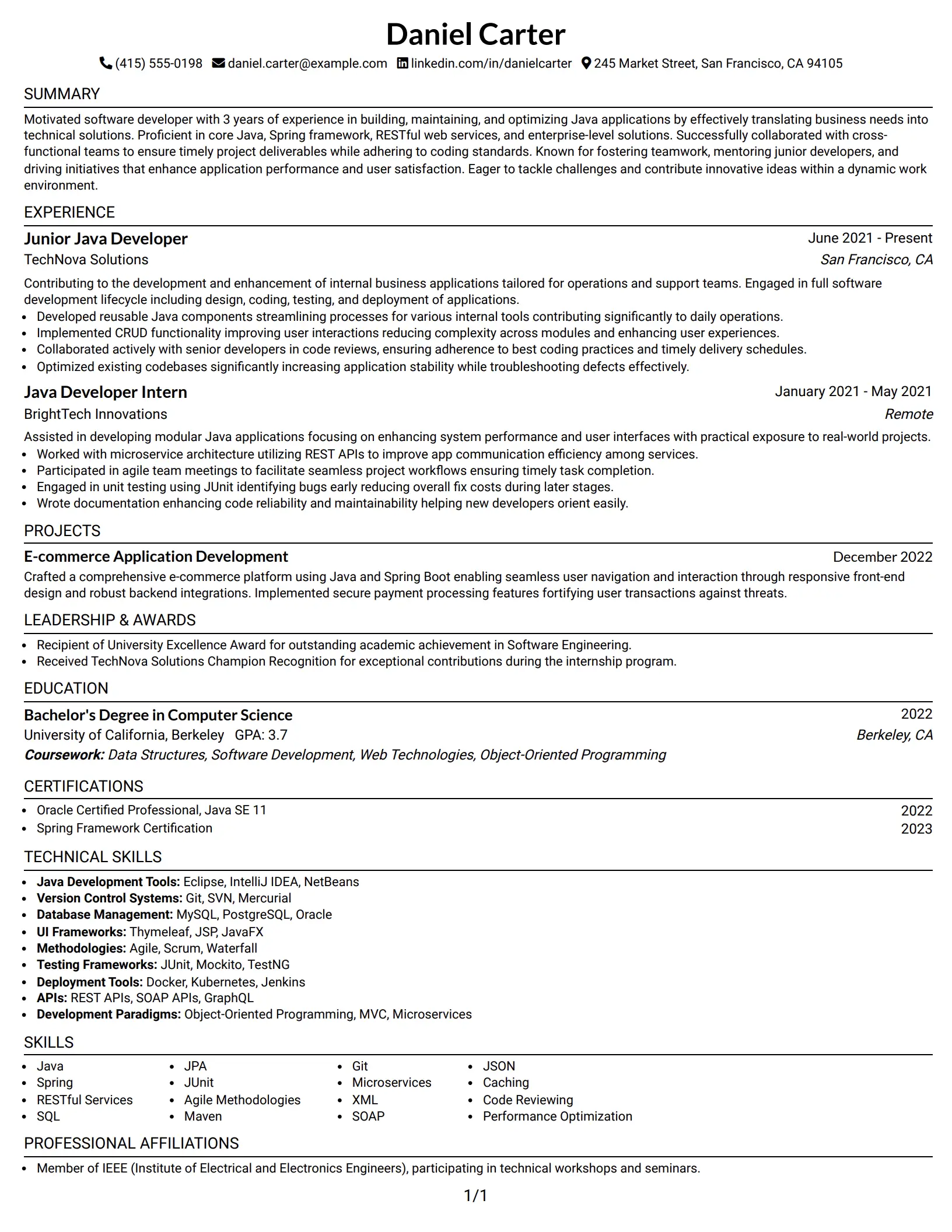
#1 Java Software Developer Resume Example
This resume represents a mid-level Java Software Developer with experience building backend systems, REST APIs, and database-driven applications using Java and Spring Boot.
Candidate Snapshot
- Name: Daniel Carter
- Experience: 3 Years
- Primary Stack: Java, Spring Boot, REST APIs, MySQL, Git
- Role Type: Backend / Software Developer
Why This Resume Works
- Uses a clean, one-column Fang layout that ATS systems can easily read
- Highlights core Java skills
- Includes measurable accomplishments
- Focuses on business impact, not just tasks
- Uses default bullet styles for easy ATS parsing
- Favicons only (ATS-safe; never parsed by applicant tracking systems)
- 1 page resume
Resume Keywords
- Java
- software development
- RESTful Services
- microservice
- agile
- Spring
- Git
- SQL
- code reviews
- deployment
- Performance Optimization
- JUnit
- documentation
- CRUD functionality
- mentoring
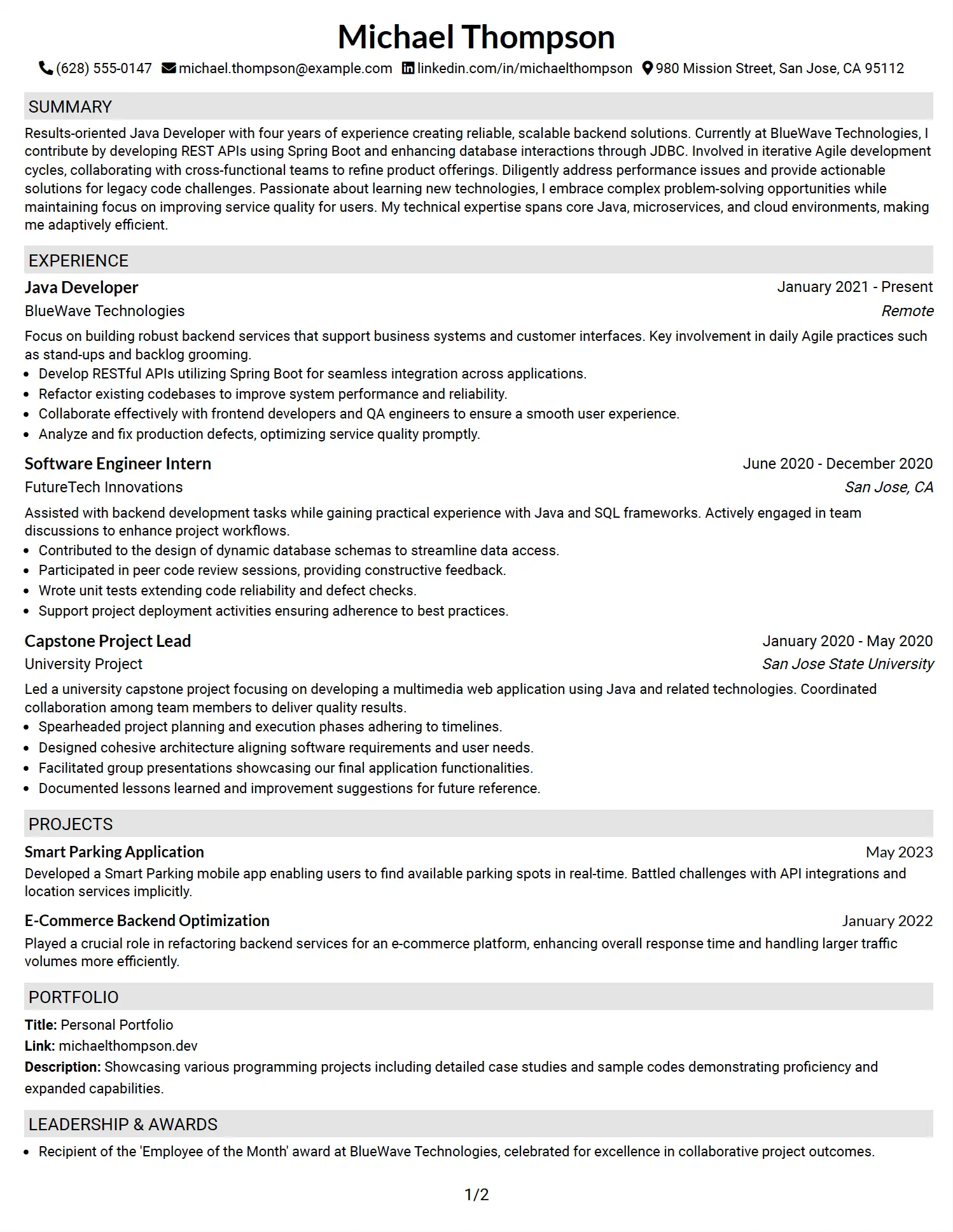
#2 Java Backend Developer Resume Example
This resume represents a results-oriented Java Backend Developer with four years of experience developing Spring Boot REST APIs, optimizing backend performance, and working with database and big-data technologies in Agile environments.
Candidate Snapshot
- Name: Michael Thompson
- Experience: 4 Years
- Primary Stack: Java, Spring Boot, REST APIs, JDBC, MySQL, Git
- Role Type: Backend / Java Developer
Why This Resume Works
- Uses a Fang-style one-column layout with subtle heading background, optimized for ATS scanning
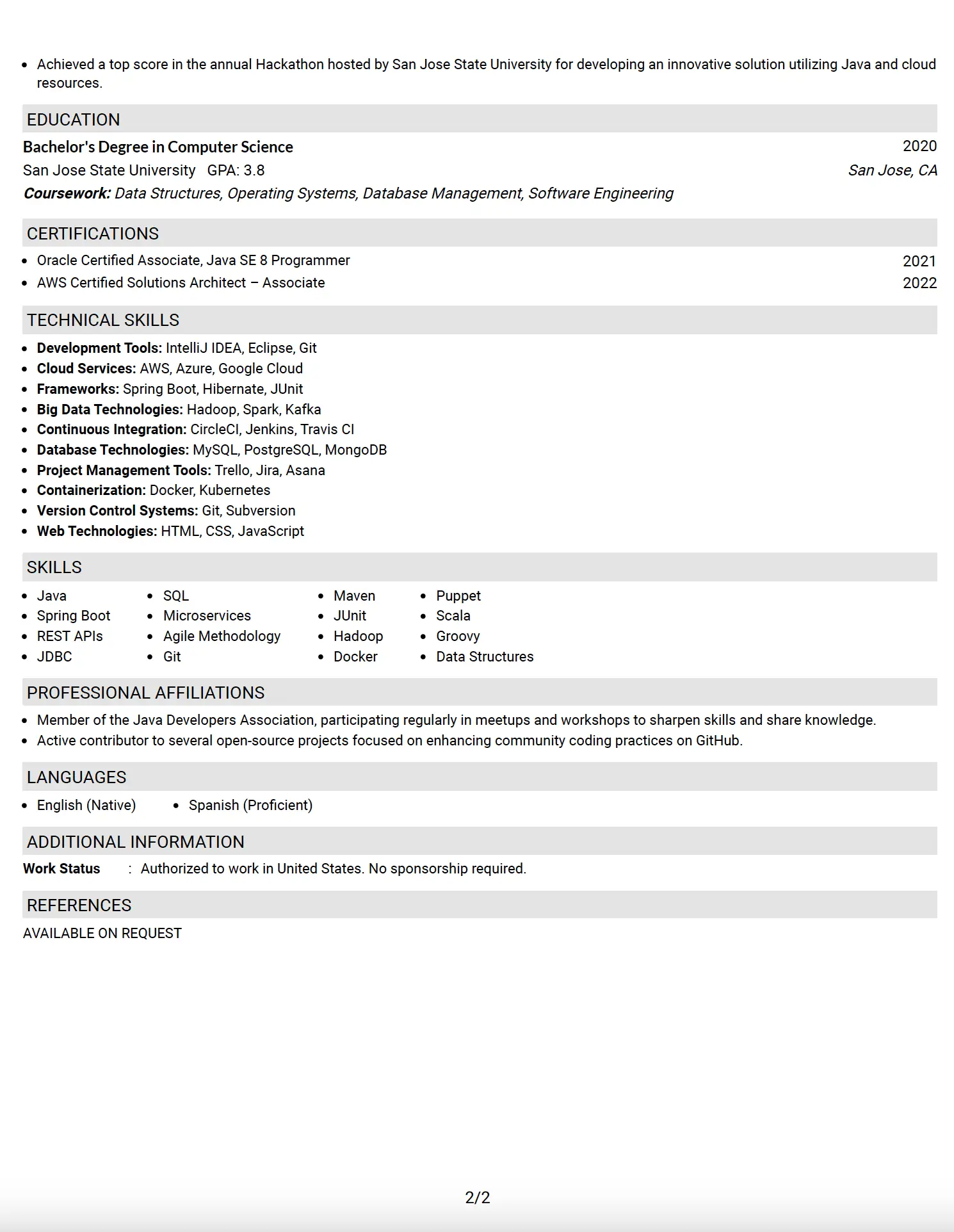
- Strong emphasis on Hadoop and big-data ecosystem (Hadoop, Spark, Kafka)
- Highlights MapReduce-style large-scale data processing experience
- Demonstrates performance tuning through backend refactoring and optimization
- Shows hands-on Spring Boot, REST API, and JDBC database integration
- Includes real production defect fixing and system reliability improvements
- Full resume with all essential sections included: Summary, Experience, Projects, Leadership & Awards, Education, Certifications, Technical Skills, Skills (Soft Skills), Professional Affiliations, Additional Information, and References (optional)
- ATS-safe formatting with standard headings and bullet structure
- Certifications (Oracle Java, AWS Solutions Architect) strengthen technical credibility
- 2-page resume justified by depth of experience, projects, certifications, and technical breadth
See Also
- 7 Senior Java Developer - AI-Enabled Mining Software Resume Templates with Example
- 33 Software Developer - Java & Python Resume Templates with Example 2026 (ATS-Optimized)
- 33 Associate - Java Developer Resume Templates with Example 2026 (ATS-Optimized)
- 33 Entry Level Java Developer Resume Templates with Example
- Java Developer Intern Resume Guide (Example + Free PDF Download)
- 33 Jr Java Developer Resume Templates with Example 2026 (ATS-Optimized)
- 33 Lead Java Developer Resume Templates with Example 2026 (ATS-Optimized)
- 33 Senior Java Developer Resume Templates with Example 2026 (ATS-Optimized)
- 30+ Software Developer - Java & Python Cover Letter Templates with Example 2026
- 30+ Associate - Java Developer Cover Letter Templates with Example 2026
Frequently Asked Questions
Are these Java resumes ATS-friendly?
Yes. Both examples use clean headings, standard bullets, and keyword-optimized layouts.
Are the PDF downloads free?
Yes. Each example includes a free downloadable PDF.
One-column or two-column resume?
One-column is safest for ATS. Two-column works well for senior roles when structured properly.




