
US English


7 Land Administrator - GIS and Land Records Resume Templates with Example
By Ria · Last Updated On September 26, 2026
Resume Example Page 1

This guide shows you how to build a Land Administrator - GIS and Land Records resume that is clear, focused, and easy to review. You will learn how to organize your evidence and choose a layout that helps important qualifications stand out.

Strong resumes for this role connect land administration with practical GIS work. Show how you handle legal descriptions, property boundaries, lease and tract records, route review, database updates, spatial analysis, and client-ready mapping deliverables.

The same complete resume example appears in 7 ATS-friendly layouts, so you can compare reading order, section structure, and visual presentation without changing the underlying evidence.

What Makes a Great Land Administrator - GIS and Land Records Resume in 2026

A strong resume is easy to scan and shows a clear link between land records, GIS work, independent judgment, and deadline management.

Use exact, supported terms such as vector digitizing, legal descriptions, lease mapping, route development, KMZ, shapefiles, geodatabases, buffers, intersects, selections, Microsoft Word, and Microsoft Excel.

The examples shown below are intentionally detailed to demonstrate a range of experiences, skills, accomplishments and relevant keywords. We prefer detailed resumes as they provide more context to the hiring managers and also help the ATS systems identify relevant qualifications and score your resume better for a match. But the length of a resume is an individual choice. If you want a one page resume, just keep the most relevant experience and information for the job. Note: Resume examples are for educational purposes only. Use only information that accurately reflects your experience and qualifications. References to real organizations do not imply affiliation or endorsement.

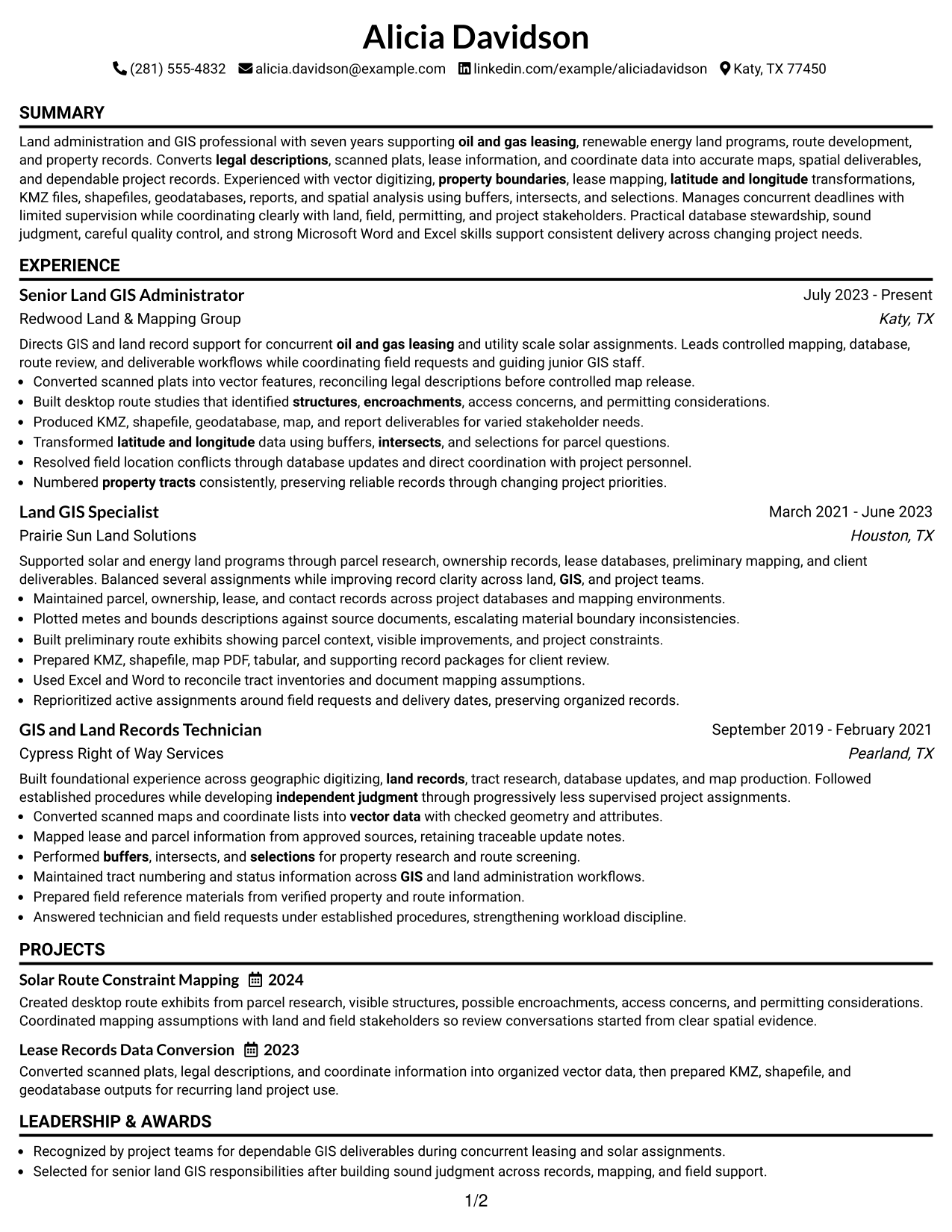
#1 Simple One Column Format Resume Example

A simple one-column reading order lets recruiters move from summary to experience, skills, education, projects, and credentials without side-to-side scanning.
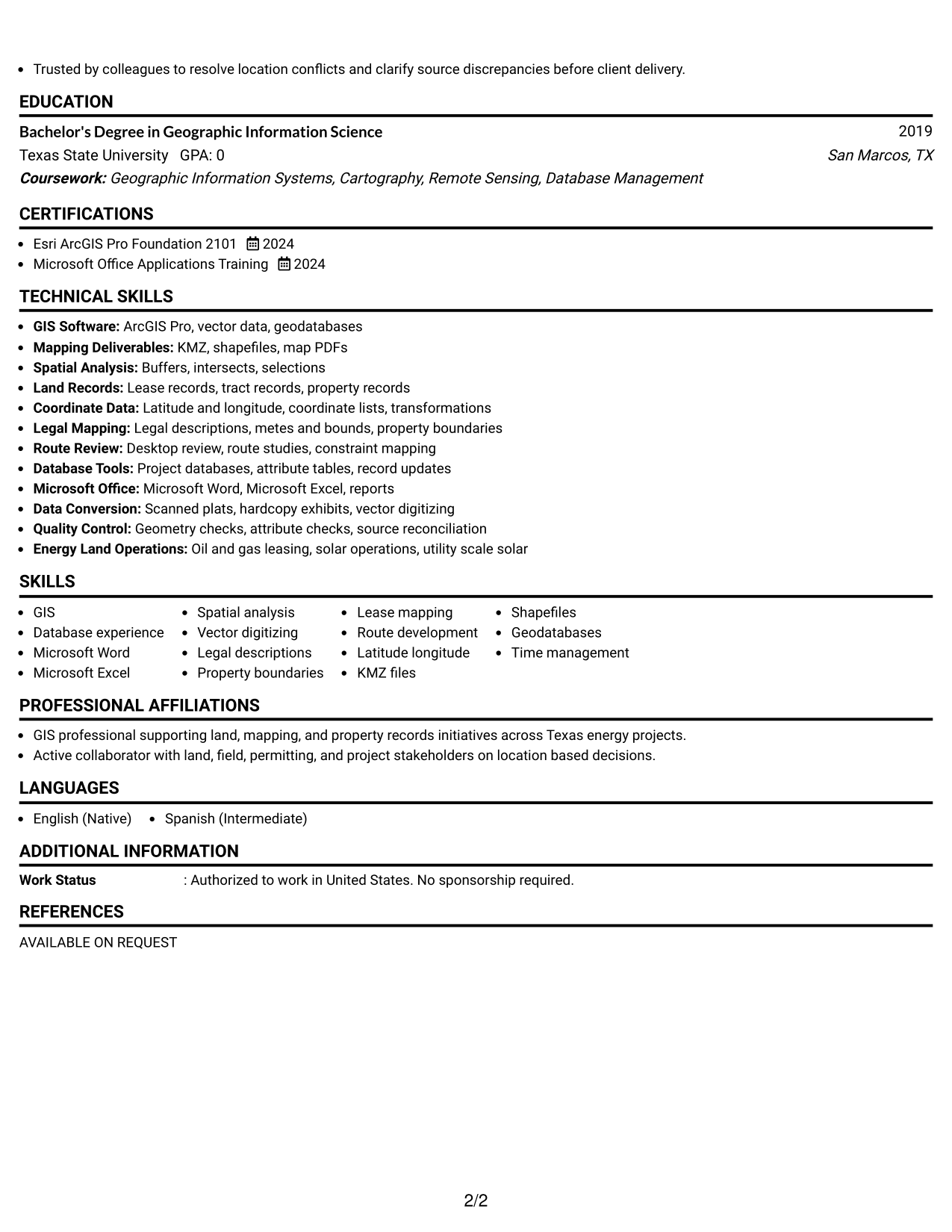
 
Resume Example Page 1   Resume Example Page 2

Why This Format Works

  • Linear reading keeps career progression easy to follow from role to role.
  • Full-width sections give achievement bullets enough space for clear, complete evidence.
  • Separated skills and credentials remain easy to find after the experience review.

Best For

  • Straightforward recruiter scanning
  • Detailed experience bullets
  • Clear career progression
  • Traditional application systems
  • Readers who prefer linear order

Resume Keywords

  • GIS
  • land record
  • oil and gas leasing
  • solar operations
  • vector data
  • legal descriptions
  • property boundaries
  • lease mapping
  • Desktop review
  • structures
  • encroachments
  • latitude and longitude
  • buffers
  • intersects
  • selections
See all keywords
 

#2 Plain One Column with Shaded Labels Resume Example

Shaded section labels break the one-column flow into clear stops, helping recruiters locate major resume sections quickly.
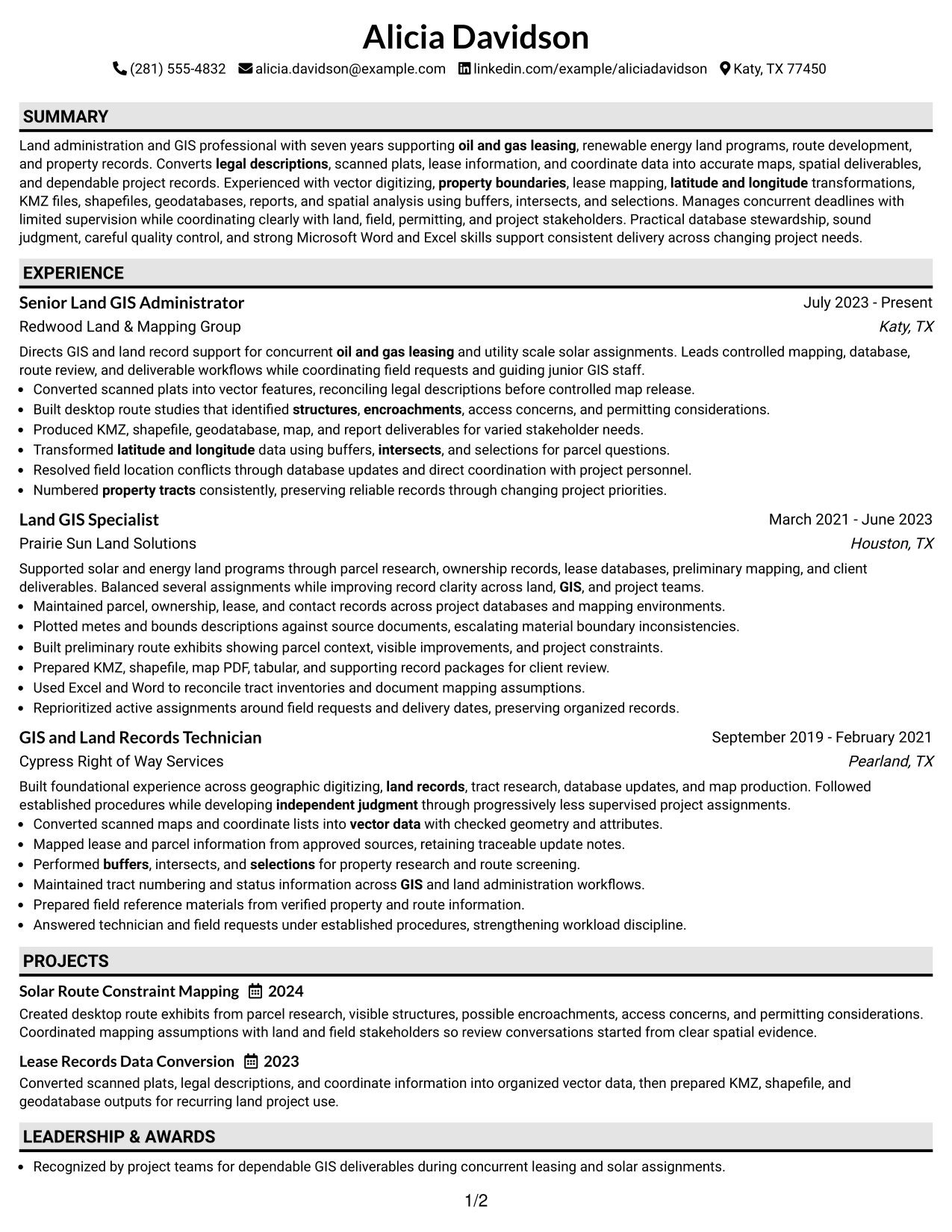
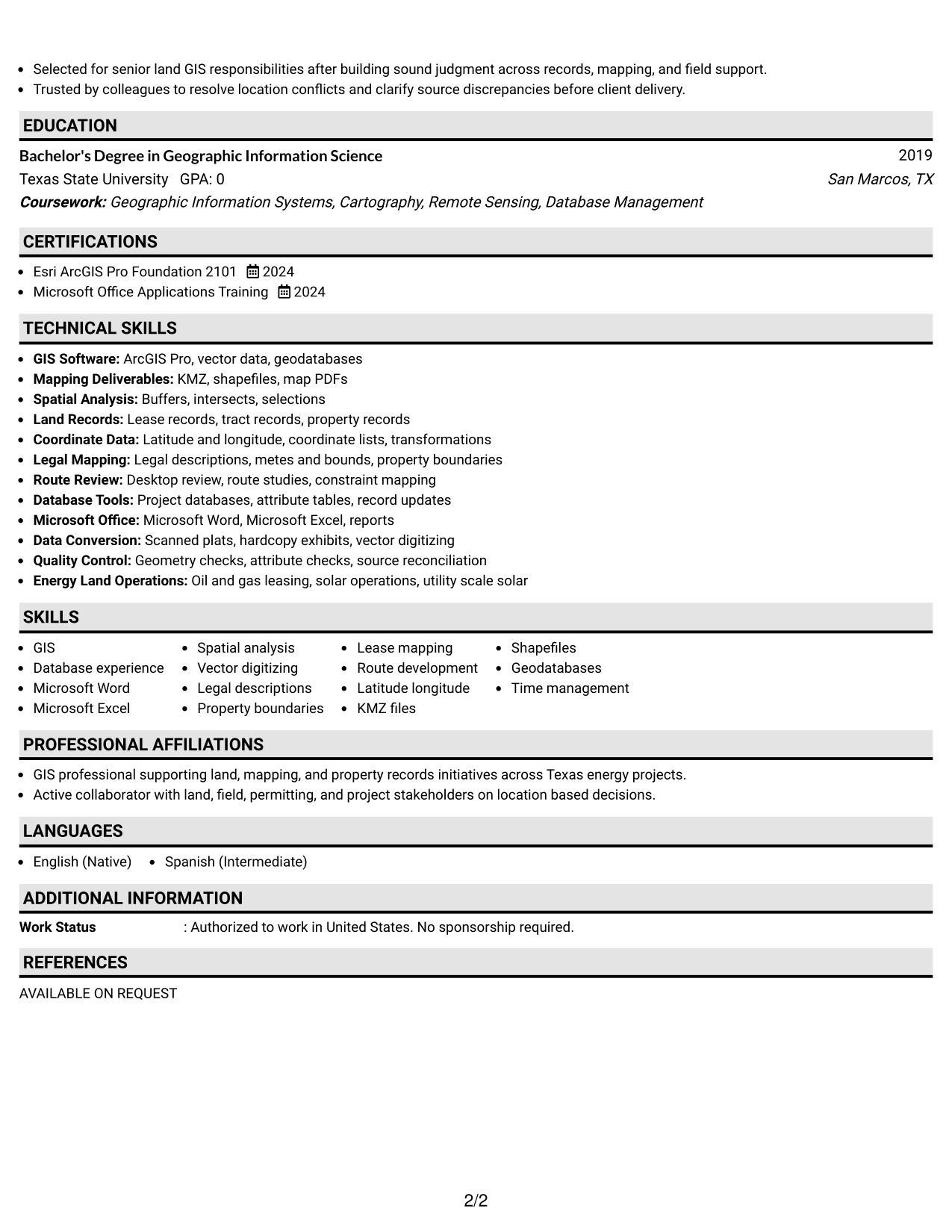
 
Resume Example Page 1   Resume Example Page 2

Why This Format Works

  • Shaded labels create visible boundaries between experience, skills, education, and credentials.
  • Single-column flow preserves a predictable sequence for reviewing career history.
  • Clear section breaks help dense achievement content feel easier to navigate.

Best For

  • Longer section-based resumes
  • Fast section locating
  • Conservative visual styling
  • Experience with several content categories
  • Reviewers scanning by section
 

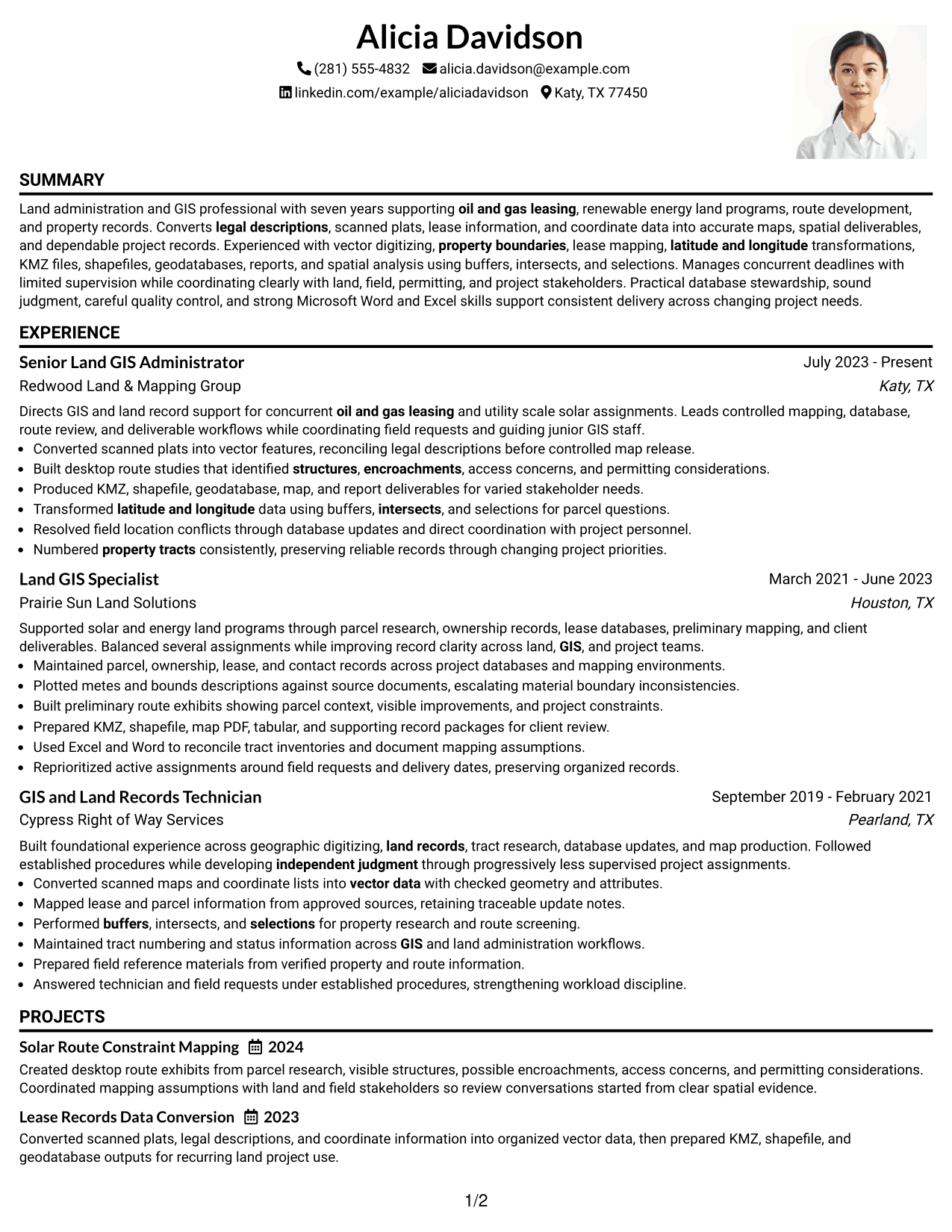
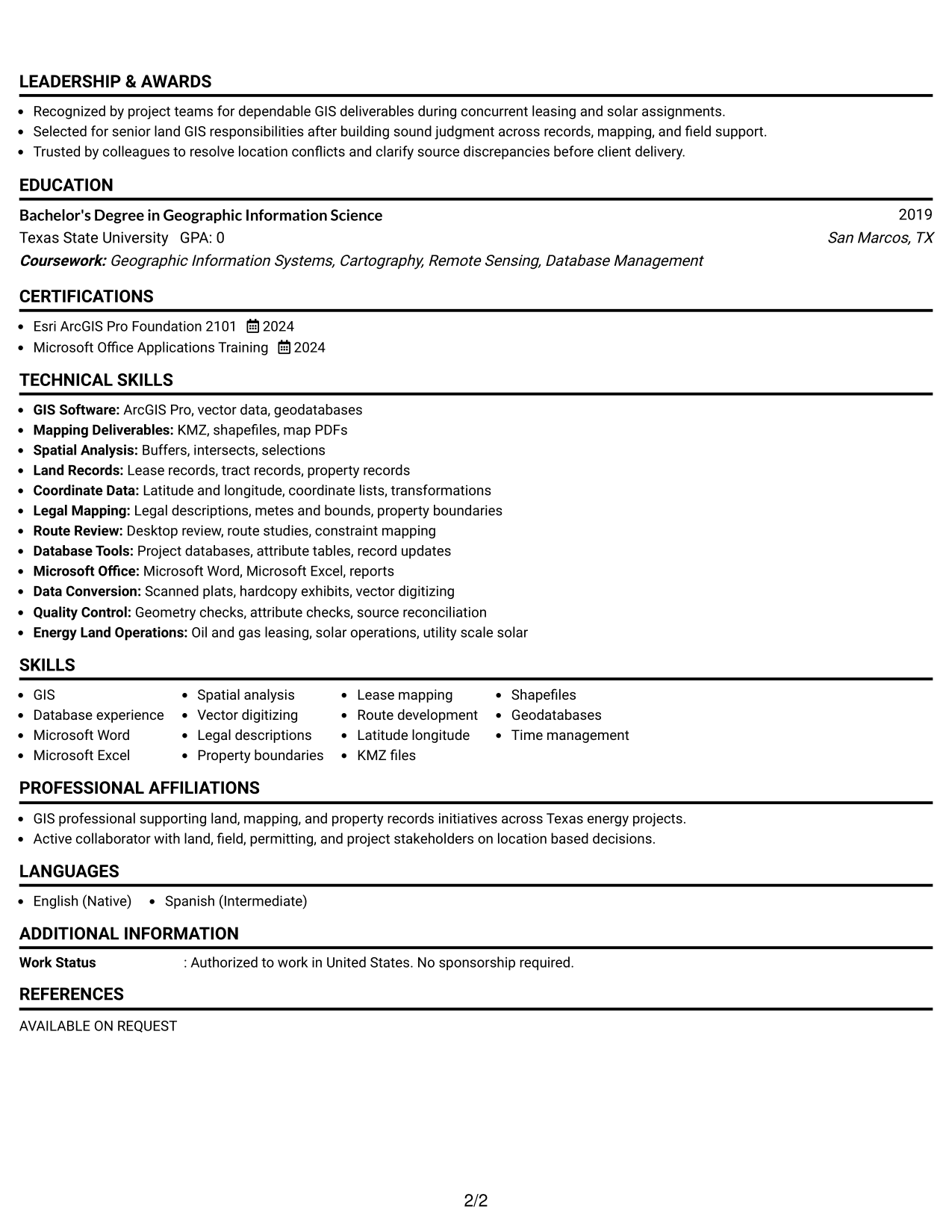
#3 One Column Format with Photo Right Resume Example

A photo at the right of the header adds personal identification while the one-column body keeps recruiter scanning direct.
 
Resume Example Page 1   Resume Example Page 2

Why This Format Works

  • The one-column body keeps experience and achievements in a steady reading sequence.
  • Header photo stays separate from the main sections and their evidence.
  • Full-width content supports readable descriptions of skills, education, and credentials.

Best For

  • Markets where resume photos are customary
  • Personal identification in the header
  • Full-width experience content
  • Simple top-to-bottom reading
  • Applications needing clear section order
 

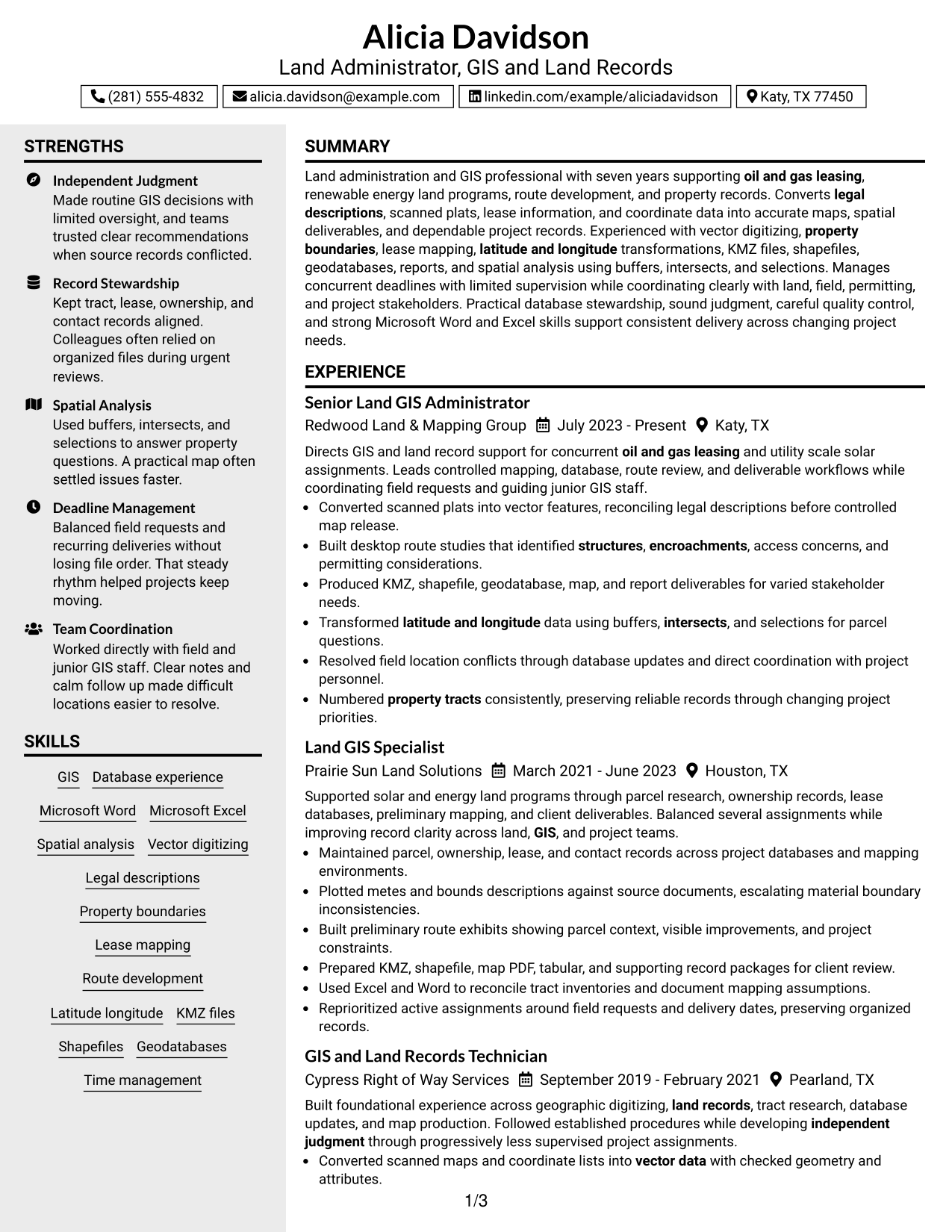
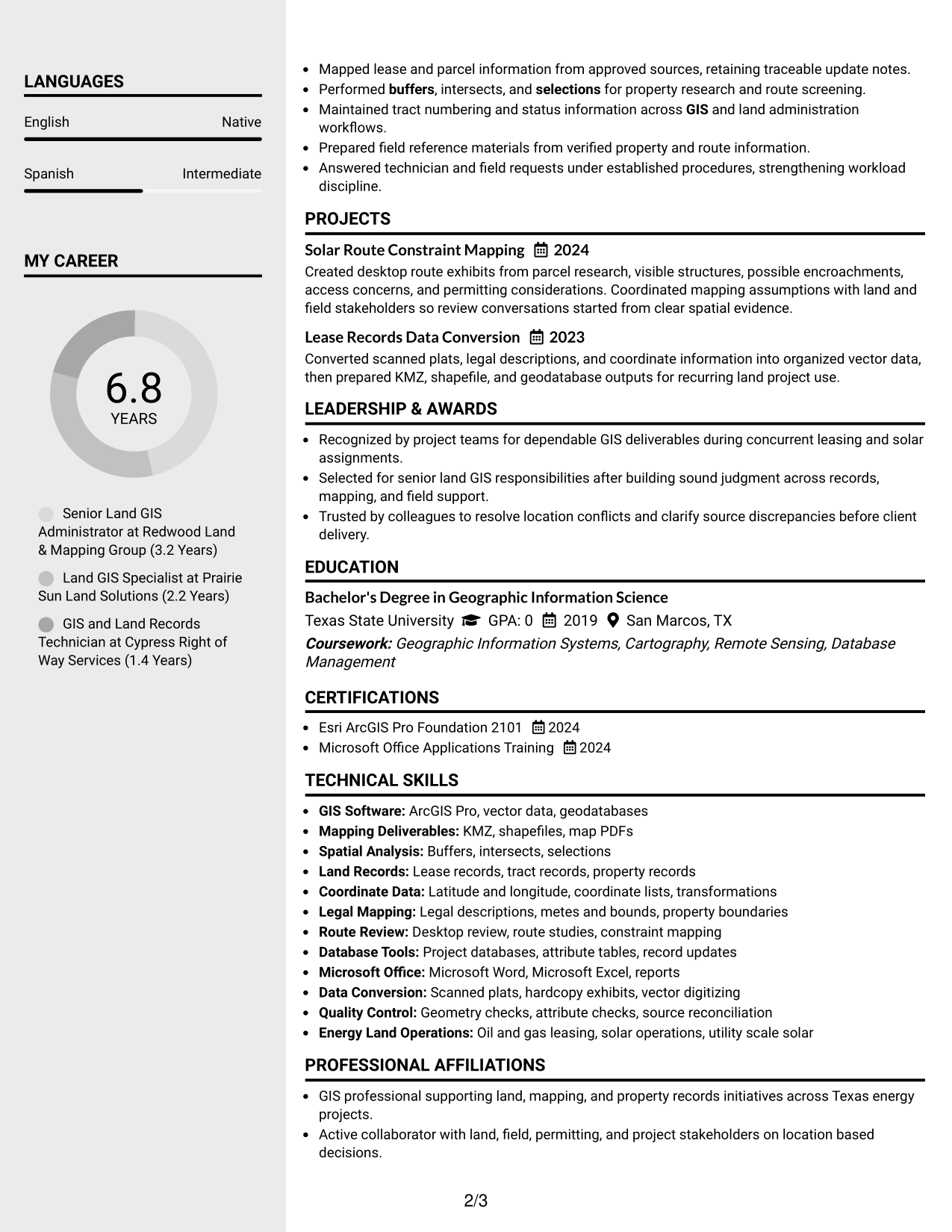
#4 Clean Two Column Sidebar Format Resume Example

A clean two-column sidebar separates compact supporting details from the main career narrative, giving recruiters two clear information zones.
 
Resume Example Page 1   Resume Example Page 2

Why This Format Works

  • Two-column separation lets experience stay distinct from shorter supporting resume sections.
  • The sidebar gives compact skills and credentials a clearly bounded review area.
  • Main-column space keeps career progression and achievement evidence visually connected.

Best For

  • Resumes with many compact skills
  • Clear separation of supporting details
  • Balanced experience and credentials
  • Reviewers who scan in zones
  • Content that benefits from grouping


#5 Two Column Format Resume Example

A balanced two-column structure gives recruiters parallel access to career evidence and supporting qualifications without making either side feel secondary.
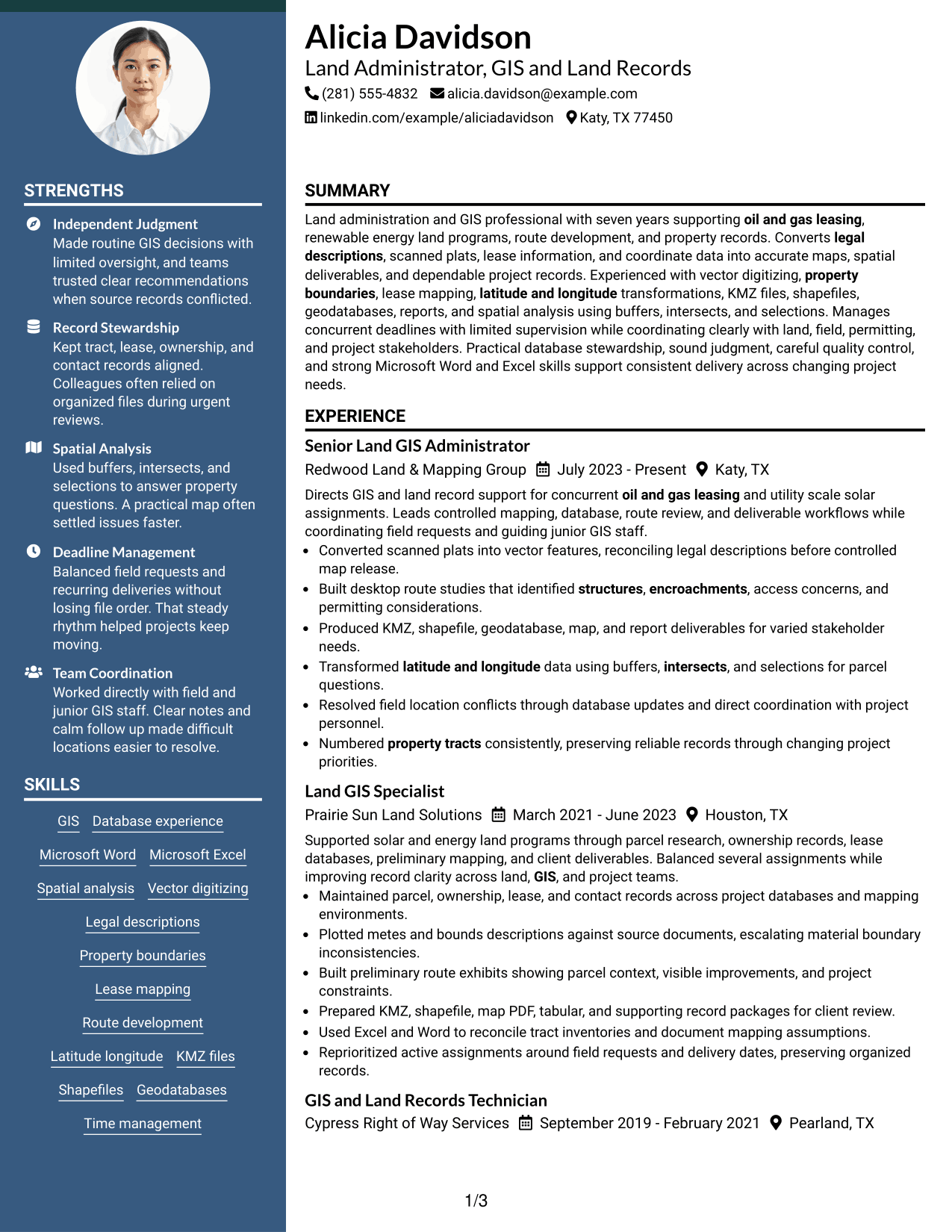
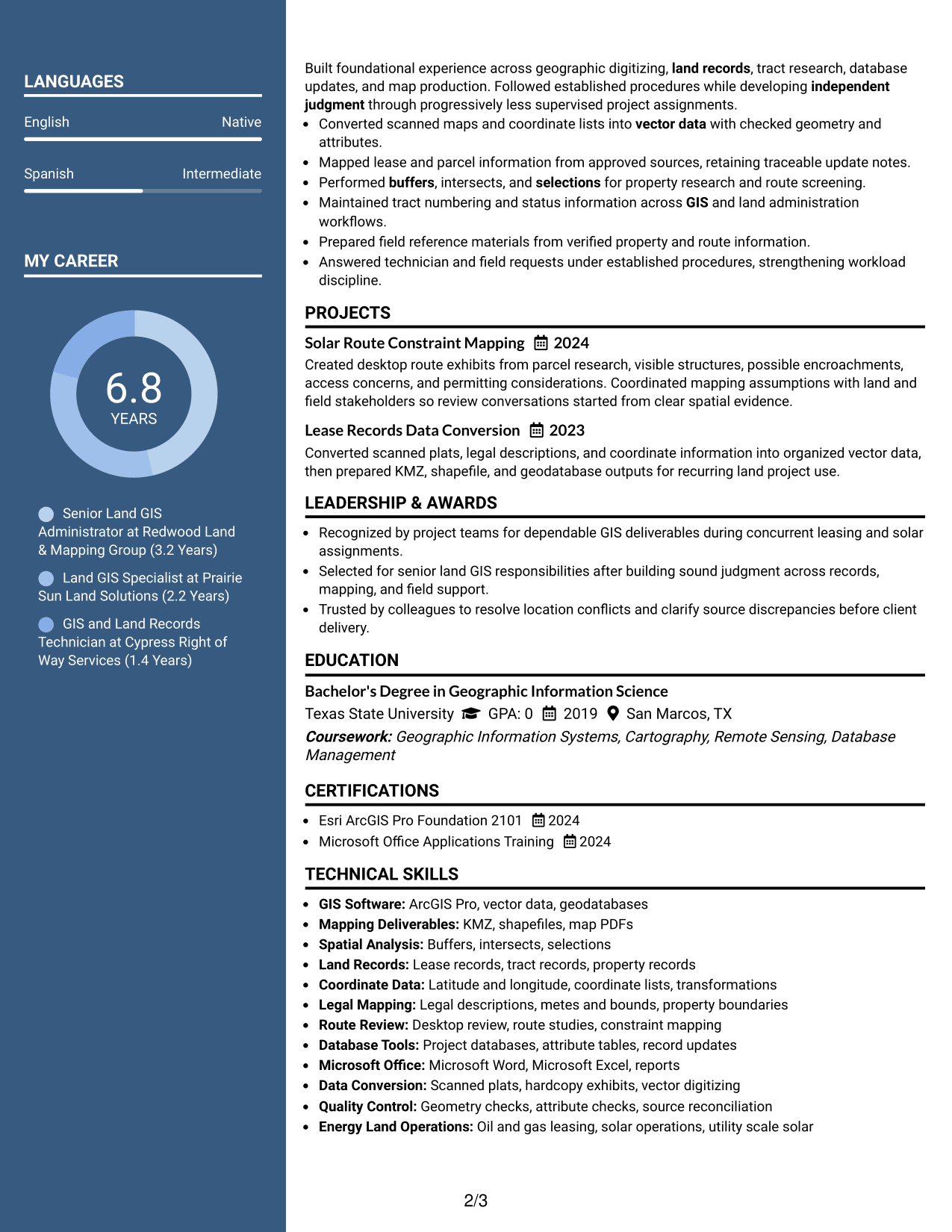
 
Resume Example Page 1   Resume Example Page 2

Why This Format Works

  • Parallel columns make broad resume content easier to divide into readable groups.
  • Experience can remain prominent while skills and education stay close for reference.
  • Balanced section areas help recruiters compare career evidence with supporting qualifications.

Best For

  • Broad professional profiles
  • Mixed experience and skills content
  • Readers comparing several qualifications
  • Compact use of horizontal space
  • Applications with balanced section depth
 

#6 Photo Header Two Column Format Resume Example

A photo header introduces the applicant visually, while the two-column body helps recruiters scan career evidence and supporting sections in parallel.
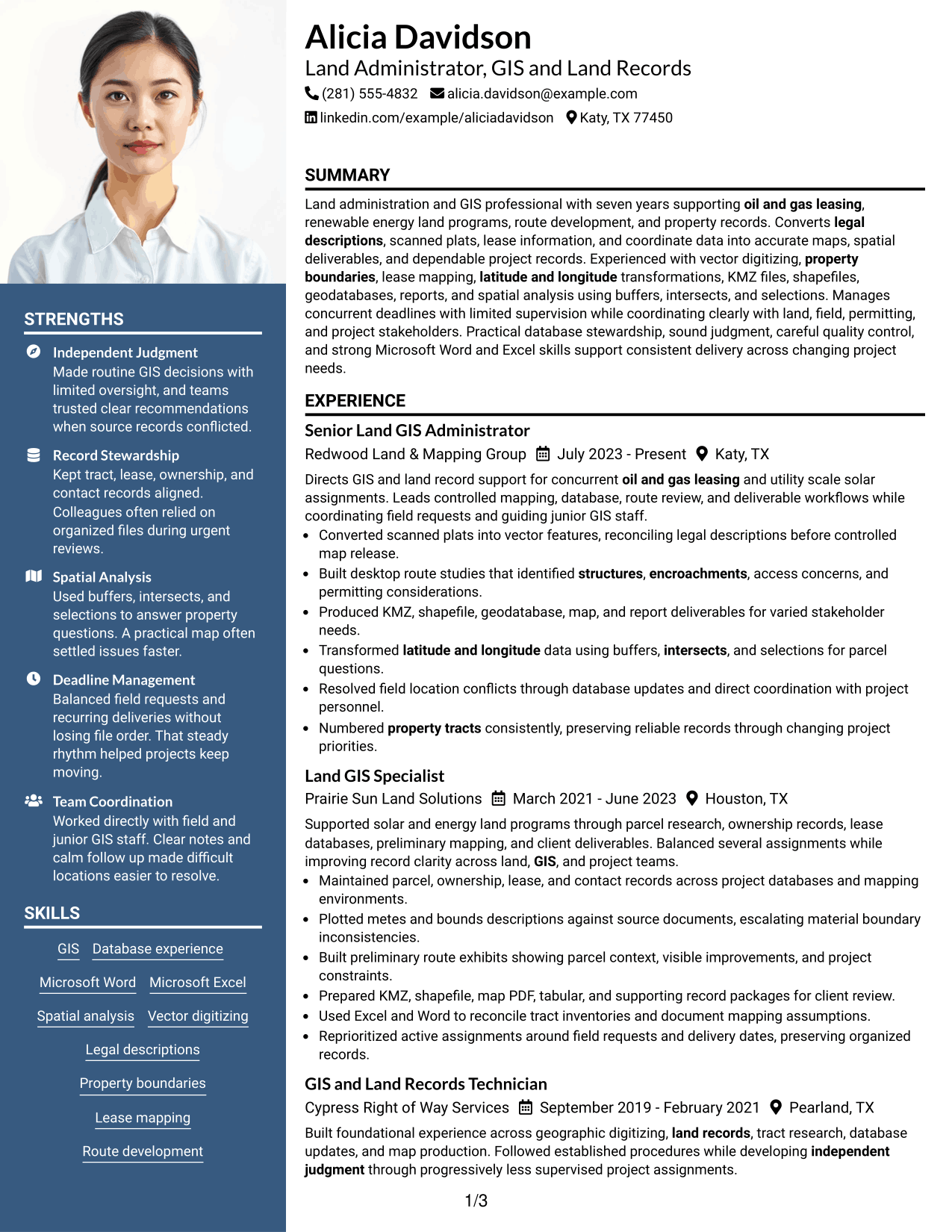
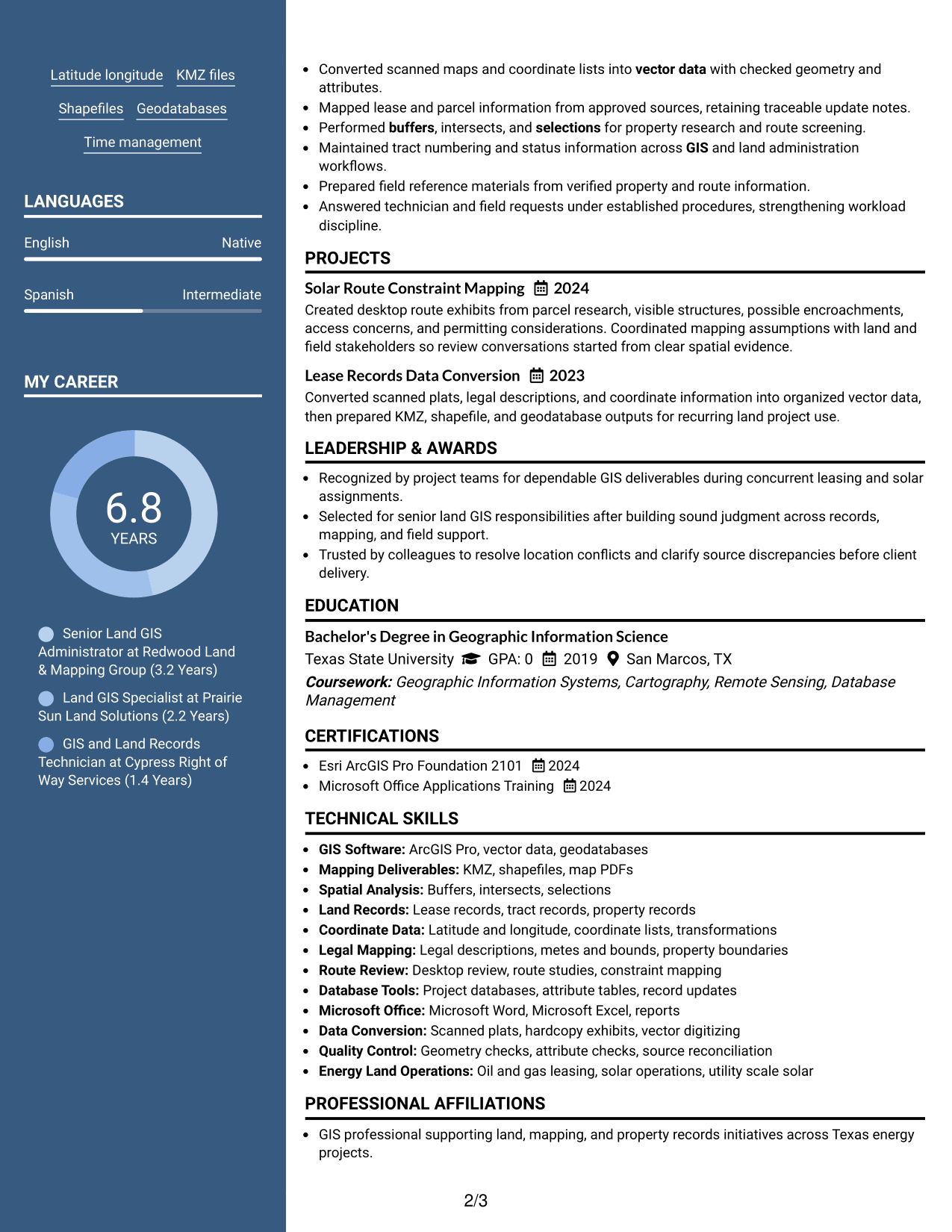
 
Resume Example Page 1   Resume Example Page 2

Why This Format Works

  • The two-column body separates longer experience content from shorter supporting sections.
  • Photo placement stays in the header, leaving body organization focused on qualifications.
  • Parallel section areas reduce long vertical runs through skills and credentials.

Best For

  • Regions where professional photos are expected
  • Two-column content organization
  • Profiles with substantial supporting details
  • Readers wanting compact qualification access
  • Applications balancing identity and information
 

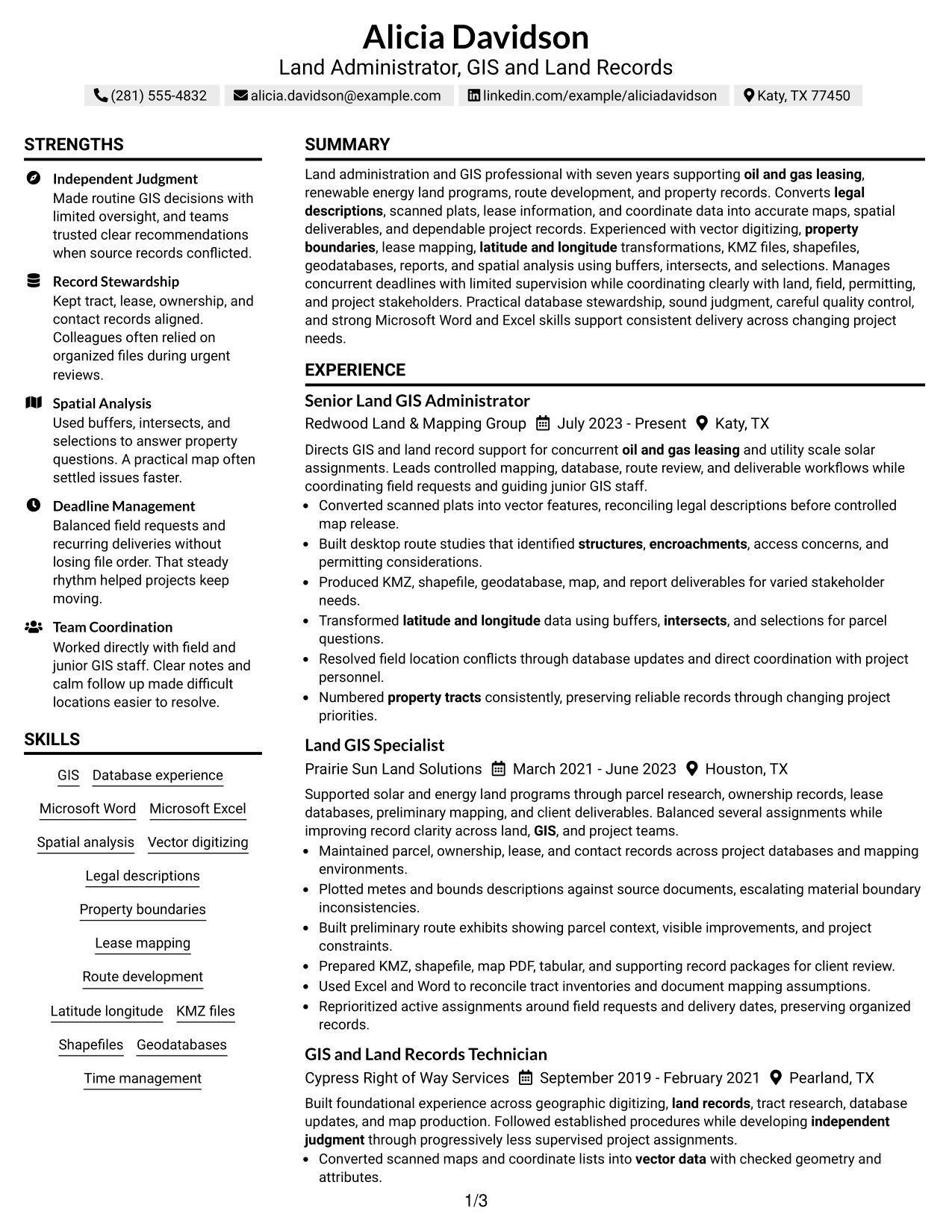
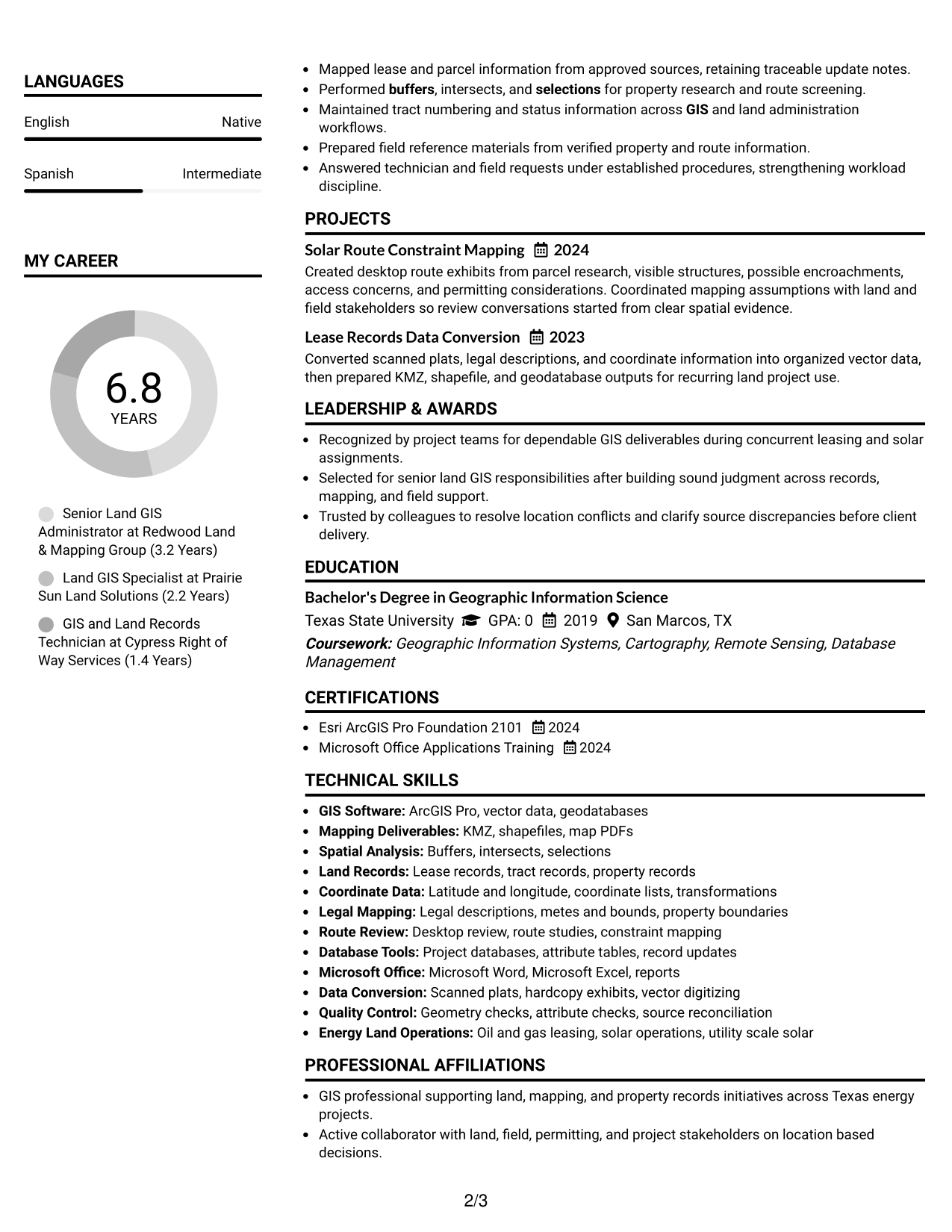
#7 Simple Two Column Format Resume Example

A simple two-column layout groups information with little visual complexity, helping recruiters scan separate content areas without losing the overall reading path.
 
Resume Example Page 1   Resume Example Page 2

Why This Format Works

  • Simple columns divide experience and supporting content without heavy visual styling.
  • Consistent section structure helps recruiters move between achievements, skills, and education.
  • Compact grouping gives credentials their own space while preserving career context.

Best For

  • Low-decoration two-column resumes
  • Compact qualification grouping
  • Strong experience with supporting sections
  • Readers who value simple structure
  • Professional applications needing visual restraint


Why Build Your Land Administrator - GIS and Land Records Resume with ResumeInMinutes

ResumeInMinutes helps you turn land, mapping, database, and field-coordination experience into a resume with clear sections and focused evidence.

  • ATS-friendly section structure
  • Role-specific keyword guidance
  • Experience and skills organization
  • Projects and credentials support
  • Free PDF resume previews
  • Easy resume customization

You can adjust the wording and format while keeping the resume focused on land records accuracy, GIS deliverables, route review, project databases, and dependable coordination.


See Also


Frequently Asked Questions

Are these Land Administrator - GIS and Land Records resume templates ATS-friendly?

They use clear headings and structured sections that support ATS reading. Keep the wording truthful and include relevant terms from the job description when your experience supports them.

Are these different resumes?

No. This guide shows one complete Land Administrator - GIS and Land Records resume in different visual layouts, so the evidence stays consistent while the presentation changes.

What should a Land Administrator - GIS and Land Records resume include?

Include a focused summary, relevant experience, GIS and land-record skills, education, certifications, projects, and clear bullets that show accurate mapping, database work, route review, and coordination.

Can I download the resume templates as PDFs?

Yes. Each resume style provides a free PDF preview so you can compare the format before choosing one to customize.

Which resume layout works well for this role?

Choose a layout that keeps experience, GIS skills, land-record work, education, and credentials easy to find. A clear one-column or well-organized two-column format can work when the reading order remains simple.

How should I show GIS and land-record experience?

Use concise bullets that explain what you mapped, maintained, reviewed, converted, or delivered. Name supported methods and outputs such as legal description plotting, route studies, KMZ files, shapefiles, geodatabases, and database updates.

Should I include a photo on my resume?

Include a photo only when it is customary or expected for the location where you apply. For most U.S. applications, a no-photo resume is generally the safer choice.

Can I customize these resume templates?

Yes. You can edit the resume text and design to match the role while keeping every claim accurate and supported by your real experience.


ATS score 79%

How we calculate this score

  • Keywords: 60% of the total. AI extracts keywords from your job description. If you do not provide one, a standard job description for the title matching your resume is used. This is not a match to a specific vacancy.
  • Text-based resume: 20%. The text resume assessed here receives 100 for this part.
  • Resume quality: 20%. We start at 100 and subtract points for issues found by our resume checks, down to a minimum of zero.
  • Keyword coverage = 100 × (confirmed matches + 0.8 × possible matches) ÷ total keywords, rounded and capped at 100. Possible matches still need checking. Saved generation audits use their saved keyword percentage.
  • Final score = 60% of keyword coverage + 20% of the text score + 20% of the quality score, rounded to a whole number. Without keywords, no overall ATS score is available.

What this score means

Our scores are estimates, not employer ratings. They may contain errors and do not guarantee accurate parsing, a ranking, an interview, or a job. Check your document against the employer’s requirements. You are responsible for relying on this score.

Terms and Conditions

Score weights: Keywords 60% · Text based resume 20% · Resume quality 20%

Live keyword match: 33 of 51 (65%) · Resume quality: 100%

Resume quality 100% · Weight 20% · Issues (0)

Details
  • ✓Name present: Alicia Davidson
  • ✓Email format: alicia.davidson@example.com
  • ✓Phone format: (281) 555-4832
  • ✓Experience 1: Job title: Senior Land GIS Administrator
  • ✓Experience 1: Company name: Redwood Land & Mapping Group
  • ✓Experience 1: Employment dates: July 2023 - Present
  • ✓Experience 1: Description or achievements: Present
  • ✓Experience 2: Job title: Land GIS Specialist
  • ✓Experience 2: Company name: Prairie Sun Land Solutions
  • ✓Experience 2: Employment dates: March 2021 - June 2023
  • ✓Experience 2: Description or achievements: Present
  • ✓Experience 3: Job title: GIS and Land Records Technician
  • ✓Experience 3: Company name: Cypress Right of Way Services
  • ✓Experience 3: Employment dates: September 2019 - February 2021
  • ✓Experience 3: Description or achievements: Present
  • ✓No placeholder fields
  • ✓No repeated achievement bullets
  • ✓No empty bullets

No issues found by the current checks.

Text Based Resume 100% · Weight 20%

Parsed text
Alicia Davidson
(281) 555-4832
alicia.davidson@example.com
linkedin.com/example/aliciadavidson
Katy, TX 77450
SUMMARY
Land administration and GIS professional with seven years supporting oil and gas leasing, renewable energy land programs, route development, and property records. Converts legal descriptions, scanned plats, lease information, and coordinate data into accurate maps, spatial deliverables, and dependable project records. Experienced with vector digitizing, property boundaries, lease mapping, latitude and longitude transformations, KMZ files, shapefiles, geodatabases, reports, and spatial analysis using buffers, intersects, and selections. Manages concurrent deadlines with limited supervision while coordinating clearly with land, field, permitting, and project stakeholders. Practical database stewardship, sound judgment, careful quality control, and strong Microsoft Word and Excel skills support consistent delivery across changing project needs.
EXPERIENCE
Senior Land GIS Administrator
Redwood Land & Mapping Group
July 2023 - Present
Katy, TX
Directs GIS and land record support for concurrent oil and gas leasing and utility scale solar assignments. Leads controlled mapping, database, route review, and deliverable workflows while coordinating field requests and guiding junior GIS staff.
Converted scanned plats into vector features, reconciling legal descriptions before controlled map release.
Built desktop route studies that identified structures, encroachments, access concerns, and permitting considerations.
Produced KMZ, shapefile, geodatabase, map, and report deliverables for varied stakeholder needs.
Transformed latitude and longitude data using buffers, intersects, and selections for parcel questions.
Resolved field location conflicts through database updates and direct coordination with project personnel.
Numbered property tracts consistently, preserving reliable records through changing project priorities.
Land GIS Specialist
Prairie Sun Land Solutions
March 2021 - June 2023
Houston, TX
Supported solar and energy land programs through parcel research, ownership records, lease databases, preliminary mapping, and client deliverables. Balanced several assignments while improving record clarity across land, GIS, and project teams.
Maintained parcel, ownership, lease, and contact records across project databases and mapping environments.
Plotted metes and bounds descriptions against source documents, escalating material boundary inconsistencies.
Built preliminary route exhibits showing parcel context, visible improvements, and project constraints.
Prepared KMZ, shapefile, map PDF, tabular, and supporting record packages for client review.
Used Excel and Word to reconcile tract inventories and document mapping assumptions.
Reprioritized active assignments around field requests and delivery dates, preserving organized records.
GIS and Land Records Technician
Cypress Right of Way Services
September 2019 - February 2021
Pearland, TX
Built foundational experience across geographic digitizing, land records, tract research, database updates, and map production. Followed established procedures while developing independent judgment through progressively less supervised project assignments.
Converted scanned maps and coordinate lists into vector data with checked geometry and attributes.
Mapped lease and parcel information from approved sources, retaining traceable update notes.
Performed buffers, intersects, and selections for property research and route screening.
Maintained tract numbering and status information across GIS and land administration workflows.
Prepared field reference materials from verified property and route information.
Answered technician and field requests under established procedures, strengthening workload discipline.
PROJECTS
Solar Route Constraint Mapping
2024
Created desktop route exhibits from parcel research, visible structures, possible encroachments, access concerns, and permitting considerations. Coordinated mapping assumptions with land and field stakeholders so review conversations started from clear spatial evidence.
Lease Records Data Conversion
2023
Converted scanned plats, legal descriptions, and coordinate information into organized vector data, then prepared KMZ, shapefile, and geodatabase outputs for recurring land project use.
LEADERSHIP & AWARDS
Recognized by project teams for dependable GIS deliverables during concurrent leasing and solar assignments.
Selected for senior land GIS responsibilities after building sound judgment across records, mapping, and field support.
Trusted by colleagues to resolve location conflicts and clarify source discrepancies before client delivery.
EDUCATION
Bachelor's Degree in Geographic Information Science
Texas State University
GPA: 0
2019
San Marcos, TX
Coursework: Geographic Information Systems, Cartography, Remote Sensing, Database Management
CERTIFICATIONS
Esri ArcGIS Pro Foundation 2101
2024
Microsoft Office Applications Training
2024
TECHNICAL SKILLS
GIS Software: ArcGIS Pro, vector data, geodatabases
Mapping Deliverables: KMZ, shapefiles, map PDFs
Spatial Analysis: Buffers, intersects, selections
Land Records: Lease records, tract records, property records
Coordinate Data: Latitude and longitude, coordinate lists, transformations
Legal Mapping: Legal descriptions, metes and bounds, property boundaries
Route Review: Desktop review, route studies, constraint mapping
Database Tools: Project databases, attribute tables, record updates
Microsoft Office: Microsoft Word, Microsoft Excel, reports
Data Conversion: Scanned plats, hardcopy exhibits, vector digitizing
Quality Control: Geometry checks, attribute checks, source reconciliation
Energy Land Operations: Oil and gas leasing, solar operations, utility scale solar
SKILLS
GIS
Database experience
Microsoft Word
Microsoft Excel
Spatial analysis
Vector digitizing
Legal descriptions
Property boundaries
Lease mapping
Route development
Latitude longitude
KMZ files
Shapefiles
Geodatabases
Time management
PROFESSIONAL AFFILIATIONS
GIS professional supporting land, mapping, and property records initiatives across Texas energy projects.
Active collaborator with land, field, permitting, and project stakeholders on location based decisions.
LANGUAGES
English (Native)
Spanish (Intermediate)
ADDITIONAL INFORMATION
Work Status
: Authorized to work in United States. No sponsorship required.
REFERENCES
AVAILABLE ON REQUEST

Matched keywords (33)

  • GIS
  • land record
  • oil and gas leasing
  • solar operations
  • vector data
  • legal descriptions
  • property boundaries
  • lease mapping
  • Desktop review
  • structures
  • encroachments
  • latitude and longitude
  • buffers
  • intersects
  • selections
  • KMZ files
  • shapefiles
  • geodatabases
  • reports
  • project records
  • property tracts
  • Microsoft Office
  • Microsoft Word
  • Microsoft Excel
  • Database experience
  • Time management
  • independent judgment
  • oil and gas
  • renewable energy
  • route development
  • property records
  • vector digitizing
  • spatial analysis

Missing keywords (18)

  • Land Administrator
  • leasing workflows
  • solar project workflows
  • digitize
  • proposed routes
  • permit considerations
  • database information
  • field personnel
  • technical support
  • planning
  • organization
  • analytical ability
  • communication
  • attention to detail
  • autonomous work
  • team environment
  • operating procedures
  • data quality
Disclaimer: All names, images, contact information, employment histories, achievements, security clearances, military credentials, and other qualifications shown in this content are fictional and used for illustrative purposes only. Any resemblance to actual persons, living or deceased, is purely coincidental.

Resume and cover-letter examples and recommendations in this article reflect general best practices and professional experience and are provided for guidance only. Results may vary based on role, industry, region, and hiring organization.

Content Accuracy and Verification: To the fullest extent permitted by applicable law, we do not represent or warrant that resume or cover-letter guidance, examples, recommendations, or related information are accurate, complete, current, error-free, or suitable for any particular purpose. You are responsible for independently reviewing and verifying the information before relying on it.

ATS and Cover-Letter Scores: ATS scores are estimates calculated using our own formula, informed by publicly available guidance on resume formatting and keyword matching. They are not scores issued or endorsed by an ATS provider or employer. Cover-letter scores are also our own assessments. Parsing, weighting, screening criteria, and results vary between systems, employers, job descriptions, and document formats. No score guarantees successful parsing, a particular ranking, an interview, or employment. Use scores as general guidance and independently check your documents against the employer’s requirements. To the fullest extent permitted by applicable law, we accept no liability for errors in scores or parsing, or losses arising from reliance on these assessments. Nothing in this notice excludes liability or limits consumer rights that cannot lawfully be excluded or limited.

Terms and Conditions
 
> JP 1 1
PDF Footer and Margins Setup
The margins are applied to the document, and the footer shows up in the preview and the PDF

Footer Font Settings

Are you applying for a specific job
so we can tailor your resume to it?
Are you applying for a specific job
so we can tailor your cover letter to it?
Type your details as text to generate a personalized resume Type your details as text to generate a personalized cover letter
Website link found! Ready to create resume from:
Drag the into the box to verify you're human.
Drop here

My Resumes

Displaying {number_of_files} files (out of {total_of_all_files} total)
Name File Type Last Modified: Description:

Rename File

Filename already exists!

Delete Files

Warning: This action is irreversible. Once you click submit, the files will be permanently deleted.

Heading text
Upload From Computer Upload
Select From Existing
LinkedIn
Drag & Drop files anywhere in this tab, or

Uploaded Files

Delete Name Last Updated Use This File
Select this to use the file for generating your resume and cover letter. Only one source—uploaded file, selected file, or LinkedIn text—can be used.

My Files

Resumes or cover letters you create will appear here. No files available yet.
Delete Name Last Updated Use This File
Select this to use the file for generating your resume and cover letter. Only one source—uploaded file, selected file, or LinkedIn text—can be used.

Add LinkedIn Profile PDF

You can download your LinkedIn profile as a PDF by opening linkedin.com in a web browser, clicking your profile photo, selecting the “More” or “Resources” button, and choosing “Save to PDF.” You can then attach the PDF using the Upload From Computer tab.

Paste Your LinkedIn Profile Text

If you have copied the LinkedIn profile text, paste it below. See how to copy your profile from LinkedIn

Select this to use the LinkedIn profile text for generating your resume and cover letter. Only one source—uploaded file, selected file, or LinkedIn text—can be used.

Try these controls

<
>


