
US English


7 Member Services Representative Resume Templates with Example
By Ria · Last Updated On October 3, 2026
Resume Example Page 1

This practical guide shows you how to build a Member Services Representative resume that is clear, focused, and easy to review. You will see how strong resume structure helps hiring teams find relevant service experience quickly.

For this role, useful evidence includes front desk service, member check-ins, facility tours, POS transactions, phone support, cleaning, restocking, and safe facility upkeep. Clear sections and concise bullets help connect that work to reliability, communication, problem solving, and attention to detail.

The same complete resume is shown in 7 layouts so you can compare reading order, section balance, and visual organization before choosing a format.

What Makes a Great Member Services Representative Resume in 2026

A strong resume makes front desk service, member support, transactions, and facility readiness easy to scan. It uses clear sections and direct bullets instead of long paragraphs.

Use job-relevant terms such as member check-in, POS systems, telephone service, facility cleaning, restocking, and safety procedures when they match your real experience.

The examples shown below are intentionally detailed to demonstrate a range of experiences, skills, accomplishments and relevant keywords. We prefer detailed resumes as they provide more context to the hiring managers and also help the ATS systems identify relevant qualifications and score your resume better for a match. But the length of a resume is an individual choice. If you want a one page resume, just keep the most relevant experience and information for the job. Note: Resume examples are for educational purposes only. Use only information that accurately reflects your experience and qualifications. References to real organizations do not imply affiliation or endorsement.

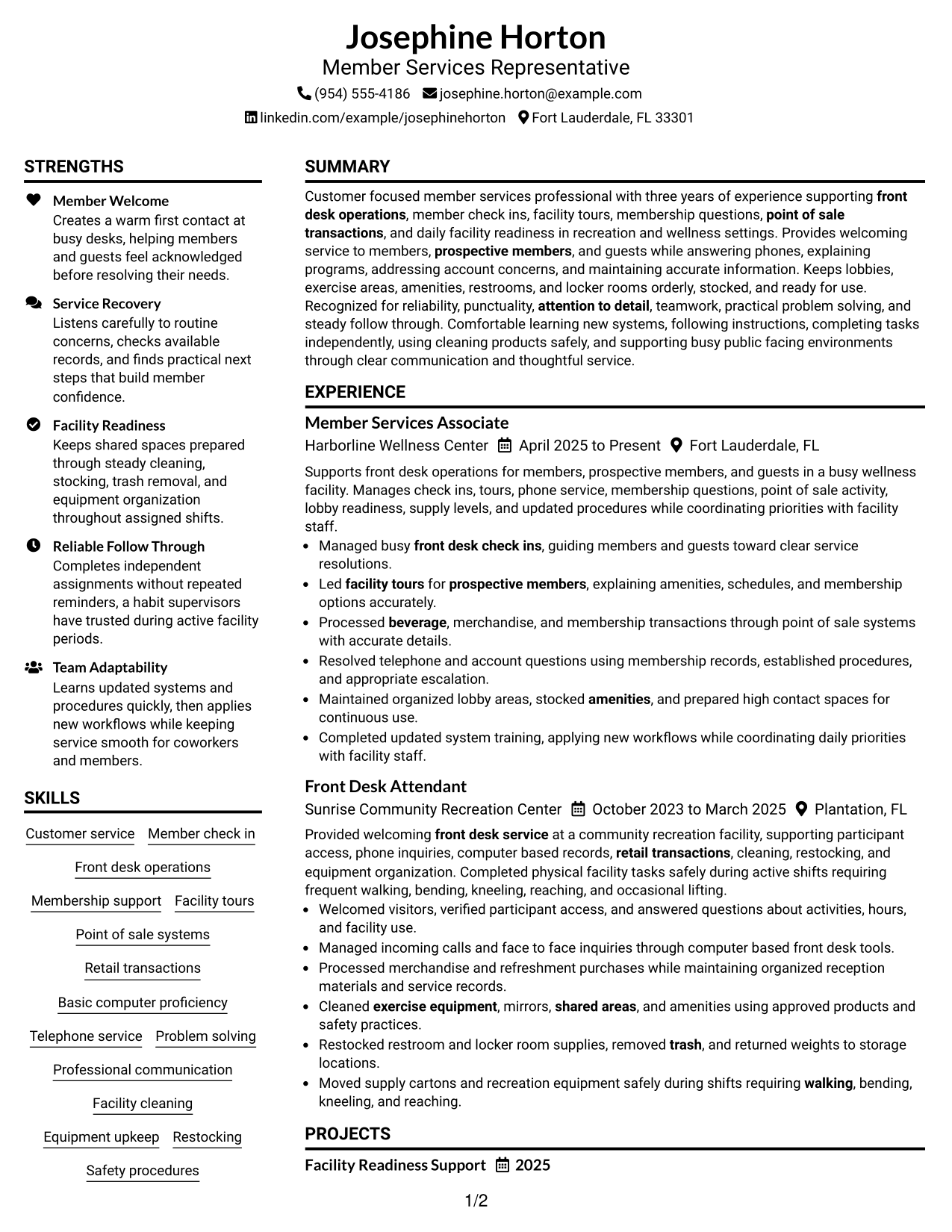
#1 Plain Two Column Format Resume Example

The plain two-column layout separates supporting details from core resume content so recruiters can scan both areas quickly.
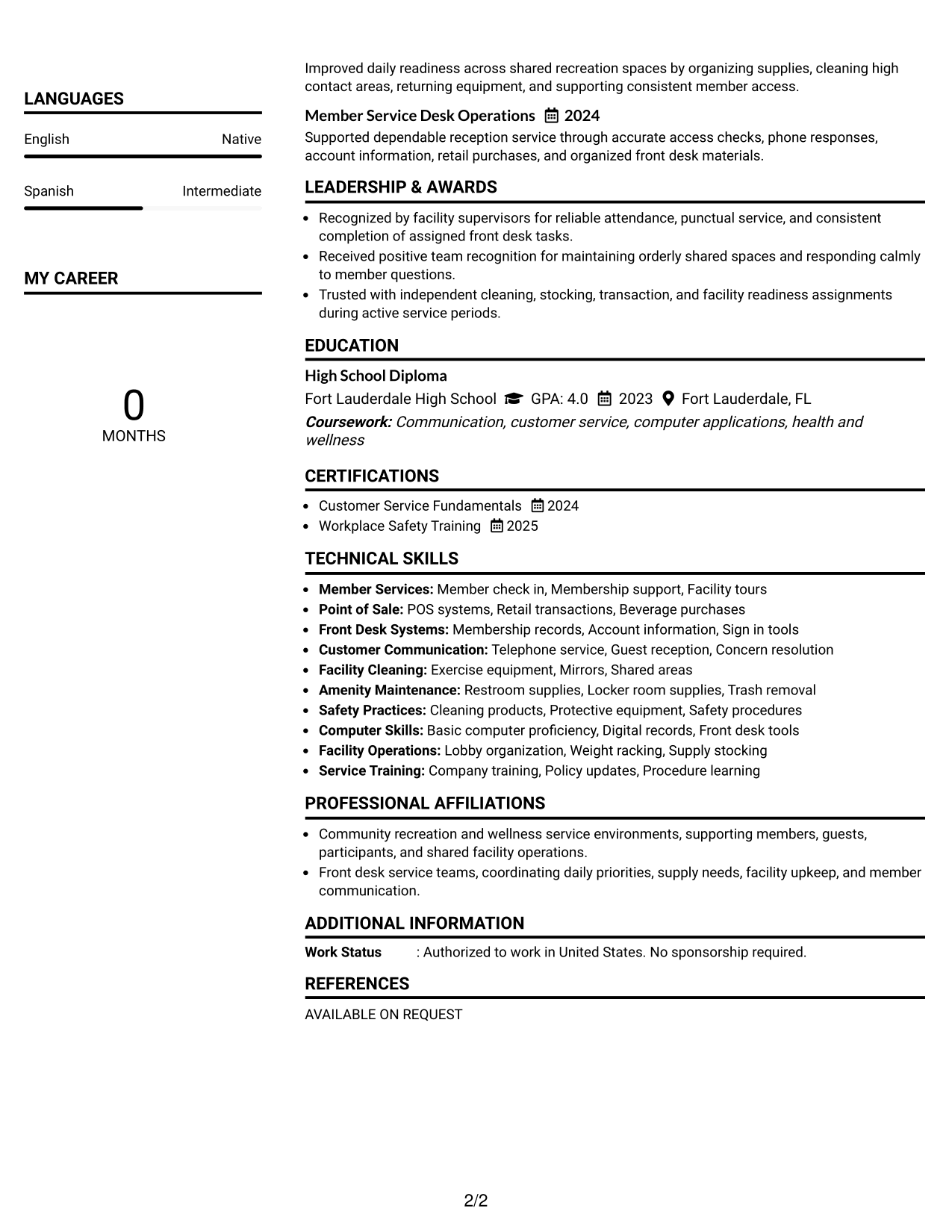
 
Resume Example Page 1   Resume Example Page 2

Resume Snapshot

  • 3 years of member services and front desk experience
  • Member check-ins, facility tours, and membership support
  • POS transactions, telephone service, and account questions
  • Facility cleaning, restocking, equipment upkeep, and safety procedures

Why This Format Works

  • Two columns separate skills and credentials from the main experience history.
  • Clear section boundaries help recruiters compare experience, education, and supporting qualifications.
  • Balanced spacing keeps service achievements visible without crowding shorter supporting sections.

Best For

  • Resumes with several supporting skill groups
  • Readers comparing experience and credentials quickly
  • Applications needing compact section separation
  • Member services experience with varied duties
  • Professionals balancing work history and training

Resume Keywords

  • Member Services Representative
  • front desk service
  • Member
  • prospective members
  • guests
  • point of sale transactions
  • communication
  • cleaning
  • facility upkeep
  • check ins
  • tours
  • POS systems
  • beverage
  • Front desk
  • lobbies
See all keywords
 

#2 Simple One Column Format Resume Example

The simple one-column layout gives recruiters one direct reading path from the top of the resume to the end.
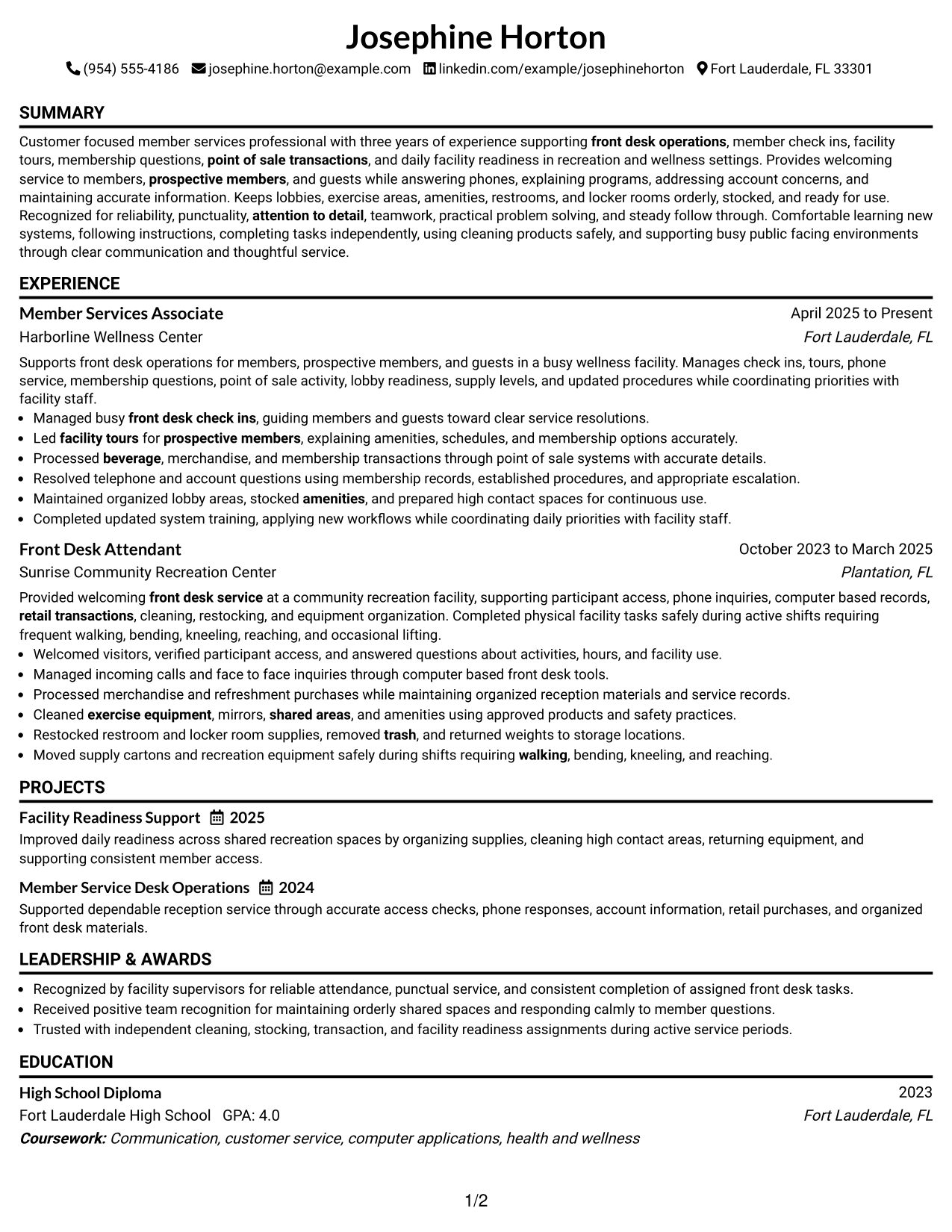
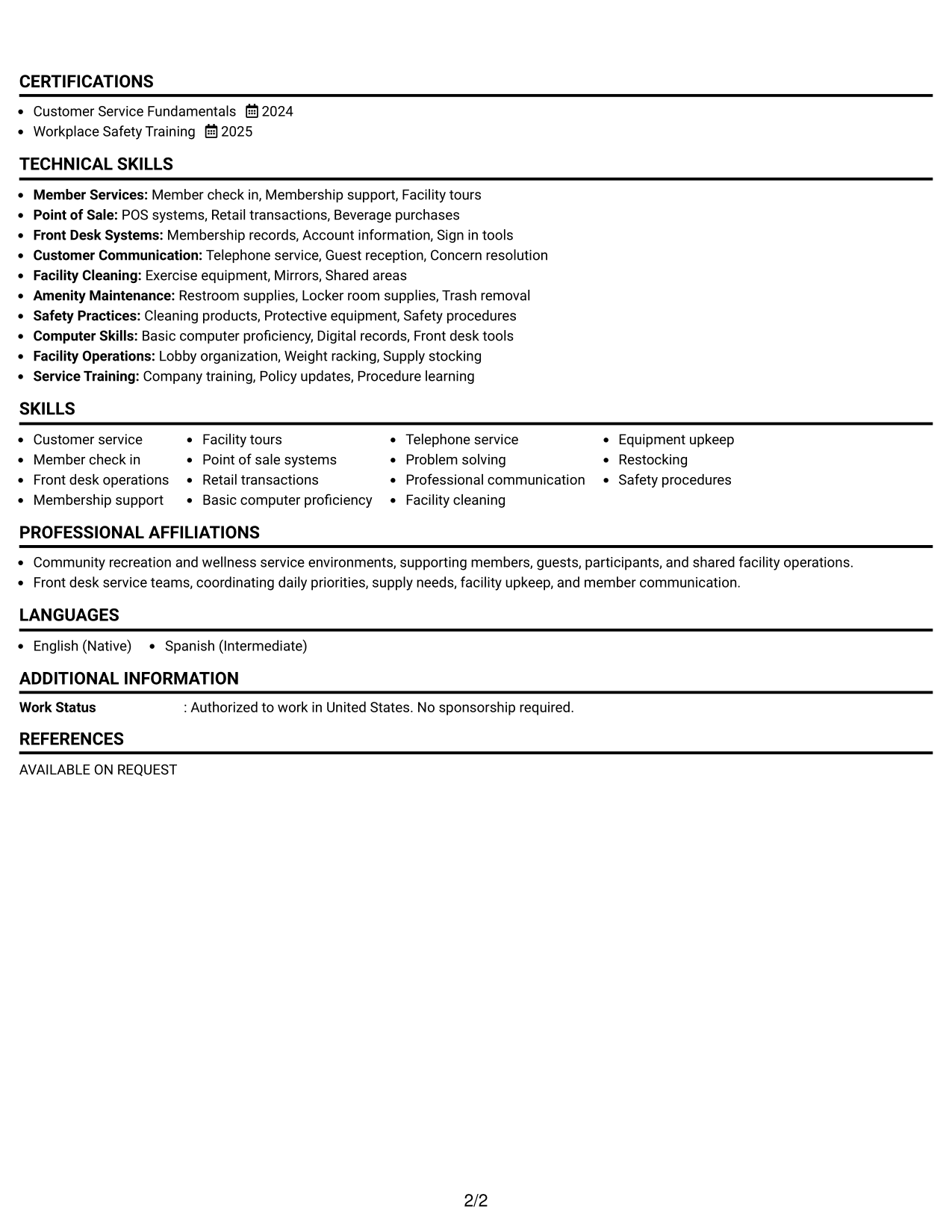
 
Resume Example Page 1   Resume Example Page 2

Why This Format Works

  • One reading path keeps career progression easy to follow from section to section.
  • Full-width sections give experience bullets room for clear, direct service evidence.
  • Simple stacking helps recruiters locate skills, education, and credentials in sequence.

Best For

  • Straightforward chronological work histories
  • Readers who prefer a linear scan
  • Resumes with detailed experience bullets
  • Applications favoring simple document structure
  • Professionals prioritizing clear reading order
 

#3 Clean Two Column Sidebar Format Resume Example

The clean two-column sidebar layout gives recruiters a separate area for supporting information while preserving a clear main reading area.
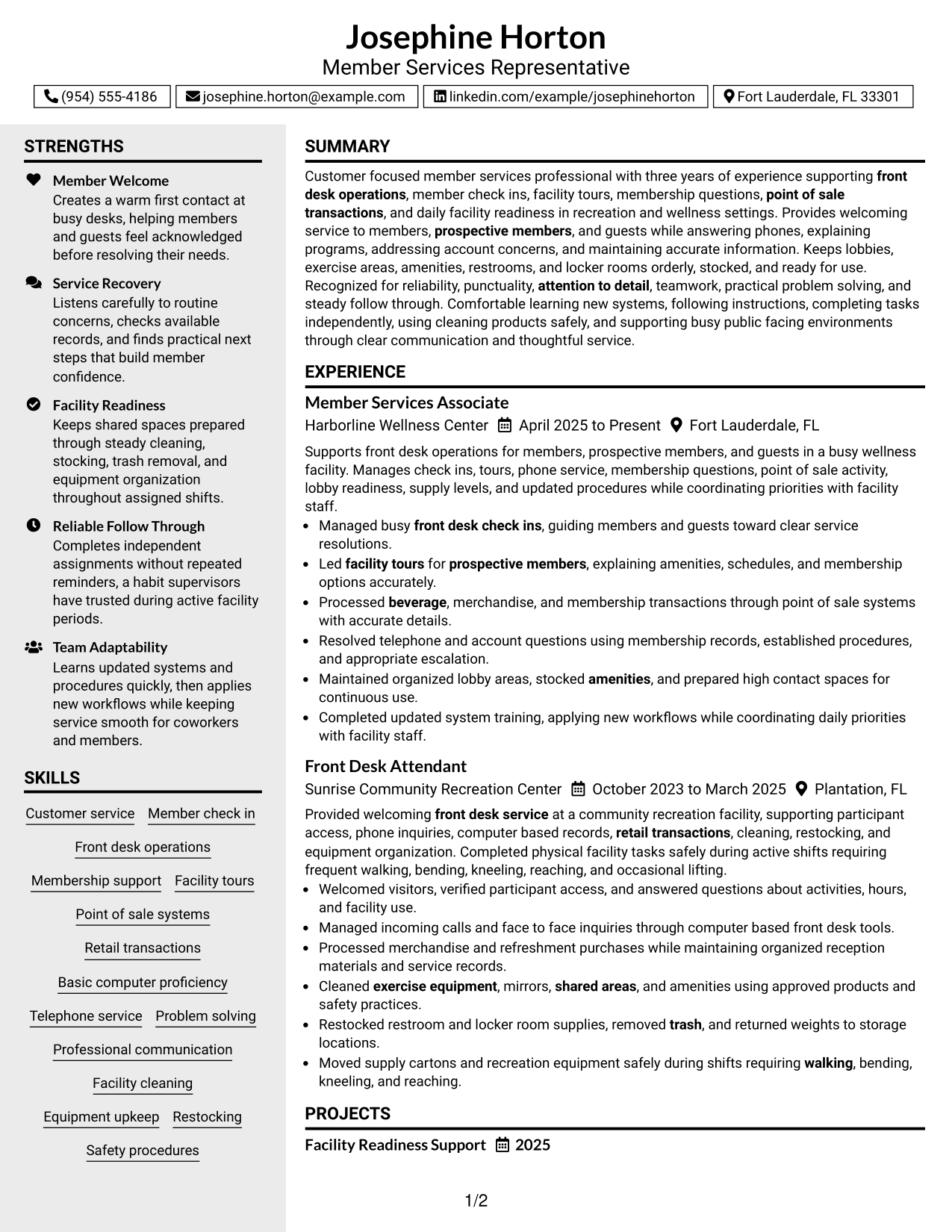
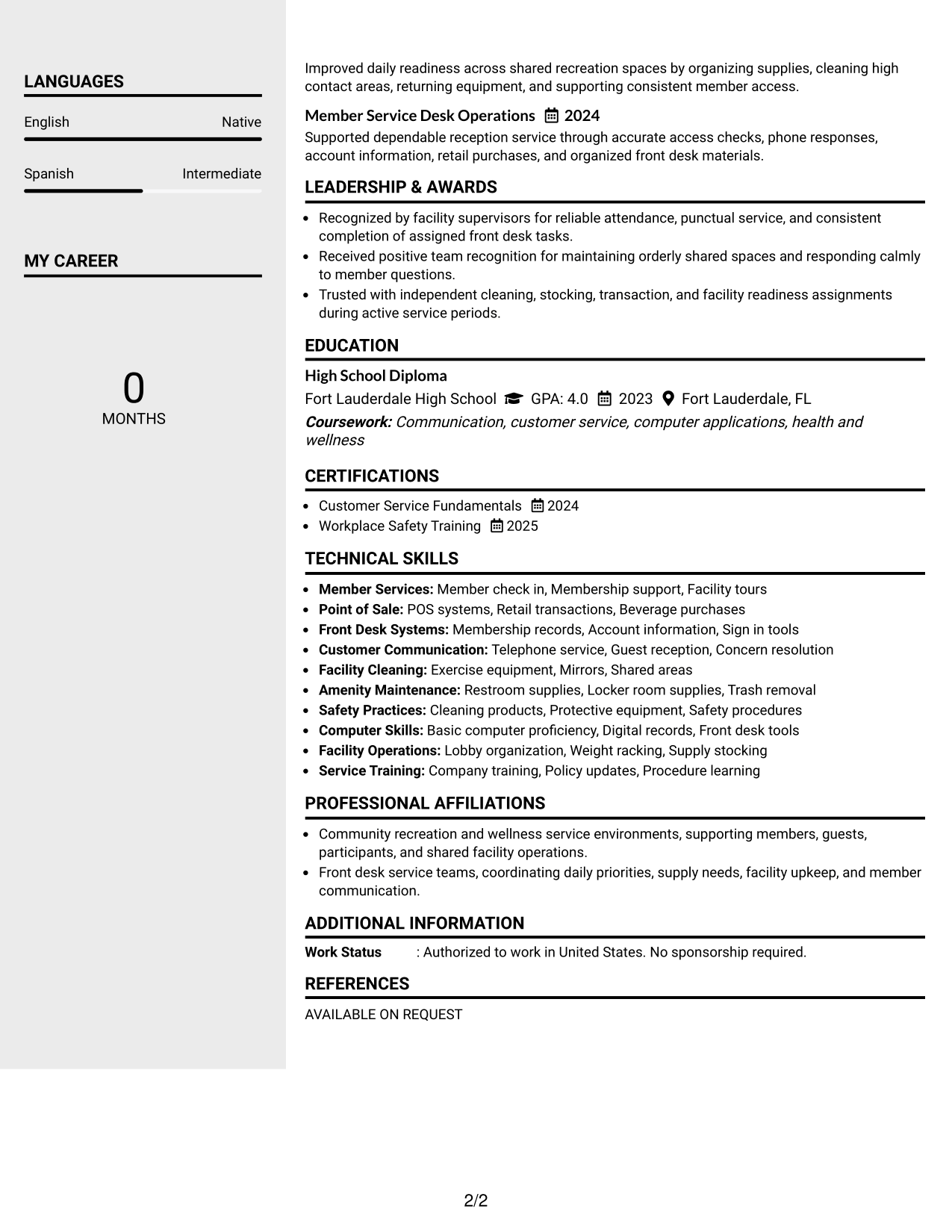
 
Resume Example Page 1   Resume Example Page 2

Why This Format Works

  • The sidebar separates supporting skills from the longer experience section.
  • Main-column space keeps work history and achievements together for easier review.
  • Distinct content zones help recruiters find education and credentials without interrupting experience.

Best For

  • Resumes with a useful supporting sidebar
  • Work histories needing a strong main column
  • Readers scanning skills beside experience
  • Applications with several short credential sections
  • Professionals separating details from core history
 

#4 Two Column Format Resume Example

The two-column layout lets recruiters compare major resume sections side by side while keeping the document easy to navigate.
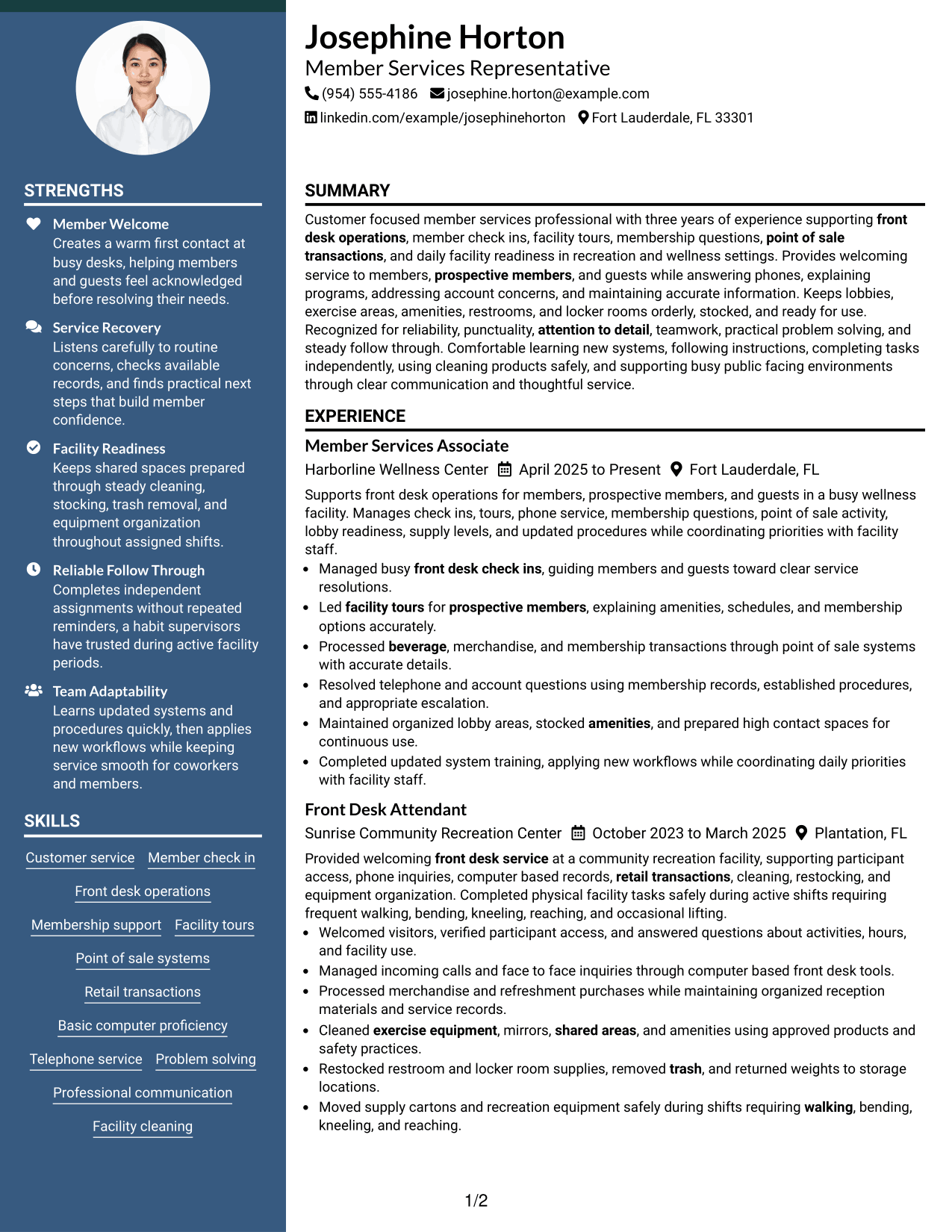
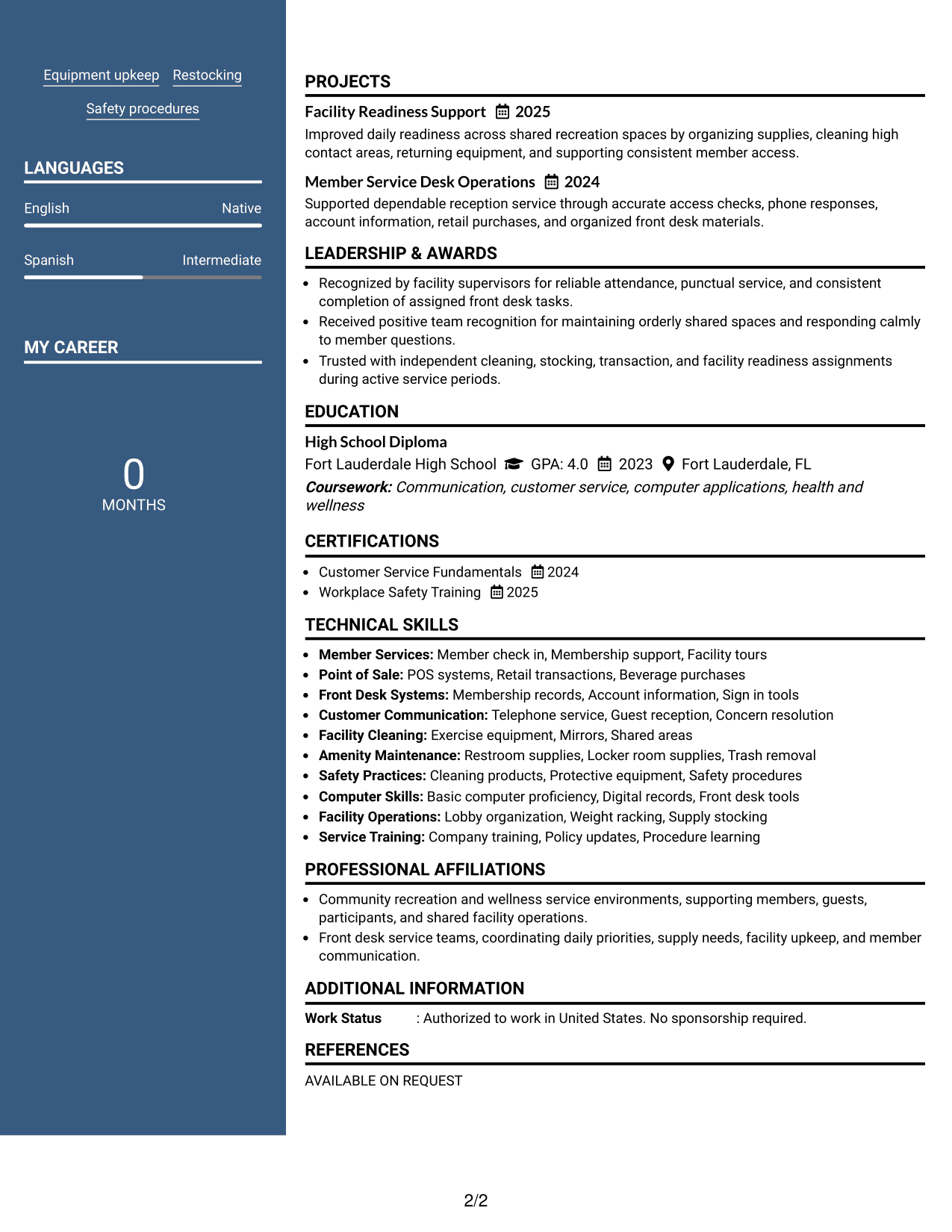
 
Resume Example Page 1   Resume Example Page 2

Why This Format Works

  • Parallel columns reduce long vertical runs across experience and supporting sections.
  • Section separation makes skills and education easier to locate during a quick scan.
  • Experience remains distinct while shorter qualifications use the neighboring column efficiently.

Best For

  • Resumes with balanced content volume
  • Readers comparing multiple section types
  • Applications needing shorter vertical scanning
  • Professionals with experience plus concise credentials
  • Content that benefits from parallel organization


#5 Photo Header Two Column Format Resume Example

The photo header and two-column body give recruiters a clear identity area above a structured resume that supports quick section scanning.
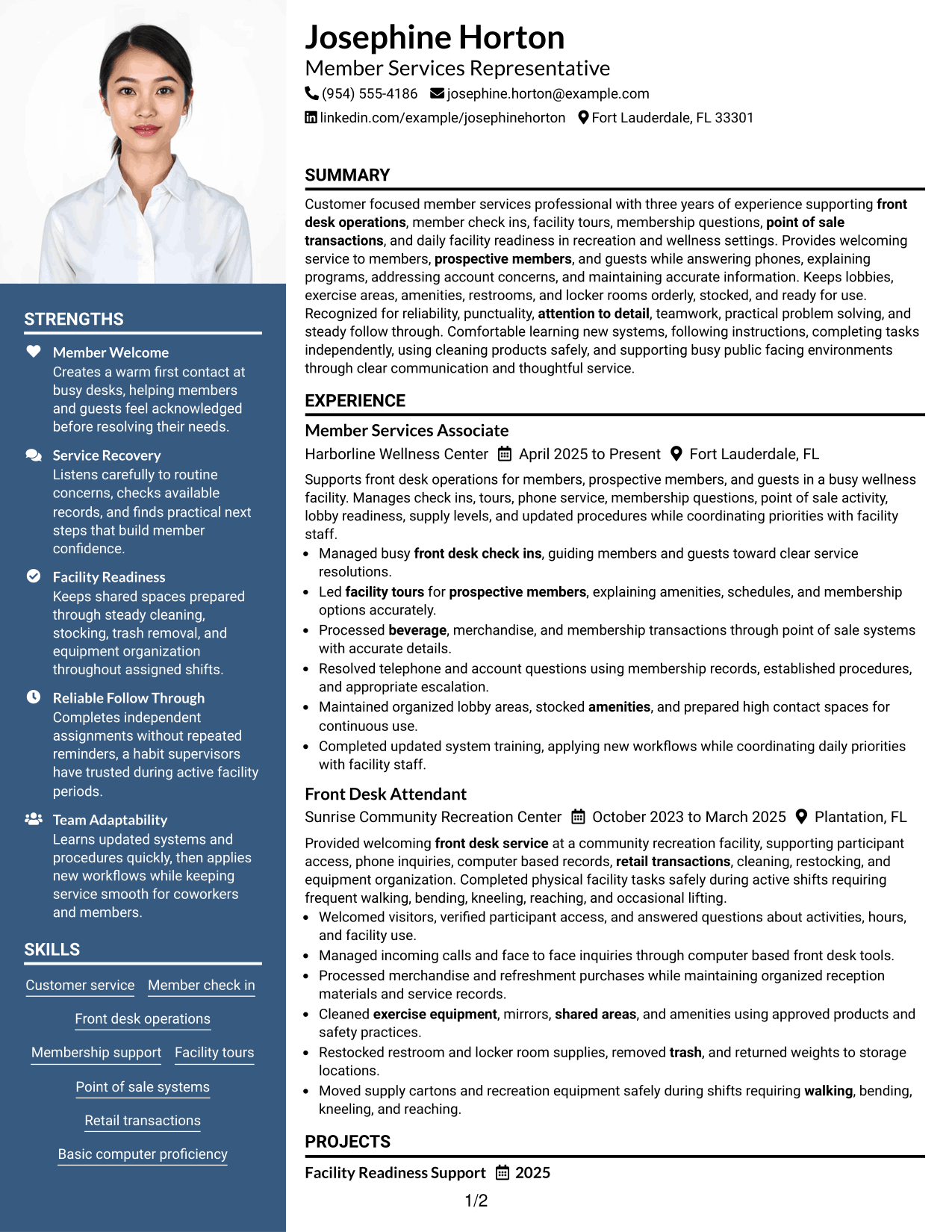
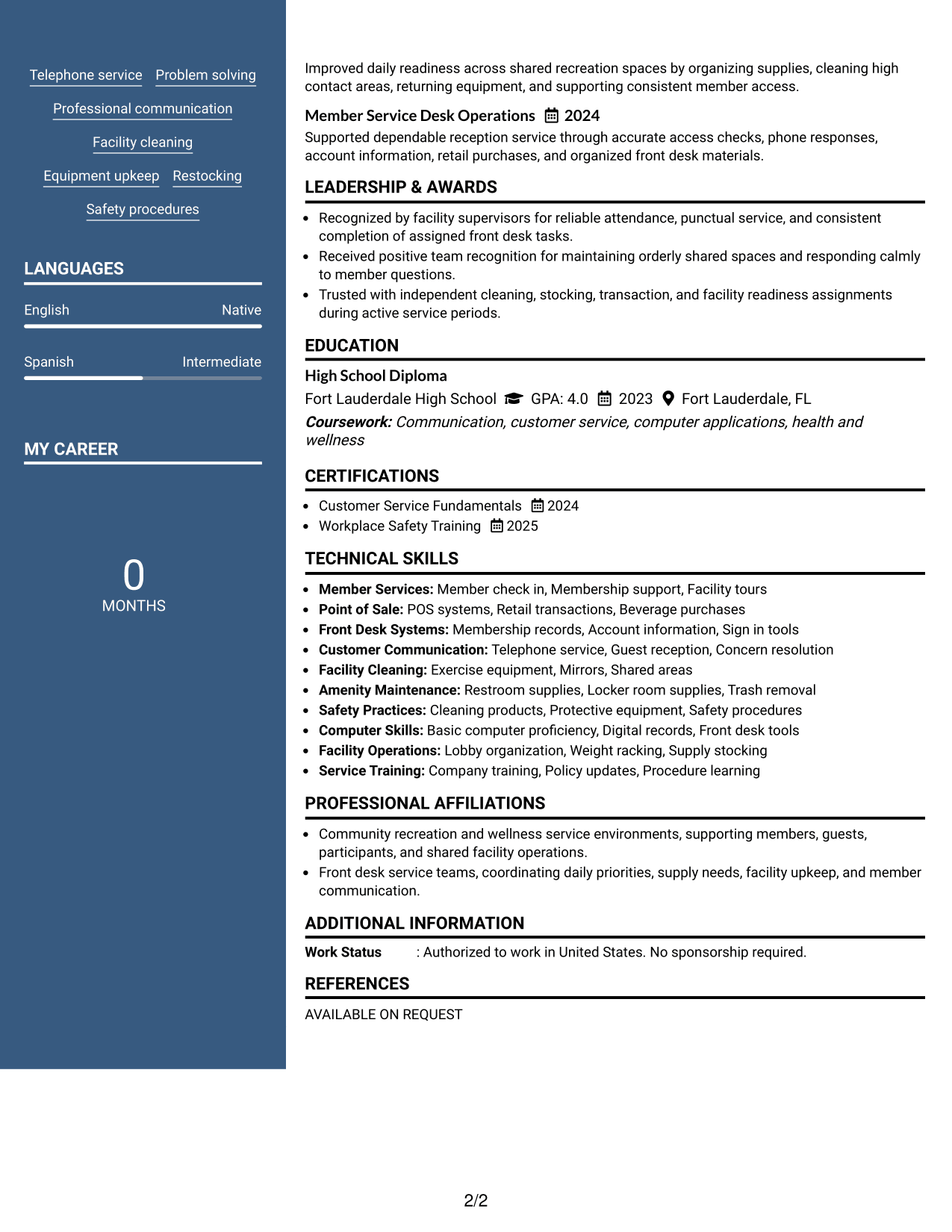
 
Resume Example Page 1   Resume Example Page 2

Why This Format Works

  • The two-column body keeps experience separate from shorter supporting qualifications.
  • A distinct header leaves the body focused on experience, skills, education, and credentials.
  • Structured section areas help recruiters move between achievements and supporting details efficiently.

Best For

  • Regions where resume photos are customary
  • Applications that permit a professional photo
  • Readers who value a distinct header
  • Resumes combining experience with compact supporting details
  • Professionals wanting visual identity above structured content
 

#6 Colored Two Column Format Resume Example

The colored two-column layout uses clear visual separation to help recruiters move between the main content and supporting sections.
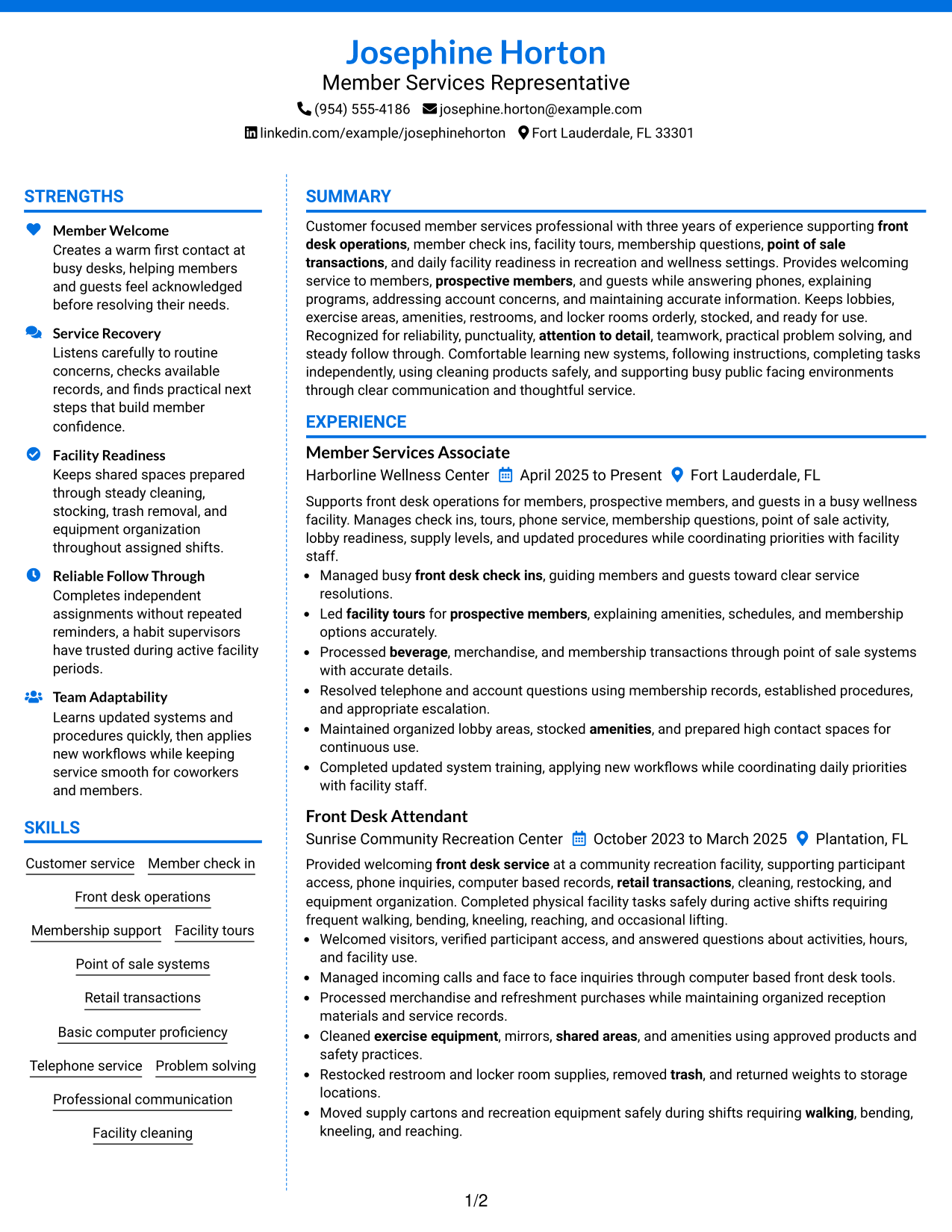
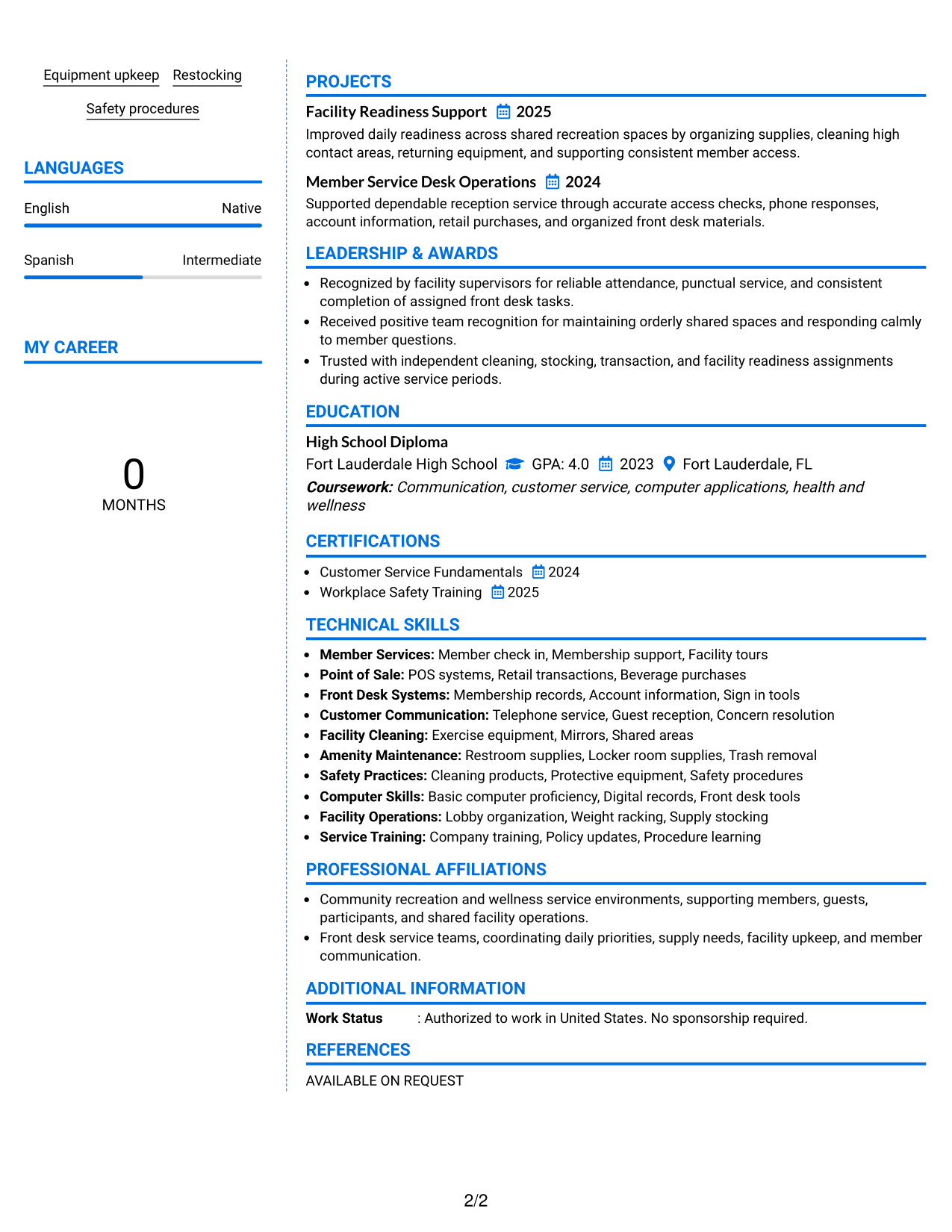
 
Resume Example Page 1   Resume Example Page 2

Why This Format Works

  • Color-supported section contrast helps distinguish experience from compact supporting information.
  • Two columns create separate scan paths for career history and shorter qualifications.
  • Defined areas keep skills and credentials easy to find without breaking experience flow.

Best For

  • Readers who benefit from stronger section contrast
  • Resumes with several compact supporting sections
  • Applications allowing restrained visual color
  • Professionals organizing skills beside career history
  • Content needing clear visual grouping
 

#7 Stylish Two Column Designer Format Resume Example

The stylish two-column designer layout gives recruiters strong section cues while keeping experience and supporting information easy to distinguish.
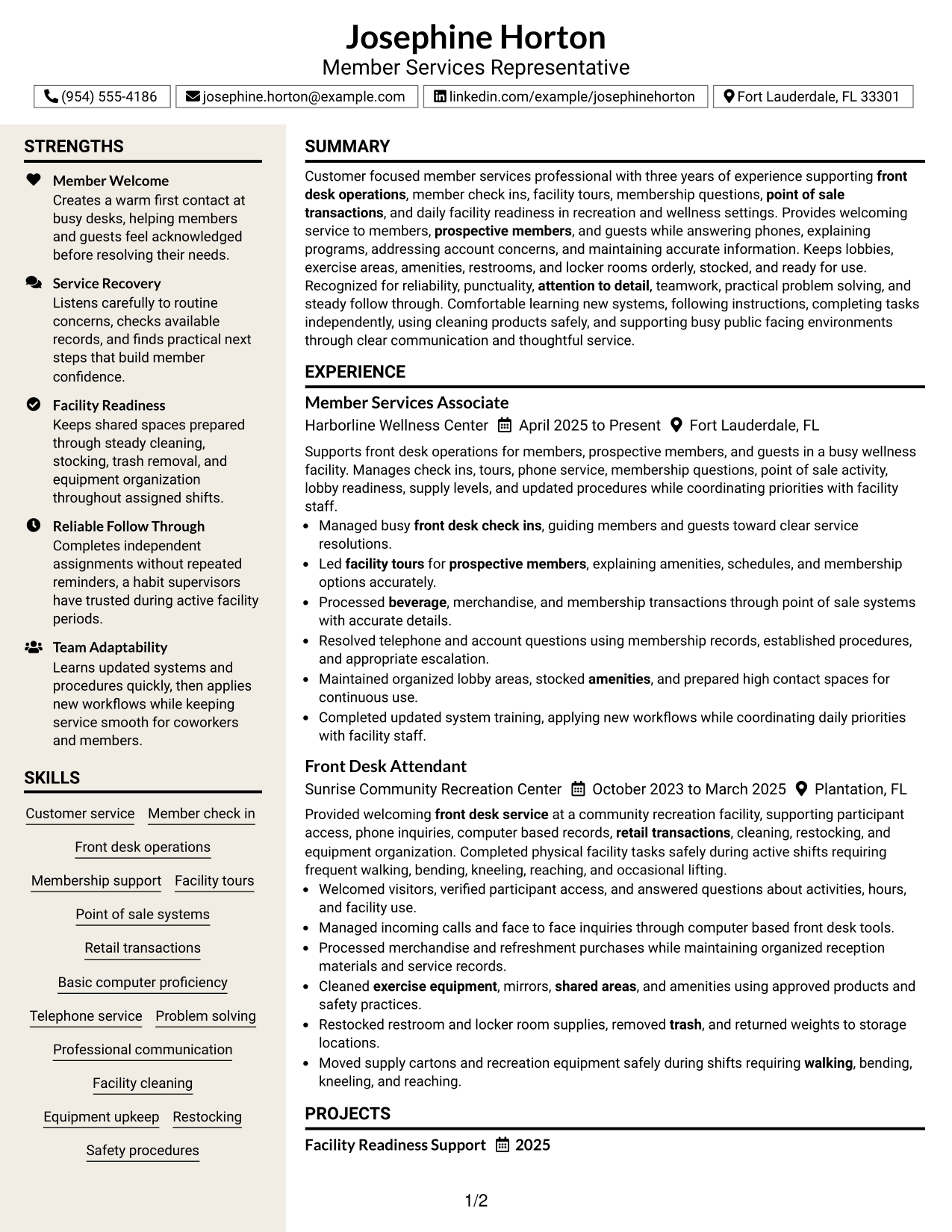
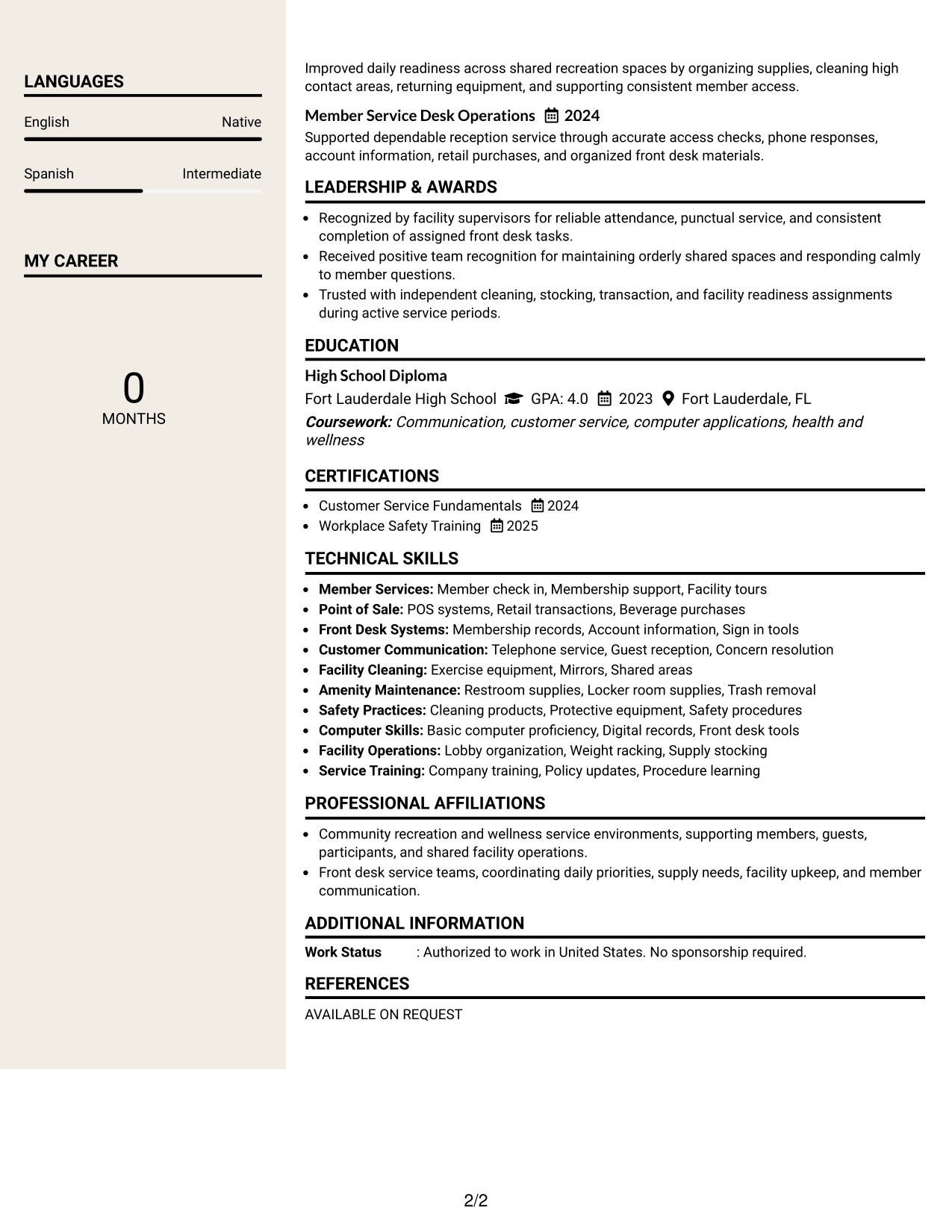
 
Resume Example Page 1   Resume Example Page 2

Why This Format Works

  • Designer section cues make major content groups easier to recognize during review.
  • Two-column organization gives experience and supporting qualifications separate visual space.
  • Clear grouping helps recruiters distinguish achievements, skills, education, and credentials quickly.

Best For

  • Applications where polished visual structure is appropriate
  • Readers needing strong section cues
  • Resumes with mixed long and short sections
  • Professionals wanting distinct content groups
  • Experience records paired with concise supporting information


Why Build Your Member Services Representative Resume with ResumeInMinutes

ResumeInMinutes helps you organize service experience, skills, education, and credentials into a resume that is easy to scan and tailor.

  • Clear resume formats
  • ATS-friendly section structure
  • Role-relevant keyword guidance
  • Organized experience and skills sections
  • Free PDF resume previews
  • Simple resume customization

You can adjust the wording and layout while keeping the resume focused on member service, front desk operations, transactions, and facility support.


See Also


Frequently Asked Questions

Are these Member Services Representative resume templates ATS-friendly?

They use clear headings and standard resume sections that are easy for many applicant tracking systems to read. Keep your final file simple and use keywords that match your real experience.

Are these different resumes?

No. This guide shows the same Member Services Representative resume in different visual formats so you can compare how each layout organizes the same information.

What should a Member Services Representative resume include?

Include a focused summary, relevant work experience, skills, education, and applicable training or certifications. Show front desk service, member support, POS work, phone service, cleaning, restocking, and safety practices when they are part of your background.

Can I download the resume templates as PDFs?

Yes. Each design includes a free PDF download so you can preview the layout before choosing a format.

Which resume style is best for a Member Services Representative position?

Choose a layout that makes experience and service skills easy to find. A simple one-column format gives a direct reading order, while a two-column format can separate supporting details without hiding the main experience section.

How can I make my member services experience stronger on a resume?

Use direct bullets that show what you handled, such as check-ins, tours, transactions, member questions, cleaning, stocking, and facility readiness. Add numbers only when you can support them.

Should I include a photo on my resume?

For most U.S. applications, a no-photo resume is usually the safer choice. Use a photo only when it is normal and appropriate for the location and application context.

Can I customize these resume templates?

Yes. You can change the text and visual format to match your Member Services Representative application while keeping the content accurate and easy to scan.


ATS score 84%

How we calculate this score

  • Keywords: 60% of the total. AI extracts keywords from your job description. If you do not provide one, a standard job description for the title matching your resume is used. This is not a match to a specific vacancy.
  • Text-based resume: 20%. The text resume assessed here receives 100 for this part.
  • Resume quality: 20%. We start at 100 and subtract points for issues found by our resume checks, down to a minimum of zero.
  • Keyword coverage = 100 × (confirmed matches + 0.8 × possible matches) ÷ total keywords, rounded and capped at 100. Possible matches still need checking. Saved generation audits use their saved keyword percentage.
  • Final score = 60% of keyword coverage + 20% of the text score + 20% of the quality score, rounded to a whole number. Without keywords, no overall ATS score is available.

What this score means

Our scores are estimates, not employer ratings. They may contain errors and do not guarantee accurate parsing, a ranking, an interview, or a job. Check your document against the employer’s requirements. You are responsible for relying on this score.

Terms and Conditions

Score weights: Keywords 60% · Text based resume 20% · Resume quality 20%

Live keyword match: 56 of 76 (74%) · Resume quality: 100%

Resume quality 100% · Weight 20% · Issues (0)

Details
  • ✓Name present: Josephine Horton
  • ✓Email format: josephine.horton@example.com
  • ✓Phone format: (954) 555-4186
  • ✓Experience 1: Job title: Member Services Associate
  • ✓Experience 1: Company name: Harborline Wellness Center
  • ✓Experience 1: Employment dates: April 2025 to Present
  • ✓Experience 1: Description or achievements: Present
  • ✓Experience 2: Job title: Front Desk Attendant
  • ✓Experience 2: Company name: Sunrise Community Recreation Center
  • ✓Experience 2: Employment dates: October 2023 to March 2025
  • ✓Experience 2: Description or achievements: Present
  • ✓No placeholder fields
  • ✓No repeated achievement bullets
  • ✓No empty bullets

No issues found by the current checks.

Text Based Resume 100% · Weight 20%

Parsed text
Josephine Horton
Member Services Representative
(954) 555-4186
josephine.horton@example.com
linkedin.com/example/josephinehorton
Fort Lauderdale, FL 33301
STRENGTHS
Member Welcome
Creates a warm first contact at busy desks, helping members and guests feel acknowledged before resolving their needs.
Service Recovery
Listens carefully to routine concerns, checks available records, and finds practical next steps that build member confidence.
Facility Readiness
Keeps shared spaces prepared through steady cleaning, stocking, trash removal, and equipment organization throughout assigned shifts.
Reliable Follow Through
Completes independent assignments without repeated reminders, a habit supervisors have trusted during active facility periods.
Team Adaptability
Learns updated systems and procedures quickly, then applies new workflows while keeping service smooth for coworkers and members.
SUMMARY
Customer focused member services professional with three years of experience supporting front desk operations, member check ins, facility tours, membership questions, point of sale transactions, and daily facility readiness in recreation and wellness settings. Provides welcoming service to members, prospective members, and guests while answering phones, explaining programs, addressing account concerns, and maintaining accurate information. Keeps lobbies, exercise areas, amenities, restrooms, and locker rooms orderly, stocked, and ready for use. Recognized for reliability, punctuality, attention to detail, teamwork, practical problem solving, and steady follow through. Comfortable learning new systems, following instructions, completing tasks independently, using cleaning products safely, and supporting busy public facing environments through clear communication and thoughtful service.
EXPERIENCE
Member Services Associate
Harborline Wellness Center
April 2025 to Present
Fort Lauderdale, FL
Supports front desk operations for members, prospective members, and guests in a busy wellness facility. Manages check ins, tours, phone service, membership questions, point of sale activity, lobby readiness, supply levels, and updated procedures while coordinating priorities with facility staff.
Managed busy front desk check ins, guiding members and guests toward clear service resolutions.
Led facility tours for prospective members, explaining amenities, schedules, and membership options accurately.
Processed beverage, merchandise, and membership transactions through point of sale systems with accurate details.
Resolved telephone and account questions using membership records, established procedures, and appropriate escalation.
Maintained organized lobby areas, stocked amenities, and prepared high contact spaces for continuous use.
Completed updated system training, applying new workflows while coordinating daily priorities with facility staff.
Front Desk Attendant
Sunrise Community Recreation Center
October 2023 to March 2025
Plantation, FL
Provided welcoming front desk service at a community recreation facility, supporting participant access, phone inquiries, computer based records, retail transactions, cleaning, restocking, and equipment organization. Completed physical facility tasks safely during active shifts requiring frequent walking, bending, kneeling, reaching, and occasional lifting.
Welcomed visitors, verified participant access, and answered questions about activities, hours, and facility use.
Managed incoming calls and face to face inquiries through computer based front desk tools.
Processed merchandise and refreshment purchases while maintaining organized reception materials and service records.
Cleaned exercise equipment, mirrors, shared areas, and amenities using approved products and safety practices.
Restocked restroom and locker room supplies, removed trash, and returned weights to storage locations.
Moved supply cartons and recreation equipment safely during shifts requiring walking, bending, kneeling, and reaching.
SKILLS
Customer service
Facility cleaning
Telephone service
Membership support
Restocking
Professional communication
Basic computer proficiency
Front desk operations
Point of sale systems
Retail transactions
Safety procedures
Equipment upkeep
Member check in
Problem solving
Facility tours
PROJECTS
Facility Readiness Support
2025
Improved daily readiness across shared recreation spaces by organizing supplies, cleaning high contact areas, returning equipment, and supporting consistent member access.
Member Service Desk Operations
2024
Supported dependable reception service through accurate access checks, phone responses, account information, retail purchases, and organized front desk materials.
LANGUAGES
English
Native
Spanish
Intermediate
MY CAREER
0Months
LEADERSHIP & AWARDS
Recognized by facility supervisors for reliable attendance, punctual service, and consistent completion of assigned front desk tasks.
Received positive team recognition for maintaining orderly shared spaces and responding calmly to member questions.
Trusted with independent cleaning, stocking, transaction, and facility readiness assignments during active service periods.
EDUCATION
High School Diploma
Fort Lauderdale High School
GPA: 4.0
2023
Fort Lauderdale, FL
Coursework: Communication, customer service, computer applications, health and wellness
CERTIFICATIONS
Customer Service Fundamentals
2024
Workplace Safety Training
2025
TECHNICAL SKILLS
Member Services: Member check in, Membership support, Facility tours
Point of Sale: POS systems, Retail transactions, Beverage purchases
Front Desk Systems: Membership records, Account information, Sign in tools
Customer Communication: Telephone service, Guest reception, Concern resolution
Facility Cleaning: Exercise equipment, Mirrors, Shared areas
Amenity Maintenance: Restroom supplies, Locker room supplies, Trash removal
Safety Practices: Cleaning products, Protective equipment, Safety procedures
Computer Skills: Basic computer proficiency, Digital records, Front desk tools
Facility Operations: Lobby organization, Weight racking, Supply stocking
Service Training: Company training, Policy updates, Procedure learning
PROFESSIONAL AFFILIATIONS
Community recreation and wellness service environments, supporting members, guests, participants, and shared facility operations.
Front desk service teams, coordinating daily priorities, supply needs, facility upkeep, and member communication.
ADDITIONAL INFORMATION
Work Status
: Authorized to work in United States. No sponsorship required.

Matched keywords (56)

  • Member Services Representative
  • front desk service
  • Member
  • prospective members
  • guests
  • point of sale transactions
  • communication
  • cleaning
  • facility upkeep
  • check ins
  • tours
  • POS systems
  • beverage
  • Front desk
  • lobbies
  • exercise equipment
  • amenities
  • mirrors
  • restrooms
  • locker rooms
  • shared areas
  • trash
  • Policy
  • procedures
  • systems
  • Company training
  • learning
  • Safety procedures
  • cleaning products
  • Protective equipment
  • Customer service
  • Basic computer proficiency
  • attention to detail
  • reliability
  • punctuality
  • teamwork
  • Problem solving
  • independently
  • walking
  • busy
  • reaching
  • bending
  • kneeling
  • lifting
  • Member Services
  • Front desk operations
  • Member check in
  • Membership support
  • Facility tours
  • POS systems
  • Retail transactions
  • Telephone service
  • Professional communication
  • Facility cleaning
  • Equipment upkeep
  • Restocking

Missing keywords (20)

  • membership activity
  • welcome members
  • answer phones
  • questions and concerns
  • facility updates
  • events
  • merchandise purchases
  • new memberships
  • existing membership questions
  • windows
  • re rack weights
  • stock restroom supplies
  • stock locker room supplies
  • strong communication
  • willingness to learn
  • follow instructions
  • standing
  • noisy
  • carrying
  • 75 pounds
Disclaimer: All names, images, contact information, employment histories, achievements, security clearances, military credentials, and other qualifications shown in this content are fictional and used for illustrative purposes only. Any resemblance to actual persons, living or deceased, is purely coincidental.

Resume and cover-letter examples and recommendations in this article reflect general best practices and professional experience and are provided for guidance only. Results may vary based on role, industry, region, and hiring organization.

Content Accuracy and Verification: To the fullest extent permitted by applicable law, we do not represent or warrant that resume or cover-letter guidance, examples, recommendations, or related information are accurate, complete, current, error-free, or suitable for any particular purpose. You are responsible for independently reviewing and verifying the information before relying on it.

ATS and Cover-Letter Scores: ATS scores are estimates calculated using our own formula, informed by publicly available guidance on resume formatting and keyword matching. They are not scores issued or endorsed by an ATS provider or employer. Cover-letter scores are also our own assessments. Parsing, weighting, screening criteria, and results vary between systems, employers, job descriptions, and document formats. No score guarantees successful parsing, a particular ranking, an interview, or employment. Use scores as general guidance and independently check your documents against the employer’s requirements. To the fullest extent permitted by applicable law, we accept no liability for errors in scores or parsing, or losses arising from reliance on these assessments. Nothing in this notice excludes liability or limits consumer rights that cannot lawfully be excluded or limited.

Terms and Conditions
 
> JP 1 1
PDF Footer and Margins Setup
The margins are applied to the document, and the footer shows up in the preview and the PDF

Footer Font Settings

Are you applying for a specific job
so we can tailor your resume to it?
Are you applying for a specific job
so we can tailor your cover letter to it?
Type your details as text to generate a personalized resume Type your details as text to generate a personalized cover letter
Website link found! Ready to create resume from:
Drag the into the box to verify you're human.
Drop here

My Resumes

Displaying {number_of_files} files (out of {total_of_all_files} total)
Name File Type Last Modified: Description:

Rename File

Filename already exists!

Delete Files

Warning: This action is irreversible. Once you click submit, the files will be permanently deleted.

Heading text
Upload From Computer Upload
Select From Existing
LinkedIn
Drag & Drop files anywhere in this tab, or

Uploaded Files

Delete Name Last Updated Use This File
Select this to use the file for generating your resume and cover letter. Only one source—uploaded file, selected file, or LinkedIn text—can be used.

My Files

Resumes or cover letters you create will appear here. No files available yet.
Delete Name Last Updated Use This File
Select this to use the file for generating your resume and cover letter. Only one source—uploaded file, selected file, or LinkedIn text—can be used.

Add LinkedIn Profile PDF

You can download your LinkedIn profile as a PDF by opening linkedin.com in a web browser, clicking your profile photo, selecting the “More” or “Resources” button, and choosing “Save to PDF.” You can then attach the PDF using the Upload From Computer tab.

Paste Your LinkedIn Profile Text

If you have copied the LinkedIn profile text, paste it below. See how to copy your profile from LinkedIn

Select this to use the LinkedIn profile text for generating your resume and cover letter. Only one source—uploaded file, selected file, or LinkedIn text—can be used.

Try these controls

<
>


