
US English


7 ROW Due Diligence Agent Resume Templates with Example
By Ria · Last Updated On September 26, 2026
Resume Example Page 1

This practical guide shows you how to build a ROW Due Diligence Agent resume that is clear, focused, and easy to review. You will see how to organize strong evidence and compare professional resume layouts.

For this role, emphasize accurate title and ownership review, easement documentation, QA/QC, payment verification, database work, project reporting, and GIS coordination. Use concise bullets that show how you kept tract records current, handled original documents, supported recording work, and managed changing deadlines.

The same complete resume is presented in 7 layouts so you can compare reading order, section balance, and visual structure. Use the examples to choose a format that keeps experience, skills, education, certifications, projects, and role-specific keywords easy to find.

What Makes a Great ROW Due Diligence Agent Resume in 2026

A strong ROW Due Diligence Agent resume is precise, easy to scan, and grounded in documented work. It should make title review, document control, QA/QC, coordination, and deadline management clear quickly.

Match the job language with accurate terms such as title opinions, ownership records, easement packages, payment verification, GIS coordination, and right of way databases. Use them only where your experience supports them.

The examples shown below are intentionally detailed to demonstrate a range of experiences, skills, accomplishments and relevant keywords. We prefer detailed resumes as they provide more context to the hiring managers and also help the ATS systems identify relevant qualifications and score your resume better for a match. But the length of a resume is an individual choice. If you want a one page resume, just keep the most relevant experience and information for the job. Note: Resume examples are for educational purposes only. Use only information that accurately reflects your experience and qualifications. References to real organizations do not imply affiliation or endorsement.

#1 Plain Two Column Format Resume Example

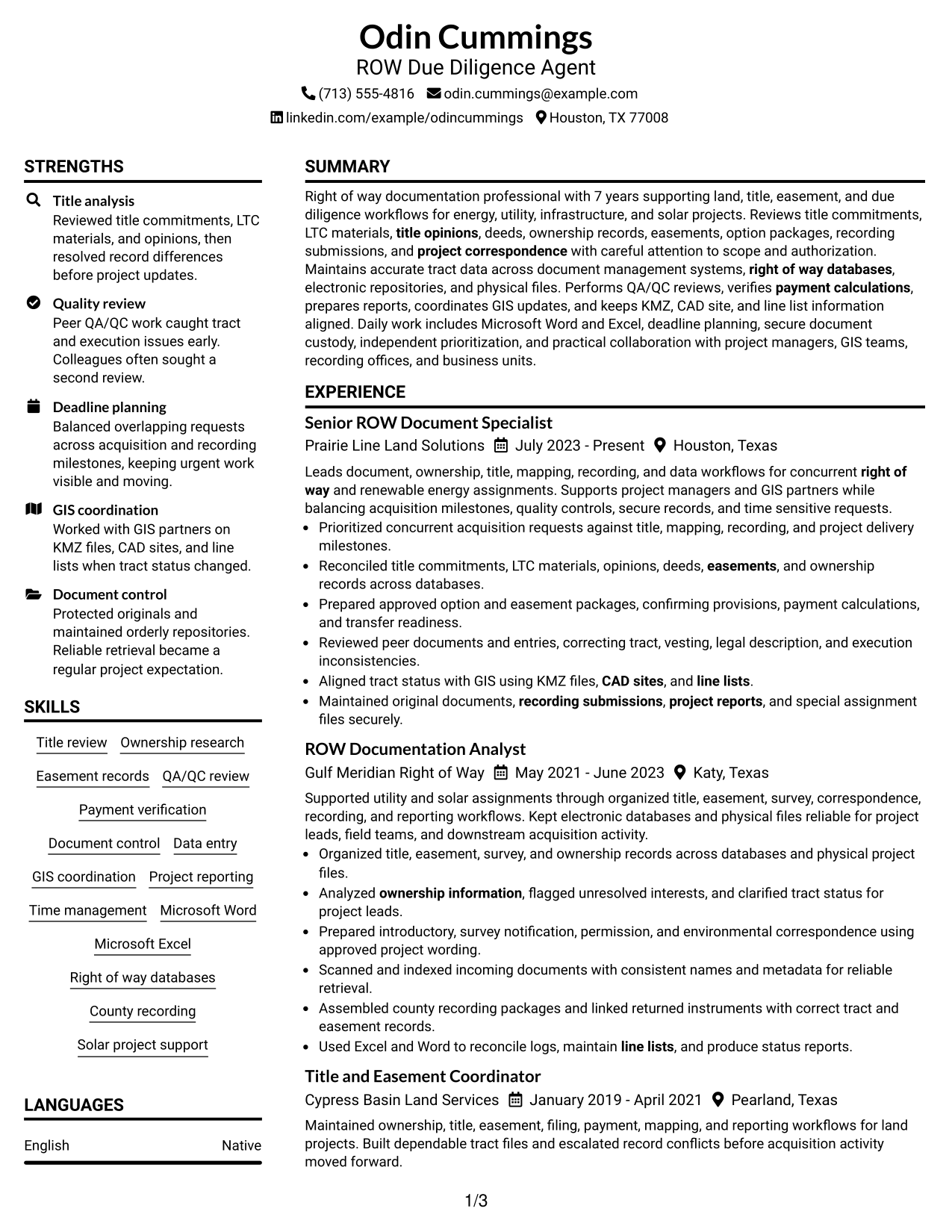
The Plain Two Column Format separates major sections cleanly, helping recruiters scan experience and supporting details without losing reading order.
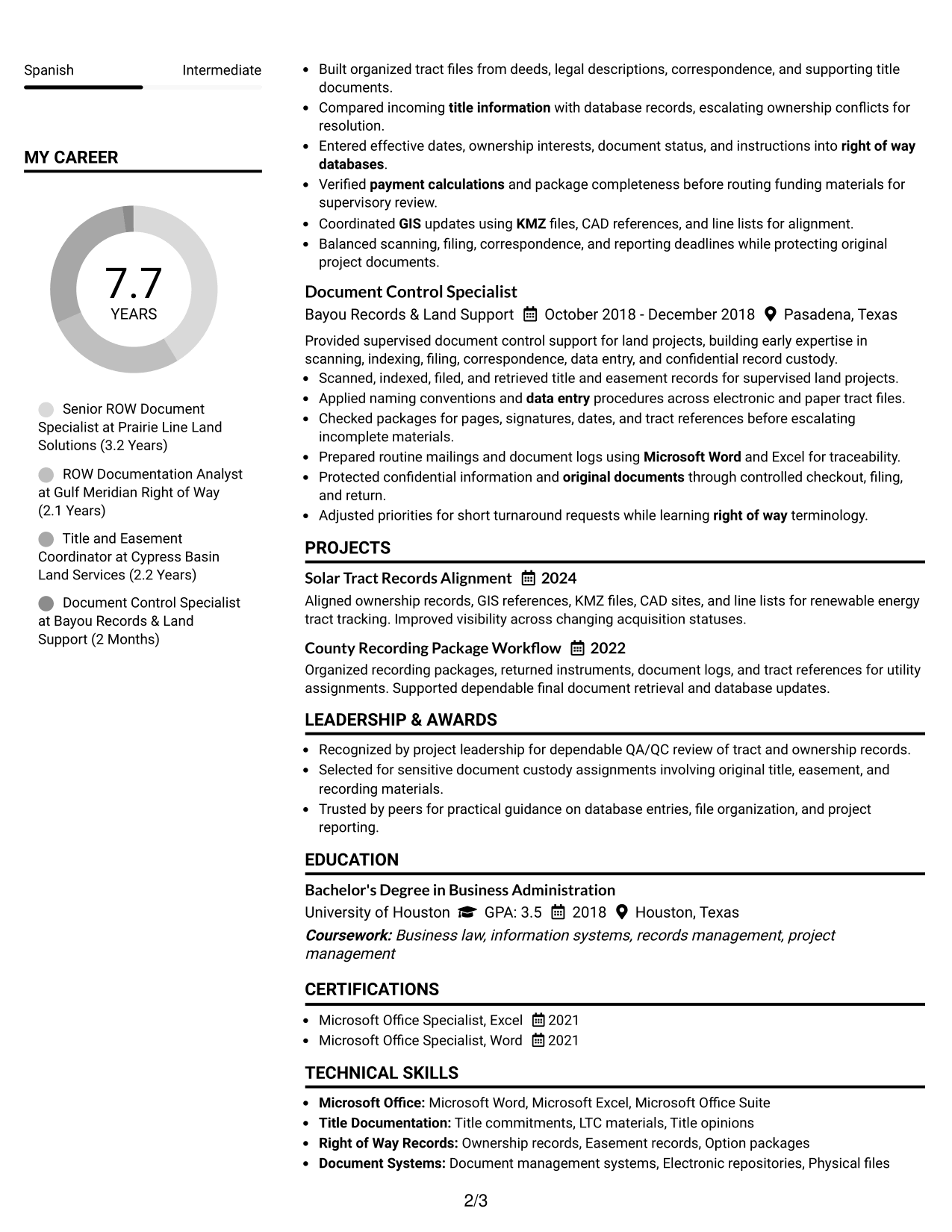
 
Resume Example Page 1   Resume Example Page 2

Resume Snapshot

  • 7 years supporting right of way, title, easement, and due diligence workflows
  • Current Senior ROW Document Specialist with renewable energy project support
  • Bachelor's Degree in Business Administration from the University of Houston
  • Microsoft Office Specialist certifications in Excel and Word

Why This Format Works

  • Two columns keep career progression visible while supporting sections stay easy to find.
  • Clear section separation helps recruiters compare experience, skills, education, and credentials quickly.
  • Balanced space gives detailed achievements room without making supporting information feel scattered.

Best For

  • Detailed experience with many supporting sections
  • Readers comparing career progression and credentials
  • Applications needing compact information grouping
  • Strong skills and project sections
  • ROW Due Diligence Agent applications

Resume Keywords

  • ROW Due Diligence Agent
  • Right of way
  • Document Specialist
  • ownership information
  • title information
  • Easement
  • LTC
  • title opinions
  • document management systems
  • project correspondence
  • survey notification
  • County recorder
  • County clerk
  • QA/QC
  • payment calculations
See all keywords
 

#2 Simple One Column Format Resume Example

The Simple One Column Format follows one direct path, helping recruiters move through each resume section in a predictable order.
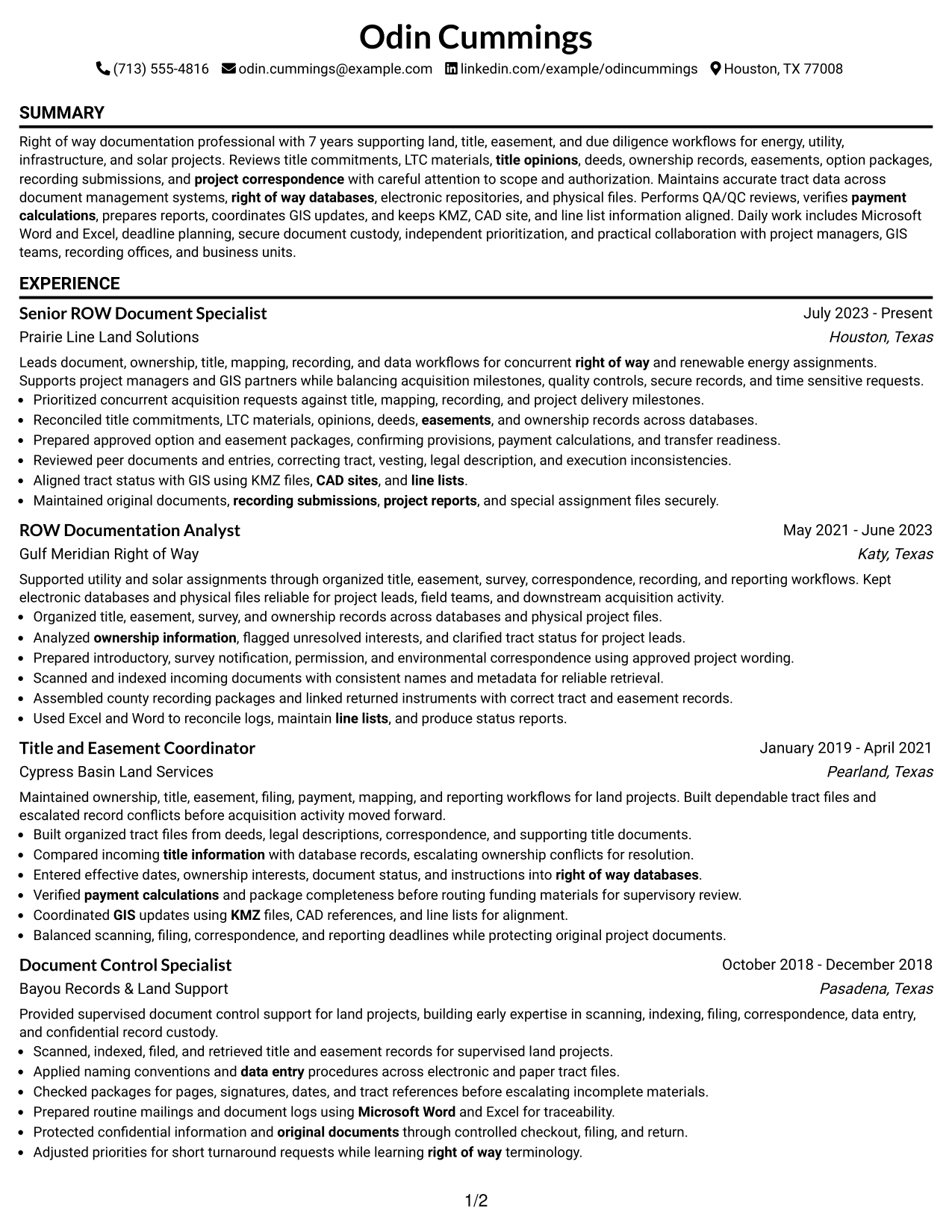
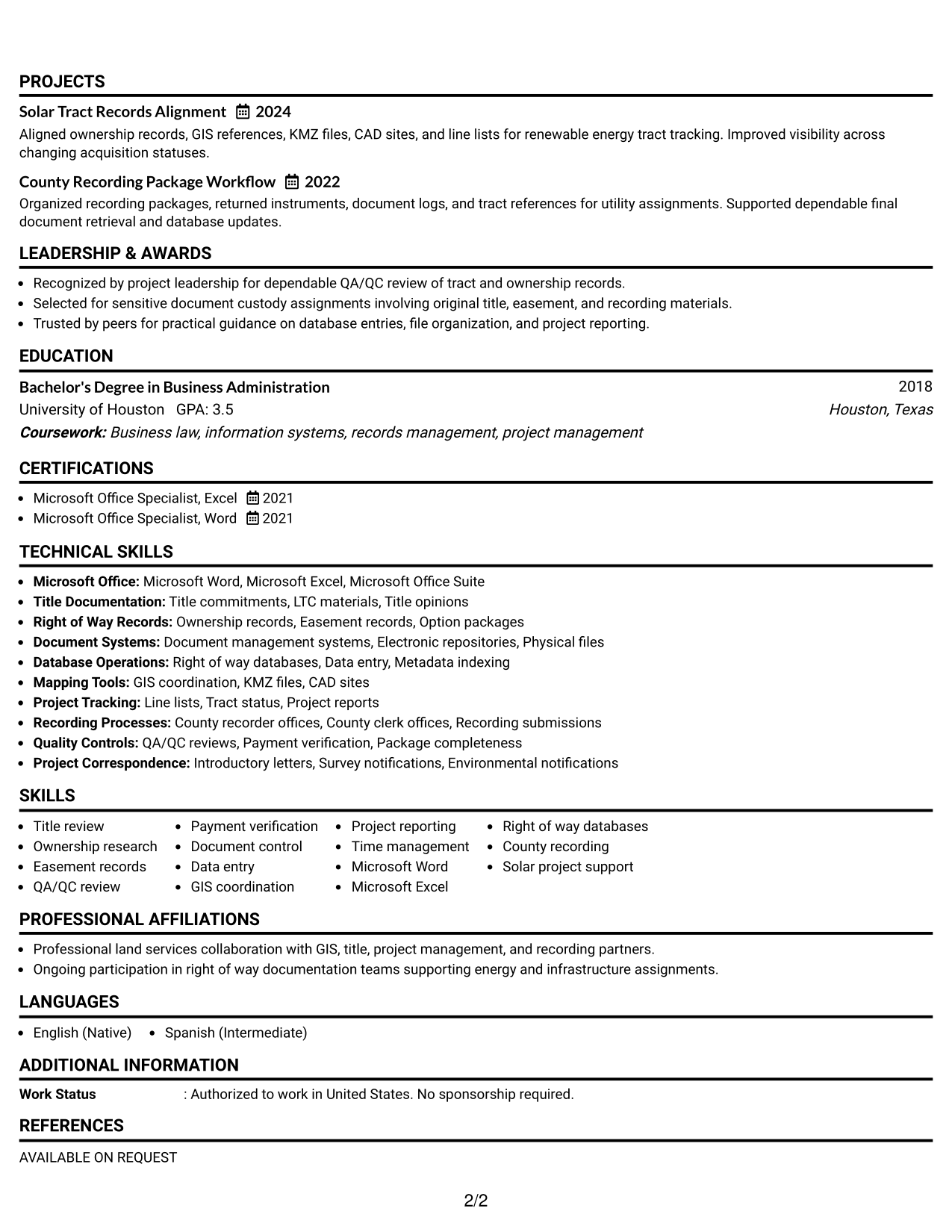
 
Resume Example Page 1   Resume Example Page 2

Why This Format Works

  • Single-column reading keeps experience and achievements in one uninterrupted sequence.
  • Full-width sections give career history room for clear, detailed bullet points.
  • Simple navigation helps recruiters move from skills to education and credentials naturally.

Best For

  • Straightforward chronological review
  • Longer experience descriptions
  • Applications favoring simple reading order
  • Resume content with clear section hierarchy
  • Readers who prefer full-width sections
 

#3 Clean Two Column Sidebar Format Resume Example

The Clean Two Column Sidebar Format gives supporting details their own area, helping recruiters scan the main experience path and secondary sections quickly.
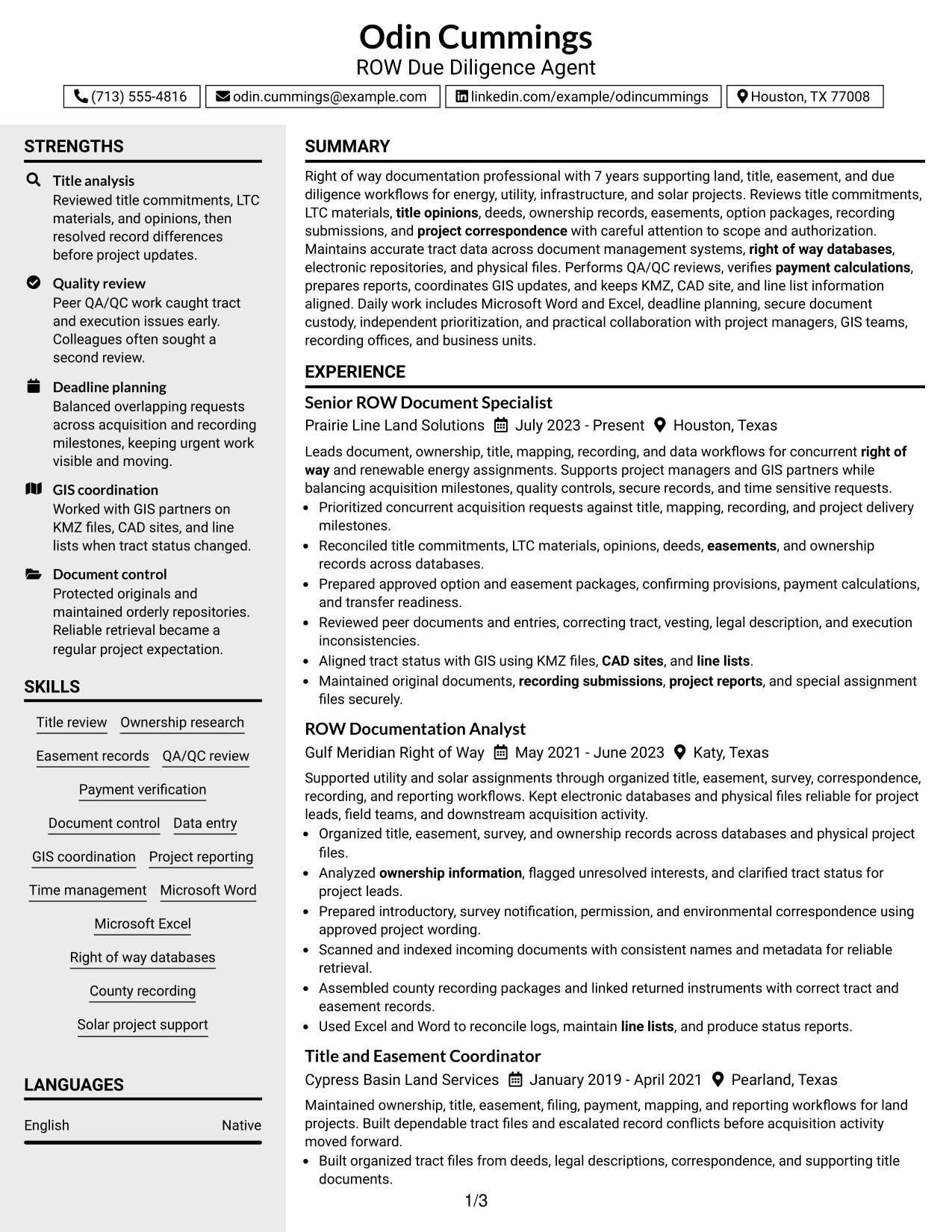
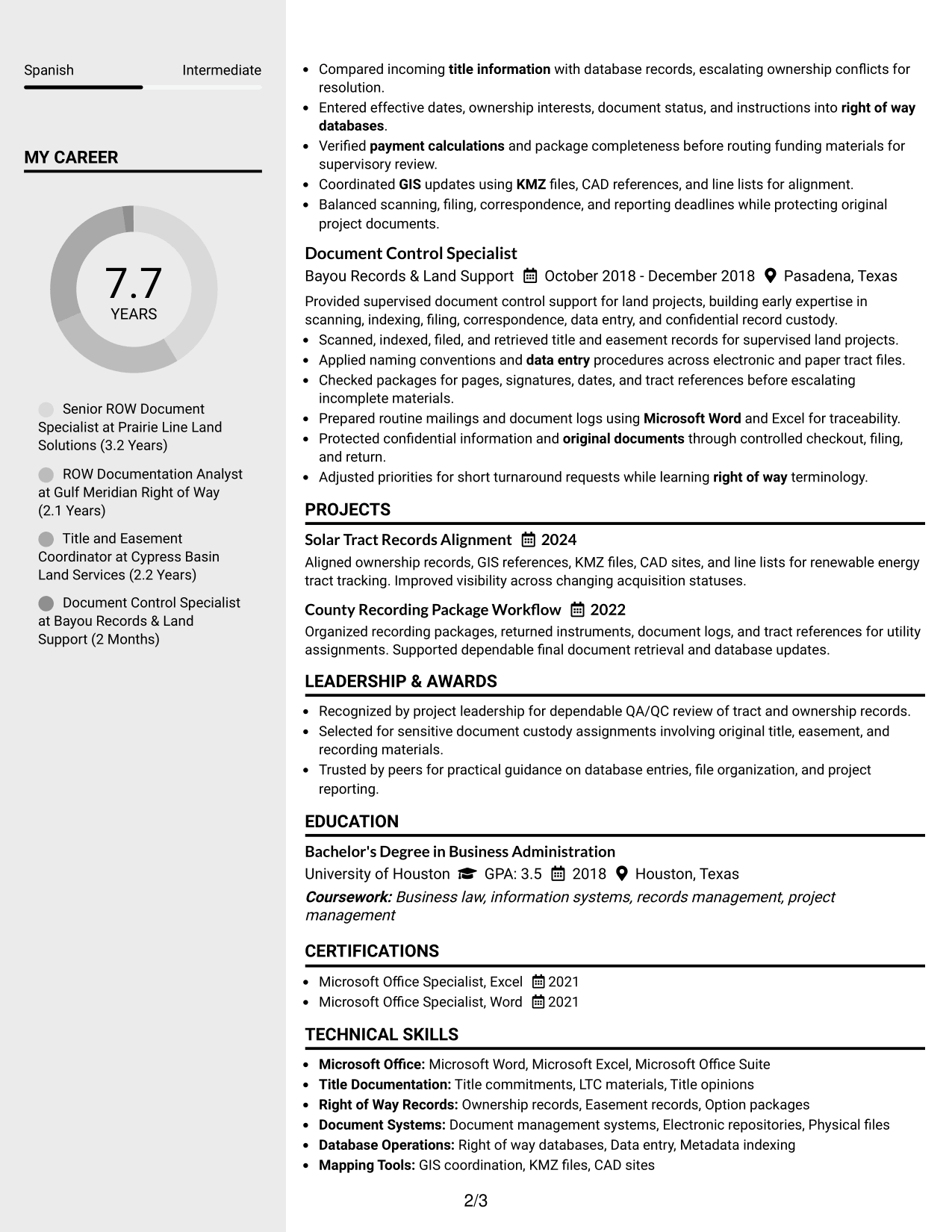
 
Resume Example Page 1   Resume Example Page 2

Why This Format Works

  • A dedicated sidebar separates supporting skills and credentials from the main experience.
  • The main column keeps career progression and achievements connected in a steady flow.
  • Distinct section areas help recruiters locate education and supporting details with less searching.

Best For

  • Resumes with dense supporting information
  • Skills that need quick visual access
  • Career histories needing a strong main column
  • Readers scanning credentials beside experience
  • Applications with several secondary sections
 

#4 Two Column Format Resume Example

The Two Column Format divides resume content into parallel areas, helping recruiters compare core experience with supporting qualifications at a glance.
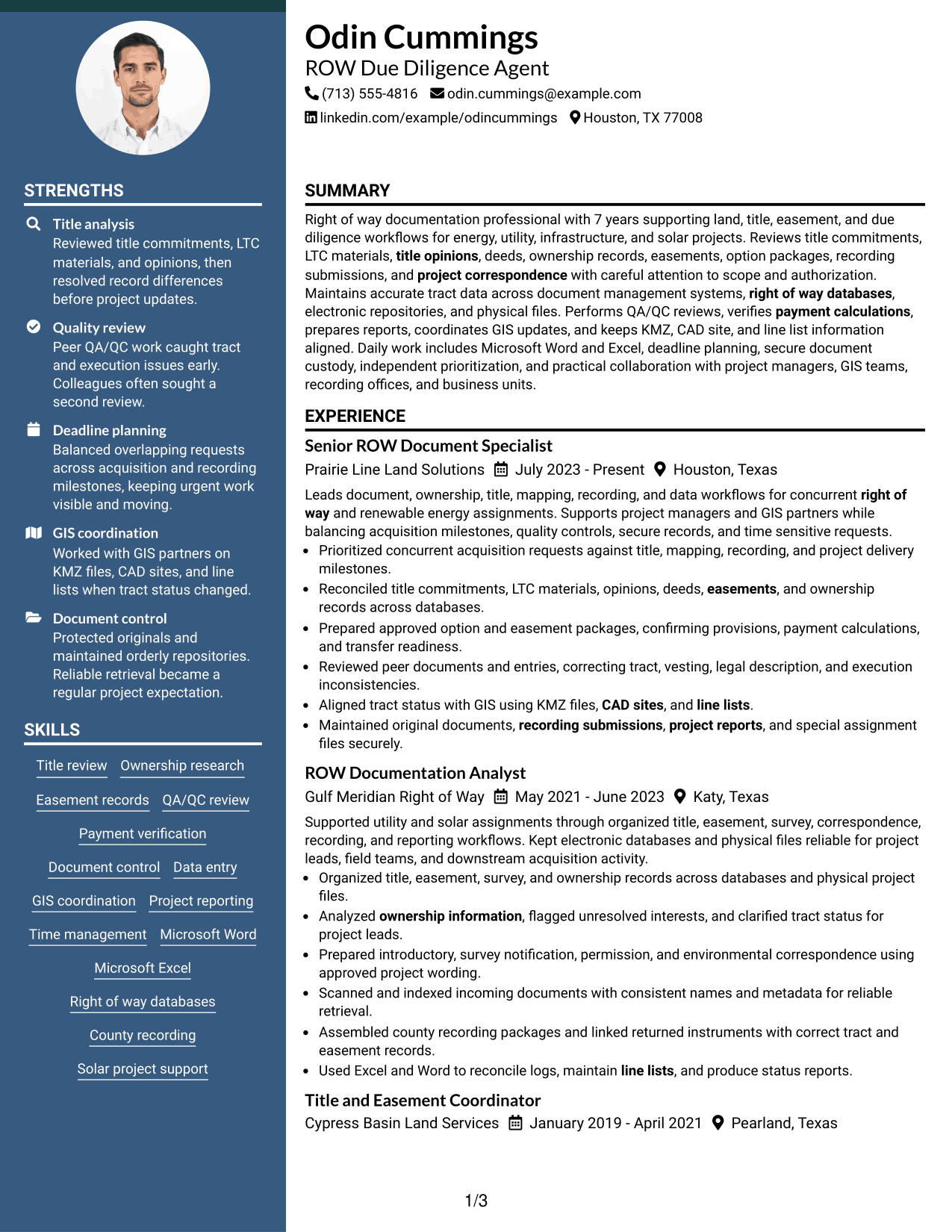
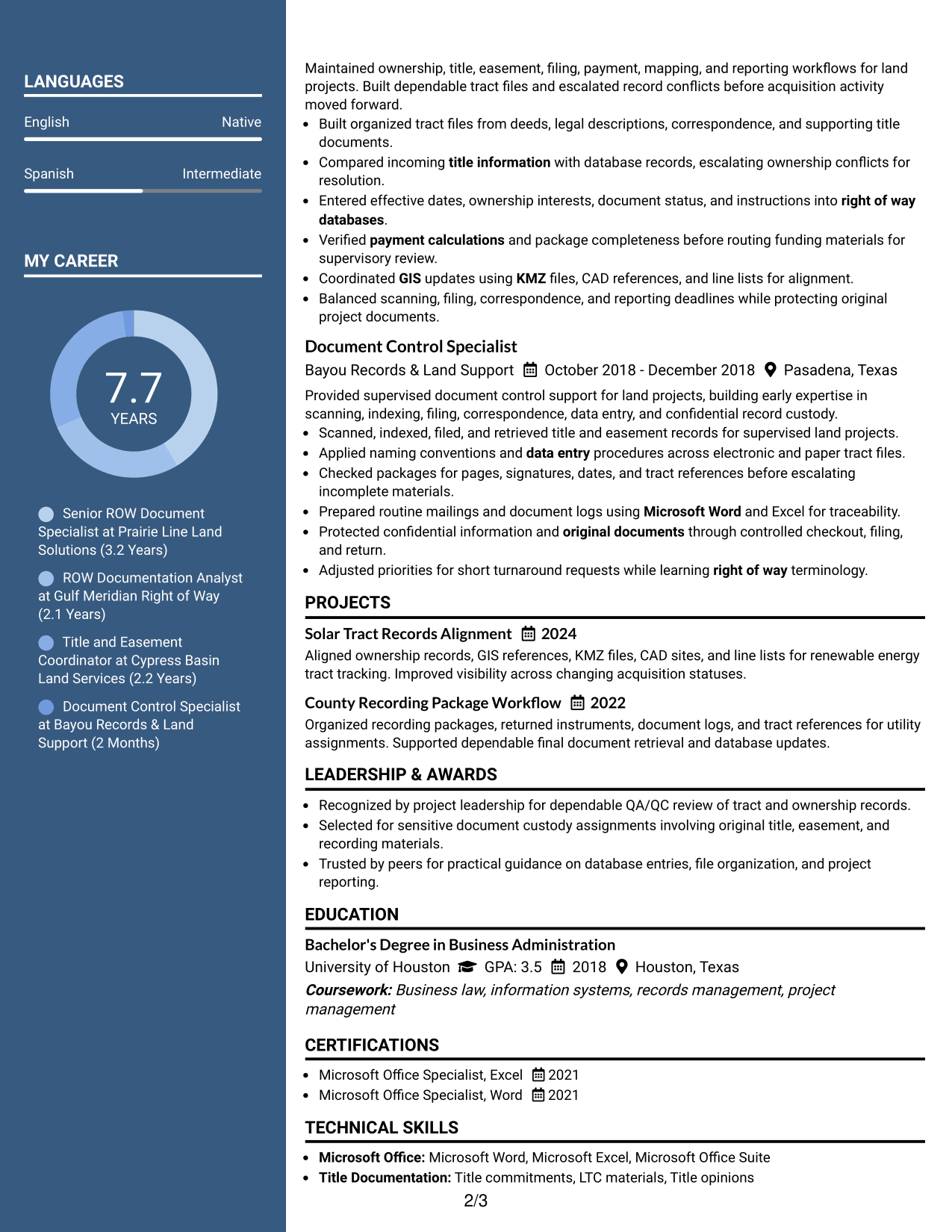
 
Resume Example Page 1   Resume Example Page 2

Why This Format Works

  • Parallel columns let recruiters compare experience with skills and credentials efficiently.
  • Section boundaries keep achievements distinct while preserving the resume's overall reading structure.
  • Shared page width supports substantial content without forcing every section into one stream.

Best For

  • Balanced experience and skills content
  • Applications with several qualification sections
  • Readers comparing major and supporting evidence
  • Resumes needing efficient horizontal use
  • Professional histories with varied content types


#5 Photo Header Two Column Format Resume Example

The Photo Header Two Column Format combines a photo-led header with two body columns, helping recruiters scan identity details and resume sections separately.
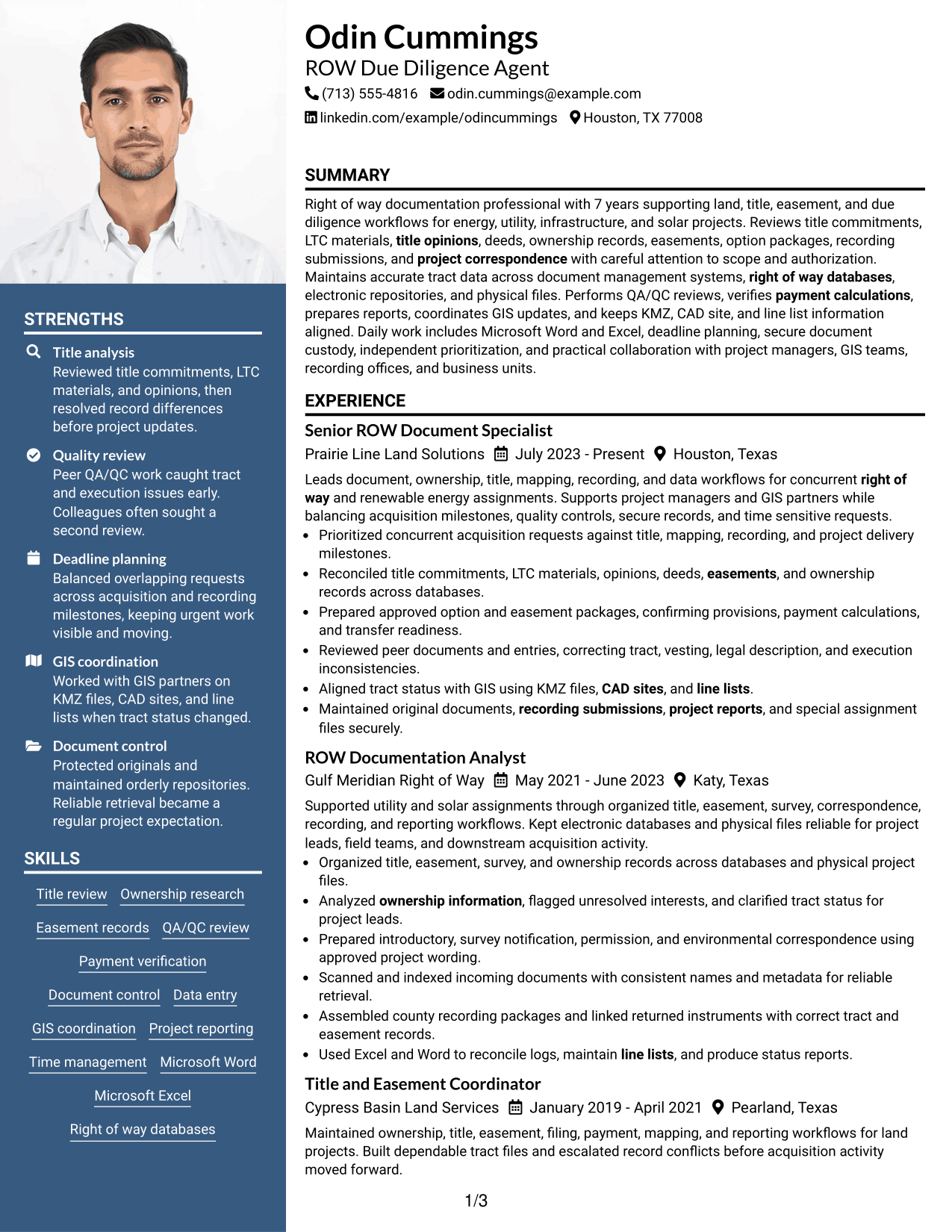
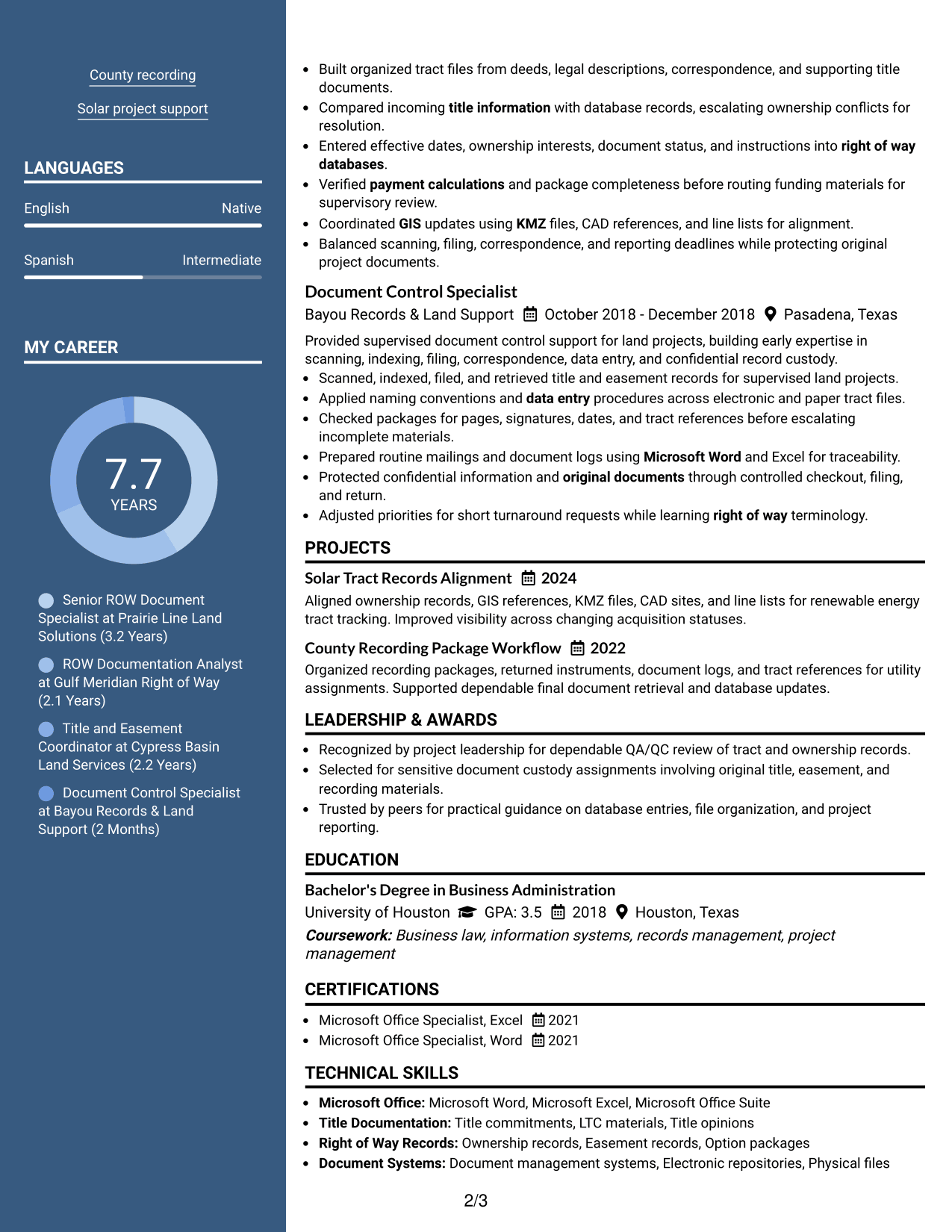
 
Resume Example Page 1   Resume Example Page 2

Why This Format Works

  • Two body columns separate experience from supporting skills, education, and credentials.
  • The photo header identifies the applicant without interrupting the main career-history structure.
  • Clear body sections help recruiters scan achievements and qualifications after the header.

Best For

  • Regions where resume photos are customary
  • Applications needing a distinct identity header
  • Experience paired with several supporting sections
  • Readers reviewing qualifications after contact details
  • Two-column resumes with formal visual presence
 

#6 Colored Two Column Format Resume Example

The Colored Two Column Format uses color to mark section areas while two columns help recruiters navigate experience and supporting information efficiently.
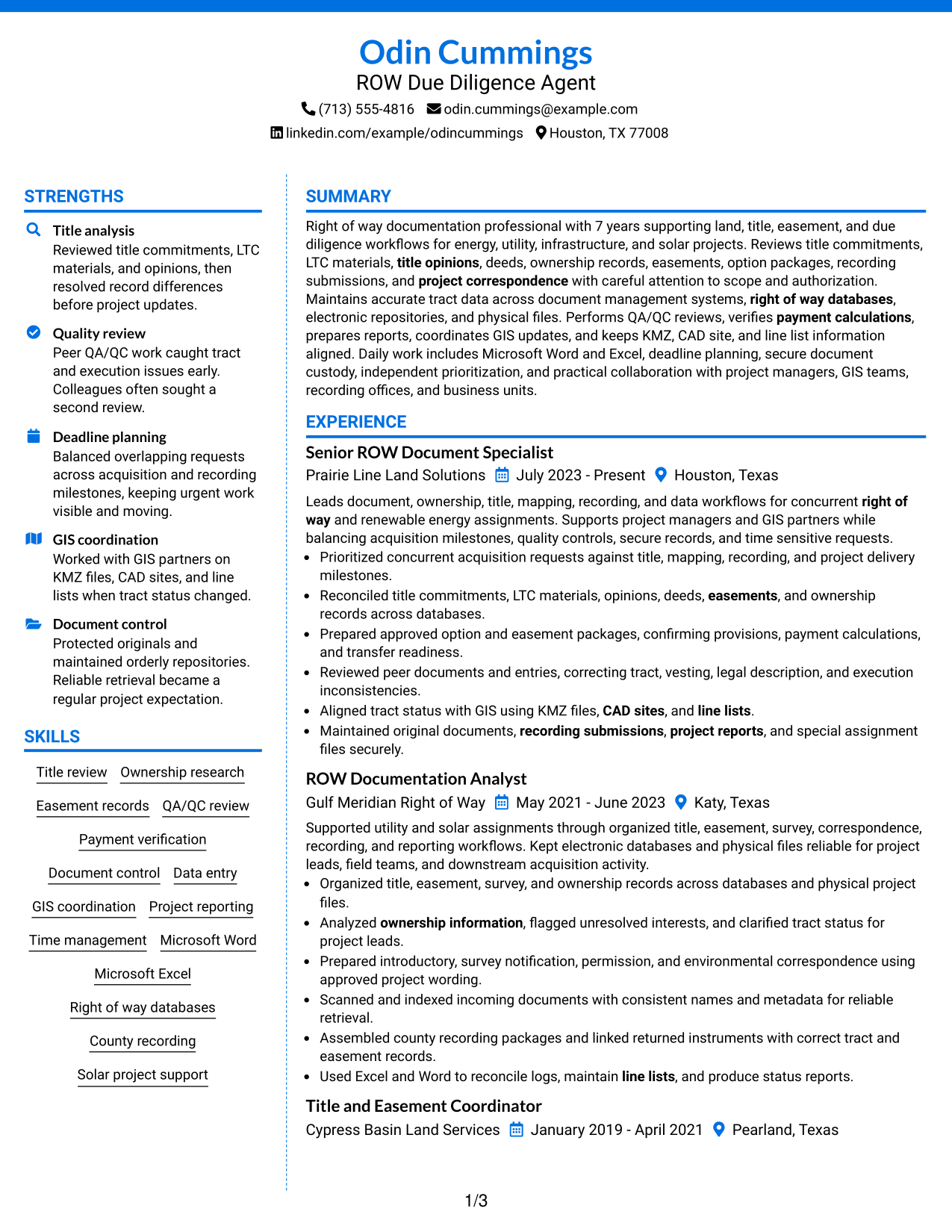
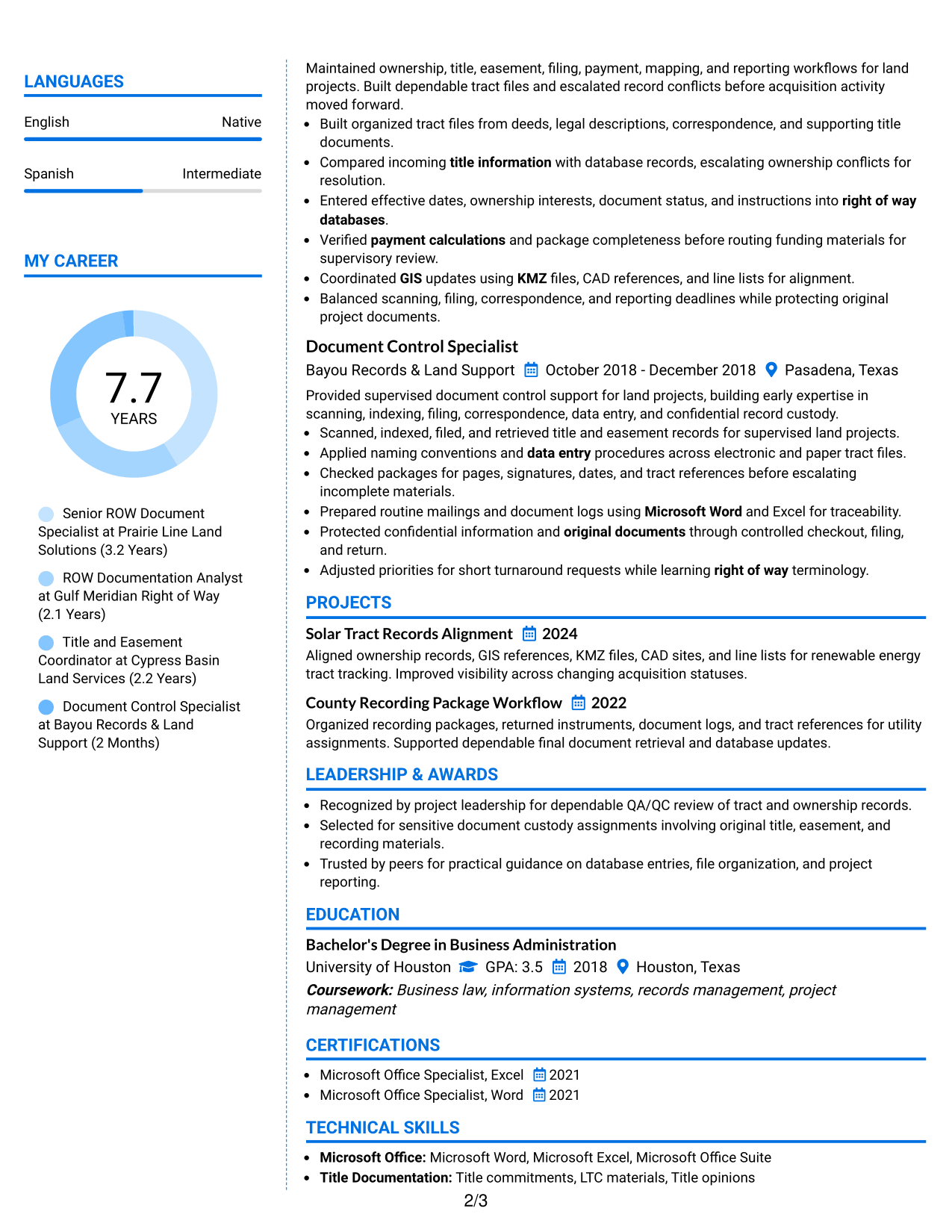
 
Resume Example Page 1   Resume Example Page 2

Why This Format Works

  • Color contrast marks section boundaries without changing the underlying career progression.
  • Two columns create separate reading zones for experience and supporting qualifications.
  • Structured spacing helps achievements, skills, and education remain easy to distinguish.

Best For

  • Readers who benefit from strong section cues
  • Resumes with multiple information groups
  • Applications allowing restrained visual color
  • Experience plus compact supporting qualifications
  • Documents needing clear navigation between sections
 

#7 Stylish Two Column Designer Format Resume Example

The Stylish Two Column Designer Format uses defined visual sections within two columns, helping recruiters scan a detailed resume through clear content groups.
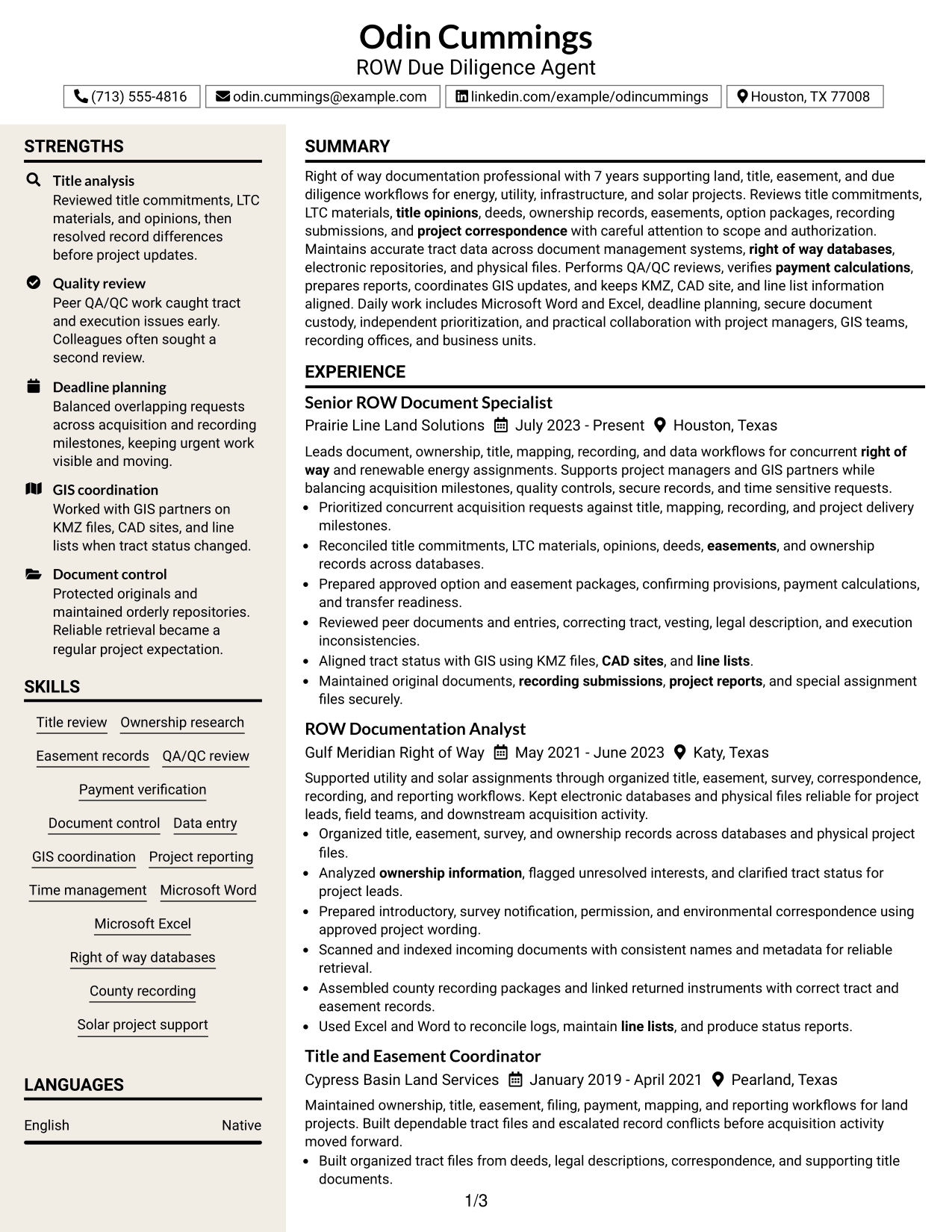
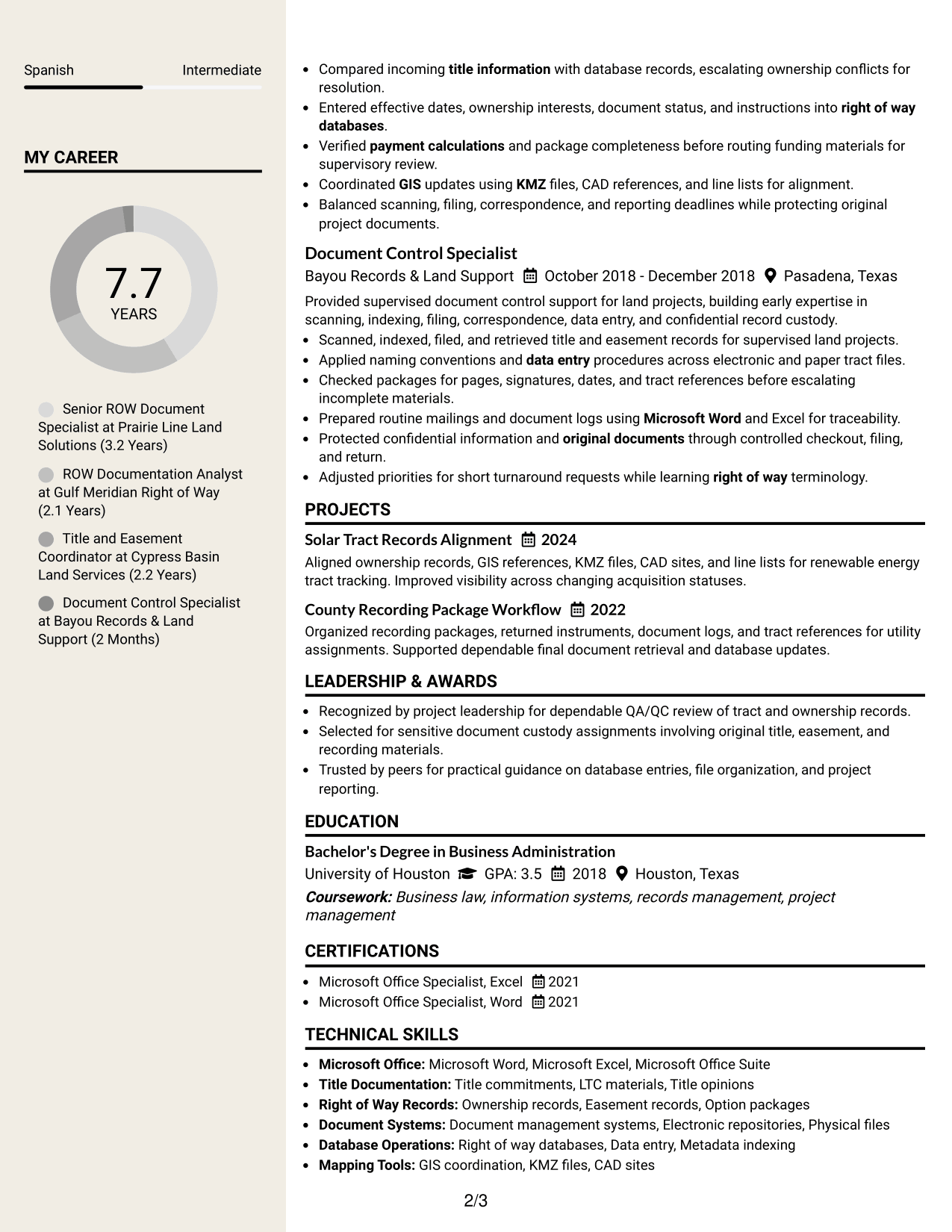
 
Resume Example Page 1   Resume Example Page 2

Why This Format Works

  • Defined content groups help recruiters separate career history, skills, and credentials.
  • Two-column organization keeps supporting sections accessible beside detailed experience.
  • Visual section breaks make achievements and education easier to locate during review.

Best For

  • Detailed resumes needing strong section separation
  • Applications where visual structure is welcome
  • Readers moving between experience and credentials
  • Skills and education requiring visible grouping
  • Professional content with several review points


Why Build Your ROW Due Diligence Agent Resume with ResumeInMinutes

ResumeInMinutes helps you turn detailed land, title, easement, recording, database, and coordination work into a resume that is easier to read and tailor.

  • Clear professional resume formats
  • ATS-friendly section structure
  • Role-specific keyword guidance
  • Organized experience and skills sections
  • Free PDF resume previews
  • Fast resume customization

You can adjust the wording and layout while keeping key evidence visible, including title analysis, document accuracy, tract status, project reporting, and cross-team coordination.


See Also


Frequently Asked Questions

Are these ROW Due Diligence Agent resume templates ATS-friendly?

They use clear headings and standard resume sections that support ATS reading. Keep your wording accurate and include role terms such as title review, QA/QC, easement records, databases, and GIS where they match your experience.

Are these different ROW Due Diligence Agent resumes?

No. The guide shows the same complete resume in different visual formats so you can compare organization, reading order, and section balance.

What should a ROW Due Diligence Agent resume include?

Include a focused summary, relevant experience, skills, education, certifications, and useful projects. Show title and ownership review, easement documentation, QA/QC, database work, recording support, reporting, and GIS coordination when supported by your background.

Can I download the resume templates as PDFs?

Yes. Each design includes a free PDF download so you can review the layout before choosing a format for your application.

Which resume layout works well for ROW Due Diligence Agent applications?

Choose a layout that keeps experience, skills, credentials, and technical terms easy to scan. A simple one-column format gives a direct reading order, while supported two-column formats can separate dense supporting information from the main experience section.

How should I write experience bullets for this role?

Start with clear actions and show the work completed, such as reviewing records, resolving inconsistencies, preparing packages, checking calculations, updating databases, coordinating mapping, or submitting documents for recording. Add measurable results only when you can support them.

Should I include a photo on my resume?

Include a photo only when it is customary or expected in your region. For most U.S. applications, a no-photo resume is usually the safer choice.

Can I customize these resume templates?

Yes. You can edit the resume text, section order, design choices, and PDF layout to match your supported experience and the requirements of a ROW Due Diligence Agent position.


ATS score 77%

How we calculate this score

  • Keywords: 60% of the total. AI extracts keywords from your job description. If you do not provide one, a standard job description for the title matching your resume is used. This is not a match to a specific vacancy.
  • Text-based resume: 20%. The text resume assessed here receives 100 for this part.
  • Resume quality: 20%. We start at 100 and subtract points for issues found by our resume checks, down to a minimum of zero.
  • Keyword coverage = 100 × (confirmed matches + 0.8 × possible matches) ÷ total keywords, rounded and capped at 100. Possible matches still need checking. Saved generation audits use their saved keyword percentage.
  • Final score = 60% of keyword coverage + 20% of the text score + 20% of the quality score, rounded to a whole number. Without keywords, no overall ATS score is available.

What this score means

Our scores are estimates, not employer ratings. They may contain errors and do not guarantee accurate parsing, a ranking, an interview, or a job. Check your document against the employer’s requirements. You are responsible for relying on this score.

Terms and Conditions

Score weights: Keywords 60% · Text based resume 20% · Resume quality 20%

Live keyword match: 31 of 50 (62%) · Resume quality: 100%

Resume quality 100% · Weight 20% · Issues (0)

Details
  • ✓Name present: Odin Cummings
  • ✓Email format: odin.cummings@example.com
  • ✓Phone format: (713) 555-4816
  • ✓Experience 1: Job title: Senior ROW Document Specialist
  • ✓Experience 1: Company name: Prairie Line Land Solutions
  • ✓Experience 1: Employment dates: July 2023 - Present
  • ✓Experience 1: Description or achievements: Present
  • ✓Experience 2: Job title: ROW Documentation Analyst
  • ✓Experience 2: Company name: Gulf Meridian Right of Way
  • ✓Experience 2: Employment dates: May 2021 - June 2023
  • ✓Experience 2: Description or achievements: Present
  • ✓Experience 3: Job title: Title and Easement Coordinator
  • ✓Experience 3: Company name: Cypress Basin Land Services
  • ✓Experience 3: Employment dates: January 2019 - April 2021
  • ✓Experience 3: Description or achievements: Present
  • ✓Experience 4: Job title: Document Control Specialist
  • ✓Experience 4: Company name: Bayou Records & Land Support
  • ✓Experience 4: Employment dates: October 2018 - December 2018
  • ✓Experience 4: Description or achievements: Present
  • ✓No placeholder fields
  • ✓No repeated achievement bullets
  • ✓No empty bullets

No issues found by the current checks.

Text Based Resume 100% · Weight 20%

Parsed text
Odin Cummings
ROW Due Diligence Agent
(713) 555-4816
odin.cummings@example.com
linkedin.com/example/odincummings
Houston, TX 77008
STRENGTHS
Title analysis
Reviewed title commitments, LTC materials, and opinions, then resolved record differences before project updates.
Quality review
Peer QA/QC work caught tract and execution issues early. Colleagues often sought a second review.
Deadline planning
Balanced overlapping requests across acquisition and recording milestones, keeping urgent work visible and moving.
GIS coordination
Worked with GIS partners on KMZ files, CAD sites, and line lists when tract status changed.
Document control
Protected originals and maintained orderly repositories. Reliable retrieval became a regular project expectation.
SUMMARY
Right of way documentation professional with 7 years supporting land, title, easement, and due diligence workflows for energy, utility, infrastructure, and solar projects. Reviews title commitments, LTC materials, title opinions, deeds, ownership records, easements, option packages, recording submissions, and project correspondence with careful attention to scope and authorization. Maintains accurate tract data across document management systems, right of way databases, electronic repositories, and physical files. Performs QA/QC reviews, verifies payment calculations, prepares reports, coordinates GIS updates, and keeps KMZ, CAD site, and line list information aligned. Daily work includes Microsoft Word and Excel, deadline planning, secure document custody, independent prioritization, and practical collaboration with project managers, GIS teams, recording offices, and business units.
EXPERIENCE
Senior ROW Document Specialist
Prairie Line Land Solutions
July 2023 - Present
Houston, Texas
Leads document, ownership, title, mapping, recording, and data workflows for concurrent right of way and renewable energy assignments. Supports project managers and GIS partners while balancing acquisition milestones, quality controls, secure records, and time sensitive requests.
Prioritized concurrent acquisition requests against title, mapping, recording, and project delivery milestones.
Reconciled title commitments, LTC materials, opinions, deeds, easements, and ownership records across databases.
Prepared approved option and easement packages, confirming provisions, payment calculations, and transfer readiness.
Reviewed peer documents and entries, correcting tract, vesting, legal description, and execution inconsistencies.
Aligned tract status with GIS using KMZ files, CAD sites, and line lists.
Maintained original documents, recording submissions, project reports, and special assignment files securely.
ROW Documentation Analyst
Gulf Meridian Right of Way
May 2021 - June 2023
Katy, Texas
Supported utility and solar assignments through organized title, easement, survey, correspondence, recording, and reporting workflows. Kept electronic databases and physical files reliable for project leads, field teams, and downstream acquisition activity.
Organized title, easement, survey, and ownership records across databases and physical project files.
Analyzed ownership information, flagged unresolved interests, and clarified tract status for project leads.
Prepared introductory, survey notification, permission, and environmental correspondence using approved project wording.
Scanned and indexed incoming documents with consistent names and metadata for reliable retrieval.
Assembled county recording packages and linked returned instruments with correct tract and easement records.
Used Excel and Word to reconcile logs, maintain line lists, and produce status reports.
Title and Easement Coordinator
Cypress Basin Land Services
January 2019 - April 2021
Pearland, Texas
Maintained ownership, title, easement, filing, payment, mapping, and reporting workflows for land projects. Built dependable tract files and escalated record conflicts before acquisition activity moved forward.
Built organized tract files from deeds, legal descriptions, correspondence, and supporting title documents.
Compared incoming title information with database records, escalating ownership conflicts for resolution.
Entered effective dates, ownership interests, document status, and instructions into right of way databases.
Verified payment calculations and package completeness before routing funding materials for supervisory review.
Coordinated GIS updates using KMZ files, CAD references, and line lists for alignment.
Balanced scanning, filing, correspondence, and reporting deadlines while protecting original project documents.
Document Control Specialist
Bayou Records & Land Support
October 2018 - December 2018
Pasadena, Texas
Provided supervised document control support for land projects, building early expertise in scanning, indexing, filing, correspondence, data entry, and confidential record custody.
Scanned, indexed, filed, and retrieved title and easement records for supervised land projects.
Applied naming conventions and data entry procedures across electronic and paper tract files.
Checked packages for pages, signatures, dates, and tract references before escalating incomplete materials.
Prepared routine mailings and document logs using Microsoft Word and Excel for traceability.
Protected confidential information and original documents through controlled checkout, filing, and return.
Adjusted priorities for short turnaround requests while learning right of way terminology.
SKILLS
Time management
Title review
GIS coordination
Easement records
Document control
Right of way databases
Solar project support
Payment verification
County recording
Microsoft Excel
Ownership research
Project reporting
Microsoft Word
QA/QC review
Data entry
LANGUAGES
English
Native
Spanish
Intermediate
MY CAREER
7.7Years
Senior ROW Document Specialist at Prairie Line Land Solutions (3.2 Years)
ROW Documentation Analyst at Gulf Meridian Right of Way (2.1 Years)
Title and Easement Coordinator at Cypress Basin Land Services (2.2 Years)
Document Control Specialist at Bayou Records & Land Support (2 Months)
PROJECTS
Solar Tract Records Alignment
2024
Aligned ownership records, GIS references, KMZ files, CAD sites, and line lists for renewable energy tract tracking. Improved visibility across changing acquisition statuses.
County Recording Package Workflow
2022
Organized recording packages, returned instruments, document logs, and tract references for utility assignments. Supported dependable final document retrieval and database updates.
LEADERSHIP & AWARDS
Recognized by project leadership for dependable QA/QC review of tract and ownership records.
Selected for sensitive document custody assignments involving original title, easement, and recording materials.
Trusted by peers for practical guidance on database entries, file organization, and project reporting.
EDUCATION
Bachelor's Degree in Business Administration
University of Houston
GPA: 3.5
2018
Houston, Texas
Coursework: Business law, information systems, records management, project management
CERTIFICATIONS
Microsoft Office Specialist, Excel
2021
Microsoft Office Specialist, Word
2021
TECHNICAL SKILLS
Microsoft Office: Microsoft Word, Microsoft Excel, Microsoft Office Suite
Title Documentation: Title commitments, LTC materials, Title opinions
Right of Way Records: Ownership records, Easement records, Option packages
Document Systems: Document management systems, Electronic repositories, Physical files
Database Operations: Right of way databases, Data entry, Metadata indexing
Mapping Tools: GIS coordination, KMZ files, CAD sites
Project Tracking: Line lists, Tract status, Project reports
Recording Processes: County recorder offices, County clerk offices, Recording submissions
Quality Controls: QA/QC reviews, Payment verification, Package completeness
Project Correspondence: Introductory letters, Survey notifications, Environmental notifications
PROFESSIONAL AFFILIATIONS
Professional land services collaboration with GIS, title, project management, and recording partners.
Ongoing participation in right of way documentation teams supporting energy and infrastructure assignments.
ADDITIONAL INFORMATION
Work Status
: Authorized to work in United States. No sponsorship required.

Matched keywords (31)

  • ROW Due Diligence Agent
  • Right of way
  • Document Specialist
  • ownership information
  • title information
  • Easement
  • LTC
  • title opinions
  • document management systems
  • project correspondence
  • survey notification
  • County recorder
  • County clerk
  • QA/QC
  • payment calculations
  • project reports
  • GIS
  • KMZ
  • CAD sites
  • line lists
  • Microsoft Office Suite
  • Microsoft Word
  • Microsoft Excel
  • Right of way databases
  • Data entry
  • recording submissions
  • original documents
  • Time management
  • planning
  • organization
  • business units

Missing keywords (19)

  • solar operations
  • project timelines
  • document requirements
  • right of way documents
  • option documents
  • easement documents
  • approved templates
  • funding requests
  • document transfer
  • environmental survey notifications
  • tract mapping
  • database experience
  • manual filing
  • file development
  • communication
  • analytical ability
  • changing priorities
  • independent work
  • project teams
Disclaimer: All names, images, contact information, employment histories, achievements, security clearances, military credentials, and other qualifications shown in this content are fictional and used for illustrative purposes only. Any resemblance to actual persons, living or deceased, is purely coincidental.

Resume and cover-letter examples and recommendations in this article reflect general best practices and professional experience and are provided for guidance only. Results may vary based on role, industry, region, and hiring organization.

Content Accuracy and Verification: To the fullest extent permitted by applicable law, we do not represent or warrant that resume or cover-letter guidance, examples, recommendations, or related information are accurate, complete, current, error-free, or suitable for any particular purpose. You are responsible for independently reviewing and verifying the information before relying on it.

ATS and Cover-Letter Scores: ATS scores are estimates calculated using our own formula, informed by publicly available guidance on resume formatting and keyword matching. They are not scores issued or endorsed by an ATS provider or employer. Cover-letter scores are also our own assessments. Parsing, weighting, screening criteria, and results vary between systems, employers, job descriptions, and document formats. No score guarantees successful parsing, a particular ranking, an interview, or employment. Use scores as general guidance and independently check your documents against the employer’s requirements. To the fullest extent permitted by applicable law, we accept no liability for errors in scores or parsing, or losses arising from reliance on these assessments. Nothing in this notice excludes liability or limits consumer rights that cannot lawfully be excluded or limited.

Terms and Conditions
 
> JP 1 1
PDF Footer and Margins Setup
The margins are applied to the document, and the footer shows up in the preview and the PDF

Footer Font Settings

Are you applying for a specific job
so we can tailor your resume to it?
Are you applying for a specific job
so we can tailor your cover letter to it?
Type your details as text to generate a personalized resume Type your details as text to generate a personalized cover letter
Website link found! Ready to create resume from:
Drag the into the box to verify you're human.
Drop here

My Resumes

Displaying {number_of_files} files (out of {total_of_all_files} total)
Name File Type Last Modified: Description:

Rename File

Filename already exists!

Delete Files

Warning: This action is irreversible. Once you click submit, the files will be permanently deleted.

Heading text
Upload From Computer Upload
Select From Existing
LinkedIn
Drag & Drop files anywhere in this tab, or

Uploaded Files

Delete Name Last Updated Use This File
Select this to use the file for generating your resume and cover letter. Only one source—uploaded file, selected file, or LinkedIn text—can be used.

My Files

Resumes or cover letters you create will appear here. No files available yet.
Delete Name Last Updated Use This File
Select this to use the file for generating your resume and cover letter. Only one source—uploaded file, selected file, or LinkedIn text—can be used.

Add LinkedIn Profile PDF

You can download your LinkedIn profile as a PDF by opening linkedin.com in a web browser, clicking your profile photo, selecting the “More” or “Resources” button, and choosing “Save to PDF.” You can then attach the PDF using the Upload From Computer tab.

Paste Your LinkedIn Profile Text

If you have copied the LinkedIn profile text, paste it below. See how to copy your profile from LinkedIn

Select this to use the LinkedIn profile text for generating your resume and cover letter. Only one source—uploaded file, selected file, or LinkedIn text—can be used.

Try these controls

<
>


