
US English


7 Clinical Receptionist/Office Assistant - Nursing Clinical Support Resume Templates with Example
By Ria · Last Updated On October 1, 2026
Resume Example Page 1

This practical guide shows you how to build a Clinical Receptionist/Office Assistant - Nursing Clinical Support resume that is clear, focused, and easy to review. You will learn how to organize the right evidence and compare professional resume formats.

Strong resumes for this role connect front-desk support with careful clinical office work. Useful sections can show patient registration, appointment scheduling, insurance eligibility review, billing records, confidentiality, Microsoft Word and Excel, and accurate clinic reporting.

The same complete resume is presented in 7 ATS-friendly resume layouts so you can compare reading order, section structure, and visual organization. Each example includes format notes and free PDF downloads to help you choose a layout that fits your content.

What Makes a Great Clinical Receptionist/Office Assistant - Nursing Clinical Support Resume in 2026

A strong resume is easy to scan, accurate, and focused on relevant clinical office support. Clear sections help a reviewer find experience, skills, education, and credentials quickly.

Use grounded keywords such as patient registration, appointment scheduling, insurance eligibility, medical terminology, ICD-10, CPT, Microsoft Excel, confidentiality, and aggregate reporting when they match your actual background.

The examples shown below are intentionally detailed to demonstrate a range of experiences, skills, accomplishments and relevant keywords. We prefer detailed resumes as they provide more context to the hiring managers and also help the ATS systems identify relevant qualifications and score your resume better for a match. But the length of a resume is an individual choice. If you want a one page resume, just keep the most relevant experience and information for the job. Note: Resume examples are for educational purposes only. Use only information that accurately reflects your experience and qualifications. References to real organizations do not imply affiliation or endorsement.

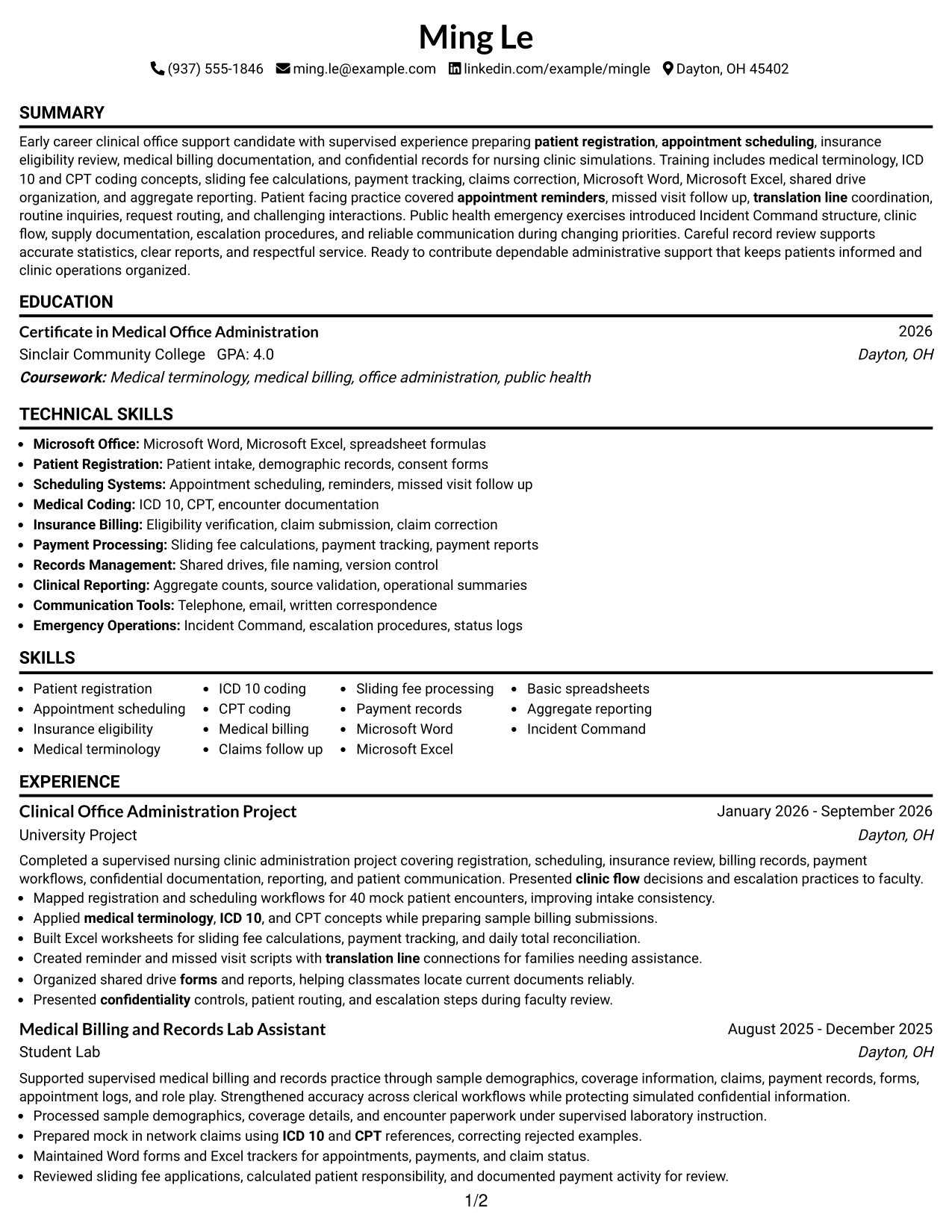
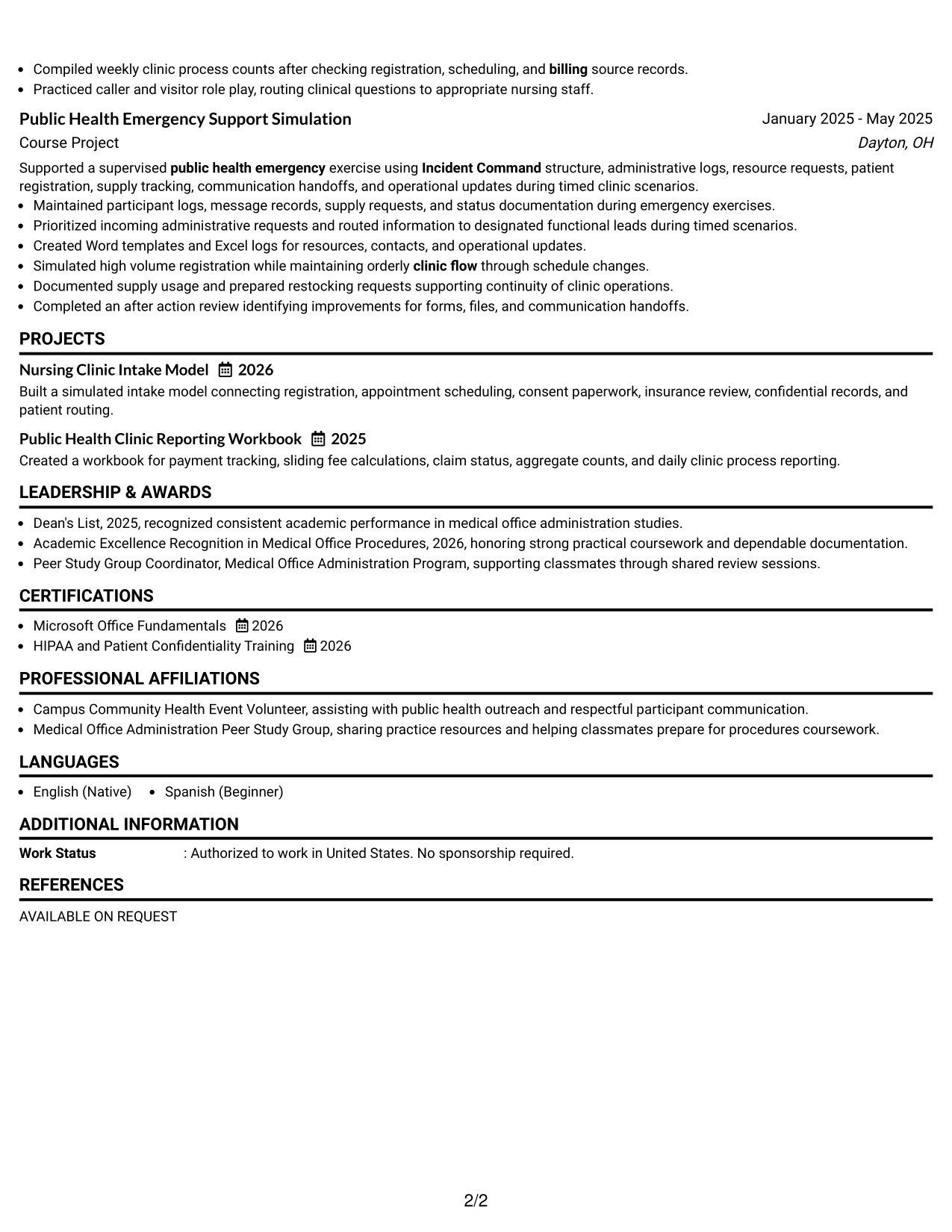
#1 Simple One Column Format Resume Example

A simple one-column reading order helps recruiters scan each resume section from top to bottom without side-to-side movement.
 
Resume Example Page 1   Resume Example Page 2

Why This Format Works

  • Linear section order keeps experience and education easy to follow.
  • Full-width space gives achievements room for clear, readable bullet points.
  • Straightforward grouping helps skills and credentials stay easy to locate.

Best For

  • Direct recruiter scanning
  • Clear chronological experience
  • Detailed project bullets
  • Clinical office support resumes
  • Simple section hierarchy

Resume Keywords

  • patient registration
  • appointment scheduling
  • clinic flow
  • appointment reminders
  • translation line
  • payment reports
  • billing
  • ICD 10
  • CPT
  • visitor
  • caller
  • routine inquiries
  • Telephone
  • email
  • written correspondence
See all keywords
 

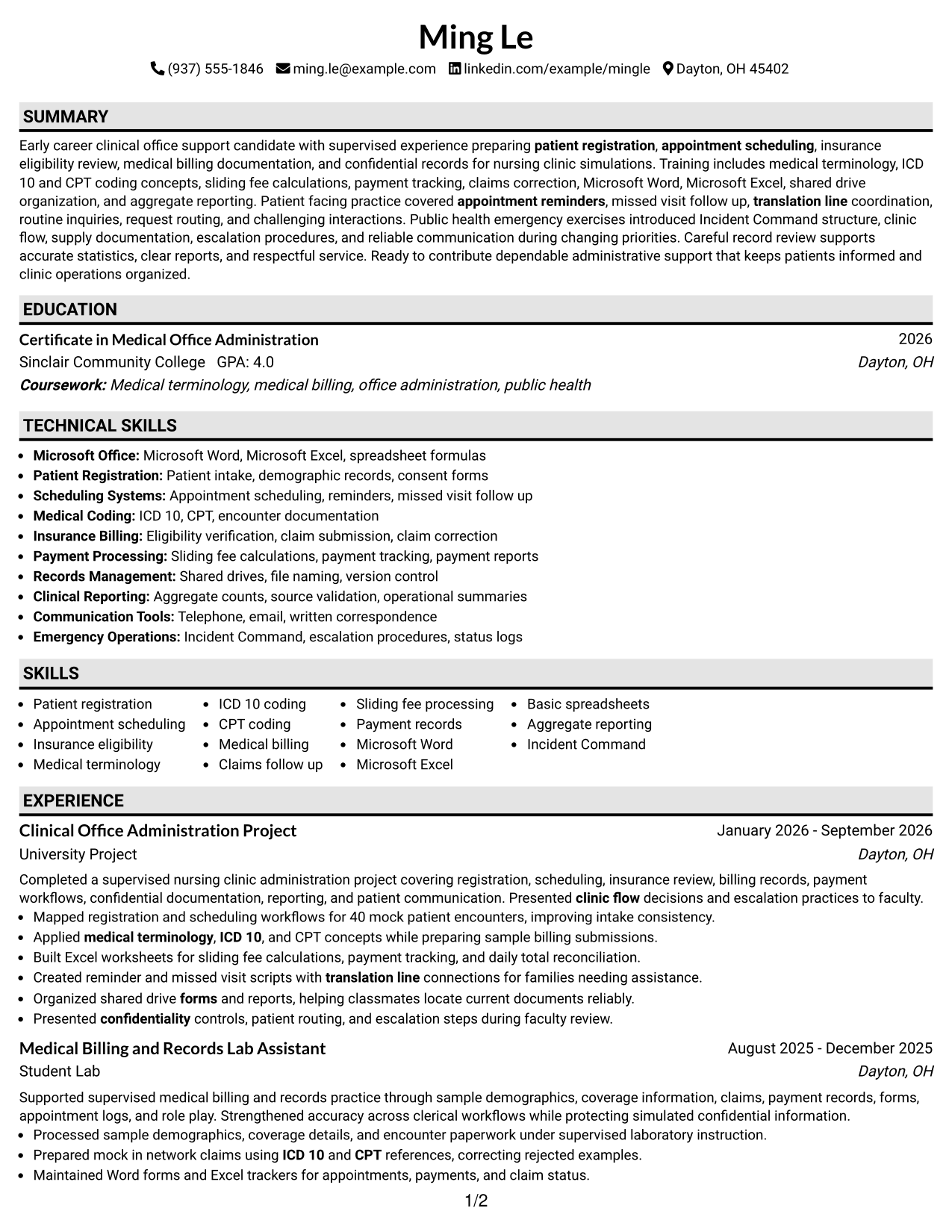
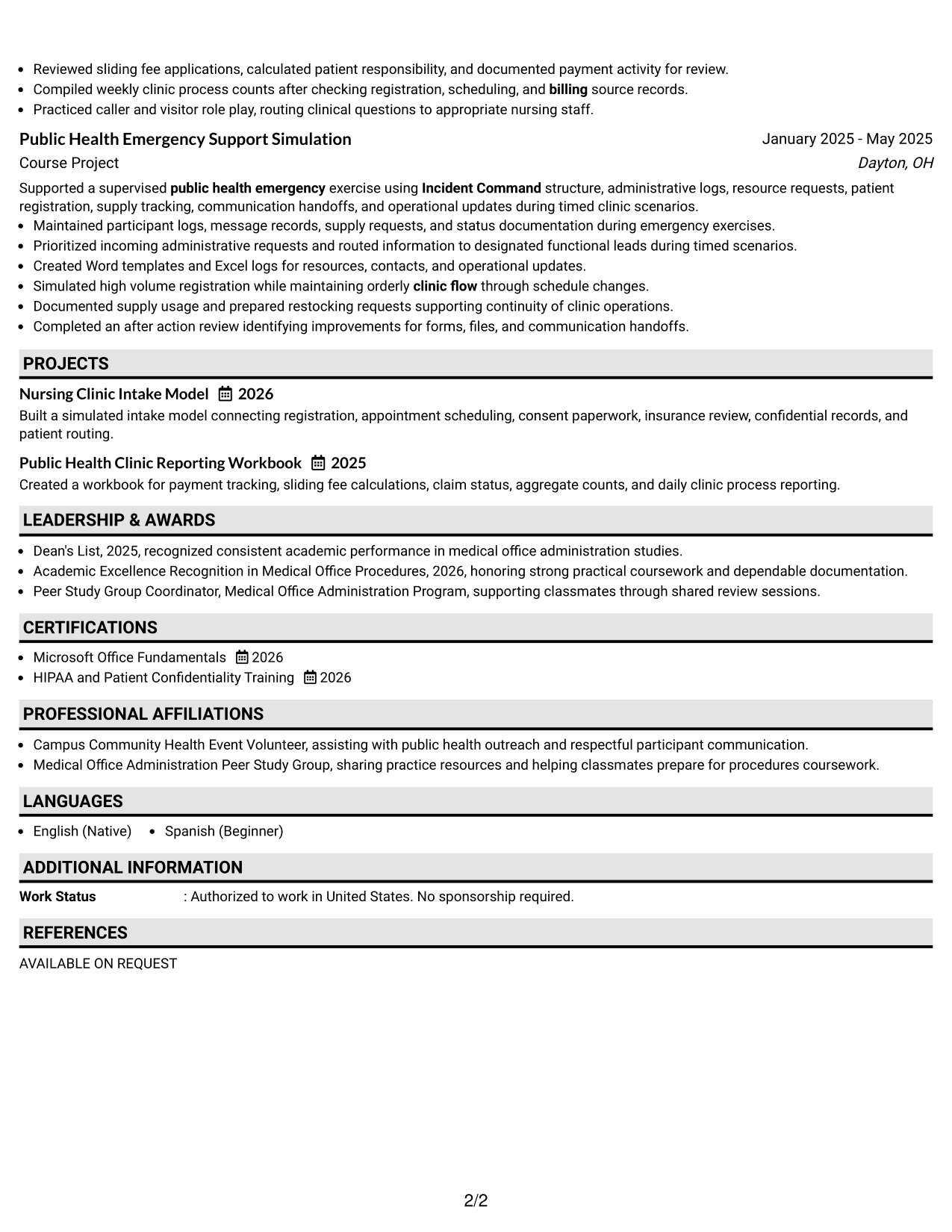
#2 Plain One Column with Shaded Labels Resume Example

Shaded section labels break up a one-column resume so recruiters can find major content areas quickly while keeping one reading path.
 
Resume Example Page 1   Resume Example Page 2

Why This Format Works

  • Shaded labels create visible breaks between experience, education, and skills.
  • One reading path keeps career information in a predictable sequence.
  • Section markers help credentials stand apart without splitting the body.

Best For

  • Fast section finding
  • Longer experience descriptions
  • Readers who prefer visual markers
  • Training and credential visibility
  • Consistent top-to-bottom review
 

#3 One Column Format with Photo Right Resume Example

A right-side photo adds personal identification to the header while the one-column body keeps recruiter scanning direct and orderly.
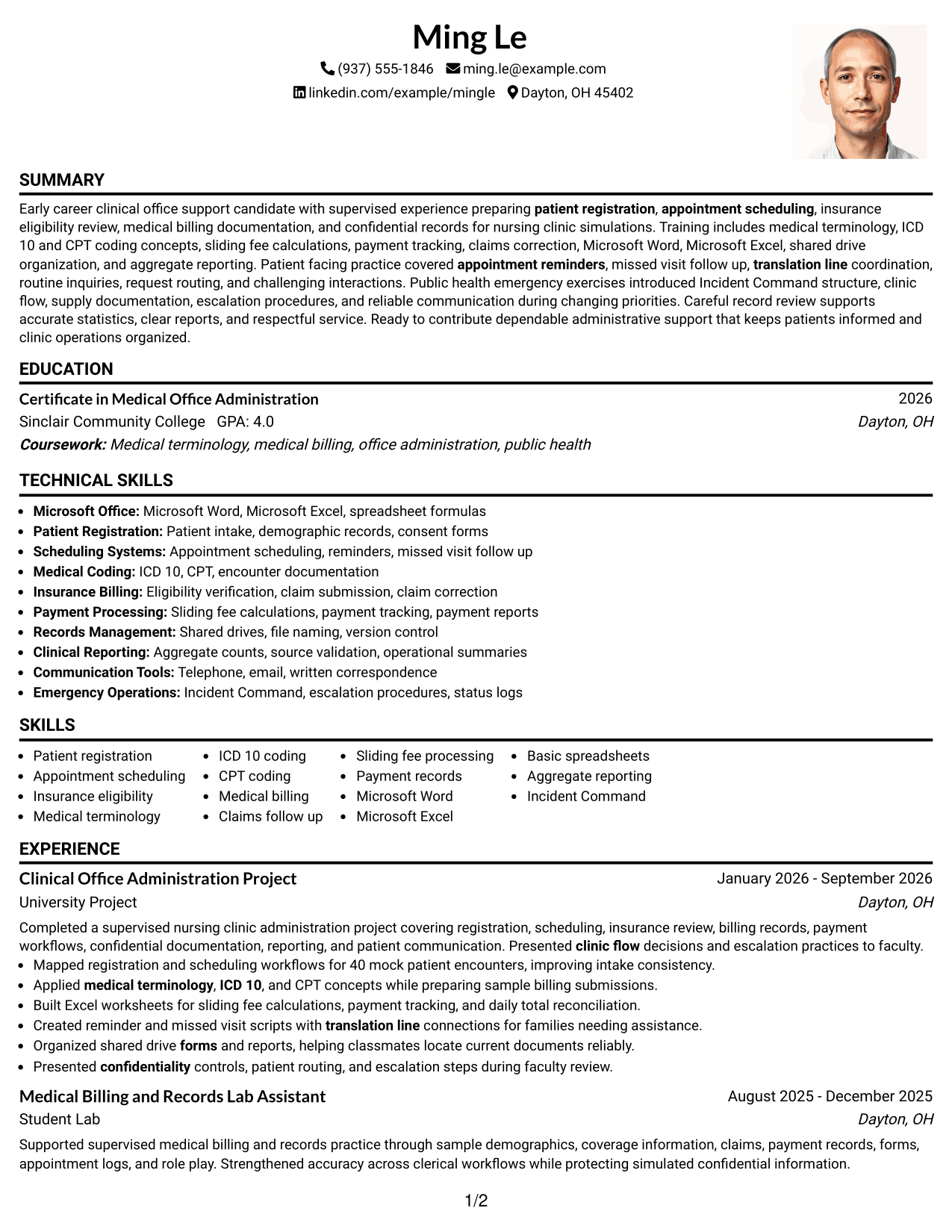
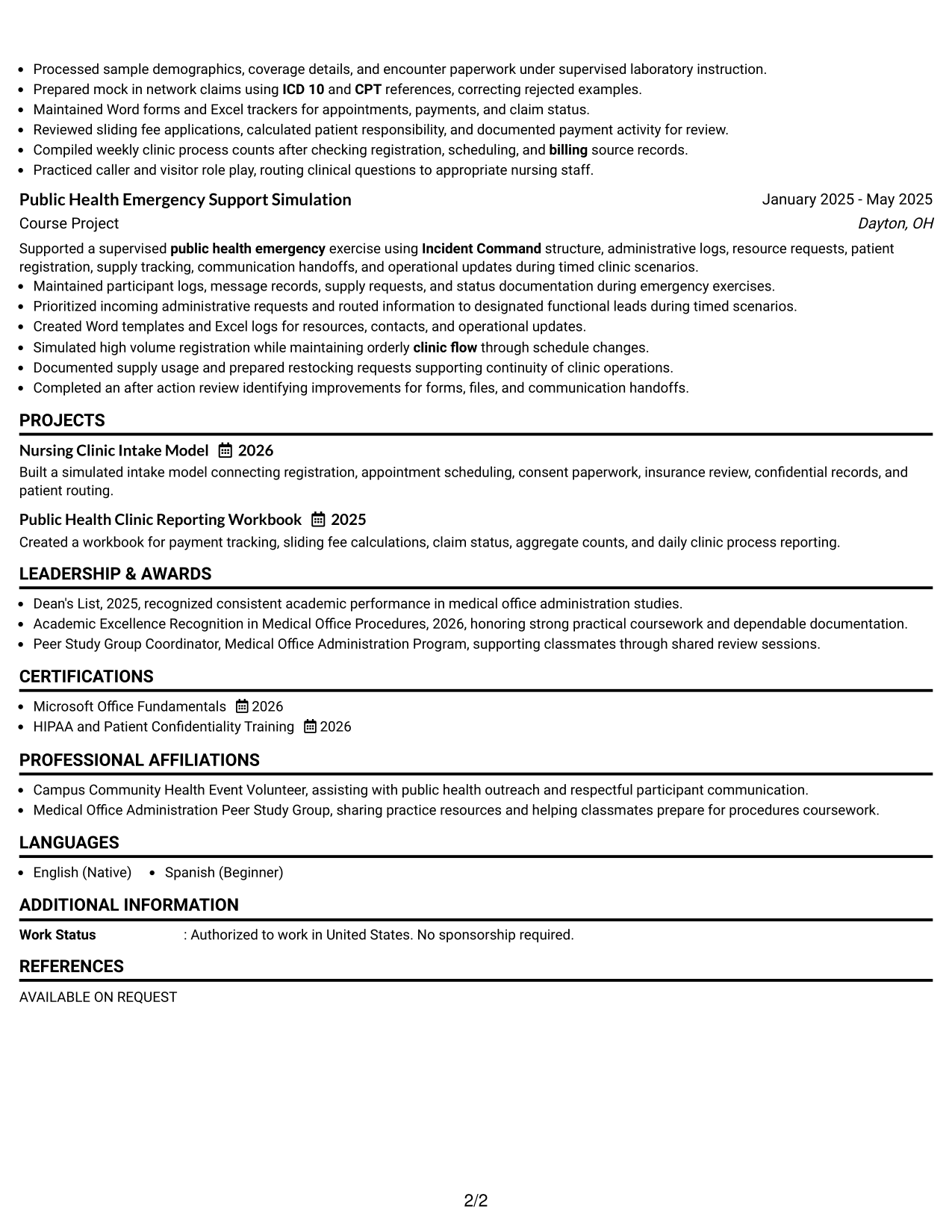
 
Resume Example Page 1   Resume Example Page 2

Why This Format Works

  • Single-column body keeps experience and achievements in one clear flow.
  • Header photo stays separate from the resume's main evidence sections.
  • Full-width content lets education and credentials remain easy to compare.

Best For

  • Markets where resume photos are expected
  • International application settings
  • Strong header identification
  • Uninterrupted experience reading
  • Full-width skills and education
 

#4 Clean Two Column Sidebar Format Resume Example

A two-column body with a sidebar separates compact details from the main resume story, helping recruiters scan both areas with less crowding.
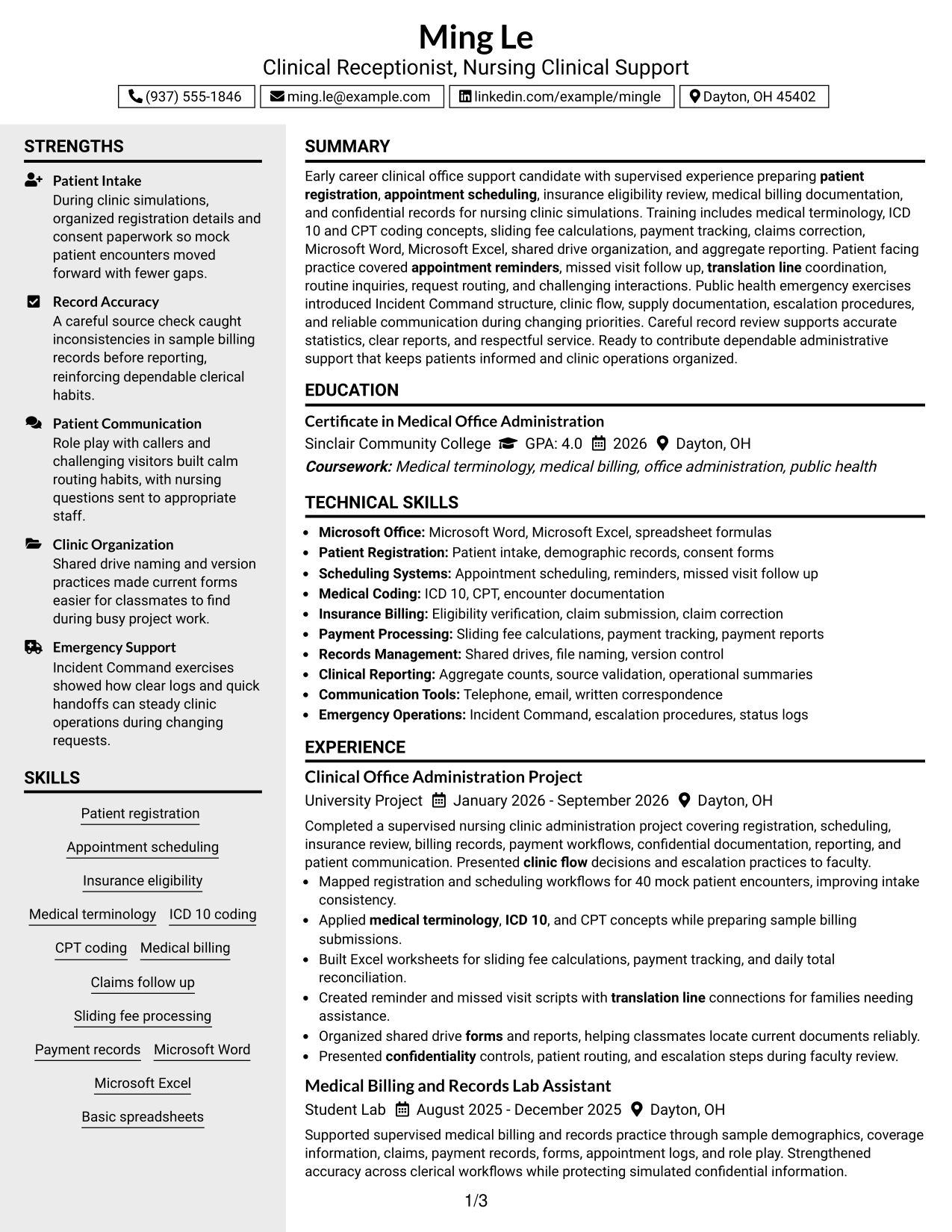
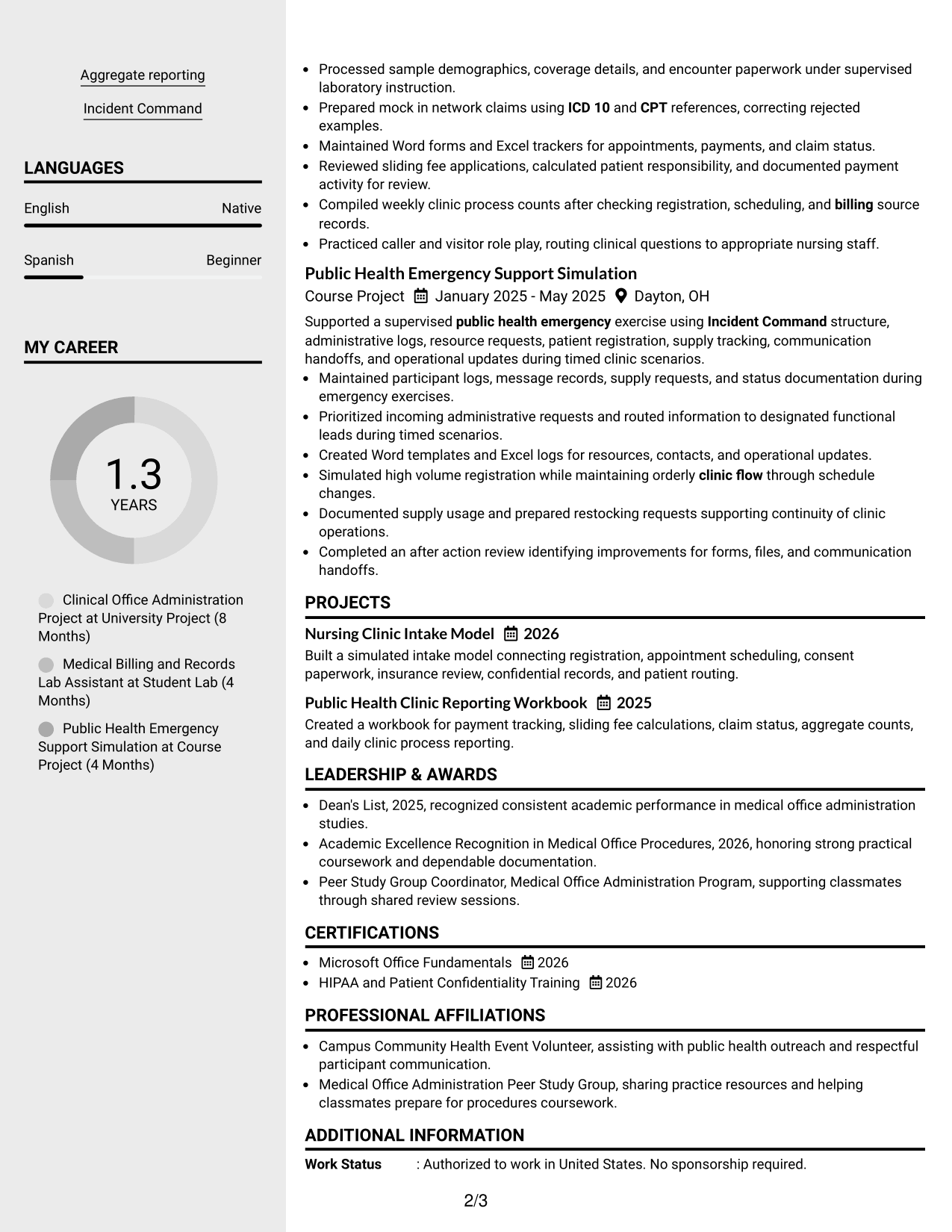
 
Resume Example Page 1   Resume Example Page 2

Why This Format Works

  • Sidebar separation keeps compact skills apart from detailed experience content.
  • Main column gives achievements a stable path for sequential reading.
  • Parallel sections make education and credentials easier to find without crowding.

Best For

  • Compact skills lists
  • Experience needing more narrative space
  • Quick credential checks
  • Balanced two-column organization
  • Readers comparing details at a glance


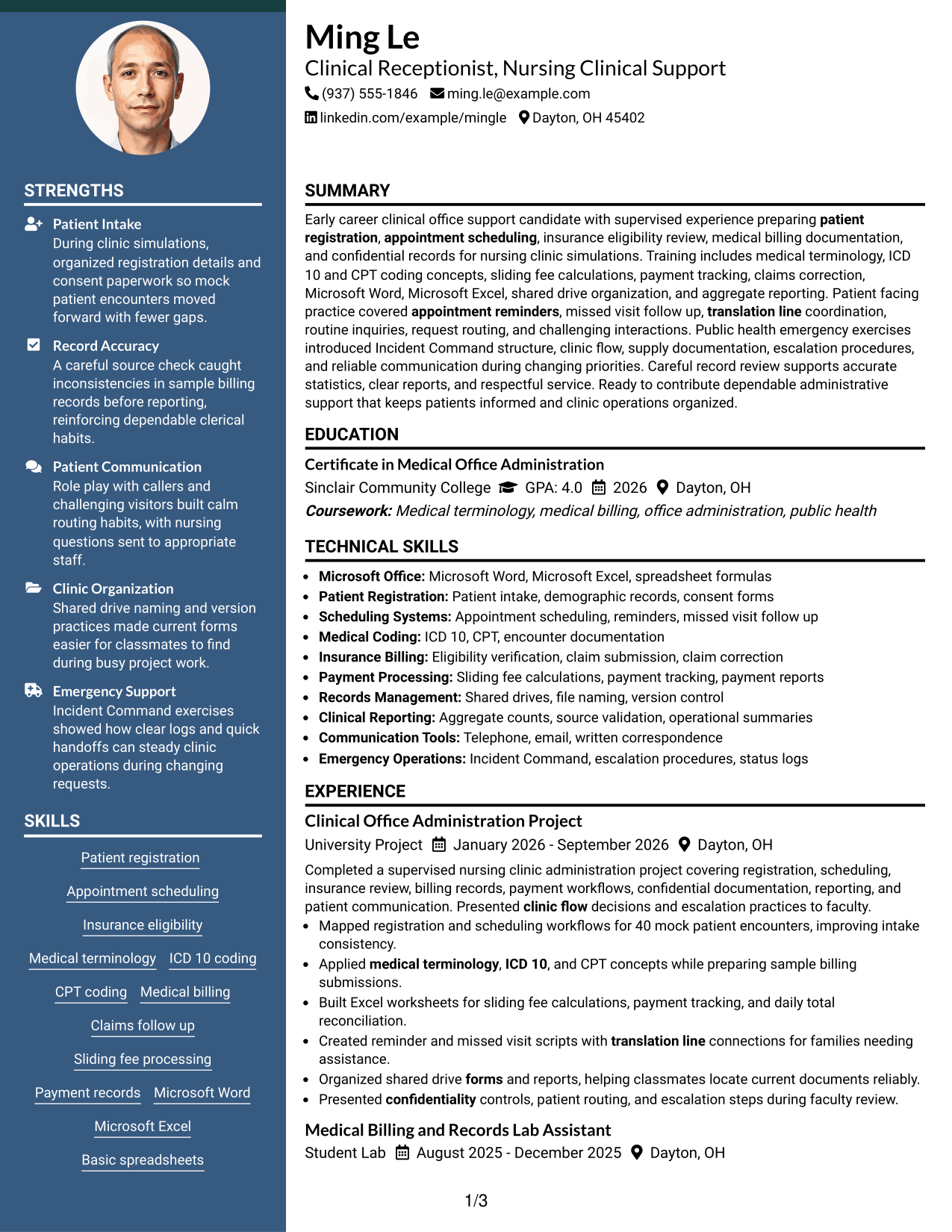
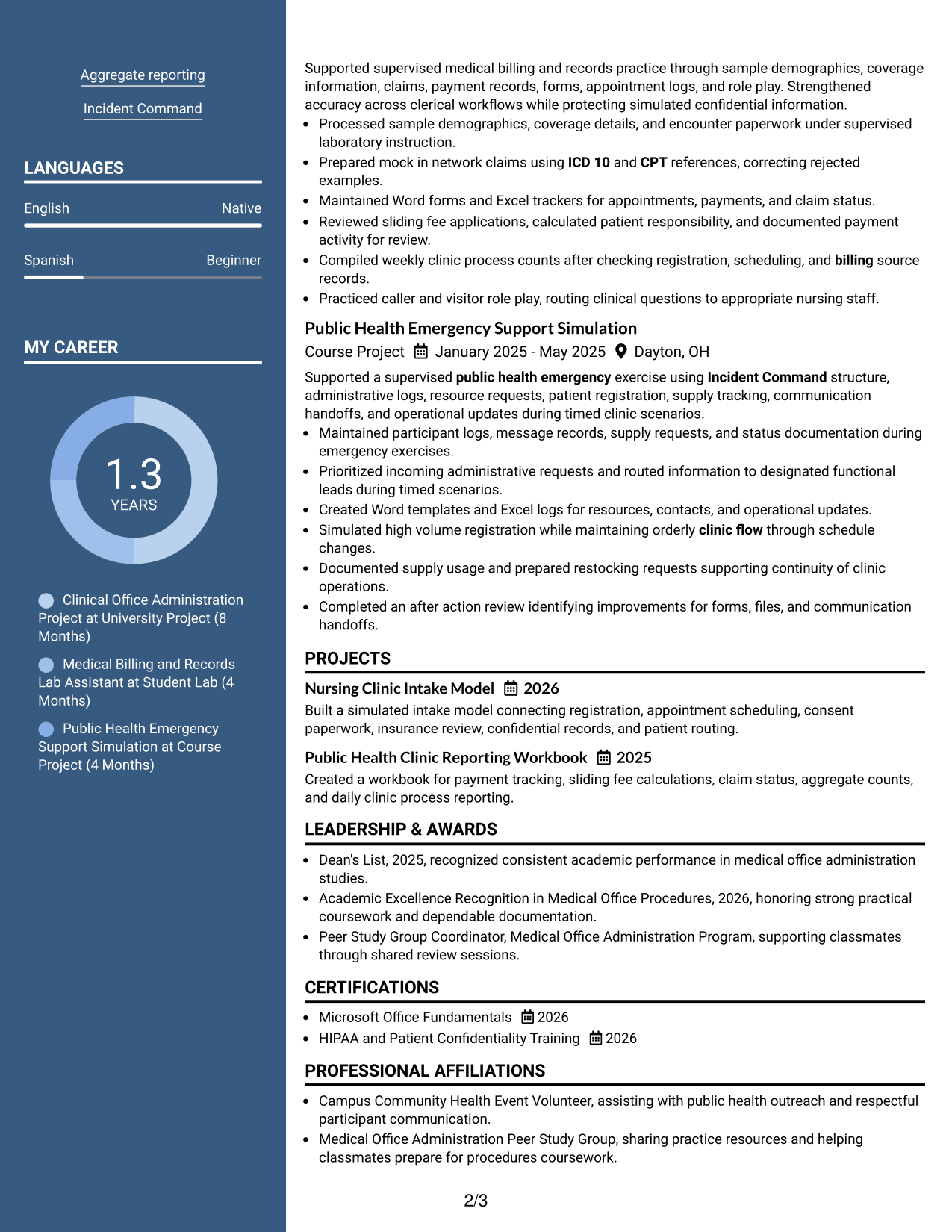
#5 Two Column Format Resume Example

This two-column format shares information across parallel areas, helping recruiters compare key sections without losing the resume's overall reading order.
 
Resume Example Page 1   Resume Example Page 2

Why This Format Works

  • Parallel columns divide supporting details from longer experience sections.
  • Clear section boundaries help achievements remain distinct from skills.
  • Two-column organization uses space efficiently for education and credentials.

Best For

  • Mixed experience and project content
  • Moderate skills volume
  • Side-by-side section review
  • Space-conscious resume organization
  • Visible education and credentials
 

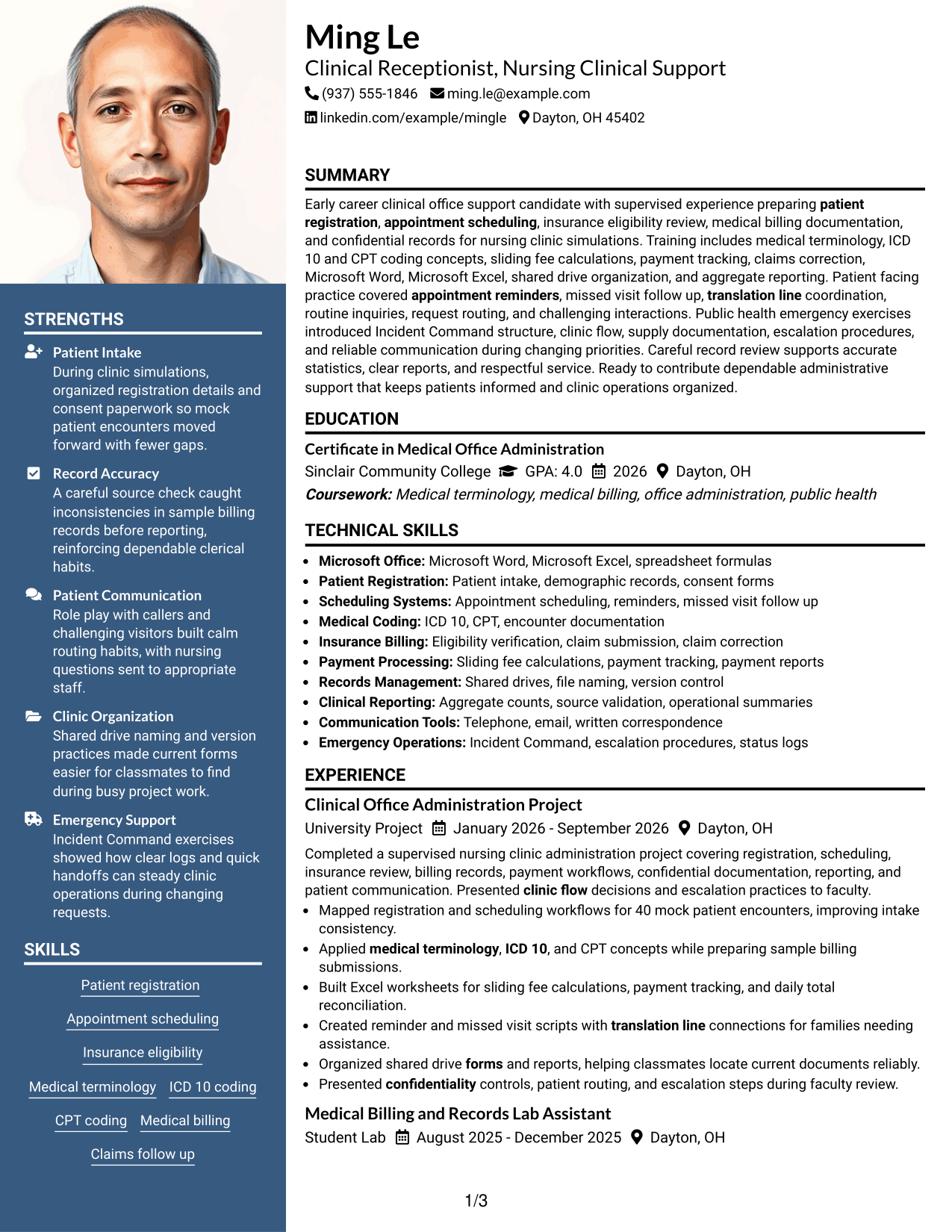
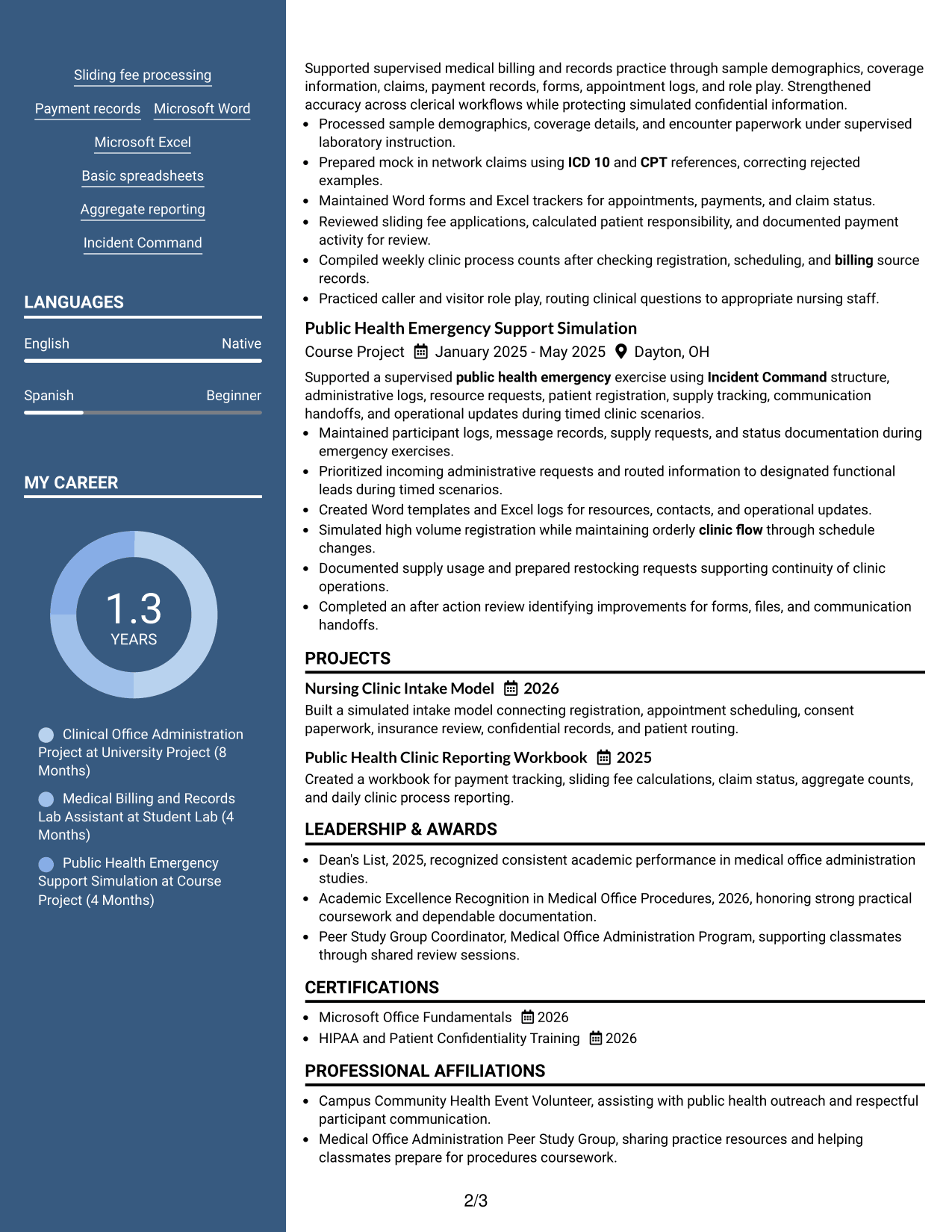
#6 Photo Header Two Column Format Resume Example

A photo header identifies the applicant visually, while the two-column body helps recruiters scan supporting details beside the main resume content.
 
Resume Example Page 1   Resume Example Page 2

Why This Format Works

  • Two-column body separates concise qualifications from fuller experience material.
  • Header photo remains distinct from achievements, skills, and credentials.
  • Split body structure gives education a clear area within broader content.

Best For

  • Regions where photos are customary
  • International resume use
  • Compact qualification summaries
  • Experience with several supporting sections
  • Two-column visual balance
 

#7 Simple Two Column Format Resume Example

A simple two-column structure organizes the resume into clear parallel areas, helping recruiters move between core experience and supporting sections efficiently.
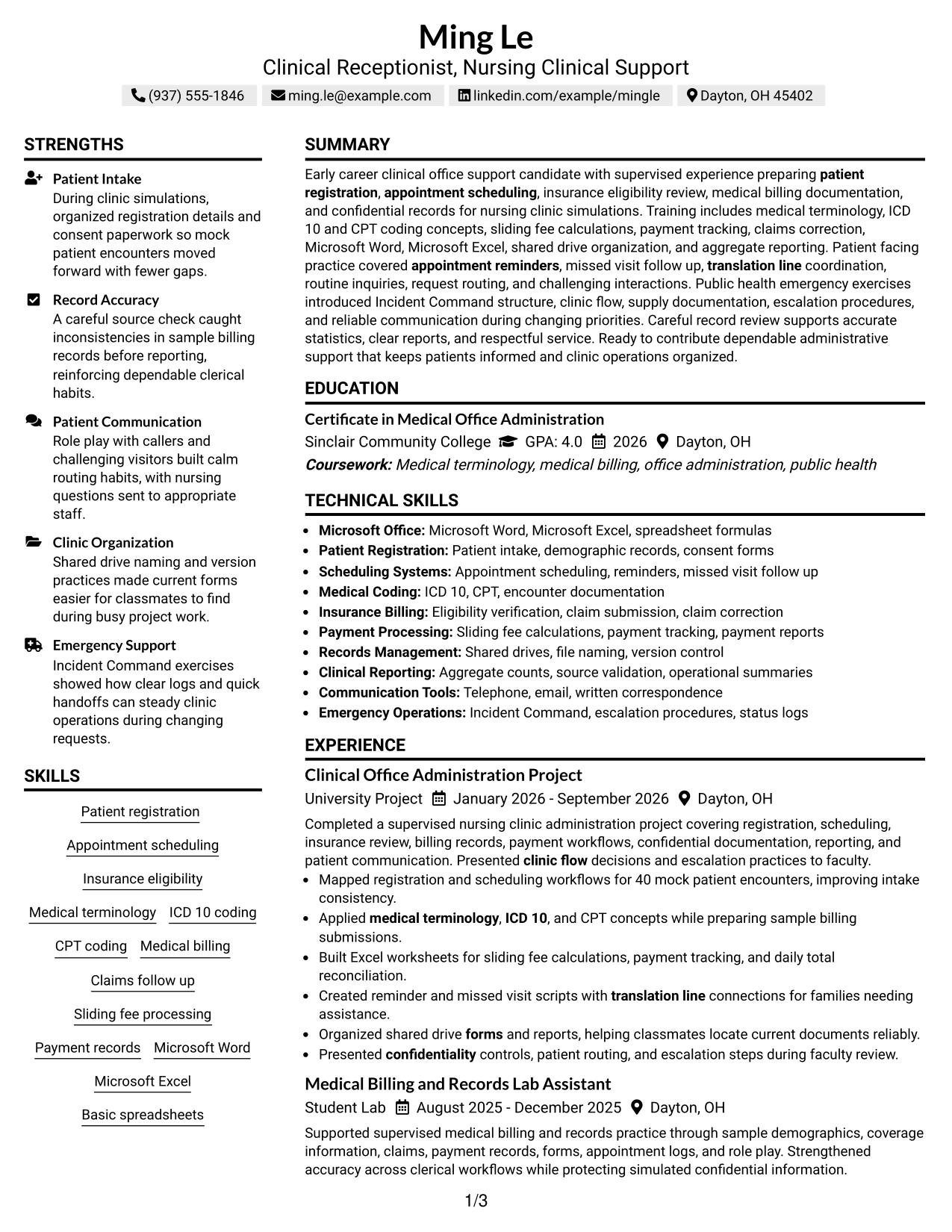
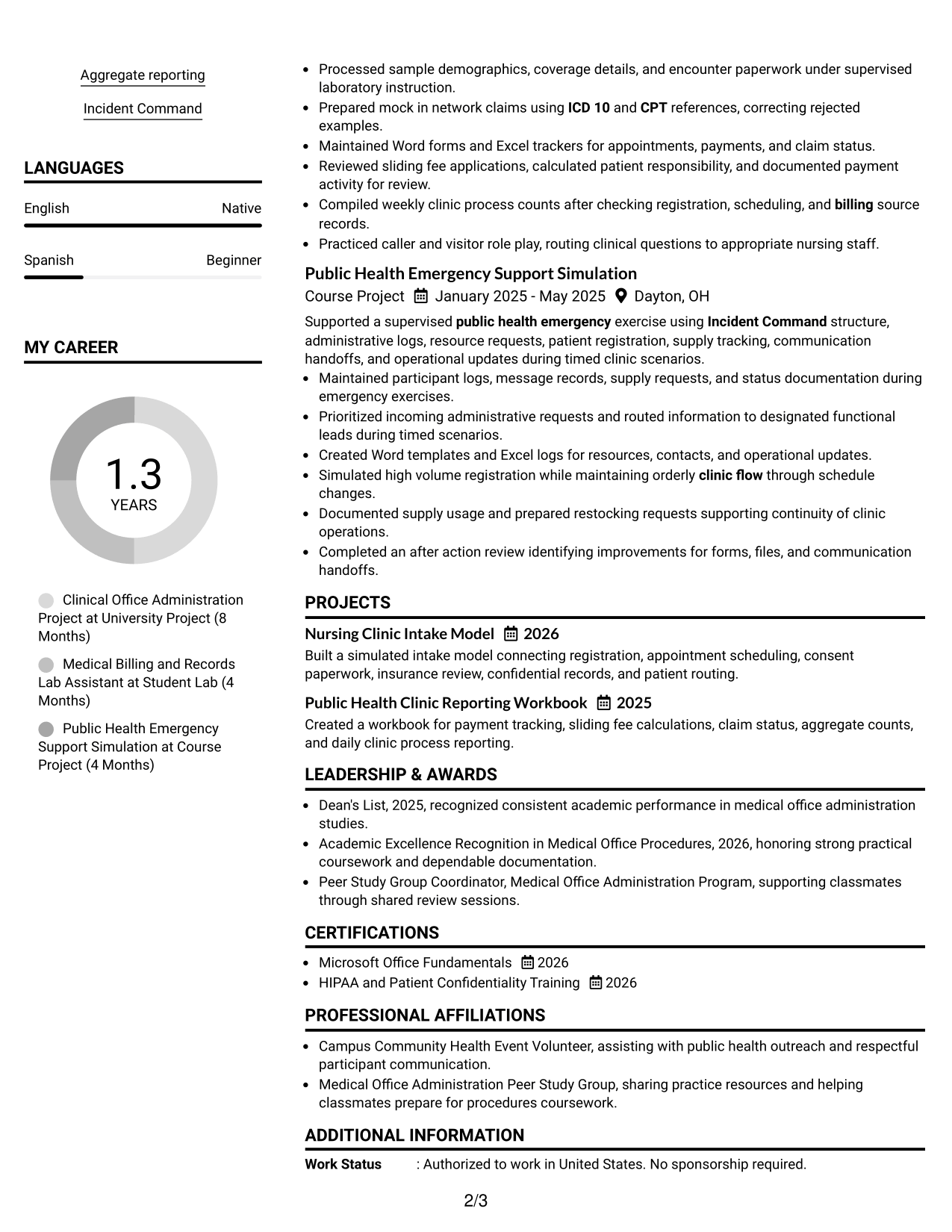
 
Resume Example Page 1   Resume Example Page 2

Why This Format Works

  • Simple column division separates core experience from supporting information.
  • Compact structure keeps skills visible without interrupting achievement bullets.
  • Defined sections help reviewers connect education and credentials with experience.

Best For

  • Concise supporting details
  • Strong experience focus
  • Easy skills visibility
  • Projects plus formal education
  • Structured two-column reading


Why Build Your Clinical Receptionist/Office Assistant - Nursing Clinical Support Resume with ResumeInMinutes

ResumeInMinutes helps you turn clinical office training, projects, records work, and patient-facing practice into a clear resume that is easy to review and update.

  • ATS-friendly section structure
  • Role-focused resume keywords
  • Experience and project organization
  • Skills and credentials sections
  • Free PDF resume previews
  • Resume customization support

You can refine the summary, bullet points, skills, education, projects, and certifications while keeping the document focused on clinical reception and nursing office support.


See Also


Frequently Asked Questions

Are these Clinical Receptionist/Office Assistant - Nursing Clinical Support resume templates ATS-friendly?

They use clear section structure and readable headings that support ATS scanning. Your best results still depend on accurate keywords and simple formatting that match your experience.

Are these different resumes?

No. This guide shows the same Clinical Receptionist/Office Assistant - Nursing Clinical Support resume in different visual layouts so you can compare structure and presentation.

What should a Clinical Receptionist/Office Assistant - Nursing Clinical Support resume include?

Include a focused summary, relevant experience or supervised projects, education, skills, certifications, and evidence of accurate administrative work. Add measurable results when your source information supports them.

Which keywords are useful for this resume?

Useful grounded terms can include patient registration, appointment scheduling, insurance eligibility, medical terminology, ICD-10, CPT, sliding-fee processing, Microsoft Word, Microsoft Excel, confidentiality, and aggregate reporting.

How should I present supervised projects or lab work?

Label the setting clearly and describe the work as supervised, simulated, academic, or project-based when that is accurate. Focus on the tasks, records, tools, and results you can support.

Can I download the resume templates as PDFs?

Yes. The available resume styles provide PDF previews so you can review the format before choosing one for your application.

Should I include a photo on my resume?

For U.S. applications, a no-photo resume is generally the safer choice. Use a photo only when it is normal or expected in the country or market where you are applying.

Can I customize these resume templates?

Yes. You can adjust the resume text, section order, layout, and PDF style while keeping your claims accurate and relevant to the target role.


ATS score 67%

How we calculate this score

  • Keywords: 60% of the total. AI extracts keywords from your job description. If you do not provide one, a standard job description for the title matching your resume is used. This is not a match to a specific vacancy.
  • Text-based resume: 20%. The text resume assessed here receives 100 for this part.
  • Resume quality: 20%. We start at 100 and subtract points for issues found by our resume checks, down to a minimum of zero.
  • Keyword coverage = 100 × (confirmed matches + 0.8 × possible matches) ÷ total keywords, rounded and capped at 100. Possible matches still need checking. Saved generation audits use their saved keyword percentage.
  • Final score = 60% of keyword coverage + 20% of the text score + 20% of the quality score, rounded to a whole number. Without keywords, no overall ATS score is available.

What this score means

Our scores are estimates, not employer ratings. They may contain errors and do not guarantee accurate parsing, a ranking, an interview, or a job. Check your document against the employer’s requirements. You are responsible for relying on this score.

Terms and Conditions

Score weights: Keywords 60% · Text based resume 20% · Resume quality 20%

Live keyword match: 24 of 53 (45%) · Resume quality: 100%

Resume quality 100% · Weight 20% · Issues (0)

Details
  • ✓Name present: Ming Le
  • ✓Email format: ming.le@example.com
  • ✓Phone format: (937) 555-1846
  • ✓Experience 1: Job title: Clinical Office Administration Project
  • ✓Experience 1: Company name: University Project
  • ✓Experience 1: Employment dates: January 2026 - September 2026
  • ✓Experience 1: Description or achievements: Present
  • ✓Experience 2: Job title: Medical Billing and Records Lab Assistant
  • ✓Experience 2: Company name: Student Lab
  • ✓Experience 2: Employment dates: August 2025 - December 2025
  • ✓Experience 2: Description or achievements: Present
  • ✓Experience 3: Job title: Public Health Emergency Support Simulation
  • ✓Experience 3: Company name: Course Project
  • ✓Experience 3: Employment dates: January 2025 - May 2025
  • ✓Experience 3: Description or achievements: Present
  • ✓No placeholder fields
  • ✓No repeated achievement bullets
  • ✓No empty bullets

No issues found by the current checks.

Text Based Resume 100% · Weight 20%

Parsed text
Ming Le
(937) 555-1846
ming.le@example.com
linkedin.com/example/mingle
Dayton, OH 45402
SUMMARY
Early career clinical office support candidate with supervised experience preparing patient registration, appointment scheduling, insurance eligibility review, medical billing documentation, and confidential records for nursing clinic simulations. Training includes medical terminology, ICD 10 and CPT coding concepts, sliding fee calculations, payment tracking, claims correction, Microsoft Word, Microsoft Excel, shared drive organization, and aggregate reporting. Patient facing practice covered appointment reminders, missed visit follow up, translation line coordination, routine inquiries, request routing, and challenging interactions. Public health emergency exercises introduced Incident Command structure, clinic flow, supply documentation, escalation procedures, and reliable communication during changing priorities. Careful record review supports accurate statistics, clear reports, and respectful service. Ready to contribute dependable administrative support that keeps patients informed and clinic operations organized.
EDUCATION
Certificate in Medical Office Administration
Sinclair Community College
GPA: 4.0
2026
Dayton, OH
Coursework: Medical terminology, medical billing, office administration, public health
TECHNICAL SKILLS
Microsoft Office: Microsoft Word, Microsoft Excel, spreadsheet formulas
Patient Registration: Patient intake, demographic records, consent forms
Scheduling Systems: Appointment scheduling, reminders, missed visit follow up
Medical Coding: ICD 10, CPT, encounter documentation
Insurance Billing: Eligibility verification, claim submission, claim correction
Payment Processing: Sliding fee calculations, payment tracking, payment reports
Records Management: Shared drives, file naming, version control
Clinical Reporting: Aggregate counts, source validation, operational summaries
Communication Tools: Telephone, email, written correspondence
Emergency Operations: Incident Command, escalation procedures, status logs
SKILLS
Patient registration
Appointment scheduling
Insurance eligibility
Medical terminology
ICD 10 coding
CPT coding
Medical billing
Claims follow up
Sliding fee processing
Payment records
Microsoft Word
Microsoft Excel
Basic spreadsheets
Aggregate reporting
Incident Command
EXPERIENCE
Clinical Office Administration Project
University Project
January 2026 - September 2026
Dayton, OH
Completed a supervised nursing clinic administration project covering registration, scheduling, insurance review, billing records, payment workflows, confidential documentation, reporting, and patient communication. Presented clinic flow decisions and escalation practices to faculty.
Mapped registration and scheduling workflows for 40 mock patient encounters, improving intake consistency.
Applied medical terminology, ICD 10, and CPT concepts while preparing sample billing submissions.
Built Excel worksheets for sliding fee calculations, payment tracking, and daily total reconciliation.
Created reminder and missed visit scripts with translation line connections for families needing assistance.
Organized shared drive forms and reports, helping classmates locate current documents reliably.
Presented confidentiality controls, patient routing, and escalation steps during faculty review.
Medical Billing and Records Lab Assistant
Student Lab
August 2025 - December 2025
Dayton, OH
Supported supervised medical billing and records practice through sample demographics, coverage information, claims, payment records, forms, appointment logs, and role play. Strengthened accuracy across clerical workflows while protecting simulated confidential information.
Processed sample demographics, coverage details, and encounter paperwork under supervised laboratory instruction.
Prepared mock in network claims using ICD 10 and CPT references, correcting rejected examples.
Maintained Word forms and Excel trackers for appointments, payments, and claim status.
Reviewed sliding fee applications, calculated patient responsibility, and documented payment activity for review.
Compiled weekly clinic process counts after checking registration, scheduling, and billing source records.
Practiced caller and visitor role play, routing clinical questions to appropriate nursing staff.
Public Health Emergency Support Simulation
Course Project
January 2025 - May 2025
Dayton, OH
Supported a supervised public health emergency exercise using Incident Command structure, administrative logs, resource requests, patient registration, supply tracking, communication handoffs, and operational updates during timed clinic scenarios.
Maintained participant logs, message records, supply requests, and status documentation during emergency exercises.
Prioritized incoming administrative requests and routed information to designated functional leads during timed scenarios.
Created Word templates and Excel logs for resources, contacts, and operational updates.
Simulated high volume registration while maintaining orderly clinic flow through schedule changes.
Documented supply usage and prepared restocking requests supporting continuity of clinic operations.
Completed an after action review identifying improvements for forms, files, and communication handoffs.
PROJECTS
Nursing Clinic Intake Model
2026
Built a simulated intake model connecting registration, appointment scheduling, consent paperwork, insurance review, confidential records, and patient routing.
Public Health Clinic Reporting Workbook
2025
Created a workbook for payment tracking, sliding fee calculations, claim status, aggregate counts, and daily clinic process reporting.
LEADERSHIP & AWARDS
Dean's List, 2025, recognized consistent academic performance in medical office administration studies.
Academic Excellence Recognition in Medical Office Procedures, 2026, honoring strong practical coursework and dependable documentation.
Peer Study Group Coordinator, Medical Office Administration Program, supporting classmates through shared review sessions.
CERTIFICATIONS
Microsoft Office Fundamentals
2026
HIPAA and Patient Confidentiality Training
2026
PROFESSIONAL AFFILIATIONS
Campus Community Health Event Volunteer, assisting with public health outreach and respectful participant communication.
Medical Office Administration Peer Study Group, sharing practice resources and helping classmates prepare for procedures coursework.
LANGUAGES
English (Native)
Spanish (Beginner)
ADDITIONAL INFORMATION
Work Status
: Authorized to work in United States. No sponsorship required.
REFERENCES
AVAILABLE ON REQUEST

Matched keywords (24)

  • patient registration
  • appointment scheduling
  • clinic flow
  • appointment reminders
  • translation line
  • payment reports
  • billing
  • ICD 10
  • CPT
  • visitor
  • caller
  • routine inquiries
  • Telephone
  • email
  • written correspondence
  • Microsoft Word
  • Microsoft Excel
  • forms
  • correspondence
  • supply
  • Incident Command
  • Public health emergency
  • medical terminology
  • confidentiality

Missing keywords (29)

  • Clinical Receptionist
  • Office Assistant
  • Nursing Clinical Support
  • paperwork processing
  • insurance eligibility verification
  • software
  • Internet programs
  • missed appointments
  • sliding fee discount applications
  • calculate amounts due
  • collect payments
  • in network insurance carriers
  • resubmission
  • appeal unpaid claims
  • aggregate clinical process data
  • operational reports
  • greet patients
  • grant directed non clinical services
  • basic spreadsheet functions
  • shared drive files
  • office equipment
  • mail
  • work priorities
  • professional development
  • high school diploma
  • GED
  • accurate records
  • reliable statistics
  • nursing policies and procedures
Disclaimer: All names, images, contact information, employment histories, achievements, security clearances, military credentials, and other qualifications shown in this content are fictional and used for illustrative purposes only. Any resemblance to actual persons, living or deceased, is purely coincidental.

Resume and cover-letter examples and recommendations in this article reflect general best practices and professional experience and are provided for guidance only. Results may vary based on role, industry, region, and hiring organization.

Content Accuracy and Verification: To the fullest extent permitted by applicable law, we do not represent or warrant that resume or cover-letter guidance, examples, recommendations, or related information are accurate, complete, current, error-free, or suitable for any particular purpose. You are responsible for independently reviewing and verifying the information before relying on it.

ATS and Cover-Letter Scores: ATS scores are estimates calculated using our own formula, informed by publicly available guidance on resume formatting and keyword matching. They are not scores issued or endorsed by an ATS provider or employer. Cover-letter scores are also our own assessments. Parsing, weighting, screening criteria, and results vary between systems, employers, job descriptions, and document formats. No score guarantees successful parsing, a particular ranking, an interview, or employment. Use scores as general guidance and independently check your documents against the employer’s requirements. To the fullest extent permitted by applicable law, we accept no liability for errors in scores or parsing, or losses arising from reliance on these assessments. Nothing in this notice excludes liability or limits consumer rights that cannot lawfully be excluded or limited.

Terms and Conditions
 
> JP 1 1
PDF Footer and Margins Setup
The margins are applied to the document, and the footer shows up in the preview and the PDF

Footer Font Settings

Are you applying for a specific job
so we can tailor your resume to it?
Are you applying for a specific job
so we can tailor your cover letter to it?
Type your details as text to generate a personalized resume Type your details as text to generate a personalized cover letter
Website link found! Ready to create resume from:
Drag the into the box to verify you're human.
Drop here

My Resumes

Displaying {number_of_files} files (out of {total_of_all_files} total)
Name File Type Last Modified: Description:

Rename File

Filename already exists!

Delete Files

Warning: This action is irreversible. Once you click submit, the files will be permanently deleted.

Heading text
Upload From Computer Upload
Select From Existing
LinkedIn
Drag & Drop files anywhere in this tab, or

Uploaded Files

Delete Name Last Updated Use This File
Select this to use the file for generating your resume and cover letter. Only one source—uploaded file, selected file, or LinkedIn text—can be used.

My Files

Resumes or cover letters you create will appear here. No files available yet.
Delete Name Last Updated Use This File
Select this to use the file for generating your resume and cover letter. Only one source—uploaded file, selected file, or LinkedIn text—can be used.

Add LinkedIn Profile PDF

You can download your LinkedIn profile as a PDF by opening linkedin.com in a web browser, clicking your profile photo, selecting the “More” or “Resources” button, and choosing “Save to PDF.” You can then attach the PDF using the Upload From Computer tab.

Paste Your LinkedIn Profile Text

If you have copied the LinkedIn profile text, paste it below. See how to copy your profile from LinkedIn

Select this to use the LinkedIn profile text for generating your resume and cover letter. Only one source—uploaded file, selected file, or LinkedIn text—can be used.

Try these controls

<
>


