
US English


7 HR Office Assistant Resume Templates with Example
By Ria · Last Updated On September 26, 2026
Resume Example Page 1

This practical guide shows you how to build an HR Office Assistant resume that is clear, focused, and easy to review. You will see how strong structure helps your office support experience, education, and service skills stand out.

For this role, useful evidence includes front-desk service, clerical support, confidential record handling, data entry, filing, mail processing, and clear phone or email routing. Add relevant Microsoft Office skills and Form I-9 knowledge only when your own experience or training supports those claims.

The same complete resume is shown in 7 ATS-friendly resume layouts. Compare how each format organizes experience, skills, education, credentials, and projects, then choose the structure that makes your strongest evidence easiest to find.

What Makes a Great HR Office Assistant Resume in 2026

A strong HR Office Assistant resume is clear, accurate, service-focused, and easy to scan. Use direct section headings and concise bullets so reviewers can quickly understand your office support experience.

Match supported keywords such as front desk service, clerical support, confidential records, data entry, filing, mail processing, Microsoft Office Suite, and Form I-9 concepts to real work, coursework, or projects.

The examples shown below are intentionally detailed to demonstrate a range of experiences, skills, accomplishments and relevant keywords. We prefer detailed resumes as they provide more context to the hiring managers and also help the ATS systems identify relevant qualifications and score your resume better for a match. But the length of a resume is an individual choice. If you want a one page resume, just keep the most relevant experience and information for the job. Note: Resume examples are for educational purposes only. Use only information that accurately reflects your experience and qualifications. References to real organizations do not imply affiliation or endorsement.

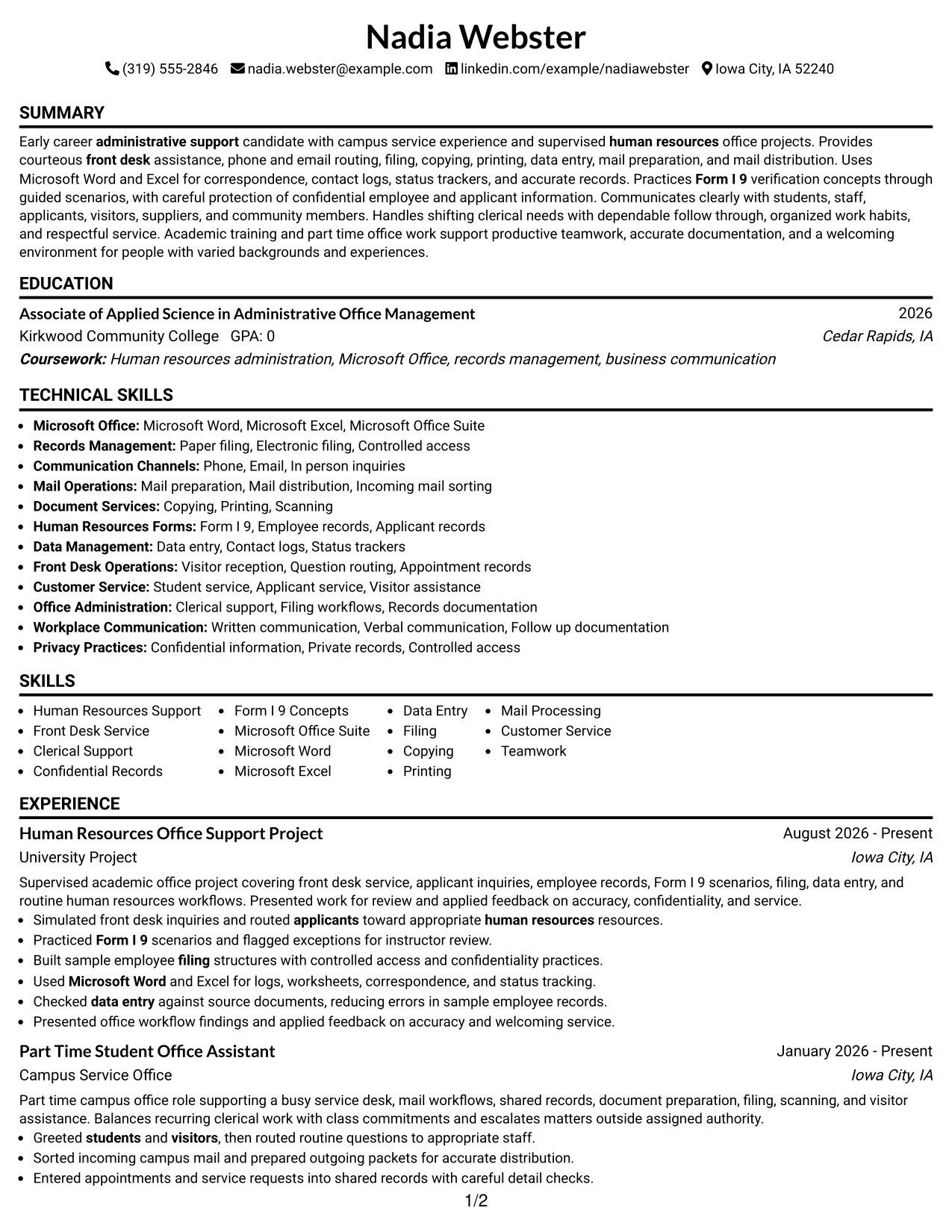
#1 Simple One Column Format Resume Example

A simple one-column flow keeps every resume section in one clear reading path, helping recruiters scan from summary through experience, education, skills, and credentials without changing direction.
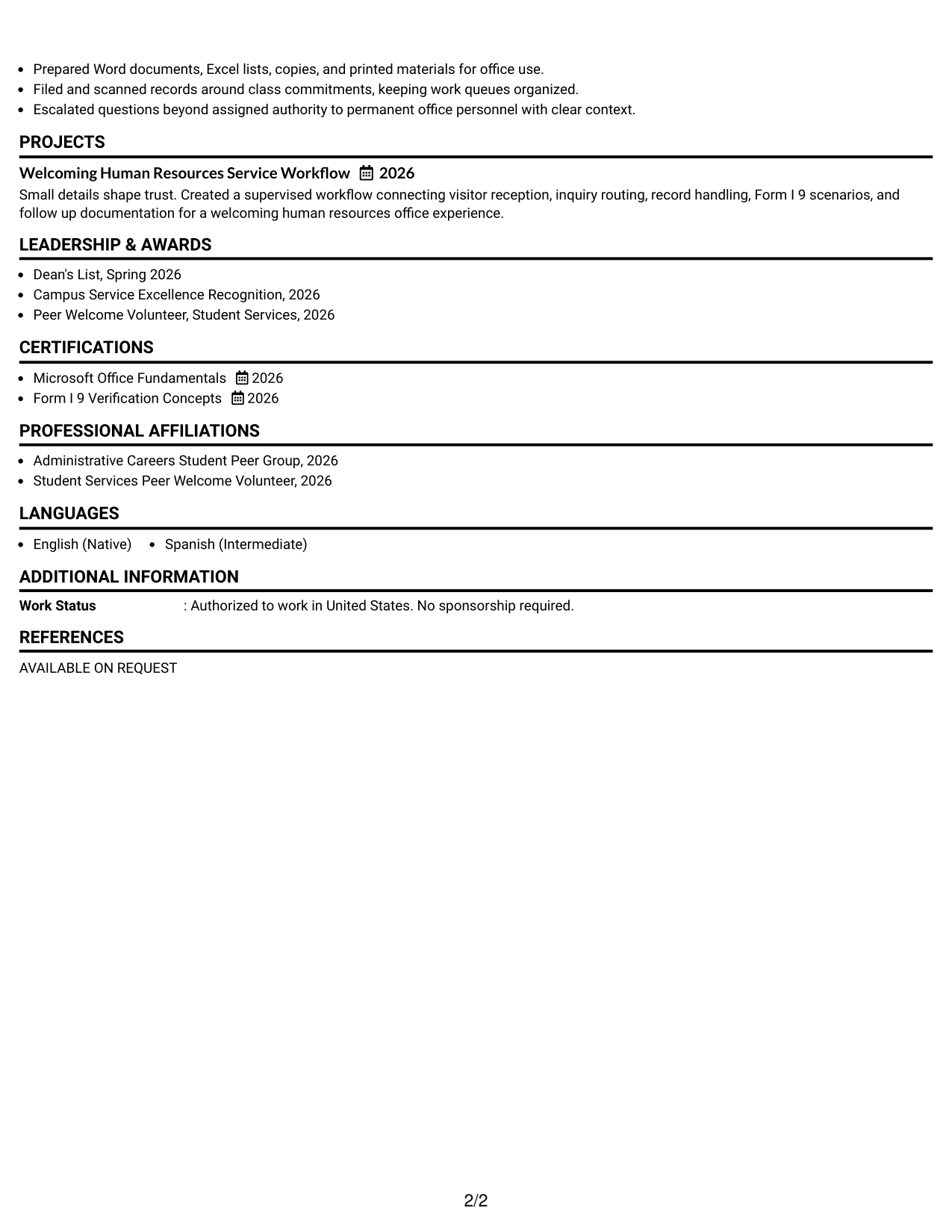
 
Resume Example Page 1   Resume Example Page 2

Why This Format Works

  • Linear reading order keeps experience and education easy to follow.
  • Full-width sections give detailed experience bullets room to stay readable.
  • Skills and credentials remain visible without competing with parallel columns.

Best For

  • Straightforward recruiter scanning
  • Detailed experience bullets
  • Simple ATS reading order
  • Early-career office resumes
  • Clear section hierarchy

Resume Keywords

  • human resources
  • front desk
  • administrative support
  • employee
  • applicant
  • students
  • visitors
  • Customer
  • phone
  • email
  • In person inquiries
  • filing
  • copying
  • printing
  • data entry
See all keywords
 

#2 Plain One Column with Shaded Labels Resume Example

Shaded section labels break the single-column resume into easy checkpoints, helping recruiters locate experience, education, skills, and credentials quickly while keeping a direct top-to-bottom scan.
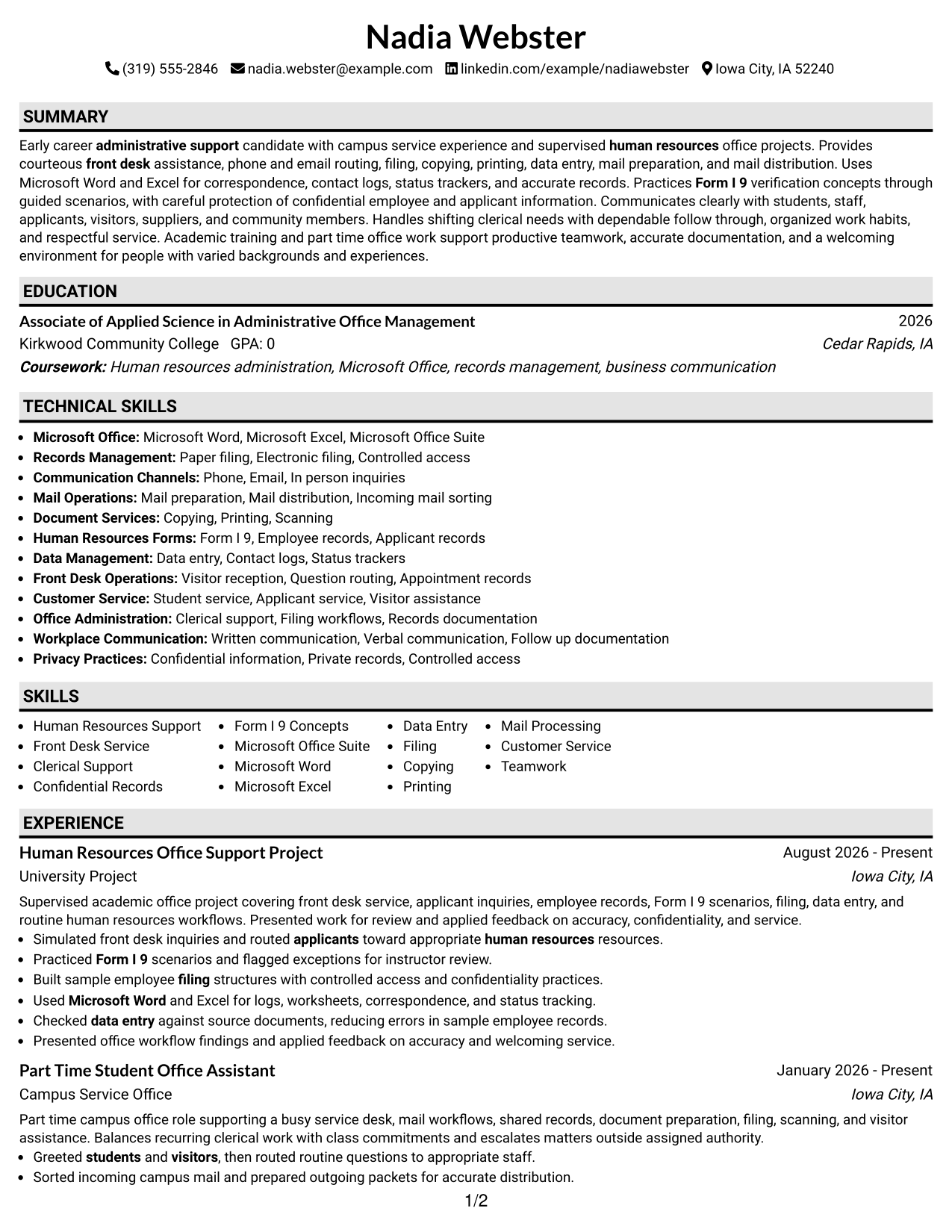
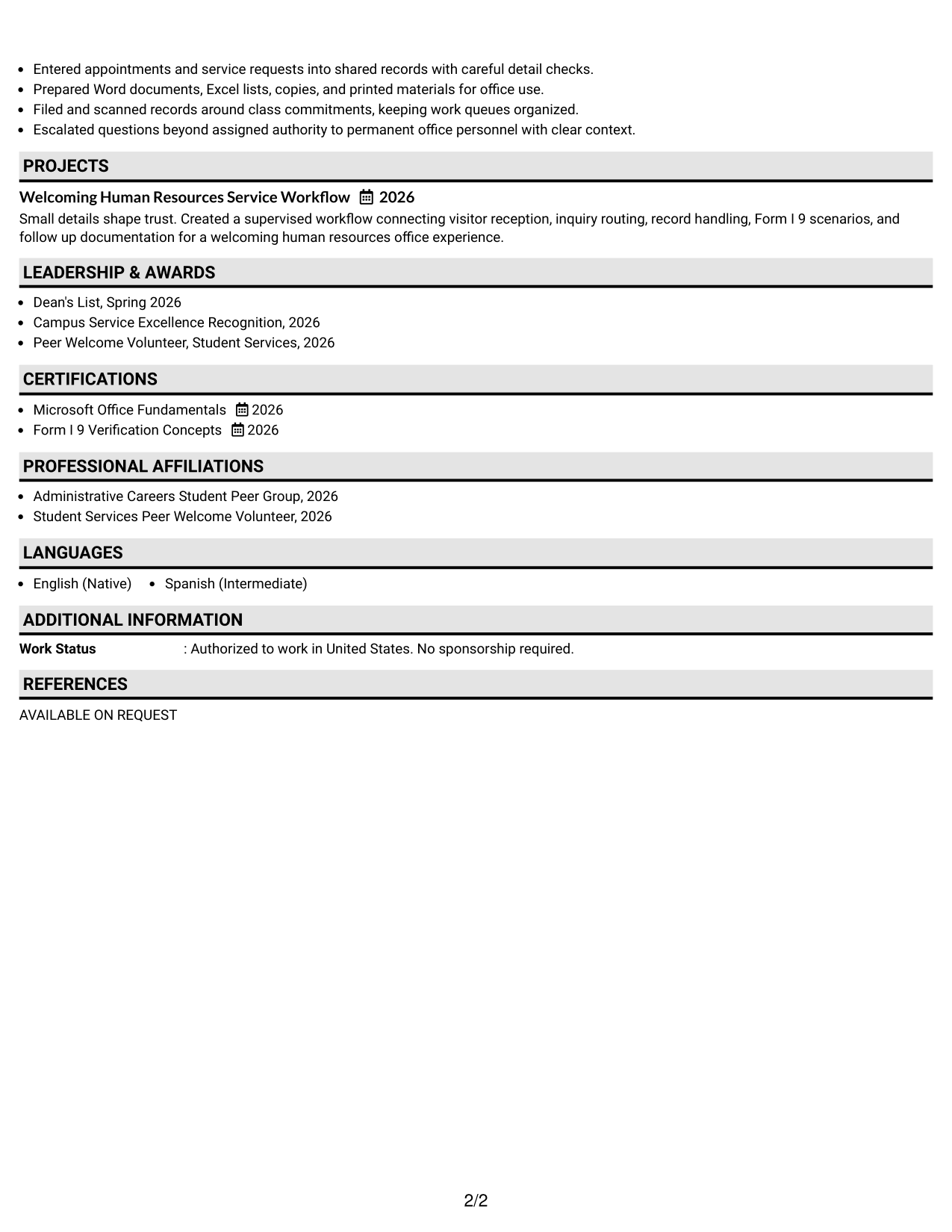
 
Resume Example Page 1   Resume Example Page 2

Why This Format Works

  • Shaded labels separate major sections without changing the reading order.
  • Clear section breaks help reviewers return to skills or education quickly.
  • Single-column spacing keeps longer experience content easy to track.

Best For

  • Readers who value clear section markers
  • Resumes with several distinct sections
  • Fast review of mixed credentials
  • Traditional office applications
  • Focused top-to-bottom reading
 

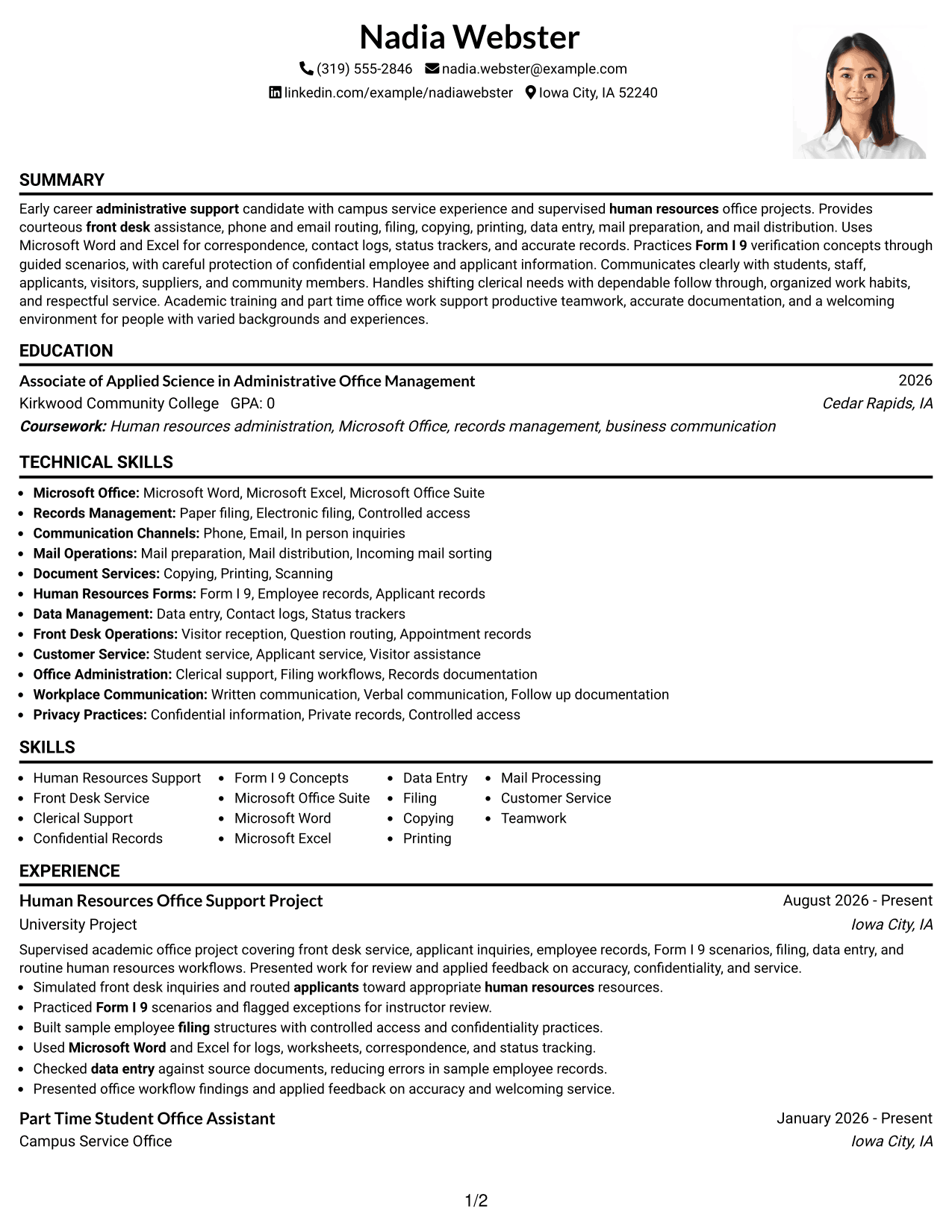
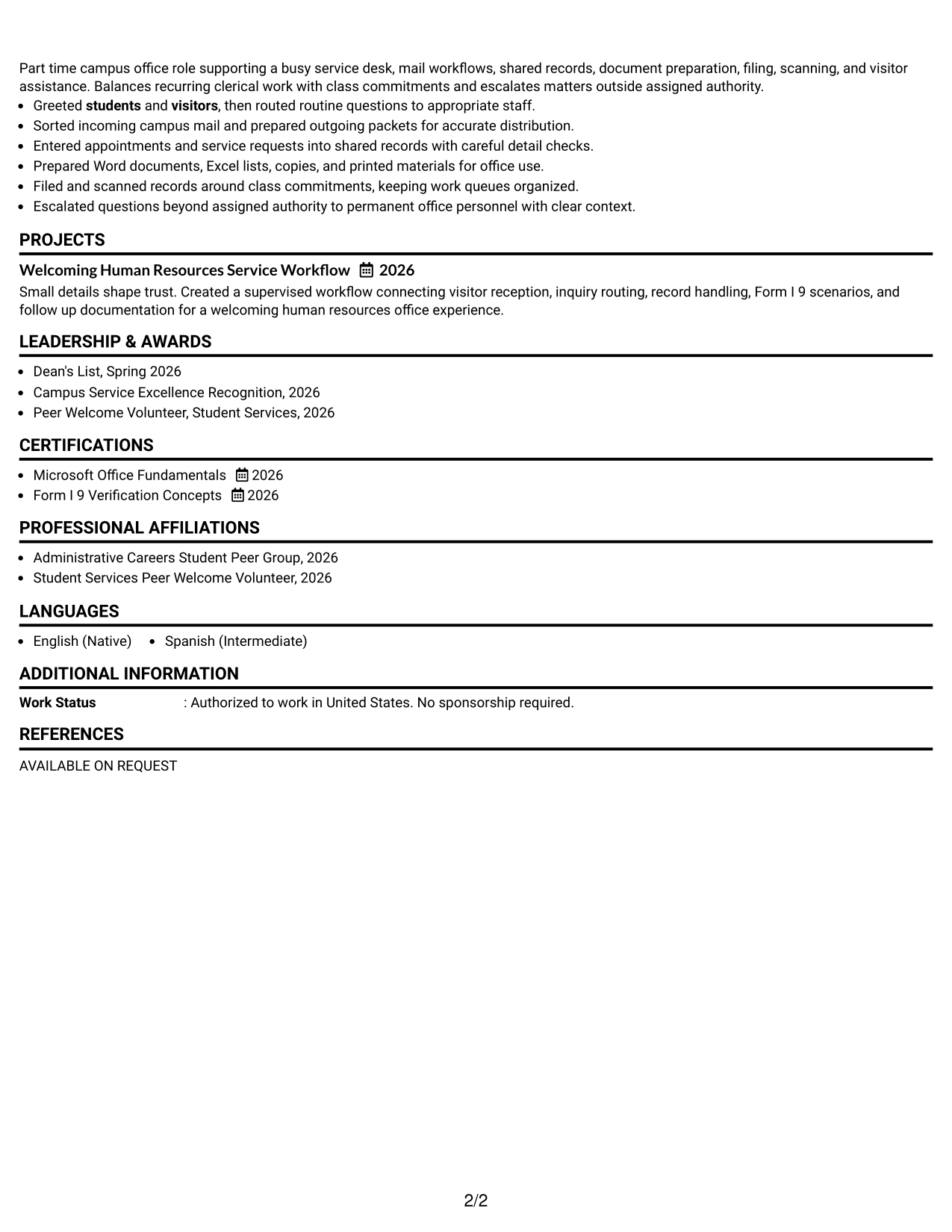
#3 One Column Format with Photo Right Resume Example

This one-column format keeps the resume body in a direct vertical sequence while placing a photo in the header area, so recruiters can scan experience, education, skills, and credentials in one consistent path.
 
Resume Example Page 1   Resume Example Page 2

Why This Format Works

  • Vertical body structure keeps experience and education in a predictable sequence.
  • Header photo stays separate from the resume's main content flow.
  • Full-width sections provide space for achievements, skills, and credentials.

Best For

  • Markets where resume photos are customary
  • Applications needing a personal header
  • Longer experience descriptions
  • Single-path content review
  • Visible education and credential sections
 

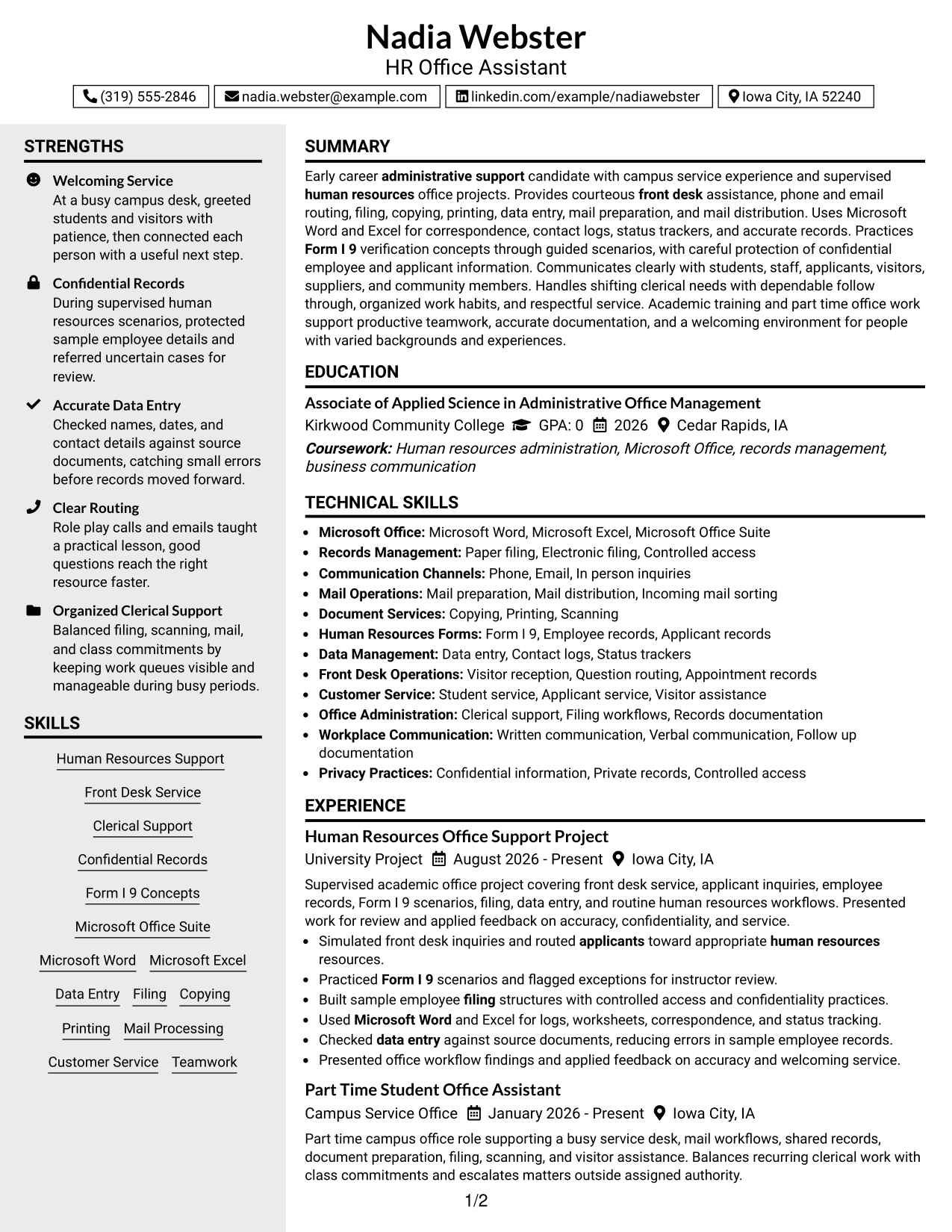
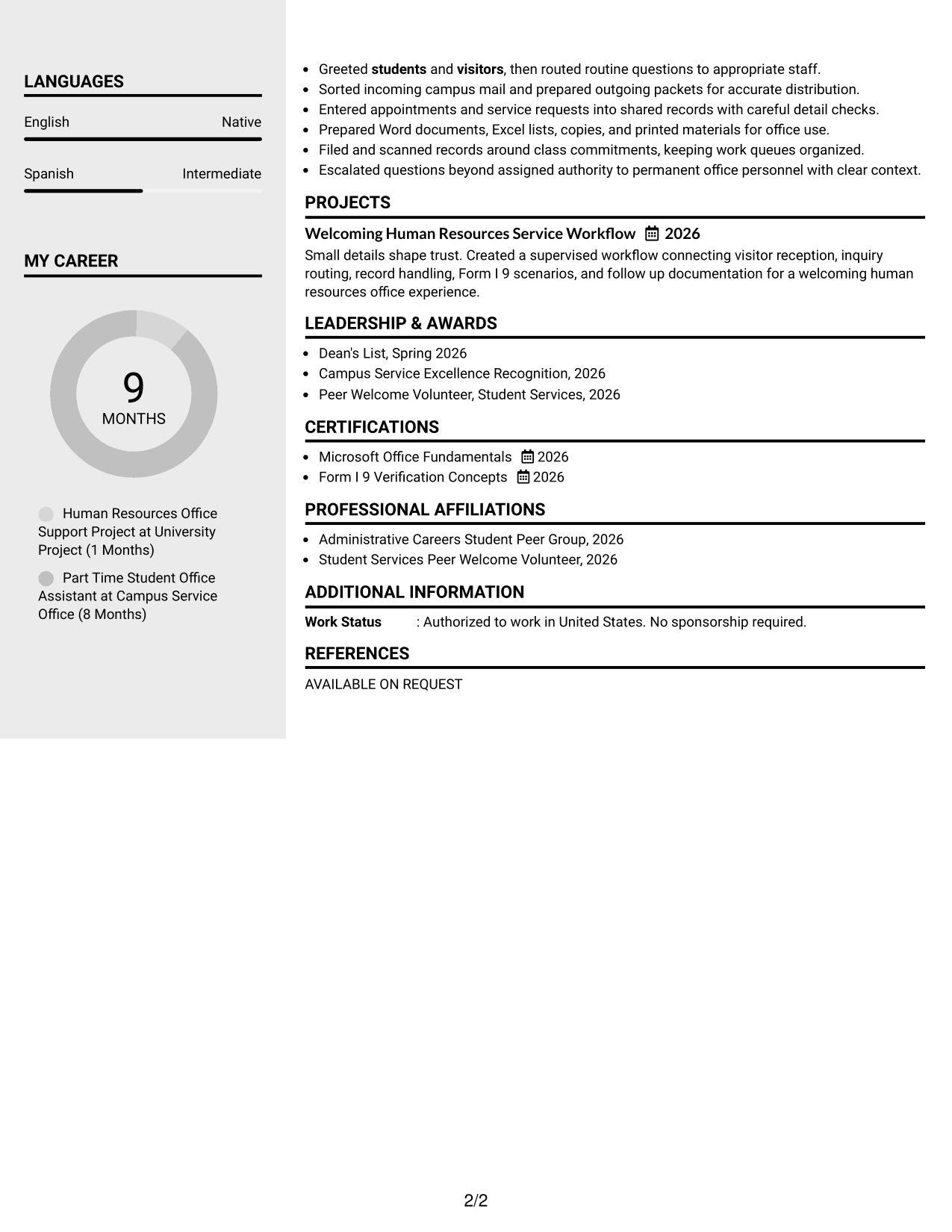
#4 Clean Two Column Sidebar Format Resume Example

A clean two-column structure separates compact information from longer resume sections, helping recruiters scan skills and credentials beside experience and education without losing the main reading path.
 
Resume Example Page 1   Resume Example Page 2

Why This Format Works

  • Sidebar space suits compact skills and credential categories.
  • Main content area preserves room for experience and achievement detail.
  • Two-column separation helps reviewers compare qualifications without dense blocks.

Best For

  • Compact skills beside detailed experience
  • Resumes with several short credential sections
  • Balanced use of page width
  • Quick qualification cross-checking
  • Office support resumes with varied evidence


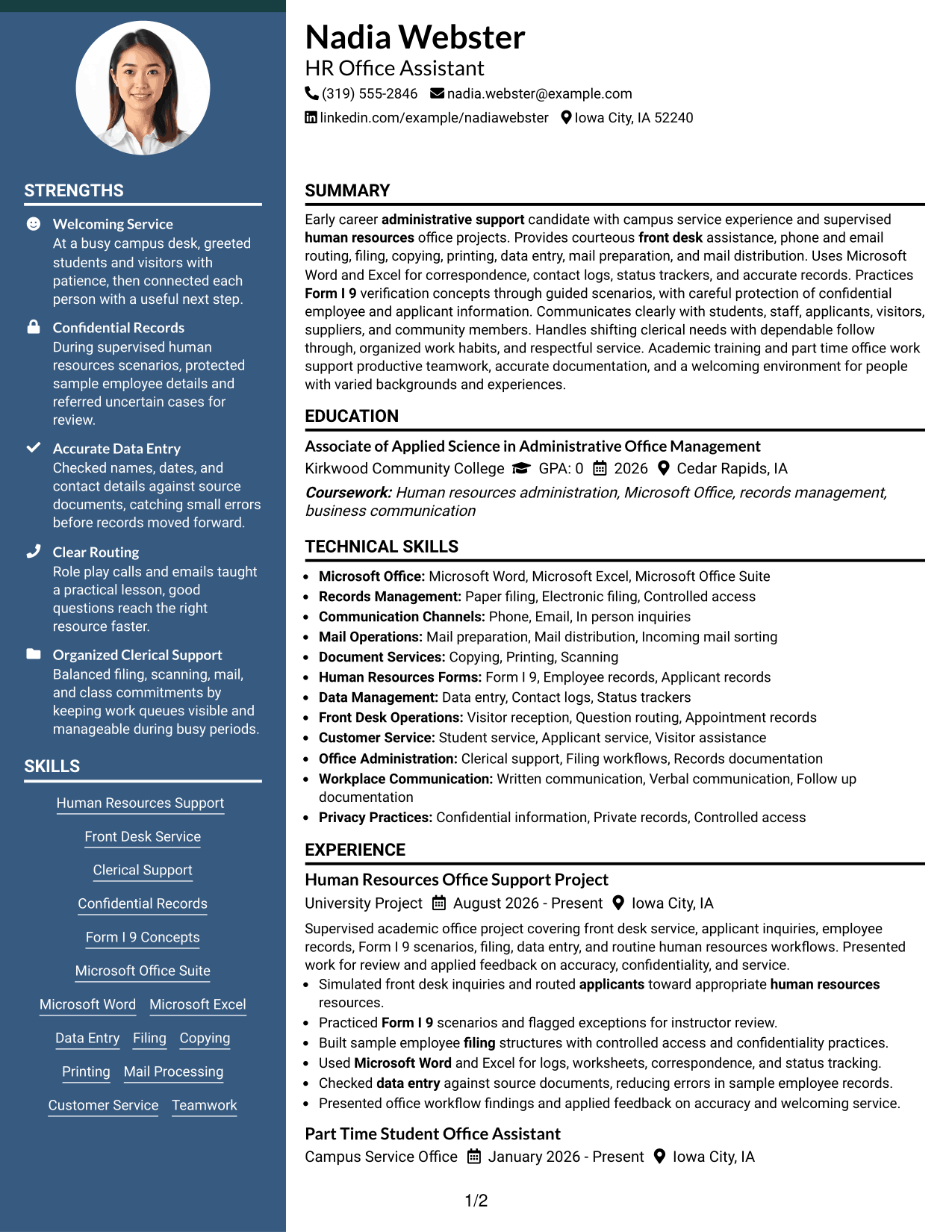
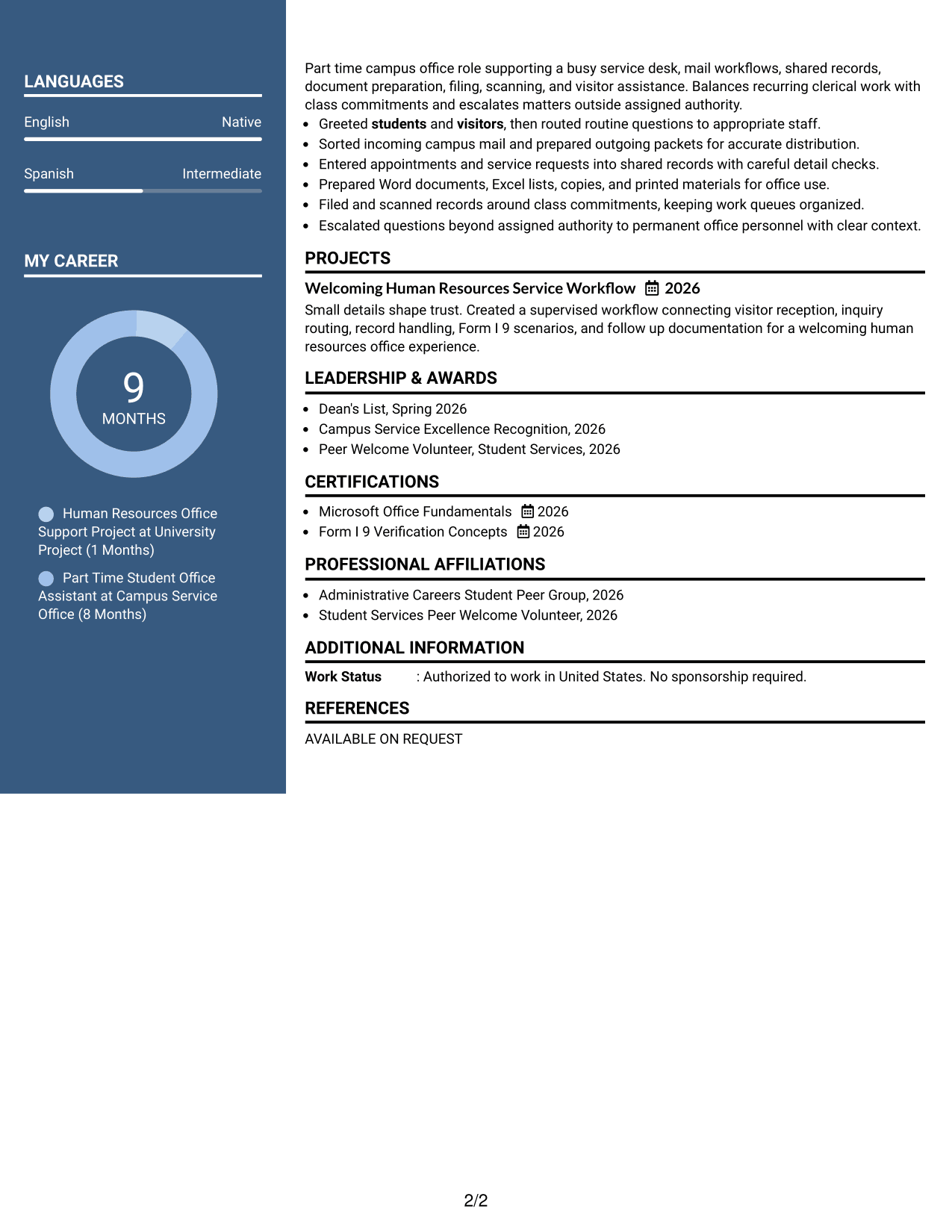
#5 Two Column Format Resume Example

This two-column format uses parallel body areas to organize resume information, giving recruiters a faster way to move between detailed experience and shorter supporting sections such as skills, education, and credentials.
 
Resume Example Page 1   Resume Example Page 2

Why This Format Works

  • Parallel columns reduce long vertical runs between supporting resume sections.
  • Experience can remain prominent while shorter qualifications stay nearby.
  • Separated content groups make education, skills, and credentials easier to compare.

Best For

  • Resumes with balanced content volume
  • Readers comparing several qualification types
  • Experience plus compact supporting sections
  • Efficient use of horizontal space
  • Applications needing quick section switching
 

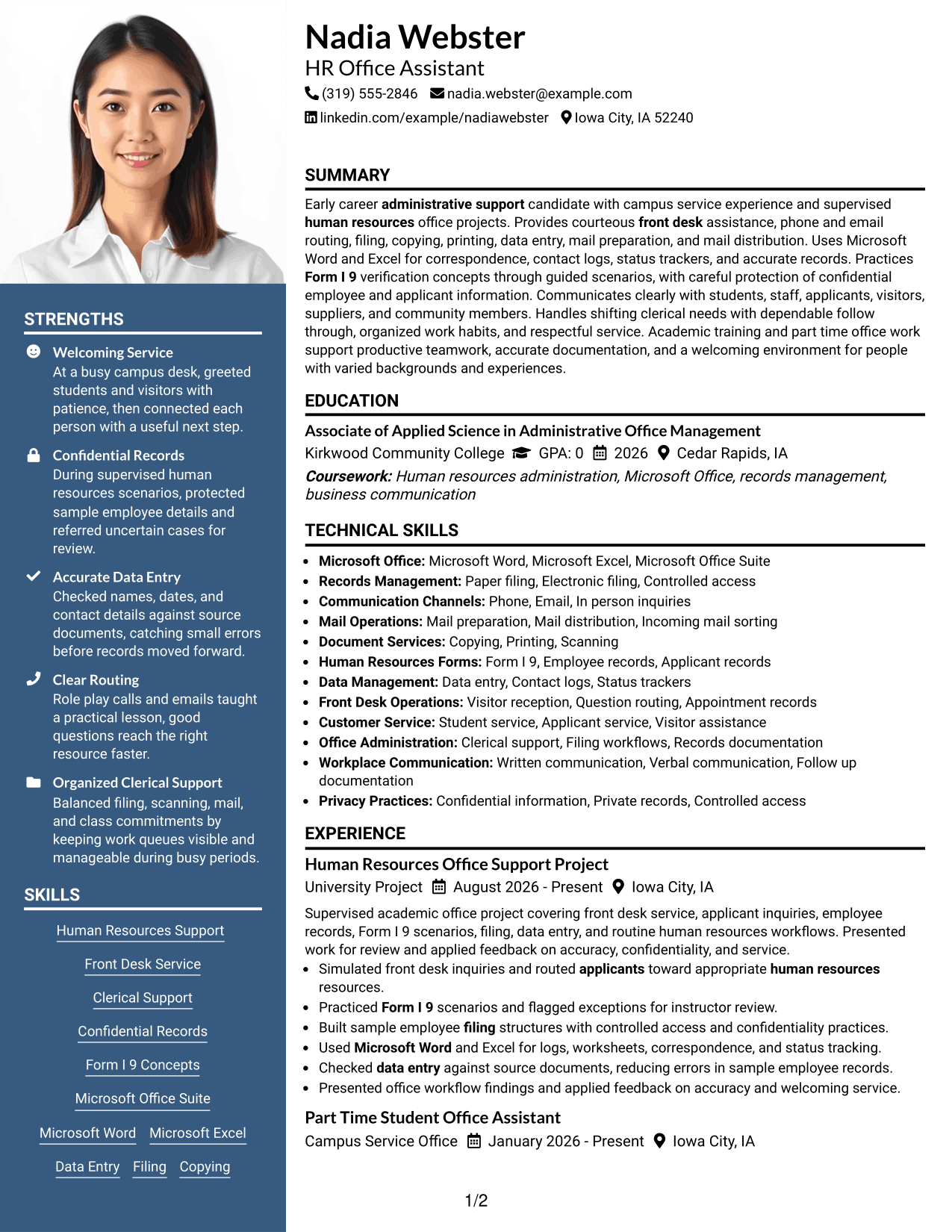
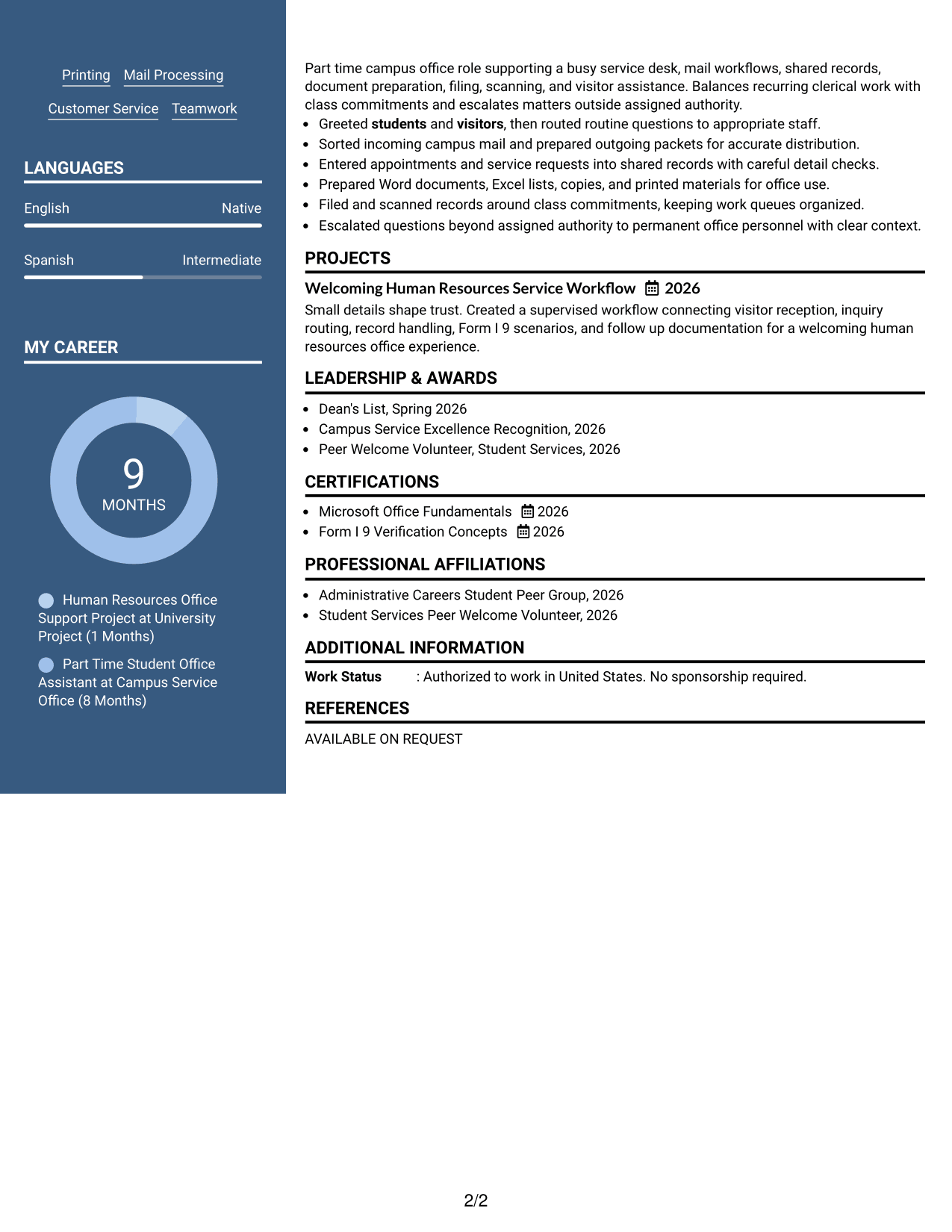
#6 Photo Header Two Column Format Resume Example

A photo header sits above a two-column body, giving recruiters a clear identity area while the resume content stays divided into structured sections for experience, skills, education, and credentials.
 
Resume Example Page 1   Resume Example Page 2

Why This Format Works

  • Header photo remains separate from the two-column qualification structure.
  • Column division gives experience and supporting sections distinct reading zones.
  • Section separation helps skills, education, and credentials stay easy to locate.

Best For

  • Regions where professional photos are expected
  • Applications using a distinct identity header
  • Mixed long and short resume sections
  • Side-by-side qualification review
  • Resumes needing stronger visual separation
 

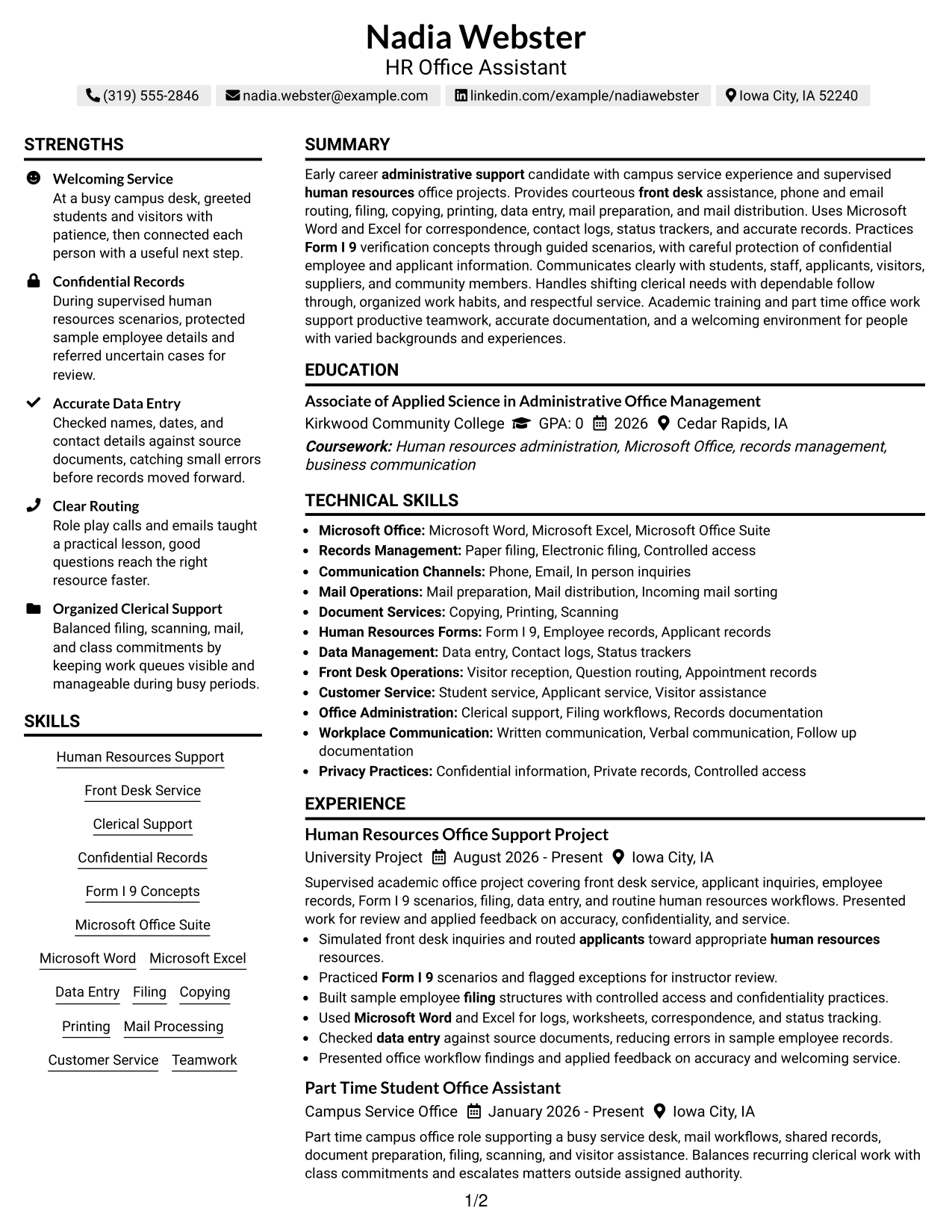
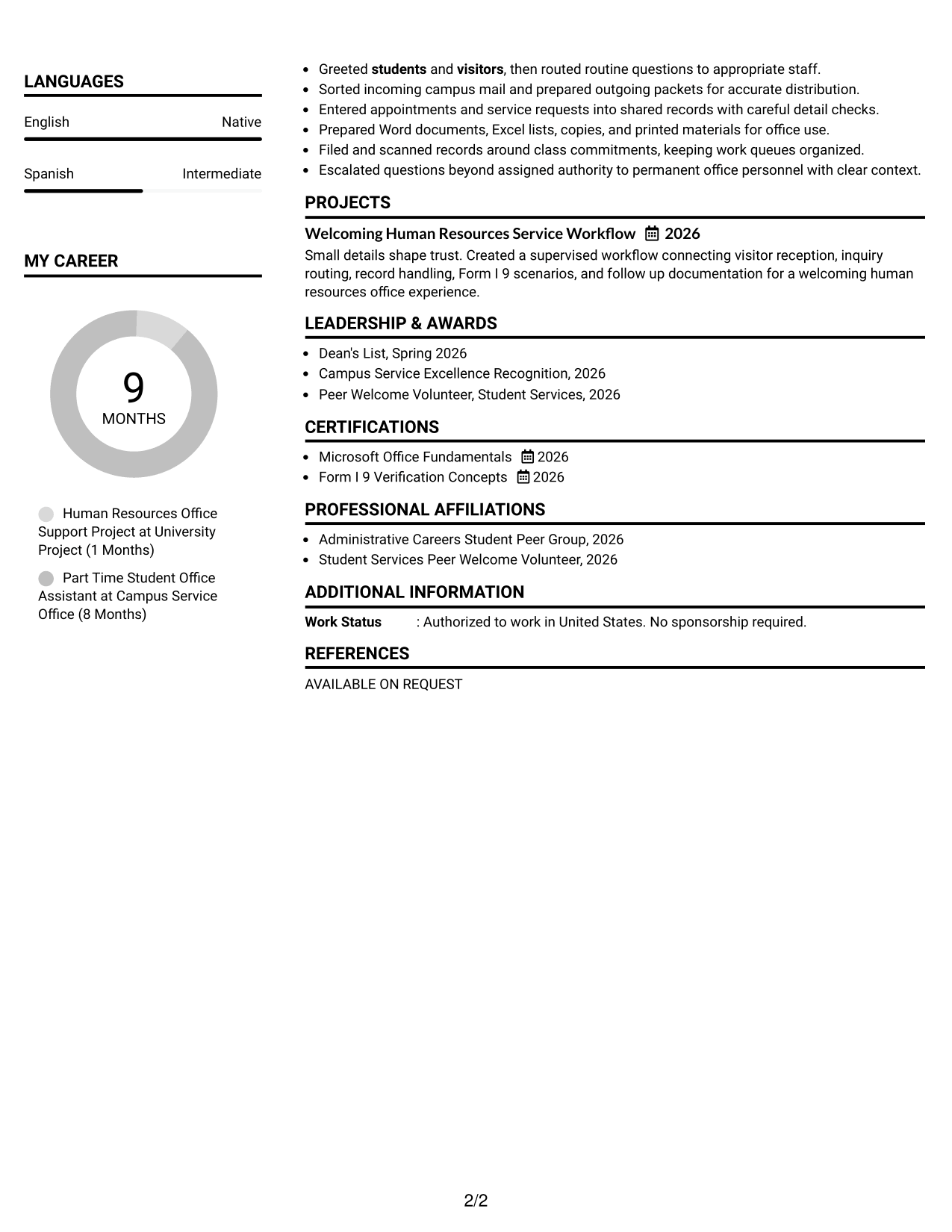
#7 Simple Two Column Format Resume Example

A simple two-column layout divides the resume into clear parallel sections, helping recruiters move between experience and supporting qualifications while keeping the overall presentation restrained and easy to scan.
 
Resume Example Page 1   Resume Example Page 2

Why This Format Works

  • Simple column boundaries separate detailed experience from shorter supporting content.
  • Parallel organization keeps education and skills visible during experience review.
  • Restrained structure avoids extra visual elements that compete with qualifications.

Best For

  • Clean two-column reading
  • Moderate amounts of resume content
  • Experience with concise supporting sections
  • Reviewers who scan across categories
  • Simple professional presentation


Why Build Your HR Office Assistant Resume with ResumeInMinutes

ResumeInMinutes helps you turn office work, campus service, coursework, projects, and credentials into clear resume sections that are simple to review and update.

  • ATS-friendly section structure
  • Role-focused keyword guidance
  • Experience and project organization
  • Skills and credentials structure
  • Free PDF resume previews
  • Easy resume customization

Use the builder to keep clerical duties, service experience, education, and HR-related training easy to find while tailoring the resume to a specific HR Office Assistant posting.


See Also


Frequently Asked Questions

Are these HR Office Assistant resume templates ATS-friendly?

They use clear headings and standard resume sections that support ATS reading. Your results still depend on the system and on how accurately your resume matches the job description.

Are these different resumes?

No. This guide shows one HR Office Assistant resume example in different visual layouts so you can compare structure without changing the underlying qualifications.

What should an HR Office Assistant resume include?

Include a focused summary, relevant office or clerical experience, education, skills, projects or training, and credentials. Use concise bullets for customer service, record handling, data entry, filing, mail work, and supported HR tasks.

Can I download the resume templates as PDFs?

Yes. Each resume style provides a free PDF preview so you can compare the presentation before choosing a format.

Which resume format works well for an HR Office Assistant application?

Choose a format that makes experience, skills, education, and credentials easy to find. A straightforward one-column layout supports simple reading, while a clear two-column layout can separate shorter skill or credential sections from longer experience content.

How can an early-career applicant strengthen this resume?

Use relevant part-time work, campus service, supervised projects, coursework, volunteering, and certifications. Show what you did, how carefully you handled records or service tasks, and which office tools you used.

Should I include a photo on my resume?

For most U.S. applications, a no-photo resume is the safer choice. Use a photo only when it is appropriate for the country, region, or application context.

Can I customize these resume templates?

Yes. Adjust the text and layout to match your own HR Office Assistant experience and the requirements of the job you are targeting.


ATS score 74%

How we calculate this score

  • Keywords: 60% of the total. AI extracts keywords from your job description. If you do not provide one, a standard job description for the title matching your resume is used. This is not a match to a specific vacancy.
  • Text-based resume: 20%. The text resume assessed here receives 100 for this part.
  • Resume quality: 20%. We start at 100 and subtract points for issues found by our resume checks, down to a minimum of zero.
  • Keyword coverage = 100 × (confirmed matches + 0.8 × possible matches) ÷ total keywords, rounded and capped at 100. Possible matches still need checking. Saved generation audits use their saved keyword percentage.
  • Final score = 60% of keyword coverage + 20% of the text score + 20% of the quality score, rounded to a whole number. Without keywords, no overall ATS score is available.

What this score means

Our scores are estimates, not employer ratings. They may contain errors and do not guarantee accurate parsing, a ranking, an interview, or a job. Check your document against the employer’s requirements. You are responsible for relying on this score.

Terms and Conditions

Score weights: Keywords 60% · Text based resume 20% · Resume quality 20%

Live keyword match: 25 of 44 (57%) · Resume quality: 100%

Resume quality 100% · Weight 20% · Issues (0)

Details
  • ✓Name present: Nadia Webster
  • ✓Email format: nadia.webster@example.com
  • ✓Phone format: (319) 555-2846
  • ✓Experience 1: Job title: Human Resources Office Support Project
  • ✓Experience 1: Company name: University Project
  • ✓Experience 1: Employment dates: August 2026 - Present
  • ✓Experience 1: Description or achievements: Present
  • ✓Experience 2: Job title: Part Time Student Office Assistant
  • ✓Experience 2: Company name: Campus Service Office
  • ✓Experience 2: Employment dates: January 2026 - Present
  • ✓Experience 2: Description or achievements: Present
  • ✓No placeholder fields
  • ✓No repeated achievement bullets
  • ✓No empty bullets

No issues found by the current checks.

Text Based Resume 100% · Weight 20%

Parsed text
Nadia Webster
(319) 555-2846
nadia.webster@example.com
linkedin.com/example/nadiawebster
Iowa City, IA 52240
SUMMARY
Early career administrative support candidate with campus service experience and supervised human resources office projects. Provides courteous front desk assistance, phone and email routing, filing, copying, printing, data entry, mail preparation, and mail distribution. Uses Microsoft Word and Excel for correspondence, contact logs, status trackers, and accurate records. Practices Form I 9 verification concepts through guided scenarios, with careful protection of confidential employee and applicant information. Communicates clearly with students, staff, applicants, visitors, suppliers, and community members. Handles shifting clerical needs with dependable follow through, organized work habits, and respectful service. Academic training and part time office work support productive teamwork, accurate documentation, and a welcoming environment for people with varied backgrounds and experiences.
EDUCATION
Associate of Applied Science in Administrative Office Management
Kirkwood Community College
GPA: 0
2026
Cedar Rapids, IA
Coursework: Human resources administration, Microsoft Office, records management, business communication
TECHNICAL SKILLS
Microsoft Office: Microsoft Word, Microsoft Excel, Microsoft Office Suite
Records Management: Paper filing, Electronic filing, Controlled access
Communication Channels: Phone, Email, In person inquiries
Mail Operations: Mail preparation, Mail distribution, Incoming mail sorting
Document Services: Copying, Printing, Scanning
Human Resources Forms: Form I 9, Employee records, Applicant records
Data Management: Data entry, Contact logs, Status trackers
Front Desk Operations: Visitor reception, Question routing, Appointment records
Customer Service: Student service, Applicant service, Visitor assistance
Office Administration: Clerical support, Filing workflows, Records documentation
Workplace Communication: Written communication, Verbal communication, Follow up documentation
Privacy Practices: Confidential information, Private records, Controlled access
SKILLS
Human Resources Support
Front Desk Service
Clerical Support
Confidential Records
Form I 9 Concepts
Microsoft Office Suite
Microsoft Word
Microsoft Excel
Data Entry
Filing
Copying
Printing
Mail Processing
Customer Service
Teamwork
EXPERIENCE
Human Resources Office Support Project
University Project
August 2026 - Present
Iowa City, IA
Supervised academic office project covering front desk service, applicant inquiries, employee records, Form I 9 scenarios, filing, data entry, and routine human resources workflows. Presented work for review and applied feedback on accuracy, confidentiality, and service.
Simulated front desk inquiries and routed applicants toward appropriate human resources resources.
Practiced Form I 9 scenarios and flagged exceptions for instructor review.
Built sample employee filing structures with controlled access and confidentiality practices.
Used Microsoft Word and Excel for logs, worksheets, correspondence, and status tracking.
Checked data entry against source documents, reducing errors in sample employee records.
Presented office workflow findings and applied feedback on accuracy and welcoming service.
Part Time Student Office Assistant
Campus Service Office
January 2026 - Present
Iowa City, IA
Part time campus office role supporting a busy service desk, mail workflows, shared records, document preparation, filing, scanning, and visitor assistance. Balances recurring clerical work with class commitments and escalates matters outside assigned authority.
Greeted students and visitors, then routed routine questions to appropriate staff.
Sorted incoming campus mail and prepared outgoing packets for accurate distribution.
Entered appointments and service requests into shared records with careful detail checks.
Prepared Word documents, Excel lists, copies, and printed materials for office use.
Filed and scanned records around class commitments, keeping work queues organized.
Escalated questions beyond assigned authority to permanent office personnel with clear context.
PROJECTS
Welcoming Human Resources Service Workflow
2026
Small details shape trust. Created a supervised workflow connecting visitor reception, inquiry routing, record handling, Form I 9 scenarios, and follow up documentation for a welcoming human resources office experience.
LEADERSHIP & AWARDS
Dean's List, Spring 2026
Campus Service Excellence Recognition, 2026
Peer Welcome Volunteer, Student Services, 2026
CERTIFICATIONS
Microsoft Office Fundamentals
2026
Form I 9 Verification Concepts
2026
PROFESSIONAL AFFILIATIONS
Administrative Careers Student Peer Group, 2026
Student Services Peer Welcome Volunteer, 2026
LANGUAGES
English (Native)
Spanish (Intermediate)
ADDITIONAL INFORMATION
Work Status
: Authorized to work in United States. No sponsorship required.
REFERENCES
AVAILABLE ON REQUEST

Matched keywords (25)

  • human resources
  • front desk
  • administrative support
  • employee
  • applicant
  • students
  • visitors
  • Customer
  • phone
  • email
  • In person inquiries
  • filing
  • copying
  • printing
  • data entry
  • mail preparation
  • mail distribution
  • Form I 9
  • Confidential information
  • Customer Service
  • Microsoft Office Suite
  • Microsoft Word
  • Microsoft Excel
  • Clerical support
  • varied backgrounds

Missing keywords (19)

  • HR Office Assistant
  • cross functional team
  • high school diploma
  • clear communication
  • dependability
  • organization
  • standing
  • pushing
  • pulling
  • grasping
  • driving
  • off site events
  • frequent reaching
  • computer work
  • sitting
  • walking
  • repetitive motion
  • speaking
  • hearing
Disclaimer: All names, images, contact information, employment histories, achievements, security clearances, military credentials, and other qualifications shown in this content are fictional and used for illustrative purposes only. Any resemblance to actual persons, living or deceased, is purely coincidental.

Resume and cover-letter examples and recommendations in this article reflect general best practices and professional experience and are provided for guidance only. Results may vary based on role, industry, region, and hiring organization.

Content Accuracy and Verification: To the fullest extent permitted by applicable law, we do not represent or warrant that resume or cover-letter guidance, examples, recommendations, or related information are accurate, complete, current, error-free, or suitable for any particular purpose. You are responsible for independently reviewing and verifying the information before relying on it.

ATS and Cover-Letter Scores: ATS scores are estimates calculated using our own formula, informed by publicly available guidance on resume formatting and keyword matching. They are not scores issued or endorsed by an ATS provider or employer. Cover-letter scores are also our own assessments. Parsing, weighting, screening criteria, and results vary between systems, employers, job descriptions, and document formats. No score guarantees successful parsing, a particular ranking, an interview, or employment. Use scores as general guidance and independently check your documents against the employer’s requirements. To the fullest extent permitted by applicable law, we accept no liability for errors in scores or parsing, or losses arising from reliance on these assessments. Nothing in this notice excludes liability or limits consumer rights that cannot lawfully be excluded or limited.

Terms and Conditions
 
> JP 1 1
PDF Footer and Margins Setup
The margins are applied to the document, and the footer shows up in the preview and the PDF

Footer Font Settings

Are you applying for a specific job
so we can tailor your resume to it?
Are you applying for a specific job
so we can tailor your cover letter to it?
Type your details as text to generate a personalized resume Type your details as text to generate a personalized cover letter
Website link found! Ready to create resume from:
Drag the into the box to verify you're human.
Drop here

My Resumes

Displaying {number_of_files} files (out of {total_of_all_files} total)
Name File Type Last Modified: Description:

Rename File

Filename already exists!

Delete Files

Warning: This action is irreversible. Once you click submit, the files will be permanently deleted.

Heading text
Upload From Computer Upload
Select From Existing
LinkedIn
Drag & Drop files anywhere in this tab, or

Uploaded Files

Delete Name Last Updated Use This File
Select this to use the file for generating your resume and cover letter. Only one source—uploaded file, selected file, or LinkedIn text—can be used.

My Files

Resumes or cover letters you create will appear here. No files available yet.
Delete Name Last Updated Use This File
Select this to use the file for generating your resume and cover letter. Only one source—uploaded file, selected file, or LinkedIn text—can be used.

Add LinkedIn Profile PDF

You can download your LinkedIn profile as a PDF by opening linkedin.com in a web browser, clicking your profile photo, selecting the “More” or “Resources” button, and choosing “Save to PDF.” You can then attach the PDF using the Upload From Computer tab.

Paste Your LinkedIn Profile Text

If you have copied the LinkedIn profile text, paste it below. See how to copy your profile from LinkedIn

Select this to use the LinkedIn profile text for generating your resume and cover letter. Only one source—uploaded file, selected file, or LinkedIn text—can be used.

Try these controls

<
>


