71. How would you debug a PHP page that returns a blank screen?
Give a systematic process covering HTTP status, server and PHP logs, syntax checks, error configuration, recent changes, dependencies, and a minimal reproduction.
I would reproduce the request, inspect its HTTP status and body, correlate it with server and PHP logs, lint recent changes, verify safe error logging, check dependencies and environment differences, and create a minimal reproduction. Then I would fix the root cause, retest the page, and prevent regression.
A blank page means the visitor receives no useful result, but it does not reveal what failed. The page might stop before producing content, hide the failure reason, send an empty result, or depend on something unavailable. I would avoid random changes. First, I would repeat the problem and learn whether it affects one page, one person, one machine, or everyone. I would collect evidence, compare the failing situation with a working one, narrow the problem to its smallest failing part, correct the real cause, and confirm the repair without exposing private information.
Useful clarifying questions:
- Does the blank page occur in production, testing, development, or every environment?
- Is it limited to one URL, request method, user, or input?
- What HTTP status code and response headers are returned?
- Did it start after a deployment, configuration change, or dependency change?
- Which web server and PHP SAPI handle the request, such as Apache with mod_php, Nginx with PHP-FPM, or Apache with PHP-FPM?
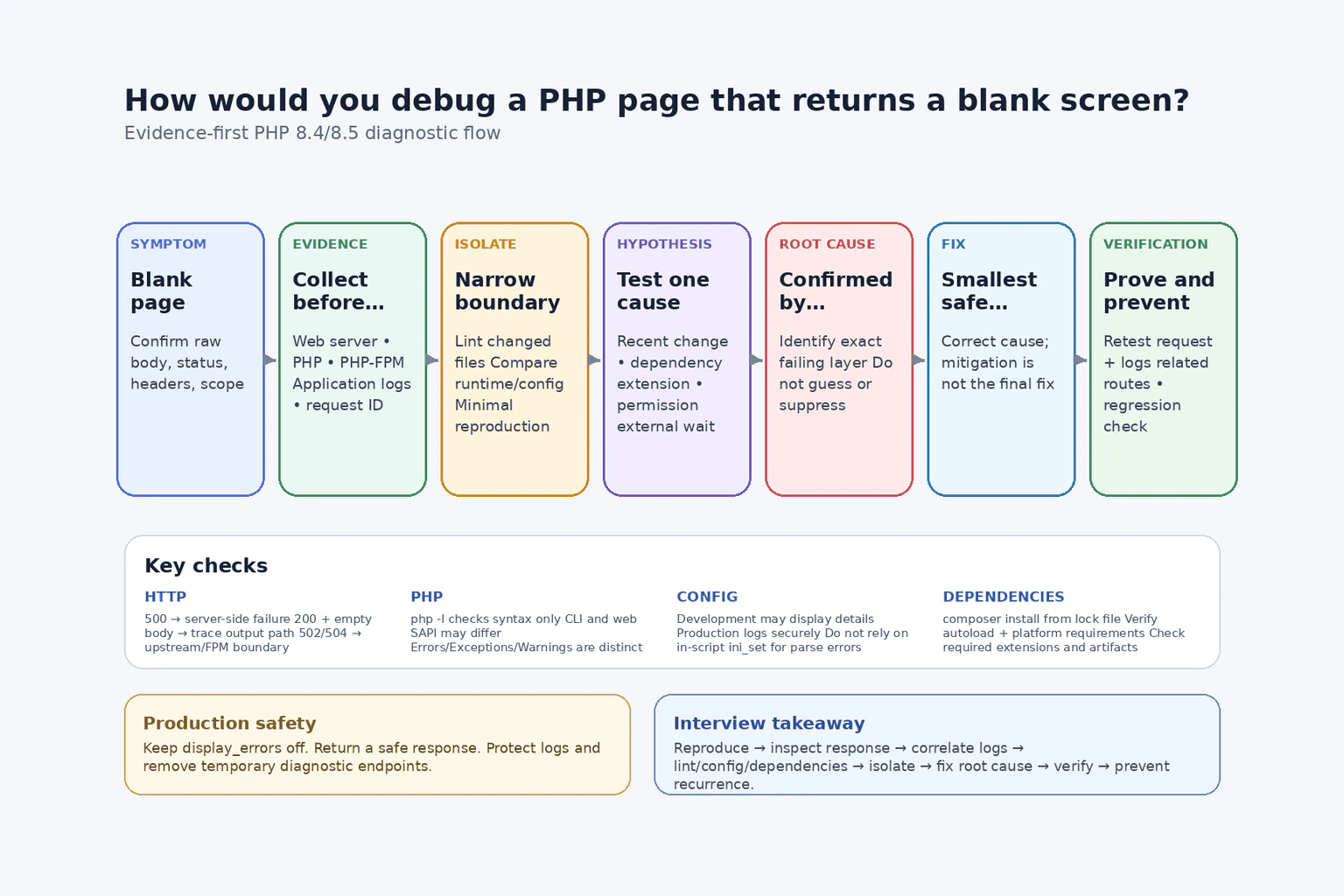
I would begin with reproduction, scope, evidence, and the smallest useful diagnostic step.
- Reproduce the exact request and define the scope. I would repeat the same URL, HTTP method, input, authentication state, headers, and environment. I would determine whether the failure is consistent or intermittent and whether it affects one route or the whole application. I would also compare it with a known working request. Before changing code, I would record the time, deployment version, host, and any request or correlation ID available.
- Inspect the complete HTTP response. I would use browser developer tools, curl, or an API client to inspect the status code, response headers, redirects, content type, and raw body. A browser can look blank even when the server returned an error document, an empty successful response, a redirect loop, or content that client-side code hides.
An HTTP 500 response commonly indicates an application or server-side failure. A 200 response with an empty body can result from an early exit or die, a branch that renders nothing, discarded output buffering, a missing template, incorrect routing, or code that completes without writing a response. A 502 or 504 response points first toward communication or timeout problems between the web server and an upstream handler such as PHP-FPM, although the underlying trigger may still be slow or failed PHP execution.
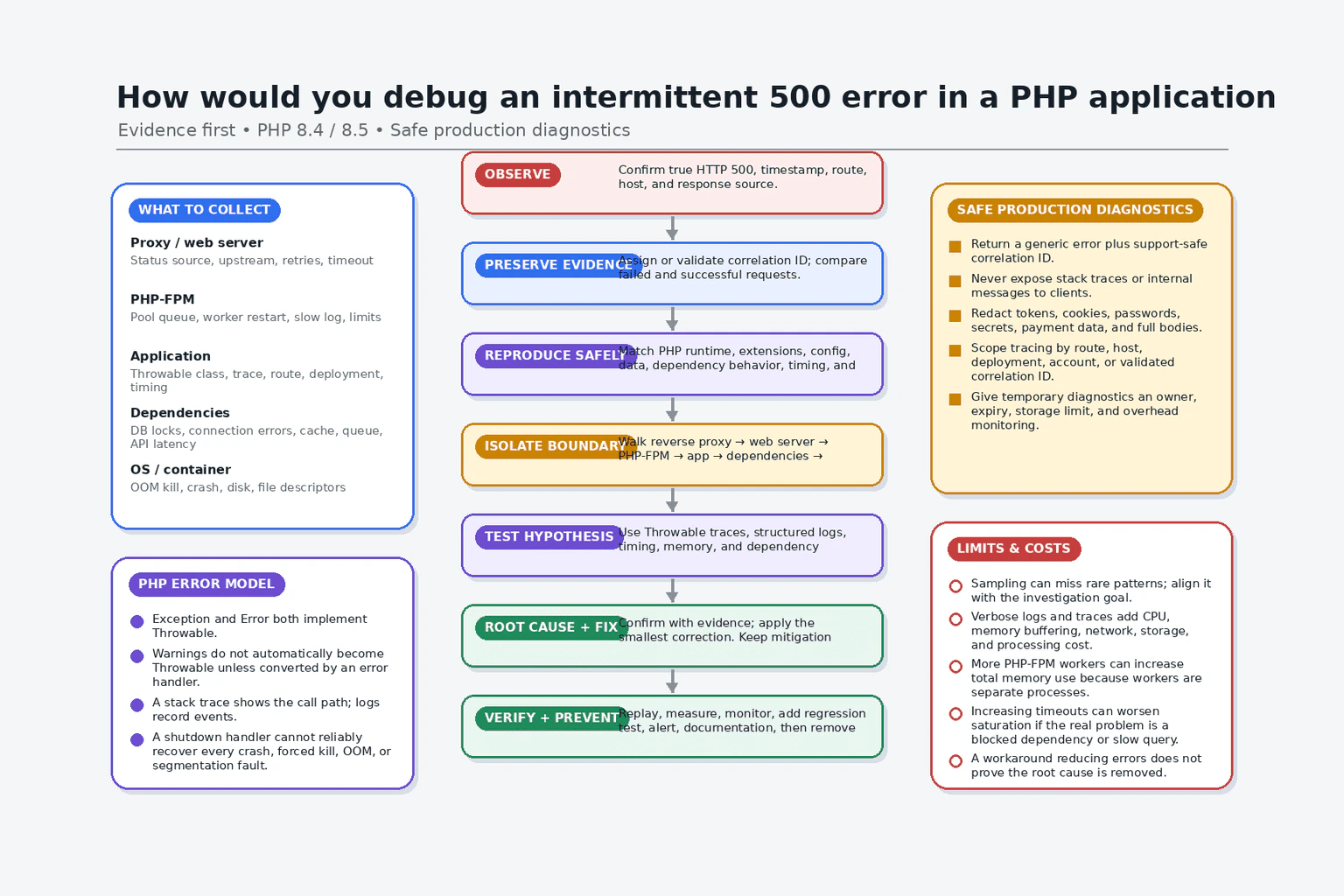
- Correlate the request with the correct logs. I would inspect the web server error log, PHP error log, PHP-FPM pool log when PHP-FPM is used, and the application's own logs. I would search by timestamp, request ID, route, process, or host rather than reading unrelated entries.
I would distinguish the evidence types. An exception is an object that application code may catch. A PHP Error represents serious runtime problems such as calling an undefined function and is also throwable in modern PHP. Warnings normally allow execution to continue but can still explain missing includes, failed file access, or invalid configuration. A stack trace shows the call path to an uncaught throwable. Logs record events over time. A profiler or trace can show where execution spends time or stops, but I would use one only when basic response and log evidence is insufficient, especially for intermittent failures or timeouts.
- Check PHP syntax with the relevant runtime version. I would run php -l path/to/file.php on recently changed files or use the project's established lint command for all PHP files. A parse error can produce a blank response when errors are not displayed. Linting checks syntax without executing the file, so it does not detect runtime, dependency, database, or business-logic failures.
I would confirm that the CLI binary used for linting is compatible with the PHP version serving the request. The CLI and web SAPIs can use different PHP versions, extensions, and configuration files. Therefore, a successful CLI lint is useful evidence but does not prove that the web runtime is configured correctly.
- Verify error configuration safely. I would inspect the active error_reporting, display_errors, display_startup_errors, log_errors, and error_log settings for the SAPI that serves the page. In a controlled development environment, displaying errors can make diagnosis faster. In production, detailed errors should not be displayed because they can reveal file paths, queries, credentials, tokens, or internal code. Production should return a safe error response while recording detailed information in protected logs.
I would not rely on adding ini_set('display_errors', '1') inside the failing script to reveal every problem. If the file cannot be parsed or PHP fails before that statement executes, the runtime setting is never applied. For those failures, I would use server-level or SAPI-level configuration, logs, and linting. I would not leave a public phpinfo() or PHP-FPM status endpoint exposed; any temporary diagnostic endpoint must be restricted and removed after use.
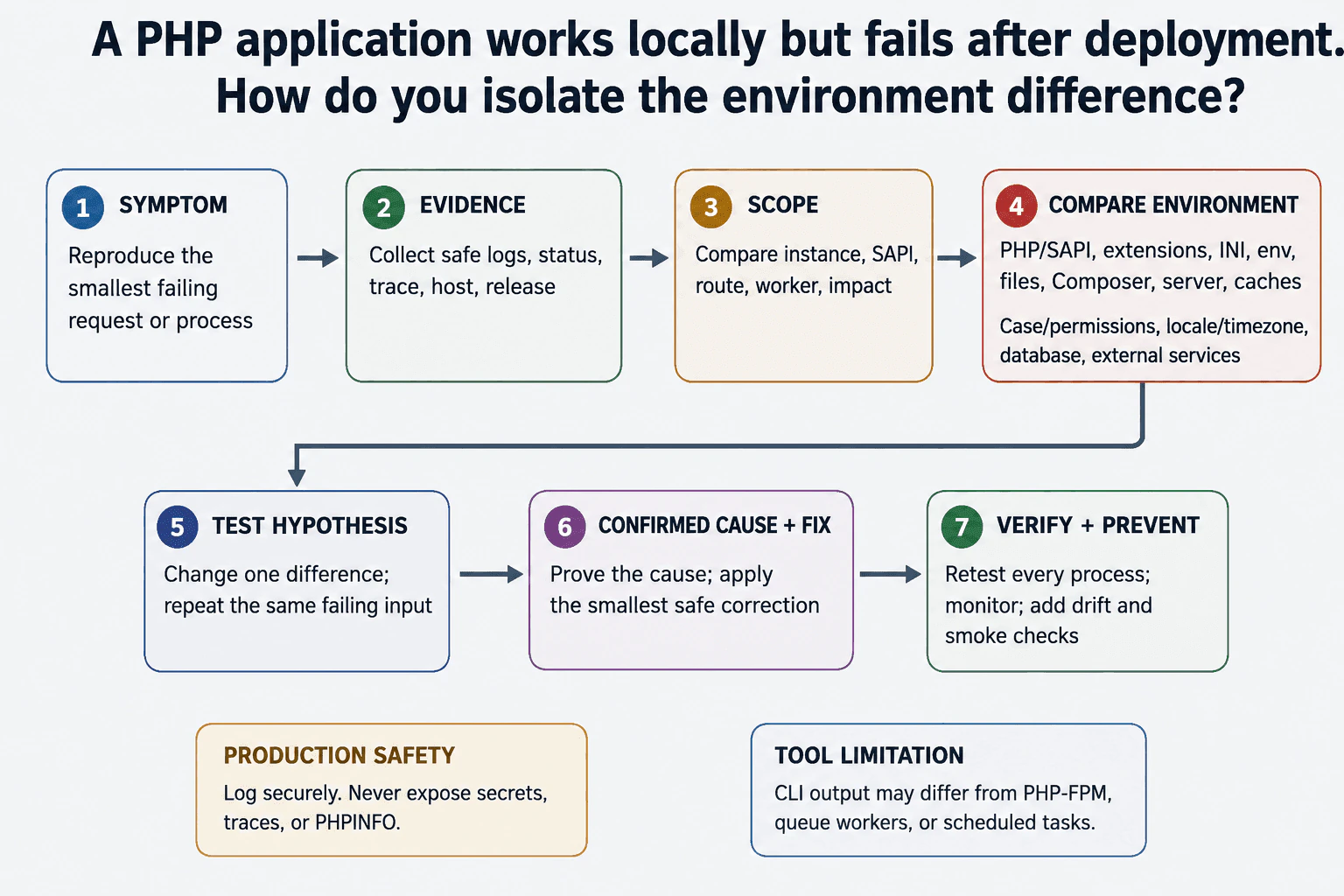
- Review recent code and deployment changes. I would compare the failing release with the last known working release. I would inspect changed PHP files, routes, templates, bootstrap code, environment variables, PHP configuration, web server configuration, container or host images, file ownership, permissions, generated caches, and deployment steps.
Reverting a release may restore service quickly, but that is a workaround unless the change responsible for the failure is identified. I would preserve evidence before rollback when possible, then investigate and correct the root cause in a controlled environment.
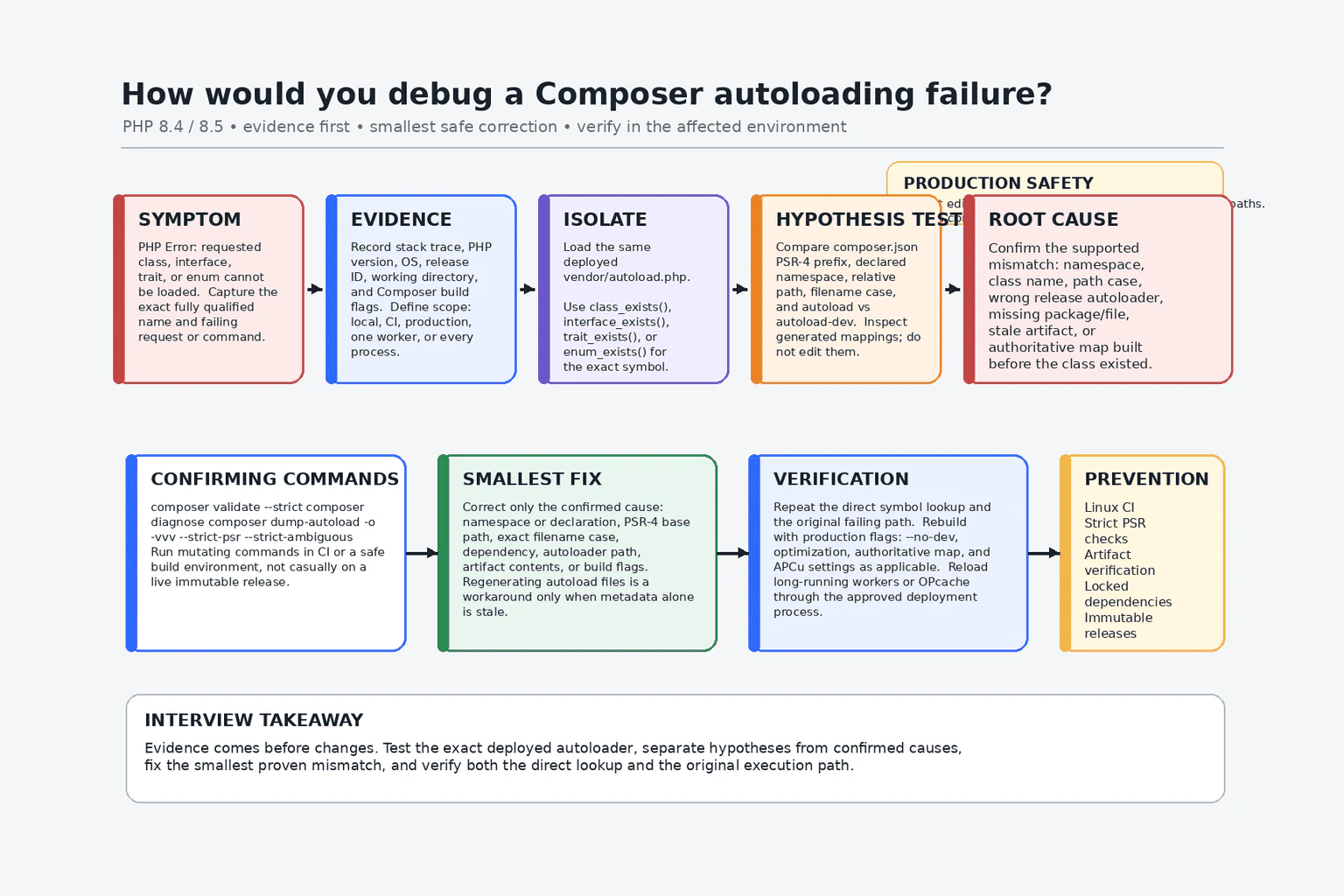
- Verify dependencies, autoloading, and platform requirements. I would confirm that vendor/autoload.php exists and that the deployed vendor directory matches the committed composer.lock. For an application with a lock file, deployment should normally run composer install so that the locked versions are installed; running an uncontrolled composer update in production can change dependency versions and introduce new failures.
I would run Composer's platform-requirement check when appropriate to verify the actual PHP version and required extensions. I would also check whether Composer scripts completed successfully, whether generated autoload files are current, and whether production autoloader optimization is consistent with the application's class-loading behavior. Composer packages, core PHP, PHP extensions, and framework bootstrap code are separate layers, so I would identify which layer fails rather than treating them as one system.
- Check environment and external dependencies using evidence. I would compare the failing environment with a working one: PHP version, SAPI, loaded extensions, php.ini files, environment variables, filesystem paths, permissions, memory limit, execution-time limit, timezone, and web server or PHP-FPM configuration.
If logs or traces point toward a database, I would verify connectivity, credentials, network access, connection limits, query errors, locks, and timeouts. Database evidence could include driver exceptions, database logs, connection metrics, or a safely executed health query. I would similarly check external APIs, queues, caches, storage, and DNS only when the request path uses them or evidence points to them. I would not assume that every blank page is a database failure.
- Build a minimal reproduction. I would reduce the failing path to the smallest request that still demonstrates the problem. I might first confirm that a simple PHP response works, then add the front controller, bootstrap file, Composer autoloader, routing, controller, service, database call, and template rendering one layer at a time. Alternatively, I could remove layers from the failing request until it works. The boundary where behavior changes identifies the smallest useful area to investigate.
A minimal reproduction should use safe test data and should not be deployed as an unprotected production diagnostic page. It is an isolation technique, not the final fix.
- Correct the root cause and separate it from temporary mitigation. The root-cause fix depends on the evidence. Examples include correcting invalid syntax, restoring a missing deployment artifact, installing a required extension, fixing an autoload mapping, correcting a file permission, handling a throwable, repairing configuration, or adding a timeout and failure path around an external dependency.
A rollback, process restart, cache clear, increased limit, or temporary feature disablement may reduce impact, but it should be documented as mitigation unless it permanently removes the identified cause. I would not suppress errors with @, hide warnings, or increase memory and timeout limits without understanding why the limits were reached.
- Verify the repair. I would repeat the original request with the same inputs and confirm the expected status code, headers, content, and side effects. I would check that no new PHP, server, database, or application errors appear in logs. I would test related routes and both success and failure cases. Where multiple instances or workers exist, I would verify that the corrected release and configuration reached all of them.
- Prevent regression. I would add the most relevant protection: an automated test for the failing path, syntax checks in continuous integration, Composer lock-file and platform checks, deployment validation, a health check, structured error logging, request IDs, monitoring for empty or 5xx responses, or an alert for PHP-FPM and dependency failures. The prevention should target the identified cause rather than adding unrelated complexity.
The main tradeoff is diagnostic visibility versus security and operational risk. Development can expose more detail in a controlled environment. Production should reveal little to the visitor while preserving enough protected evidence for engineers to find the cause.
- Reproduce the exact request and record its scope, time, environment, and deployment version.
- Inspect the HTTP status, headers, redirects, content type, and raw body.
- Correlate the request with web server, PHP, PHP-FPM, and application logs.
- Classify the evidence as an exception, PHP Error, warning, server failure, timeout, or empty application response.
- Lint changed files with the relevant PHP version and remember that linting does not execute code.
- Verify the serving SAPI's PHP version, loaded configuration, error reporting, and secure logging settings.
- Review recent code, configuration, deployment, permission, and cache changes.
- Verify Composer installation, autoloading, lock-file consistency, required PHP extensions, and platform requirements.
- Check databases and external services only when the request path or evidence supports doing so.
- Compare failing and working environments.
- Reduce the failure to a safe minimal reproduction.
- Apply the root-cause fix, distinguish temporary mitigation, verify related behavior, and add targeted regression prevention.
Most first-line checks are inexpensive because they inspect one response, a small time window in the logs, and recently changed files. Their time cost grows with the number of servers, workers, releases, and log sources involved. Searching unstructured or very large logs can be slow, while timestamps and request IDs make it faster. PHP syntax linting processes each checked file, so checking the whole codebase takes roughly more time as the number and size of files increase. It uses temporary memory but does not run the application. Profiling and detailed tracing add CPU, memory, storage, and latency overhead, so they should be sampled or used in controlled conditions. A minimal reproduction and automated regression test require maintenance effort, but they reduce repeated investigation and future outage risk.
Interviewers ask this question to evaluate whether the candidate investigates an unclear server-side failure systematically instead of guessing. A strong answer demonstrates knowledge of HTTP responses, PHP errors and exceptions, web server and PHP logs, syntax validation, runtime configuration, Composer dependencies, PHP extensions, environment differences, safe production diagnostics, failure isolation, root-cause correction, verification, and regression prevention.
Common mistakes include making random changes before reproducing the issue; checking only what the browser displays instead of the raw HTTP response; enabling detailed error display publicly in production; assuming ini_set() inside the failing file can reveal a parse error in that file; suppressing warnings with @; ignoring web server, PHP-FPM, startup, or application logs; reading logs without correlating the correct request; using a different CLI PHP version and configuration from the web SAPI; assuming every blank page is a database problem; running composer update directly in production; ignoring missing extensions or platform requirements; changing many variables at once; treating a restart, cache clear, limit increase, or rollback as proof of root cause; leaving phpinfo() or status pages exposed; profiling production without controlling overhead; and verifying only the original URL without checking related behavior and logs.
Present the investigation in a strict order: reproduce and scope, inspect the raw HTTP response, correlate logs, lint syntax, verify the serving PHP environment, review recent changes and dependencies, isolate a minimal reproduction, fix the root cause, verify the repair, and prevent regression. Clearly distinguish safe development diagnostics from secure production behavior.